
iOttie HLMPIO120WH
iOttie MiGo Mini Selfie Stick User Manual
Model: HLMPIO120WH
Уводзіны
Дзякуй за пакупкуasing the iOttie MiGo Mini Selfie Stick. This compact and versatile accessory is designed to enhance your mobile photography and videography experience, allowing you to capture wider angles and group shots with ease. Featuring a detachable Bluetooth remote and compatibility with both smartphones and GoPro cameras, the MiGo Mini is an ideal companion for your adventures. Please read this manual thoroughly to ensure proper use and maintenance of your device.
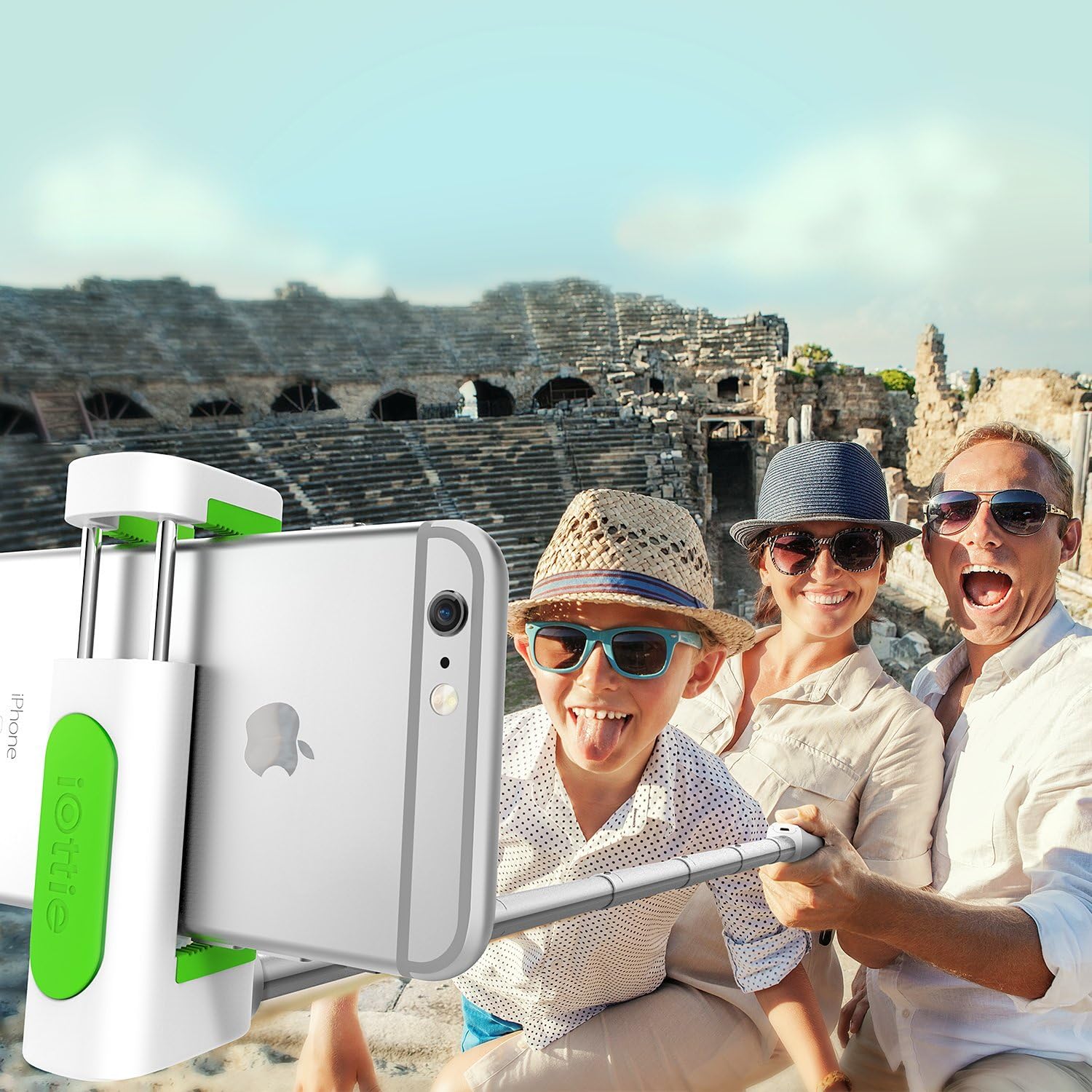
The iOttie MiGo Mini Selfie Stick in use, capturing a wide-angle group photo.
Інфармацыя па бяспецы
- Не падвяргайце прыладу ўздзеянню экстрэмальных тэмператур, прамых сонечных прамянёў або высокай вільготнасці.
- Трымайце прыладу далей ад вады і іншых вадкасцей.
- Не спрабуйце разбіраць або мадыфікаваць прыладу. Гэта прывядзе да анулявання гарантыі.
- Use only the provided charging cable or a certified micro USB cable for charging.
- Захоўваць у месцах, недаступных дзецям.
Змест пакета
Калі ласка, пастаўце галачку для наступных пунктаў:
- iOttie MiGo Mini Selfie Stick
- Зарадны кабель Micro USB
- Кіраўніцтва карыстальніка
Прадукт скончаныview
Familiarize yourself with the components of your iOttie MiGo Mini Selfie Stick.

Скончанаview of the iOttie MiGo Mini Selfie Stick in its collapsed state.
The MiGo Mini features a compact design for portability. When collapsed, it measures approximately 7.36 inches in length and weighs around 4.08 ounces (100 grams).

Compact and lightweight design of the MiGo Mini Selfie Stick.
The adjustable cradle can securely hold devices ranging from 1.8 inches to 3.5 inches in width. The extendable rod allows the selfie stick to reach a maximum length of 28 inches.

Cradle and rod extension dimensions.
Настройка
1. Charging the Bluetooth Remote
The detachable Bluetooth remote comes with a built-in rechargeable Lithium Ion battery. Before first use, ensure the remote is fully charged.
- Locate the Micro USB charging port on the side of the remote.
- Connect the provided Micro USB cable to the remote and plug the other end into a USB power source (e.g., computer USB port, wall adapter).
- The indicator light on the remote will illuminate during charging and turn off when fully charged.
2. Спалучэнне пульта дыстанцыйнага кіравання Bluetooth
The remote uses Bluetooth 3.0 for connection and has an effective range of up to 32.8 feet (10 meters).

Bluetooth 3.0 connection with a range of 32.8 feet.
- Пераканайцеся, што пульт зараджаны.
- Turn on the Bluetooth remote by pressing and holding the power button until the indicator light flashes.
- On your smartphone (Android or iOS), go to your Bluetooth settings.
- Пошук available devices. The remote should appear as "iOttie MiGo Mini" or similar.
- Select the device to pair. Once paired, the indicator light on the remote will stop flashing and remain solid or turn off, depending on the model.
- The remote will automatically reconnect to the last paired device when turned on, if Bluetooth is enabled on your phone.
3. Attaching a Smartphone
- Gently pull open the adjustable cradle at the top of the selfie stick.
- Carefully insert your smartphone into the cradle, ensuring it is held securely. The cradle can accommodate devices from 1.8 inches to 3.5 inches wide.
- Adjust the angle of the cradle as needed.

Smartphone attached to the MiGo Mini Selfie Stick.
4. Выцягванне сэлфі-палкі
To extend the selfie stick, simply pull the rod upwards from the base. It can extend from its compact 9-inch length to a maximum of 28 inches.
5. GoPro and Tripod Compatibility
The MiGo Mini is designed with versatility in mind, offering compatibility with GoPro cameras and standard tripods.
- GoPro Compatibility: The selfie stick includes a GoPro connector. To attach your GoPro (e.g., HERO4 Black), remove the smartphone cradle and secure your GoPro using its standard mount.
- Сумяшчальнасць са штатывам: The base of the selfie stick features a standard 1/4-inch screw thread, allowing it to be mounted on most tripods for stable shots.

GoPro and Tripod compatibility features.
Аперацыйная
Здымка фота/відэа
- Ensure your smartphone or GoPro is securely attached and the selfie stick is extended to your desired length.
- Open your camera application on your smartphone or prepare your GoPro for recording.
- Position the camera for your shot.
- Press the button on the detachable Bluetooth remote to capture a photo or start/stop video recording.
Тэхнічнае абслугоўванне
- Clean the selfie stick with a soft, dry cloth. Do not use abrasive cleaners or solvents.
- Калі прылада не выкарыстоўваецца, захоўвайце яе ў прахалодным сухім месцы, удалечыні ад прамых сонечных прамянёў.
- Ensure the remote is fully charged before long-term storage to preserve battery life.
Ліквідацыю непаладак
| праблема | Магчымае рашэнне |
|---|---|
| Remote not pairing/connecting. |
|
| Remote not taking photos/videos. |
|
| Smartphone not fitting in cradle. |
|
Тэхнічныя характарыстыкі
| Нумар мадэлі | HLMPIO120WH |
| Памеры прадукту (згорнутыя) | 9.25 х 3.18 х 1.88 цалі |
| Вага прадмета | 3.53 унцыі (100 грама) |
| Max. Extended Length | 28 цаляў |
| Cradle Compatibility | Devices 1.8 to 3.5 inches wide |
| Версія Bluetooth | 3.0 |
| Дыяпазон Bluetooth | Да 32.8 футаў (10 метраў) |
| Тып батарэі | 1 літый-іённы акумулятар (у камплекце) |
| Сумяшчальная АС | Android, iOS |
| GoPro Compatibility | GoPro HERO4 Black and similar models with standard mount |
| Мацаванне штатыва | Standard 1/4-inch screw thread |
| Колер | Белы |
| UPC | 852306006282 |
Гарантыя і падтрымка
For warranty information or technical support, please refer to the official iOttie webсайт або звярніцеся непасрэдна ў службу падтрымкі кліентаў. Захоўвайце чэк аб куплі як пацвярджэнне пакупкі для любых гарантыйных прэтэнзій.
Каб атрымаць дадатковую дапамогу, вы можаце наведаць iOttie Store on Amazon.
Звязаныя дакументы - HLMPIO120WH
 |
Blukar Selfie Stick User Guide: Extendable Tripod with Bluetooth Remote Comprehensive user guide for the Blukar Selfie Stick, featuring an extendable tripod, 360° rotation, and a detachable wireless Bluetooth remote for smartphones and cameras. Includes setup, usage, and technical specifications. |
 |
Сэлфі-палка iOttie MiGo Mini - характарыстыкі, усталёўка і падтрымка Азнаёмцеся з iOttie MiGo Mini Selfie Stick — універсальным аксэсуарам для смартфонаў і GoPro. Даведайцеся пра яго функцыі, падключэнне Bluetooth, усталёўку і падтрымку кліентаў. |
 |
ATUMTEK ATSS175 Black 1.61m Selfie Stick Tripod User Manual with Wireless Remote Shutter Comprehensive user manual for the ATUMTEK ATSS175 Black Selfie Stick Tripod. Details setup, wireless remote shutter operation, battery replacement, device attachment for smartphones and action cameras, and product specifications. Includes technical requirements and compliance information. |
 |
Сэлфі-палка Bluetooth са здымным пультам дыстанцыйнага кіравання - Інструкцыя карыстальніка KH57 Інструкцыя карыстальніка для сэлфі-палкі KH57 Bluetooth ад Dongguan Mingqinxin Electronics Co., Ltd, у якой падрабязна апісаны налада, дыстанцыйнае кіраванне, замена батарэі, ліквідацыя непаладак і адпаведнасць патрабаванням FCC. |
 |
UBeesize 67-цалевы штатыў для сэлфі-палкі з Bluetooth-пультам - функцыі і кіраўніцтва па ўсталёўцы Адкрыйце для сябе штатыў для сэлфі-палкі UBeesize 67 цаляў з дыстанцыйным кіраваннем Bluetooth. У гэтым кіраўніцтве падрабязна апісана яго ўстаноўка, такія функцыі, як рэгуляваная вышыня, сумяшчальнасць з трымальнікам для тэлефона і ўстойлівасць штатыва, што робіць яго ідэальным для фота- і відэаздымкі. |
 |
T02 Selfie Stick Tripod User Manual and Safety Information Comprehensive guide for the T02 Selfie Stick Tripod, covering setup, usage, and safety precautions in multiple languages including English, German, Spanish, French, Japanese, and Italian. |
Ask a question about this manual
Ask about setup, troubleshooting, compatibility, parts, safety, or missing instructions. Manuals+ will review the question and use this page’s manual context to help answer it.