
Уводзіны
This manual provides detailed instructions for the setup, operation, and maintenance of your Theater Solutions TS212 by Goldwood Bluetooth 2.1 Speaker System. Please read this manual thoroughly before using the product to ensure proper function and to maximize your listening experience. Keep this manual for future reference.
Што ў скрынцы
Акуратна распакуйце ўсе кампаненты і пераканайцеся, што ўсе прадметы ёсць у наяўнасці. Калі якія-небудзь прадметы адсутнічаюць або пашкоджаныя, звярніцеся ў службу падтрымкі кліентаў.
- Магутны сабвуфер
- 2 Passive Wired Satellite Speakers
- Пульт дыстанцыйнага кіравання
- Аўдыёкабель 3.5 мм у RCA
- Кіраўніцтва карыстальніка (гэты дакумент)

Image: All components included in the TS212 system package.
Прадукт скончаныview
Subwoofer Front Panel

Выява: спераду view of the TS212 subwoofer.
- НЧ-дынамік: Front-firing for enhanced bass response.
- Порт: Bass reflex port for optimized airflow.
- Control Panel (Top): Includes volume, mode selection, and playback controls.
Subwoofer Top Panel (USB/SD)

Image: Top panel of the TS212 subwoofer with media inputs.
- Слот для карты SD/MMC: Для прайгравання аўдыё files from an SD or MMC card.
- U Disk (USB) Port: Для прайгравання аўдыё files from a USB drive or charging devices.
Задняя панэль сабвуфера

Выява: Задняя частка view of the TS212 subwoofer.
- Выключальнік сілкавання: Toggles the system power ON/OFF.
- AC IN: Power input for the included power cord.
- Гучнасць высокіх частот: Рэгулюе высокачастотны выхад.
- Гучнасць басоў: Рэгулюе нізкачастотны выхадны сігнал.
- ЎХОД/ВЫХОД: RCA stereo input and output jacks for connecting audio sources and satellite speakers.
Спадарожнікавы дынамік

Image: One of the TS212 satellite speakers.
- Драйвер поўнага дыяпазону: Delivers clear mid-range and high-frequency audio.
- Правадное злучэнне: Connects directly to the subwoofer via integrated RCA cables.
Пульт дыстанцыйнага кіравання
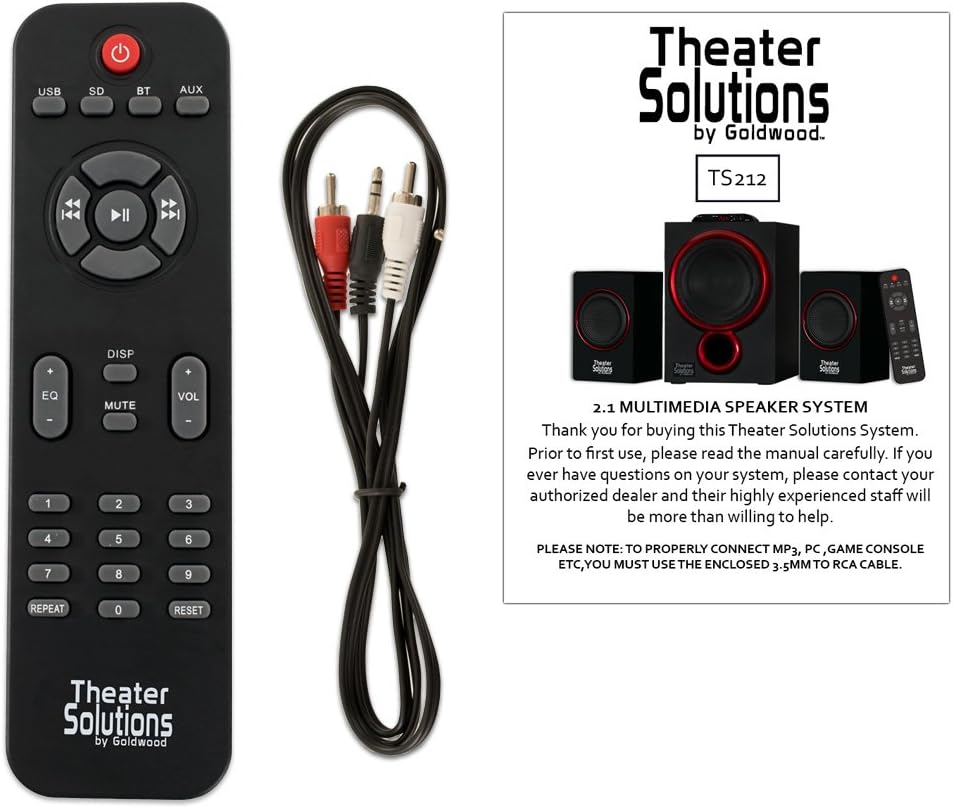
Image: Remote control for the TS212 system.
- Кнопка харчавання: Уключае або выключае сістэму.
- Кнопка рэжыму: Пераключэнне рэжымаў уваходу (Bluetooth, AUX, USB, SD).
- Гучнасць +/-: Рэгулюе галоўную гучнасць.
- Элементы кіравання прайграваннем: Play/Pause, Skip Forward/Backward.
- EQ: Выбірае прэсеты эквалайзера.
- Адключэнне гуку: Адключае выхад гуку.
- Лічбавая клавіятура: For direct track selection in USB/SD mode.
Настройка
1. размяшчэнне
- Place the subwoofer on a stable, flat surface, preferably on the floor, to optimize bass performance.
- Position the satellite speakers to the left and right of your listening area, facing towards you, for optimal stereo imaging. Ensure they are on a stable surface.
2. Connecting Satellite Speakers
- Connect the RCA cables from the two satellite speakers to the corresponding RCA output jacks on the rear panel of the subwoofer. Match the colors (typically red for right, white/black for left).
3. Connecting Audio Source
- For devices with a 3.5mm audio output (e.g., smartphones, laptops, MP3 players), use the included 3.5mm to RCA cable. Connect the 3.5mm end to your device and the RCA ends to the INPUT jacks on the subwoofer's rear panel.
- For devices with RCA audio outputs (e.g., DVD players, some TVs), use a standard RCA to RCA cable (not included) to connect to the INPUT jacks on the subwoofer.
4. Падключэнне сілкавання
- Ensure the power switch on the rear of the subwoofer is in the OFF position.
- Connect the power cord to the AC IN port on the subwoofer and then plug it into a standard 110V grounded wall outlet.
Інструкцыя па эксплуатацыі
1. Уключэнне / выключэнне харчавання
- Flip the power switch on the rear of the subwoofer to the ON position. The LED display on the subwoofer will illuminate.
- To turn off the system, flip the power switch to the OFF position.
2. Выбар рэжыму
- Press the 'MODE' button on the subwoofer's top panel or the remote control to cycle through available input modes: Bluetooth (BT), Auxiliary (AUX), USB, and SD. The selected mode will be shown on the LED display.
3. Аперацыя Bluetooth
- Select 'BT' mode using the 'MODE' button. The system will enter pairing mode, indicated by a flashing 'BT' on the display.
- On your Bluetooth-enabled device (e.g., smartphone), search for Bluetooth devices and select 'TS212' from the list.
- Once paired, the 'BT' indicator will stop flashing, and you can play audio from your device through the speaker system.
4. Дапаможны (AUX) уваход
- Select 'AUX' mode using the 'MODE' button.
- Ensure your audio source is connected to the RCA INPUT jacks on the subwoofer's rear panel.
- Прайгравайце аўдыё з падлучанай прылады.
5. Прайграванне з USB/SD-карты
- Insert a USB drive into the 'U DISK' port or an SD/MMC card into the 'SD/MMC CARD' slot on the subwoofer's top panel.
- The system will automatically switch to USB or SD mode and begin playing compatible audio files. If not, select the appropriate mode using the 'MODE' button.
- Use the playback controls on the subwoofer or remote to manage your music.
6. Adjusting Volume, Bass, and Treble
- Асноўны аб'ём: Use the 'VOL +/-' buttons on the subwoofer's top panel or the remote control.
- НЧ/ВЧ: Use the 'BASS VOL' and 'TREBLE VOL' knobs on the rear panel of the subwoofer to fine-tune the low and high frequencies.
Тэхнічнае абслугоўванне
- Уборка: Use a soft, dry cloth to clean the surfaces of the speakers. Do not use liquid cleaners or abrasive materials.
- Вентыляцыя: Ensure the subwoofer has adequate ventilation and its vents are not blocked to prevent overheating.
- захоўванне: Калі сістэма не выкарыстоўваецца працяглы час, захоўвайце яе ў прахалодным, сухім месцы, удалечыні ад прамых сонечных прамянёў і экстрэмальных тэмператур.
Ліквідацыю непаладак
| праблема | Магчымая прычына | Рашэнне |
|---|---|---|
| Няма ўлады | Power cord not connected; Power switch off; Outlet not working | Ensure power cord is securely plugged in; Turn power switch ON; Test outlet with another device |
| Няма гуку | Incorrect mode selected; Volume too low; Audio cable loose/incorrect; Device not playing audio | Select correct input mode; Increase volume; Check all cable connections; Ensure audio is playing on source device |
| Bluetooth не падключаецца | Не ў рэжыме Bluetooth; Прылада занадта далёка; Ужо спалучана з іншай прыладай | Select 'BT' mode; Move device closer (within 10 meters); Disconnect from other devices and try pairing again |
| USB/SD не прайграваецца | Няправільны рэжым; несумяшчальны file format; Corrupted media; Media not inserted correctly | Select USB/SD mode; Ensure files are compatible (e.g., MP3); Try different USB/SD media; Reinsert media |
| Скажоны гук | Volume too high; Source audio quality poor; Incorrect bass/treble settings | Reduce volume on both system and source; Use high-quality audio files; Adjust Bass/Treble knobs |
Тэхнічныя характарыстыкі
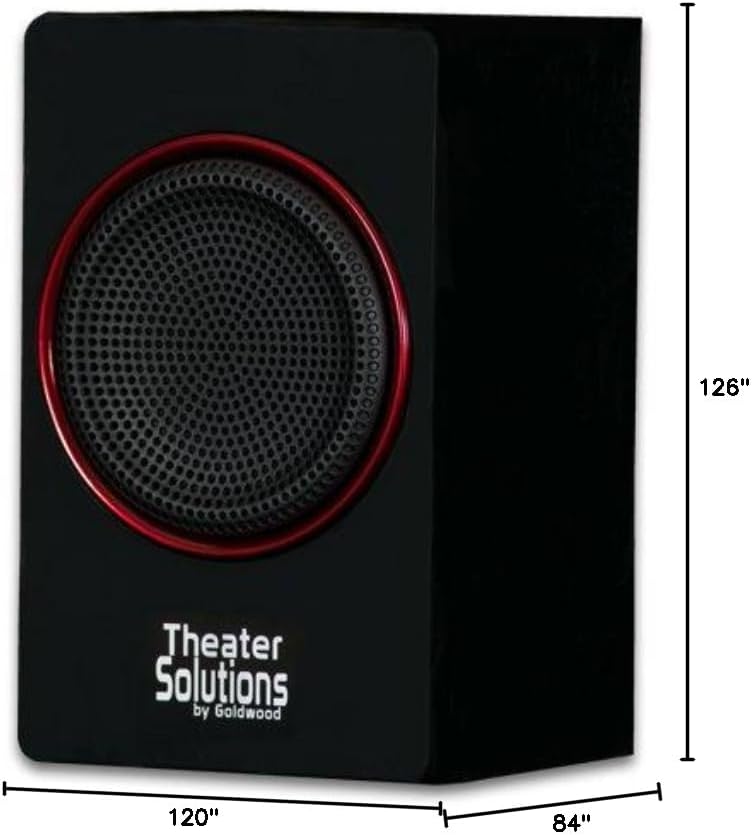
Image: Dimensions of the TS212 subwoofer.
| Асаблівасць | Дэталь |
|---|---|
| Нумар мадэлі | TS212 |
| Марка | Тэатральныя рашэнні |
| Канфігурацыя дынаміка | Канал 2.1 |
| Максімальная выхадная магутнасць | 600 Вт (пікавая) |
| Тэхналогія падлучэння | Auxiliary, Bluetooth, RCA, USB |
| Дыяпазон Bluetooth | 10 метраў |
| Рэжым выхаду гуку | Стэрэа |
| Дыяметр сабвуфера | 10 цалі |
| Памер сатэлітнага дынаміка | 5.25 цалі |
| Крыніца харчавання | Corded Electric (110V US Standard) |
| Вага прадмета | 12 фунта |
| Памеры сабвуфера (Г х Ш х В) | 84"D x 120"W x 126"H (Note: These dimensions appear to be for packaging or an illustrative image, actual product dimensions are typically smaller: Subwoofer 10.5" x 7" x 10", Satellites 6" x 3.75" x 3.5" each) |
| Сумяшчальныя прылады | Ноўтбук, MP3-плэер, смартфон, планшэт, тэлевізар |
Гарантыя і падтрымка
This Theater Solutions TS212 by Goldwood speaker system comes with a Lifetime Warranty against manufacturer's defects. For warranty claims or technical support, please contact Goldwood Sound, Inc. or your authorized dealer. Please retain your proof of purchase for warranty validation.