
1. Уводзіны
This manual provides essential instructions for the proper setup, operation, and maintenance of your YI YAS.1616.INT 4K Action Camera Kit. Please read this manual thoroughly before using the product to ensure optimal performance and safety. Keep this manual for future reference.
2. Прадукт скончыўсяview
2.1 Змест набору
The YI YAS.1616.INT 4K Action Camera Kit includes the following components:
- YI 4K Action Camera
- YI Monopod
- Bluetooth Remote
- Акумулятарная батарэя
- Кабель USB
- Кіраўніцтва па эксплуатацыі

Image 2.1: Contents of the YI 4K Action Camera Kit.
2.2 Асаблівасці камеры
The YI 4K Action Camera is designed for high-quality video and photo capture, featuring:
- 4K/30fps Video Recording: Captures video at 60mbps, offering 4 times the quality of standard 1080p.
- Advanced Imaging Hardware: Equipped with an Amarelle A9SE75 chip, Sony IMX377 image sensor, and 7-layer optical glass lenses with an F2.8 large aperture for enhanced light intake.
- 2.19-цалевы сэнсарны ВК-экран: A 640 x 360 high-resolution display with Gorilla Glass Retina for easy previewing, shooting, and scratch resistance.
- Доўгі тэрмін службы батарэі: A 1400mAh 4.4V lithium-ion battery provides up to 120 minutes of 4K/30fps video recording on a single charge.
- Эфектыўная сістэма астуджэння: Prevents overheating during extended recording sessions.
- Падключэнне: Built-in Wi-Fi for smartphone app control and Bluetooth for remote control.
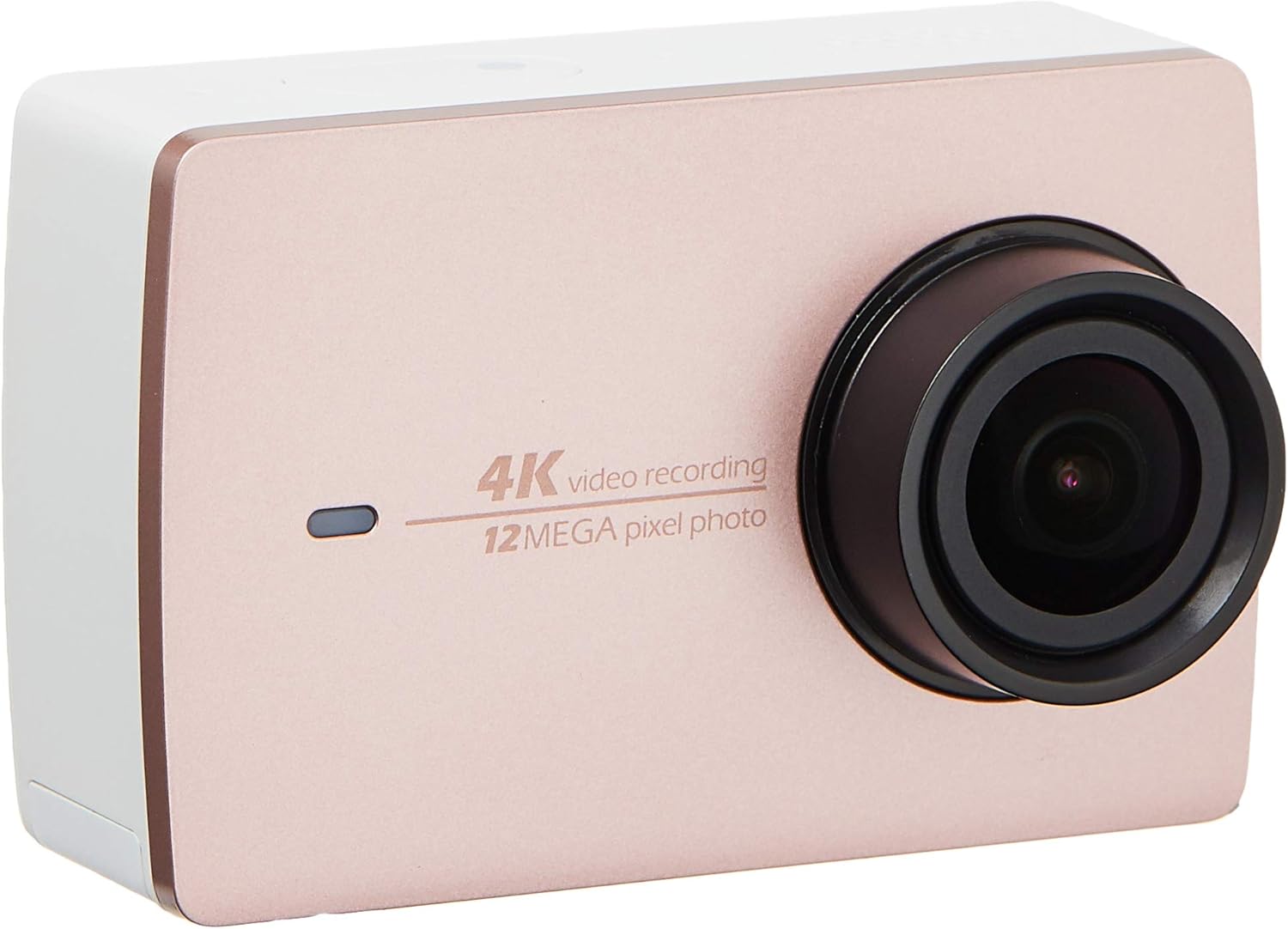
Выява 2.2: Спераду view of the YI 4K Action Camera.
3. Настройка
3.1 Усталёўка і зарадка акумулятара
- Знайдзіце батарэйны адсек на камеры.
- Insert the 1400mAh lithium-ion battery, ensuring correct polarity.
- Надзейна зачыніце батарэйны адсек.
- Connect the camera to a power source using the provided USB cable for charging. The charging indicator will illuminate.
3.2 Устаноўка карты памяці
The YI 4K Action Camera supports SDHC and SmartMedia flash memory types.
- Адкрыйце крышку слота для карты памяці.
- Insert a compatible memory card (not included) into the slot with the contacts facing the correct direction. Push until it clicks into place.
- Зачыніце крышку слота для карты памяці.
3.3 Уключэнне/выключэнне
- Каб уключыць: Націсніце і ўтрымлівайце кнопку харчавання, пакуль не падсвяціцца экран.
- Каб выключыць: Націсніце і ўтрымлівайце кнопку харчавання, пакуль камера не выключыцца.
3.4 Connecting the Bluetooth Remote
The included Bluetooth remote allows for convenient control of the camera.
- Пераканайцеся, што камера ўключана.
- Activate Bluetooth pairing mode on the camera via the settings menu.
- Follow the remote's instructions to enter pairing mode.
- Once paired, the remote can be used to switch between video and photo modes and trigger recording/capture.

Image 3.1: The YI Monopod, included in the kit.
4. Кіраванне камерай
4.1 Навігацыя па сэнсарным экране
The 2.19" LCD touchscreen provides intuitive control:
- Правядзіце пальцам: Navigate through different modes (Video, Photo, Time-lapse, etc.) and settings.
- Націсніце: Select options, adjust settings, or start/stop recording.
- прэview: View ваш захоплены Footage and photos directly on the screen.
4.2 Запіс відэа
- Select the Video mode on the touchscreen.
- Adjust video resolution (e.g., 4K/30fps) and other settings as desired.
- Press the Shutter button or tap the record icon on the screen to start recording.
- Press the Shutter button or tap the record icon again to stop recording.
4.3 Фотаздымка
- Select the Photo mode on the touchscreen.
- Adjust photo settings such as resolution, exposure, and white balance.
- Press the Shutter button or tap the capture icon on the screen to take a photo.
4.4 Падключэнне да Wi-Fi і выкарыстанне праграм
The camera's built-in Wi-Fi allows connection to a smartphone app for remote control, live preview, and content management.
- Download the official YI Action Camera app from your device's app store.
- Enable Wi-Fi on the camera via the settings menu.
- Connect your smartphone to the camera's Wi-Fi network (SSID and password displayed on camera screen).
- Open the YI Action Camera app to control the camera, view фуtagе, і перадача files.
5. Тэхнічнае абслугоўванне
5.1 Ачыстка
- Use a soft, lint-free cloth to clean the camera body and touchscreen.
- For the lens, use a specialized lens cleaning cloth and solution. Avoid abrasive materials.
- Пераканайцеся, што ўсе парты чысцяць ад пылу і смецця.
5.2 Захоўванне
- Захоўвайце камеру ў прахалодным, сухім месцы, удалечыні ад прамых сонечных прамянёў і экстрэмальных тэмператур.
- Выміце батарэйку, калі захоўваеце прыладу працяглы час, каб прадухіліць уцечку.
5.3 Абнаўленне прашыўкі
Periodically check the official YI website or the YI Action Camera app for available firmware updates. Keeping your camera's firmware updated ensures optimal performance and access to new features.
6. Выпраўленне непаладак
6.1 Агульныя праблемы і рашэнні
- Камера не ўключаецца: Пераканайцеся, што акумулятар цалкам зараджаны і правільна ўстаўлены.
- Запіс нечакана спыняецца: Check if the memory card has sufficient space or if it's a high-speed card suitable for 4K recording. Ensure the battery is not depleted.
- Сэнсарны экран не рэагуе: Try restarting the camera. If the issue persists, ensure the screen is clean and dry.
- Bluetooth remote not connecting: Ensure both the camera and remote are in pairing mode and within range. Check the remote's battery.
- Праблемы з падключэннем Wi-Fi: Verify the camera's Wi-Fi is enabled and your smartphone is connected to the correct network. Try restarting both devices.
For further assistance, refer to the official YI support resources.
7. Тэхнічныя характарыстыкі
| Вытворца | YI |
| Нумар мадэлі | 90010 |
| Памеры прадукту | 6.6 х 3 х 4.3 см |
| Вага | 96.39 г |
| Тэхналогія фотадатчыка | CMOS |
| Дазвол відэазахопу | 4K |
| Максімальная фокусная адлегласць | 1 |
| Максімальная дыяфрагма | 2.8 міліметра |
| Тып флэш-памяці | SDHC, SmartMedia |
| Фармат захопу відэа | MP4 |
| Падтрымоўваны аўдыяфармат | AAC, MP3 |
| Памер экрана | 2.19 цалі |
| Тэхналогія падлучэння | Wi-Fi |

Image 7.1: YI 4K Action Camera with monopod, illustrating approximate dimensions.
8. Гарантыя і падтрымка
8.1 Інфармацыя аб гарантыі
Гэты прадукт пастаўляецца з a 1 год мясцовай (Сінгапур) гарантыіКалі ласка, захавайце пацвярджэнне пакупкі для прэтэнзій па гарантыі. Гарантыя распаўсюджваецца на вытворчыя дэфекты пры нармальных умовах выкарыстання.
8.2 Падтрымка кліентаў
For technical support, service, or warranty inquiries, please visit the official YI Technology website or contact their authorized service centers in Singapore. Contact information can typically be found on the product packaging or the official webсайт.