
Уводзіны
The HyperGear Rave Wireless Stereo Speaker delivers high-fidelity sound with an interactive multi-colored LED light show. It features Bluetooth connectivity, a built-in speakerphone, and an FM radio, making it suitable for various audio needs.
Змест пакета
- Rave Wireless Speaker
- 3.5mm Stereo Auxiliary Cable
- Зарадны кабель Micro USB
- Кіраўніцтва карыстальніка (гэты дакумент)

Прадукт скончаныview
Азнаёмцеся з элементамі кіравання і партамі дынаміка.

Кнопкі кіравання
- Кнопка харчавання: Націсніце і ўтрымлівайце, каб уключыць або выключыць дынамік.
- Кнопка рэжыму (M): Націсніце, каб пераключацца паміж рэжымамі Bluetooth, FM-радыё і AUX.
- Play/Pause Button (►/∕): Націсніце, каб прайграць або прыпыніць аўдыё. У рэжыме выкліку націсніце, каб адказаць на выклік/завяршыць яго.
- Volume Down / Previous Track (-/◀◀): Націсніце, каб паменшыць гучнасць. Націсніце і ўтрымлівайце, каб перайсці да папярэдняй кампазіцыі.
- Volume Up / Next Track (+/►►): Націсніце, каб павялічыць гучнасць. Націсніце і ўтрымлівайце, каб перайсці да наступнай кампазіцыі.
- Кнопка рэжыму асвятлення (*): Press to cycle through different LED light patterns or turn off the light show.
Парты
- Порт для зарадкі Micro USB: Для зарадкі ўбудаванай батарэі дынаміка.
- Уваход AUX 3.5 мм: For connecting external audio devices via the auxiliary cable.
Настройка
Зарадка дынаміка
Before first use, fully charge the speaker. Connect the Micro USB charging cable to the speaker's charging port and the other end to a USB power adapter (not included) or a computer's USB port. The charging indicator light will illuminate during charging and turn off when fully charged. A full charge takes approximately 3-4 hours and provides up to 8 hours of playback.
Уключэнне/выключэнне
Націсніце і ўтрымлівайце Кнопка харчавання for approximately 3 seconds to turn the speaker on or off. A voice prompt will indicate the power status.
Інструкцыя па эксплуатацыі
Спалучэнне Bluetooth
- Пераканайцеся, што дынамік уключаны і знаходзіцца ў рэжыме Bluetooth. Калі не, націсніце кнопку Кнопка рэжыму (M) until you hear the Bluetooth pairing prompt. The LED indicator will flash, indicating it is ready to pair.
- На мабільнай прыладзе ўключыце Bluetooth і знайдзіце даступныя прылады.
- Select "HyperGear Rave" from the list of devices.
- Once paired, the speaker will emit a confirmation tone, and the LED indicator will stop flashing.

Прайграванне музыкі
рэжым Bluetooth
After successful pairing, you can play music from your connected device. Use the speaker's Прайграванне/Паўза, Павялічыць гучнасць/наступны трэк, і Памяншэнне гучнасці/Папярэдні трэк buttons to control playback, or control directly from your device.
AUX рэжым
Connect one end of the 3.5mm auxiliary cable to the speaker's AUX input and the other end to the audio output of your external device. Press the Кнопка рэжыму (M) to switch to AUX mode. Audio will play directly from your connected device.
Званок па гучнай сувязі
When connected via Bluetooth, the speaker can be used as a speakerphone. When a call comes in, the music will pause. Press the Кнопка прайгравання/паўзы to answer an incoming call. Press it again to end the call. Press and hold the Кнопка прайгравання/паўзы каб адхіліць уваходны выклік.
Праца FM-радыё
Націсніце Кнопка рэжыму (M) to switch to FM Radio mode. The speaker will automatically scan and save available stations. Use the Павялічыць гучнасць/наступны трэк і Памяншэнне гучнасці/Папярэдні трэк buttons to navigate between saved stations. Press and hold these buttons to fine-tune the frequency.
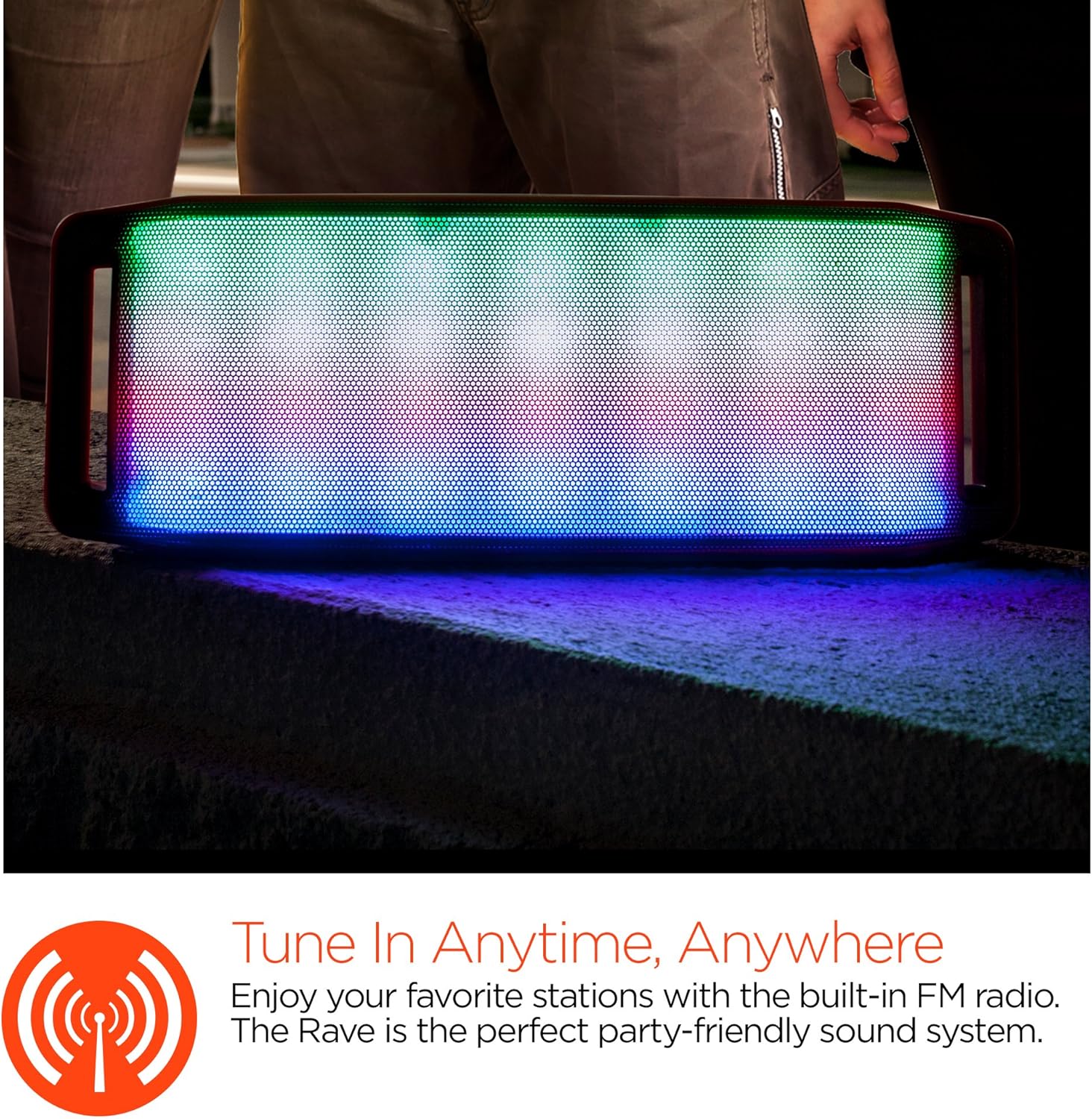
Светлавое святлодыёднае шоу
The speaker features an interactive multi-colored LED light show. Press the Light Mode Button (*) to cycle through different light patterns or to turn the light show off.

Тэхнічнае абслугоўванне
Уборка
Wipe the speaker with a soft, dry cloth. Do not use abrasive cleaners or solvents. Avoid exposing the speaker to excessive moisture.
Захоўванне
Захоўвайце дынамік у прахалодным, сухім месцы, удалечыні ад прамых сонечных прамянёў і экстрэмальных тэмператур. Пры працяглым захоўванні перыядычна зараджайце акумулятар, каб падоўжыць тэрмін яго службы.
Сыход за батарэяй
To prolong battery life, avoid fully discharging the speaker frequently. Charge the speaker regularly, even if not in use, to prevent deep discharge.
Ліквідацыю непаладак
| праблема | Магчымая прычына | Рашэнне |
|---|---|---|
| Дынамік не ўключаецца. | Акумулятар разраджаны. | Charge the speaker using the Micro USB cable. |
| Немагчыма падключыцца праз Bluetooth. | Дынамік не ў рэжыме спалучэння; Bluetooth на прыладзе выключаны; прылада знаходзіцца занадта далёка. | Ensure speaker is in Bluetooth pairing mode (flashing LED). Turn on Bluetooth on your device. Move device closer to speaker (within 10 meters). |
| Няма гуку. | Volume is too low; incorrect mode selected; device not playing. | Increase volume on both speaker and connected device. Ensure correct mode (Bluetooth/AUX/FM) is selected. Verify audio is playing on the source device. |
| Скажэнне гуку. | Занадта высокая гучнасць; нізкі зарад батарэі; перашкоды. | Зменшце гучнасць. Зарадзіце дынамік. Перанясіце дынамік далей ад іншых электронных прылад. |
| Прыём FM-радыё дрэнны. | Слабы сігнал; перашкоды ад навакольнага асяроддзя. | Relocate the speaker to an area with better reception. Extend the charging cable (if connected) as it can act as an antenna. |
Тэхнічныя характарыстыкі
| Асаблівасць | Дэталь |
|---|---|
| Нумар мадэлі | 13604 |
| Версія Bluetooth | 3.0 ± EDR |
| Выходная магутнасць дынаміка | 2 x 5 Вт (усяго 10 Вт) |
| Суадносіны сігнал/шум (S/N) | 80 дБ |
| Ёмістасць батарэі | 1500 мАг |
| Час гульні | Да 8 гадзін |
| Дыяпазон Bluetooth | Да 33 футаў / 10 м |
| Тэхналогія падлучэння | Bluetooth, бесправадная сувязь |
| Рэжым выхаду гуку | Стэрэа |
| Метад кантролю | Дакранацца |
| Вага | 2.25 фунта |
| Асаблівасці | Bass Boost, Display, Multi-colored LED Light Show, Built-in Speakerphone, FM Radio |
Гарантыя і падтрымка
For warranty information or technical support, please refer to the contact details provided on the product packaging or visit the official HYPERGEAR webсайт. Захоўвайце чэк аб куплі як пацверджанне пакупкі.