
1. Уводзіны
The ThermoPro TP02S is a digital food thermometer designed for quick and accurate temperature readings of various foods. It features a long stainless steel probe, a clear digital display, and simple operation, making it suitable for cooking, baking, grilling, and candy making. This manual provides instructions for proper use and care of your TP02S thermometer.
2. Прадукт скончыўсяview
The ThermoPro TP02S thermometer consists of the main unit with a digital display and a stainless steel probe, along with a protective probe cover.

Figure 2.1: ThermoPro TP02S Digital Food Thermometer and its protective probe cover.

Figure 2.2: Labeled diagram of the ThermoPro TP02S components, including the clear LCD display, 5.3-inch super long stainless steel probe, instant sensitive probe tip, ON/OFF button, °C/°F button, pocket clip, and battery compartment.
Кампаненты:
- Thermometer Unit: Main body with digital display and control buttons.
- Зонд з нержавеючай сталі: 5.3-inch long probe for temperature measurement.
- Protective Probe Cover: For safe storage and protection of the probe tip.
- Батарэя LR44: One LR44 battery is included and pre-installed.
3. Настройка
3.1. Устаноўка батарэі
The ThermoPro TP02S comes with one LR44 battery pre-installed. If replacement is needed, follow these steps:
- Знайдзіце батарэйны адсек на задняй панэлі тэрмометра.
- Use a small screwdriver or coin to open the battery cover.
- Устаўце адну новую батарэйку LR44, сачыце за правільнай палярнасцю (+/-).
- Надзейна зачыніце крышку батарэі.

Figure 3.1: Illustration of the battery compartment and LR44 battery for the ThermoPro TP02S.
3.2. Першасная ўборка
Before first use, and after each subsequent use, clean the stainless steel probe with a damp cloth or sponge. Do not immerse the entire unit in water.
4. Аперацыя
The ThermoPro TP02S is designed for straightforward temperature measurement.

Figure 4.1: Visual guide for operating the ThermoPro TP02S, including cleaning, power on, unit selection, probe insertion, and reading temperature.
4.1. Вымярэнне тэмпературы
- Націсніце ВКЛ/ВЫКЛ кнопку для ўключэння тэрмометра.
- To switch between Celsius (°C) and Fahrenheit (°F), press the ° C / ° F button located on the back of the unit.
- Insert the stainless steel probe into the thickest part of the food, avoiding bone or gristle.
- Wait for 4-7 seconds for the temperature reading to stabilize on the digital display.
- Пасля дасягнення патрэбнай тэмпературы выміце зонд з ежы.
- Націсніце ВКЛ/ВЫКЛ button to turn off the thermometer, or it will automatically power off after 10 minutes of inactivity to conserve battery life.

Figure 4.2: The ThermoPro TP02S provides fast (4-7 seconds) and accurate (±0.9°F / ±0.5°C) temperature readings.
4.2. Temperature Range and Applications
The thermometer has a wide temperature range of -58°F to 572°F (-50°C to 300°C), making it suitable for various culinary tasks.

Малюнак 4.3: Выпamples of the ThermoPro TP02S's versatility in measuring temperatures for steak, candy making, home baking, and coffee brewing.
5. Тэхнічнае абслугоўванне
5.1. Чыстка і догляд
- Always clean the stainless steel probe after each use with a damp тканіна або губка.
- Адзінка ёсць не воданепранікальны. Do not immerse the thermometer unit or the probe's plug-in hole in any liquid. This can lead to damage and inaccurate readings.
- Avoid exposing the unit to extreme heat or direct flame for extended periods.
5.2. Захоўванне
Store the thermometer in a dry place when not in use.
- Always use the protective probe cover to prevent physical damage to the probe tip.
- The thermometer features a hanging hole for convenient storage on kitchen hooks.
- The probe cover includes a pocket clip for easy portability.
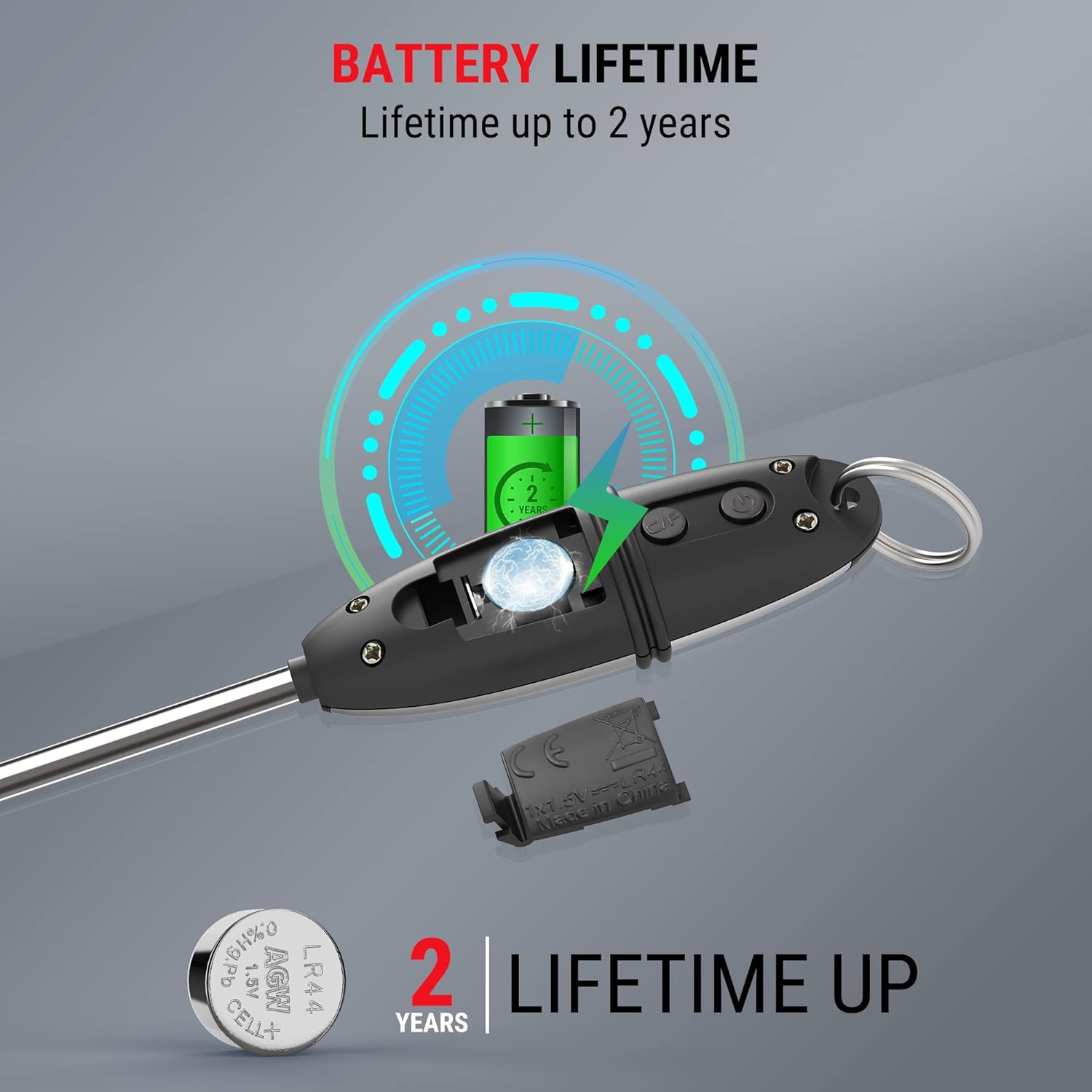
Figure 5.1: The protective probe cover can be used to extend the handle or for safe storage.
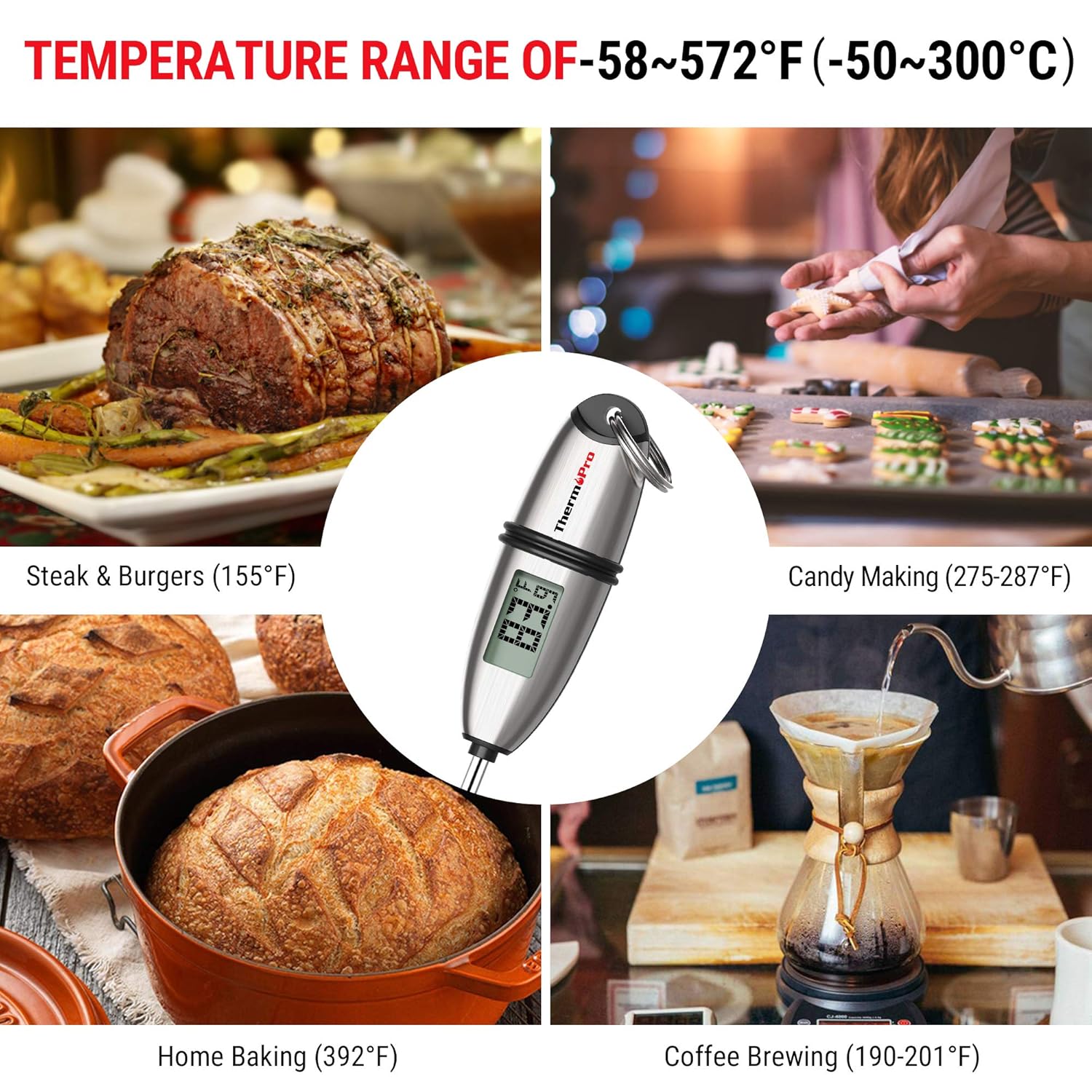
Figure 5.2: Multiple mounting and storage options for the ThermoPro TP02S, including hanging, pocket clip, and drawer storage.
6. Выпраўленне непаладак
6.1. Displaying Error Codes
- If the LCD screen displays ГЧХ, the measured temperature is above the thermometer's measurable range.
- If the LCD screen displays LLL, the measured temperature is below the thermometer's measurable range.
6.2. Няправільныя паказанні
- Ensure the probe is inserted into the thickest part of the food and not touching bone, gristle, or the bottom of the cooking vessel.
- Verify the battery has sufficient power. Replace if necessary.
6.3. Unit Not Turning On
- Check if the battery is correctly installed with the proper polarity.
- Заменіце батарэйку новай батарэйкай LR44.
7. Тэхнічныя характарыстыкі
| Асаблівасць | Спецыфікацыя |
|---|---|
| Нумар мадэлі | ТП-02С |
| Дыяпазон тэмператур | Ад -58°F да 572°F (ад -50°C да 300°C) |
| Дакладнасць | ± 0.9 ° F (± 0.5 ° C) |
| Readout Speed | 4-7 секунды |
| Даўжыня зонда | 5.3 цаляў |
| Крыніца харчавання | 1 x LR44 battery (included) |
| Аўтаматычнае адключэнне | 10 хвілін бяздзейнасці |
| Матэрыял | Stainless Steel (probe) |
| Памеры прадукту | 8.6 х 1.2 х 1.2 цалі |
| Вага | 0.8 унцыі |
| Сертыфікаты | CE, FCC, NSF |
8. Гарантыя і падтрымка
ThermoPro provides a warranty for its products. For specific warranty details, registration, or technical support, please refer to the official ThermoPro webсайт або звярніцеся непасрэдна ў службу падтрымкі кліентаў. Захоўвайце чэк аб куплі як пацверджанне пакупкі.
Кантактная інфармацыя: Калі ласка, наведайце ThermoPro Store on Amazon or the official ThermoPro webсайт для атрымання найбольш актуальнай інфармацыі аб падтрымцы.