
1. Уводзіны
This manual provides instructions for the installation, operation, and maintenance of your Swann 8-Channel 1080p Surveillance Kit. This system is designed to provide high-definition video surveillance for your property, featuring an 8-channel Digital Video Recorder (DVR) and four 1080p cameras.
2. Змесціва ўпакоўкі
Калі ласка, праверце змесціва ўпакоўкі. Калі якія-небудзь прадметы адсутнічаюць або пашкоджаныя, звярніцеся да прадаўца.
- Swann 8-Channel 1080p DVR with 1TB Hard Drive
- 4 x 1080p Surveillance Cameras
- Адаптары харчавання для відэарэгістратараў і камер
- Video Cables for Cameras
- Кабель HDMI
- Кабель Ethernet
- USB мыш
- Мантажныя шрубы і дзюбелі
- Кароткае кіраўніцтва
3. Прадукт скончыўсяview
3.1 Digital Video Recorder (DVR)
The DVR is the central unit for recording, storing, and managing video footage from your cameras. It features 8 channels for connecting up to 8 cameras and a pre-installed 1TB hard drive for continuous recording.
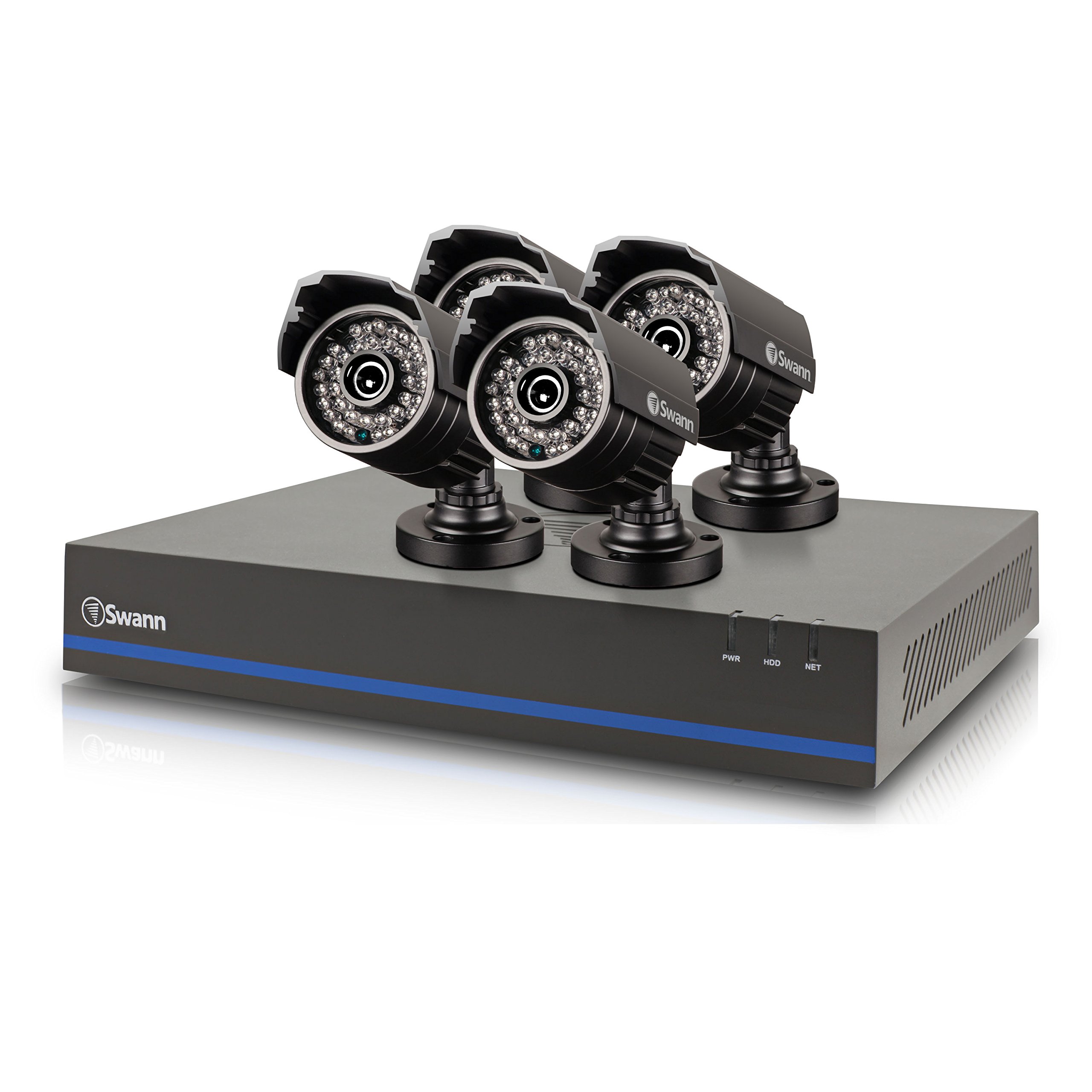
Image 1: Swann 8-Channel DVR (Angled View). This image shows the DVR unit from an angle, highlighting its compact design and front panel indicators.
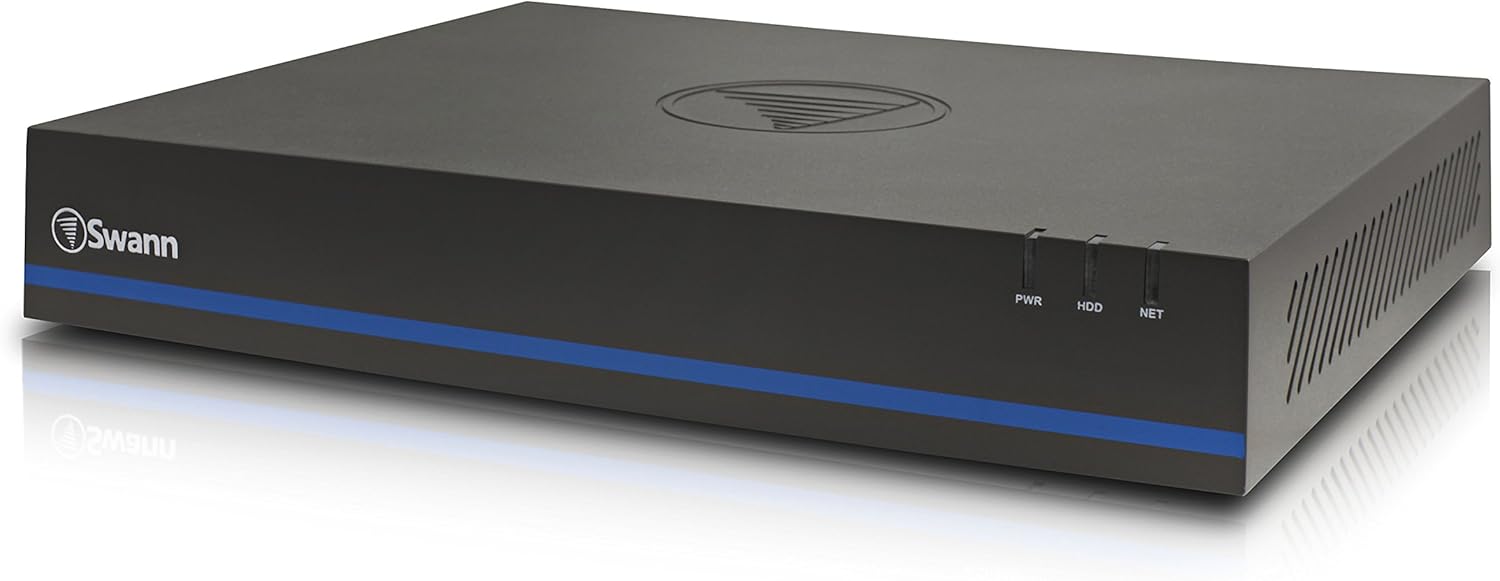
Image 2: Swann 8-Channel DVR (Front View). This image displays the front of the DVR, showing the PWR, HDD, and NET indicator lights.
3.2 Surveillance Cameras
The kit includes four 1080p cameras designed for both indoor and outdoor use. They provide crystal-clear 1920 x 1080 pixel video and are equipped with IR-cut filters for powerful night vision up to 100 feet (30 meters). The cameras have an IP66 weather-resistant rating.
4. Настройка
4.1 Устаноўка абсталявання
- Positioning the DVR: Place the DVR in a secure, well-ventilated area, away from direct sunlight and moisture.
- Падключэнне камер: Connect each camera to an available video input port on the DVR using the provided video cables. Ensure connections are secure.
- Powering Cameras: Connect the camera power adapters to the cameras and then to a power outlet.
- Connecting to a Monitor: Connect the DVR to a monitor (e.g., HDTV, LCD screen) using the HDMI or VGA cable.
- Падключэнне мышы: Падключыце мыш USB да порта USB на відэарэгістратары.
- Падключэнне да сеткі (неабавязкова, але рэкамендуецца): Connect an Ethernet cable from the DVR to your router for remote viewныя магчымасці.
- Powering the DVR: Connect the DVR power adapter to the DVR and then to a power outlet. The DVR will power on automatically.
4.2 Пачатковая канфігурацыя праграмнага забеспячэння
Пры першым уключэнні відэарэгістратар правядзе вас праз майстар пачатковай налады. Выконвайце падказкі на экране, каб:
- Set up a password for the administrator account.
- Наладзьце параметры даты і часу.
- Adjust video output resolution.
- Perform a software update if prompted. (Note: Some users have reported needing to manually check for updates.)
- Configure network settings (if connected to a router).
4.3 Налада мабільнага прыкладання
Для аддаленага viewing on your smartphone or tablet (iOS/Android), download the СванView Плюс app from your device's app store. (Note: The older SwannView app is not compatible with this system.) Follow the in-app instructions to add your DVR using its unique ID or QR code.
5. Кіраванне сістэмай
5.1 У прамым эфіры Viewінж
Пасля таго, як сістэма настроена, вы можаце view жывы footage from all connected cameras on your monitor or via the SwannView Plus mobile app. Use the USB mouse to navigate the DVR's on-screen interface.
5.2 Запіс
Відэарэгістратар падтрымлівае розныя рэжымы запісу:
- Бесперапынная запіс: Records 24/7, overwriting older footagе., калі жорсткі дыск запоўнены.
- Запіс выяўлення руху: Records only when motion is detected by a camera. Sensitivity and recording schedules can be configured.
- Запланаваны запіс: Records during specific times of the day or week.
Access the DVR's menu to configure recording settings for each camera.
5.3 Прайграванне
Каб паўторнаview запісана footage:
- Access the DVR's main menu and select the 'Playback' option.
- Choose the date and time range you wish to review.
- Select the camera(s) whose footage вы хочаце view.
- Выкарыстоўвайце элементы кіравання прайграваннем (прайграванне, паўза, перамотка наперад, перамотка назад) для навігацыі па файлеtage.
You can also transfer incident video to external storage via USB or network.
5.4 Аддалены доступ
The SwannView Plus app allows you to:
- View live camera feeds from anywhere with an internet connection.
- Прайграванне запісанага footage.
- Receive push notifications for motion detection events.
Ensure your DVR is connected to the internet and the app is correctly configured.
6. Тэхнічнае абслугоўванне
- Рэгулярная ўборка: Keep camera lenses clean for optimal image clarity. Use a soft, damp тканіна.
- Вентыляцыя відэарэгістратара: Ensure the DVR's ventilation openings are clear to prevent overheating.
- Абнаўленні прашыўкі: Periodically check the Swann support website for firmware updates for your DVR to ensure optimal performance and security.
- Кіраванне жорсткім дыскам: The 1TB hard drive will automatically overwrite the oldest footage when full. Back up important footagрэгулярна.
7. Выпраўленне непаладак
| праблема | Магчымая прычына | Рашэнне |
|---|---|---|
| No video on monitor | Loose cable connection, incorrect input source on monitor, DVR not powered on. | Праверце падключэнне кабеляў HDMI/VGA. Пераканайцеся, што манітор падключаны да правільнага ўваходу. Праверце сілкаванне відэарэгістратара. |
| Няма пульта viewing via app | DVR not connected to network, incorrect app (SwannView Link vs. SwannView Plus), network configuration issues. | Ensure DVR is connected to router. Confirm you are using the СванView Плюс app. Check DVR network settings. |
| Дрэнная якасць начнога бачання | Obstructions in front of camera, camera too far from subject, IR lights blocked. | Clear obstructions. Ensure camera is within 82 feet (25 meters) of the area of interest. |
| DVR making loud humming noise | Normal operation of internal fan/hard drive, poor ventilation. | Ensure adequate ventilation around the DVR. If noise is excessive, contact support. |
| False motion alerts (e.g., from insects) | High motion sensitivity, insects near camera at night. | Adjust motion detection sensitivity in DVR settings. Consider scheduling email alerts to avoid notifications during specific times. |
8. Тэхнічныя характарыстыкі
- Марка: Сван
- Нумар мадэлі: LYSB01LG2GSMY-ELECTRNCS
- Тэхналогія падключэння: Правадная
- Дазвол відэазахопу: 1080p
- Асаблівасці: Датчык руху, начное бачанне
- Колькасць каналаў: 8
- Ёмістасць памяці: 1 ТБ (жорсткі дыск)
- Крыніца харчавання: Правадная электрычная
- Памеры прадмета (Д х Ш х У): 16.5 х 12.6 х 8.3 цалі
- Сумяшчальнасць з аперацыйнай сістэмай: Android, iOS (for mobile app)
- Рэкамендуемае выкарыстанне: Унутранае, вонкавае відэаназіранне
- Дыяпазон начнога бачання: Да 82 футаў (25 метраў)
- Viewкут нахілу: 90 градусаў
- Вага прадмета: 12.8 фунта
- UPC: 840236117031
9. Гарантыя і падтрымка
For warranty information and technical support, please refer to the documentation included with your product or visit the official Swann webсайт. Захоўвайце чэк аб куплі як пацвярджэнне пакупкі для гарантыйных прэтэнзій.
Інтэрнэт-рэсурсы:
- Swann Official Webсайт: www.swann.com
- Product Support Page: Refer to the Swann website for specific support pages related to your model.