
1. Уводзіны
The Equinox Qba Body Composition Analyser EQ-EB-iF912B is an advanced personal health device designed to provide comprehensive insights into your body's composition. This analyser measures various key characteristics including weight, body fat percentage, працэнт гідратацыіtage, muscle mass, bone mass, and Body Mass Index (BMI). It also advises on your daily calorie intake requirements. The device features a clear LCD display and seamlessly integrates with the iFittr mobile application via Bluetooth, allowing you to track your health data over time and make informed lifestyle choices.
2. Інфармацыя па бяспецы
- Не выкарыстоўвайце гэту прыладу, калі ў вас ёсць кардыёстымулятар або іншая ўнутраная медыцынская прылада.
- Пракансультуйцеся з лекарам, перш чым пачынаць любую дыету або праграму фізічных практыкаванняў.
- Keep the device dry. Do not immerse in water or other liquids.
- Place the analyser on a hard, flat surface for accurate measurements. Avoid carpets or uneven floors.
- Do not jump on the scale or use it for purposes other than body composition analysis.
- Захоўваць у месцах, недаступных дзецям.
- Handle with care. The glass platform can break if dropped or subjected to excessive force.
3. Змесціва ўпакоўкі
Калі ласка, пастаўце галачку для наступных пунктаў:
- Equinox Qba Body Composition Analyser EQ-EB-iF912B
- Батарэі
- Гарантыйны талон
- Кіраўніцтва карыстальніка
4. Прадукт скончыўсяview і Асаблівасці
The Equinox Qba Body Composition Analyser is designed for ease of use and comprehensive data tracking.
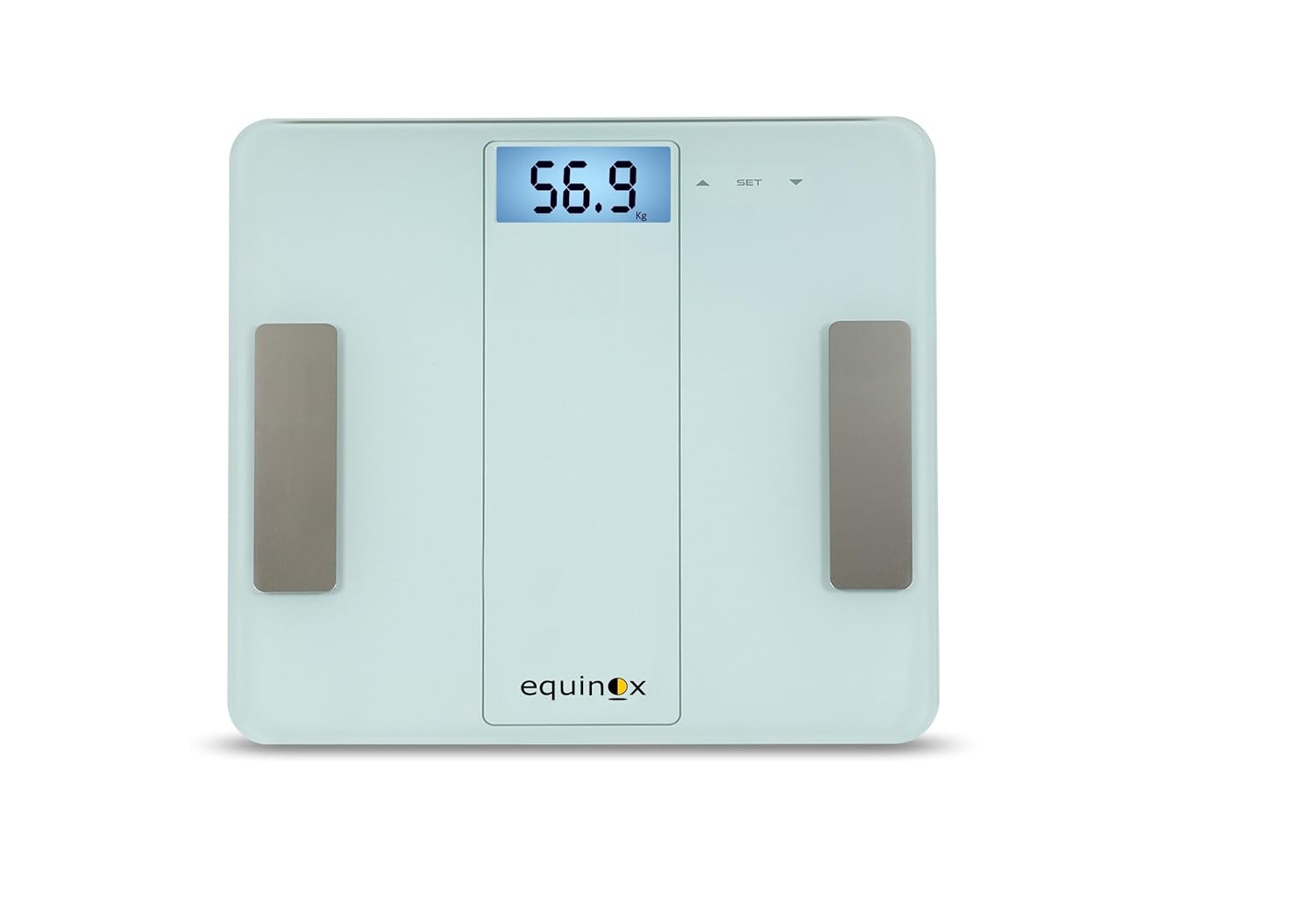
Малюнак 4.1: Фронт view of the Equinox Qba Body Composition Analyser, showing the digital display and electrode pads.
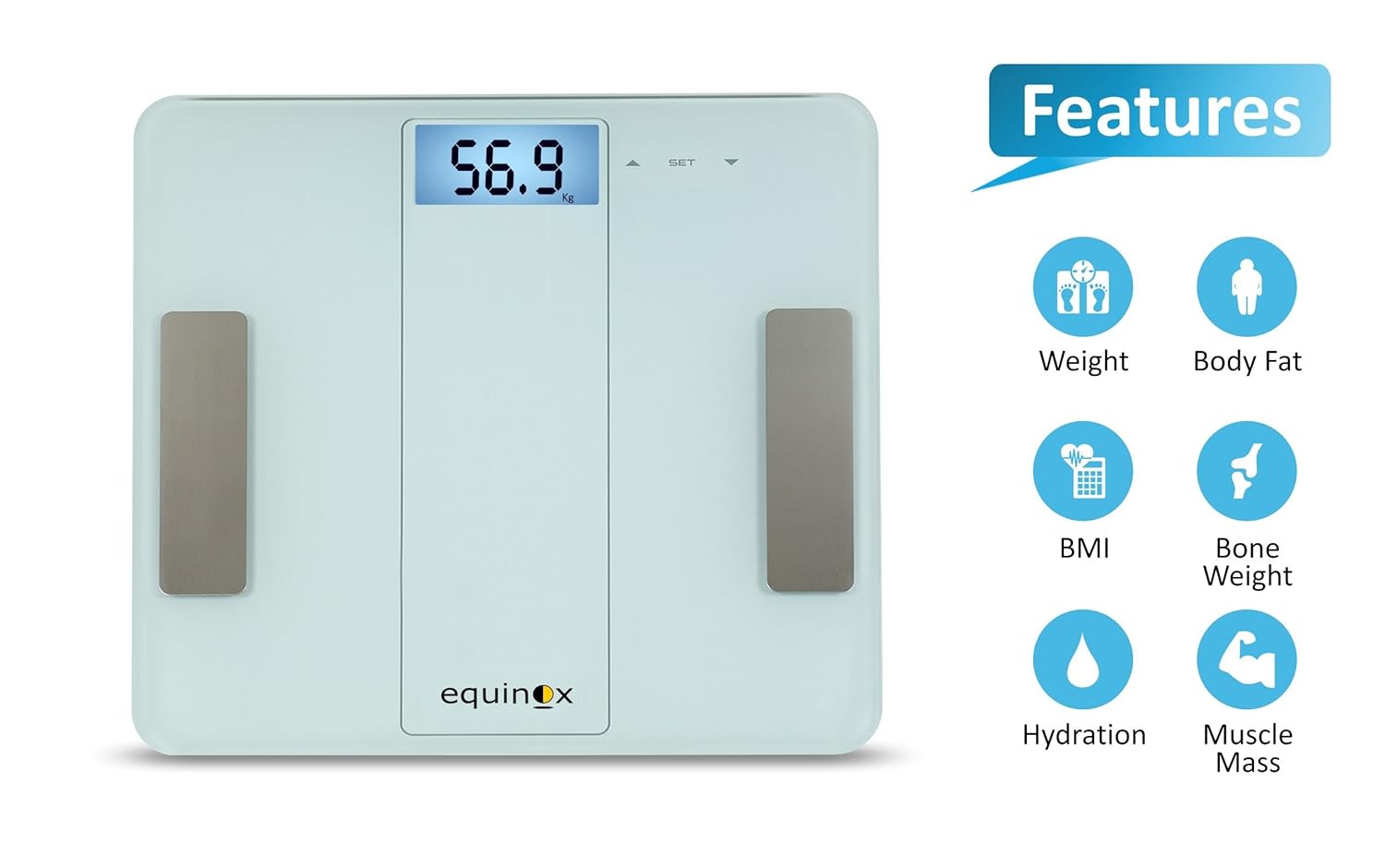
Малюнак 4.2: The analyser highlighting its key measurement capabilities: Weight, Body Fat, BMI, Bone Weight, Hydration, and Muscle Mass.

Малюнак 4.3: Screenshots demonstrating the iFittr app's interface for pairing, tracking weight trends, and viewing detailed body composition data.
Асноўныя характарыстыкі:
- Bluetooth уключаны: For seamless data synchronization with the iFittr app.
- ВК-дысплей з падсветкай: Provides clear and easy-to-read measurements.
- Паказчыкі: Includes low battery, error, overload, low fat, and high fat indicators for user convenience.
- Evaluates Key Body Composition Characteristics: Measures Weight, Body Fat, Hydration, Bone Weight, Muscle Mass, BMI, and advises on Daily Calorie Intake.
- iFittr App Synchronization: Keeps a comprehensive record of your day-to-day measurements for long-term tracking.
5. Настройка
5.1. Устаноўка батарэі
- Locate the battery compartment on the underside of the analyser.
- Адкрыйце крышку батарэйнага адсека.
- Insert the provided batteries, ensuring correct polarity (+/-) as indicated inside the compartment.
- Надзейна зачыніце крышку батарэйнага адсека.
5.2. Пачатковае размяшчэнне
Place the Equinox Qba Body Composition Analyser on a firm, flat, and stable surface. Avoid placing it on soft surfaces like carpets, rugs, or uneven flooring, as this can affect measurement accuracy.
5.3. iFittr App Download and Pairing
- Download the 'iFittr' app from your smartphone's app store (Google Play Store for Android or Apple App Store for iOS).
- Open the iFittr app and follow the on-screen instructions to create your user profile. You will need to enter personal details such as age, gender, height, and activity level for accurate body composition calculations.
- Пераканайцеся, што Bluetooth уключаны на вашым смартфоне.
- Step onto the analyser to activate it. The display will light up.
- Within the iFittr app, navigate to the device pairing section. The app should automatically detect the Equinox Qba Analyser.
- Confirm the pairing within the app. Once paired, your measurements will automatically sync to your profile.
6. Інструкцыя па эксплуатацыі
6.1. Правядзенне вымярэнняў
- Ensure the analyser is on a flat, hard surface.
- Step onto the analyser with bare, dry feet. Ensure your feet are positioned on the metal electrode pads.
- Stand still and balanced on the analyser. The display will show your weight first, then cycle through other body composition metrics.
- Wait for the display to stabilize and show all measurements. If connected to the iFittr app, the data will automatically transfer.
- Step off the analyser. It will automatically turn off after a few seconds of inactivity.
6.2. Разуменне дысплея
The LCD display will show your measurements in sequence. Common indicators include:
- Вага: Displayed in kilograms (kg) or pounds (lb).
- Fat%: Працэнт тлушчу ў целеtage.
- Hydration%: Працэнт вады ў целеtage.
- Muscle%: Працэнт мышачнай масыtage.
- Bone%: Працэнт касцяной масыtage.
- ІМТ: Body Mass Index.
- CAL: Estimated Daily Calorie Intake.
Refer to the iFittr app for a more detailed breakdown and interpretation of these metrics.
7. iFittr App Integration
The iFittr app is crucial for maximizing the utility of your Equinox Qba Analyser. It allows you to:
- Адсочванне прагрэсу: View historical data for all measured parameters over days, weeks, or months.
- Пастаўце мэты: Establish personal health goals and monitor your progress towards them.
- Карыстальнік Profiles: Стварэнне некалькіх карыстальнікаў Profiles within the app, allowing different family members to track their individual data.
- Аналіз дадзеных: The app provides graphical representations and insights into your body composition trends.
Ensure your app is open and Bluetooth is active on your phone when taking measurements for automatic synchronization.
8. Тэхнічнае абслугоўванне і догляд
8.1. Уборка
Wipe the surface of the analyser with a soft, damp cloth. Do not use abrasive cleaners or immerse the device in water. Ensure the surface is dry before storage or next use.
8.2. Захоўванне
Store the analyser in a cool, dry place, away from direct sunlight and extreme temperatures. Avoid placing heavy objects on the analyser.
8.3. Замена батарэі
If the low battery indicator appears on the display, replace all batteries with new ones of the same type. Ensure correct polarity during installation.
9. Выпраўленне непаладак
| праблема | Магчымая прычына | Рашэнне |
|---|---|---|
| Analyser does not turn on. | Батарэі разраджаны або ўсталяваны няправільна. | Праверце палярнасць батарэек або заменіце батарэйкі. |
| Няправільныя або супярэчлівыя паказанні. | Analyser on uneven surface; feet not bare/dry; movement during measurement; calibration needed. | Place on hard, flat surface. Ensure bare, dry feet on electrodes. Stand still. Step off and on again to re-calibrate. |
| Battery drains quickly (e.g., in 10 days). | Faulty batteries; continuous power draw; environmental factors. | Try a different brand of high-quality batteries. Ensure analyser turns off completely after use. If problem persists, contact customer support. |
| No data syncs to iFittr app. | Bluetooth off; app not open; analyser not paired; app issues. | Ensure Bluetooth is on. Open iFittr app before measurement. Re-pair the device if necessary. Restart app/phone. |
| Error message on display (e.g., 'Err', 'OL'). | Overload (weight exceeds max capacity); internal error. | Ensure weight is within 180 kg limit. Step off and on again. If error persists, contact customer support. |
10. Тэхнічныя характарыстыкі
| Спецыфікацыя | Дэталь |
|---|---|
| Нумар мадэлі | EQ-EB-iF912B |
| Вытворца | Раўнадзенства |
| Памеры прадукту | 30 х 30 х 3 см |
| Вага прадмета | 1.55 кг (1 кг 560 г) |
| Максімальная ёмістасць | 180 kg (as per product description) |
| Тып дысплея | ВК -дысплей з падсветкай |
| Сувязь | Bluetooth |
| Вымярэнні | Weight, Body Fat, Hydration, Bone Weight, Muscle Mass, BMI, Daily Calorie Intake |
11. Гарантыя і падтрымка
11.1. Інфармацыя аб гарантыі
The Equinox Qba Body Composition Analyser EQ-EB-iF912B comes with an Гарантыя 18 месяцаў з даты пакупкі. Калі ласка, захавайце чэк аб куплі для прэтэнзій па гарантыі.
11.2. Падтрымка кліентаў
In case of any issues, queries, or technical support requirements, please contact Equinox customer care:
- электронная пошта: support@equinox-india.com
- тэлефон: 011-46051516