
1. Уводзіны
The Transcend SSD230 is a high-performance 2.5-inch SATA III 6Gb/s internal solid state drive designed for upgrading PCs, laptops, and compatible gaming consoles. It features 3D TLC NAND flash memory, SLC Cache, a RAID engine, and LDPC coding for enhanced speed, endurance, and reliability. This manual provides essential information for the installation, operation, and maintenance of your SSD.
Афіцыйнае відэа пра прадуктasing the Transcend SSD230S features and performance.
2. Асаблівасці прадукту
- Standard 2.5-inch form factor with 7mm thickness.
- SATA III 6Gb/s interface for high-speed data transfer.
- 512GB storage capacity.
- Up to 560 MB/s read and 520 MB/s write speeds.
- 3D NAND flash memory for improved performance and endurance.
- Integrated DRAM cache for faster access times.
- RAID engine and LDPC coding for data integrity and error correction.
- DevSleep mode for enhanced power efficiency.

Фронт view of the Transcend SSD230S 512GB Solid State Drive.

Key features of the SSD230S including 3D NAND, SLC caching, DRAM cache, and error correction technologies.
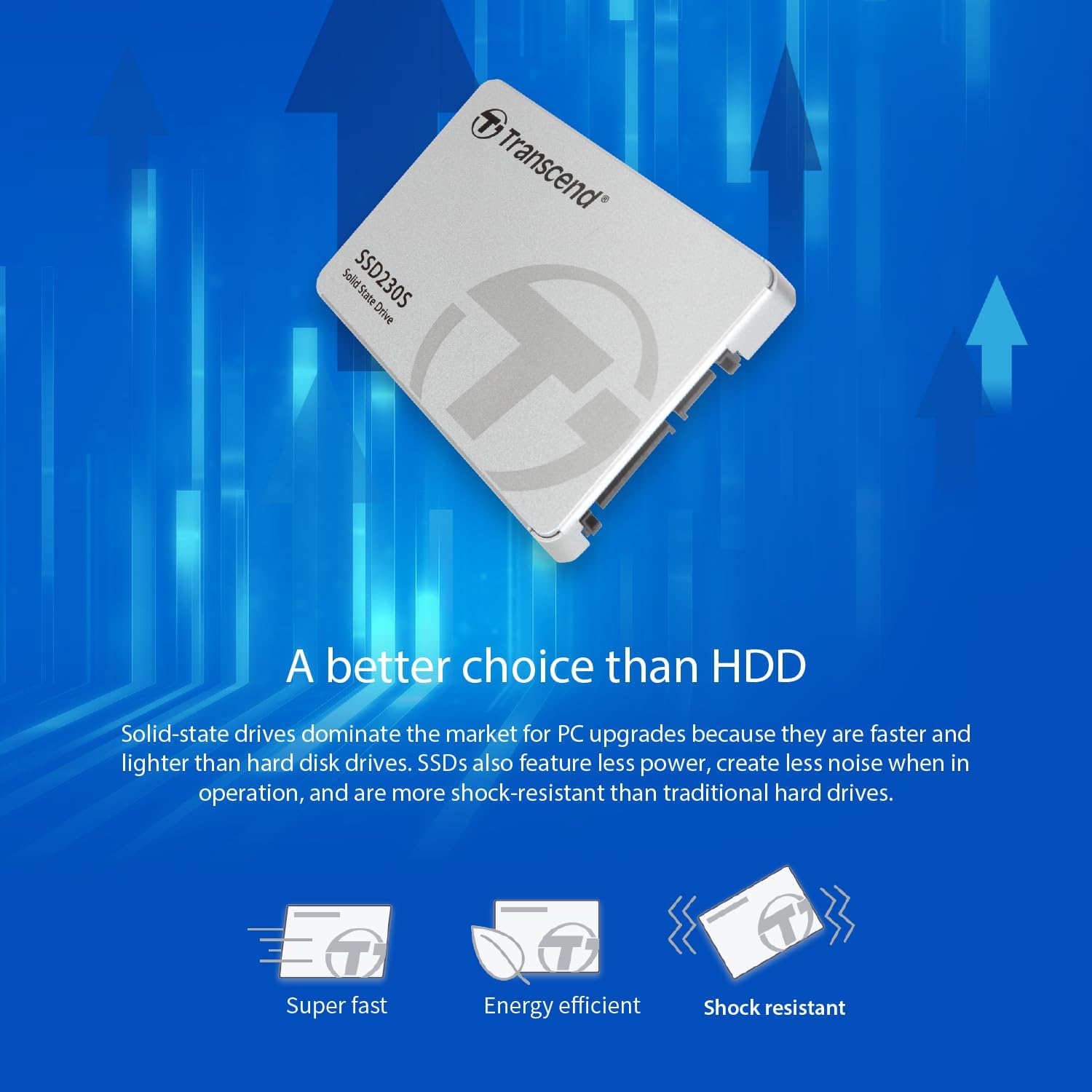
Illustration explaining 3D NAND flash memory technology for improved performance and endurance.

Скончанаview of the SSD230S's endurance and reliability features, including RAID engine, Garbage Collection, Wear-leveling, DevSleep, and DDR3 DRAM cache.

Comparison highlighting the advantages of SSDs over traditional HDDs, such as speed, energy efficiency, and shock resistance.
3. Змесціва ўпакоўкі
The Transcend SSD230S package typically includes the following items:
- Transcend SSD230S Solid State Drive
- Кіраўніцтва па хуткай ўстаноўцы
- Гарантыйны талон
4. Настройка і ўстаноўка
Installing the Transcend SSD230S involves replacing an existing hard drive or adding it as a secondary storage device in a compatible system. Ensure your system is powered off and disconnected from the power source before beginning installation.
- Back up your data: Before removing your old drive, ensure all important data is backed up to an external storage device or cloud service.
- Remove the old hard drive: Open your computer case (desktop) or access the drive bay (laptop) and carefully remove the existing hard drive. Refer to your computer's service manual for specific instructions.
- Insert your Transcend SSD: Slide the SSD230S into the drive bay and secure it with screws. Connect the SATA data and power cables to the SSD. For desktop installations, a 2.5-inch to 3.5-inch mounting bracket may be required (not included).
- Close and power on: Reassemble your computer and connect the power. Power on your system.
For detailed visual instructions, please refer to the image below or the included Quick Installation Guide.

Visual guide for upgrading your PC with a Transcend SSD, showing data backup, old drive removal, and new SSD insertion.
5. Інструкцыя па эксплуатацыі
After physical installation, you will need to install an operating system or migrate your existing data to the new SSD. Transcend provides the SSD Scope software, a user-friendly tool designed to help maintain the health and optimize the performance of your Transcend SSD.
Transcend SSD Scope Software Features:
- Статус: Displays drive information, S.M.A.R.T. status, capacity used, and wear-out indicator.
- Інструмент: Includes speed test, secure erase, and diagnostic scan functionalities.
- System Clone: Migrates all data from the original drive to your new Transcend SSD.
- Абнаўленне прашыўкі: Updates your Transcend SSD to the latest firmware version.
- Налады: Allows you to enable/disable TRIM, minimize startup software, or manage software at Windows startup.
Download the latest version of Transcend SSD Scope from the official Transcend webсайт.

Скончанаview of the Transcend SSD Scope software and its various functions for SSD management.
6. Тэхнічнае абслугоўванне
To ensure optimal performance and longevity of your Transcend SSD230S, regular maintenance is recommended:
- Уключыць TRIM: Ensure TRIM is enabled in your operating system. This command helps the SSD manage its storage space efficiently, preventing performance degradation over time. SSD Scope can assist with this.
- Абнаўленні прашыўкі: Periodically check for and install the latest firmware updates using the Transcend SSD Scope software. Firmware updates can improve performance, stability, and compatibility.
- Маніторынг стану дыска: Use the SSD Scope software to monitor the S.M.A.R.T. status and wear-out indicator of your SSD. This provides insights into the drive's health and remaining lifespan.
- Рэгулярныя рэзервовыя копіі: While SSDs are reliable, no storage device is infallible. Always maintain regular backups of your critical data.
7. Выпраўленне непаладак
If you encounter issues with your Transcend SSD230S, consider the following troubleshooting steps:
SSD не выяўлены:
- Ensure all SATA data and power cables are securely connected to both the SSD and the motherboard/power supply.
- Check your computer's BIOS/UEFI settings to confirm that the SATA port to which the SSD is connected is enabled.
- Try connecting the SSD to a different SATA port or using different cables to rule out faulty connections.
- If installing a new SSD, ensure it is initialized and formatted through Disk Management (Windows) or Disk Utility (macOS).
Нізкая прадукцыйнасць:
- Verify that TRIM is enabled in your operating system and through the Transcend SSD Scope software.
- Ensure your SATA controller is operating in AHCI mode in your BIOS/UEFI settings.
- Check for and install any available firmware updates for your SSD using Transcend SSD Scope.
- Пераканайцеся, што ваша аперацыйная сістэма абноўлена.
- Avoid filling the SSD to its maximum capacity; leaving some free space (typically 10-15%) can help maintain performance.
If issues persist after attempting these steps, please visit the Transcend support webсайт для далейшай дапамогі.
8. Тэхнічныя характарыстыкі
| Асаблівасць | Спецыфікацыя |
|---|---|
| Нумар мадэлі | TS512GSSD230S |
| Ёмістасць лічбавай памяці | 512 ГБ |
| Інтэрфейс жорсткага дыска | SATA III 6 Гбіт/с |
| Формаў-фактар | 2.5-inch (7mm thickness) |
| Хуткасць чытання | Да 560 XNUMX МБ/с |
| Хуткасць запісу | Да 520 XNUMX МБ/с |
| Тып флэшкі NAND | 3D TLC |
| Кэш-памяць | Кэш DRAM |
| Асаблівасці | SLC Cache, RAID Engine, LDPC Coding, DevSleep |
| Сумяшчальныя прылады | PCs, Laptops, Desktops, Notebooks, PS4 |
| Вага прадмета | 0.14 фунта |
9. Гарантыя і падтрымка
The Transcend SSD230S is backed by a трохгадовая абмежаваная гарантыя. Гэтая гарантыя распаўсюджваецца на дэфекты матэрыялаў і вырабу пры звычайным выкарыстанні.
For warranty claims, technical support, driver downloads, firmware updates, or further assistance, please visit the official Transcend webсайт:
Please have your product model number (TS512GSSD230S) and purchase information ready when contacting support.