
1. Уводзіны
Дзякуй за пакупкуasing the ExquizOn 5018D LED Projector. This manual provides essential information for the safe and efficient operation of your device. Please read it thoroughly before use and retain it for future reference.
The ExquizOn 5018D is a versatile multimedia projector featuring a 5.8-inch TFT LCD display, 3000 lumens brightness, and a native resolution of 1280x800 pixels, supporting up to 1080p. It includes a DVB-T2 tuner for digital television reception and offers various connectivity options.
2. Змесціва ўпакоўкі
Пасля распакавання пераканайцеся, што ўсе наступныя рэчы наяўныя:
- 1 x ExquizOn 5018D LED Projector
- 1 х пульт дыстанцыйнага кіравання
- 1 х кабель харчавання
- 1 х AV-кабель
- 1 х кабель VGA
- 1 x DVB-T2 Antenna Cable
- 1 х вечка аб'ектыва
- 1 х Кіраўніцтва карыстальніка (гэты дакумент)
3. Прадукт скончыўсяview
3.1. Projector Interfaces
Familiarize yourself with the various ports and controls on your projector.

Малюнак 3.1: Rear panel of the ExquizOn 5018D projector, showing labeled ports including Video In, Audio In, Antenna, Audio Out, TF Card slot, VGA, HDMI, USB, Ventilation, and Power Line Socket.
- Уваход відэа: Connects to composite video sources.
- Аўдыя ўваход: Connects to external audio sources.
- Антэна: Connects to the DVB-T2 antenna for digital TV reception.
- Аўдыёвыхад: Connects to external speakers or audio systems.
- TF карта: Слот для карт памяці TransFlash (MicroSD).
- VGA: Connects to computers or laptops via VGA cable.
- HDMI: Connects to HDMI-enabled devices such as laptops, game consoles, or Blu-ray players.
- USB: Падключаецца да USB-назапашвальнікаў для прайгравання медыяфайлаў.
- Вентыляцыя: Ensures proper airflow to prevent overheating.
- Power Line Socket: Connects the projector to the main power supply.
4. Настройка
4.1. размяшчэнне
Position the projector on a stable, flat surface or mount it to the ceiling. Ensure there is adequate space around the ventilation openings for proper airflow.
4.2. Падключэнне сілкавання
- Connect the power cable to the "Power Line Socket" on the projector.
- Plug the other end of the power cable into a standard electrical outlet (AC 100V to 240V, 50Hz to 60Hz).
- Націсніце кнопку харчавання на праектары або пульце дыстанцыйнага кіравання, каб уключыць прыладу.
4.3. Падключэнне прылад уводу
The projector supports various input devices. Refer to the image below for exampколькасць сумяшчальных прылад.
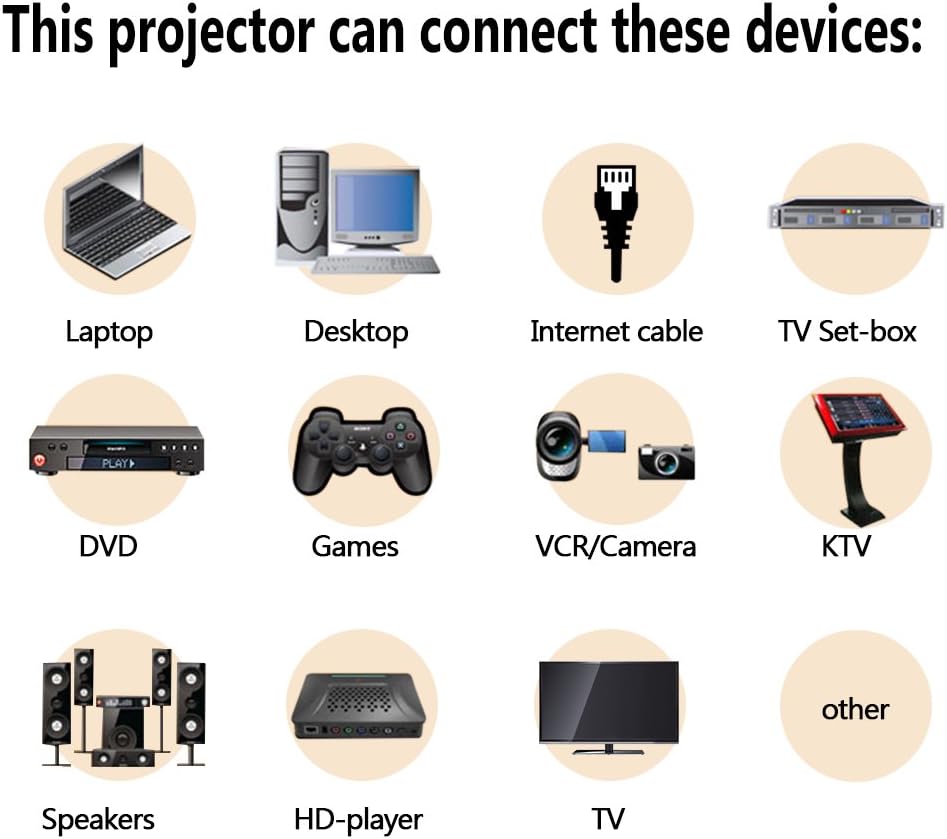
Малюнак 4.1: Illustration of various devices compatible with the ExquizOn 5018D projector, such as laptops, desktops, TV set-top boxes, DVD players, game consoles, VCRs/cameras, external speakers, and HD players.
- HDMI: For high-definition video and audio from devices like Blu-ray players, game consoles (Xbox), or computers.
- USB: Для прайгравання мультымедыя files непасрэдна з флэшкі USB.
- VGA: For connecting to older computers or laptops.
- AV (кампазітны): For connecting to standard definition devices like DVD players or VCRs.
- DVB-T2 Antenna: For receiving digital terrestrial television broadcasts.
4.4. Рэгуляванне фокусу і трапецыяпадобных скажэнняў
- Уключыце праектар і пакажыце малюнак.
- Адрэгулюйце Кольца факусіроўкі on the projector lens until the image is sharp and clear.
- If the image appears trapezoidal (wider at the top or bottom), use the Карэкцыя Keystone dial (usually located near the lens or on the top panel) to adjust it until the image is rectangular. The projector supports ±15° keystone correction.
4.5. Projection Distance and Screen Size
The optimal projection distance varies depending on the desired screen size and aspect ratio. The projector supports screen sizes from 60 to 200 inches.

Малюнак 4.2: This chart illustrates the recommended projection distances for various screen sizes (60" to 150") for both 16:9 and 4:3 aspect ratios. For example, a 100" 16:9 screen requires approximately 3.5 meters distance.
5. Інструкцыя па эксплуатацыі
5.1. Асноўныя элементы кіравання
The projector can be controlled using the buttons on the top panel or the included remote control.
- Кнопка харчавання: Уключае/выключае праектар.
- Кнопка крыніцы: Selects the input source (HDMI, USB, VGA, AV, DVB-T2).
- Кнопка меню: Доступ да экраннага меню (OSD).
- Navigation Buttons (Arrows): Навігацыя па пунктах меню.
- Кнопка OK/Enter: Пацвярджае выбар.
- Кнопкі гучнасці: Рэгулюе гучнасць гуку.
5.2. Выбар крыніцы ўводу
After connecting your desired input device, press the Крыніца button on the remote or projector to cycle through available input options until your device's signal is displayed.
5.3. DVB-T2 Tuner Operation
- Connect the DVB-T2 antenna cable to the "Antenna" port on the projector.
- Select "DVB-T2" as the input source.
- Navigate to the "Channel Search" option in the OSD menu to scan for available digital television channels.
- Once channels are found, you can browse and watch digital TV broadcasts.
5.4. Прайграванне медыяфайлаў (USB/TF-карта)
- Insert a USB flash drive or TF card into the respective port.
- Select "USB" or "TF Card" as the input source.
- The projector's media browser will appear. Navigate through folders and select the desired file (video, music, image, text).
- Supported formats include:
- Відэа: MPEG-2, MPEG-4, H.264 decoder, RM, RMVB, MPG, DAT, AVI, MP4, VOB, FLV
- Музыка: MPEG-1, MPEG-2, MP3, AAC-LC, WMA
- выява: JPG, BMP, PNG, TIFF
- Тэкст: TXT
5.5. Image Quality and Performance
The projector offers a 2000:1 contrast ratio for clear and sharp images. For optimal viewing, it is recommended to use the projector in a dark environment.

Малюнак 5.1: This image demonstrates the superior color performance and contrast ratio (2000:1) of the ExquizOn 5018D projector, compared to a lower contrast ratio (800:1).

Малюнак 5.2: Examples of images projected by the ExquizOn 5018D in a dark environment, illustrating clarity and color reproduction.
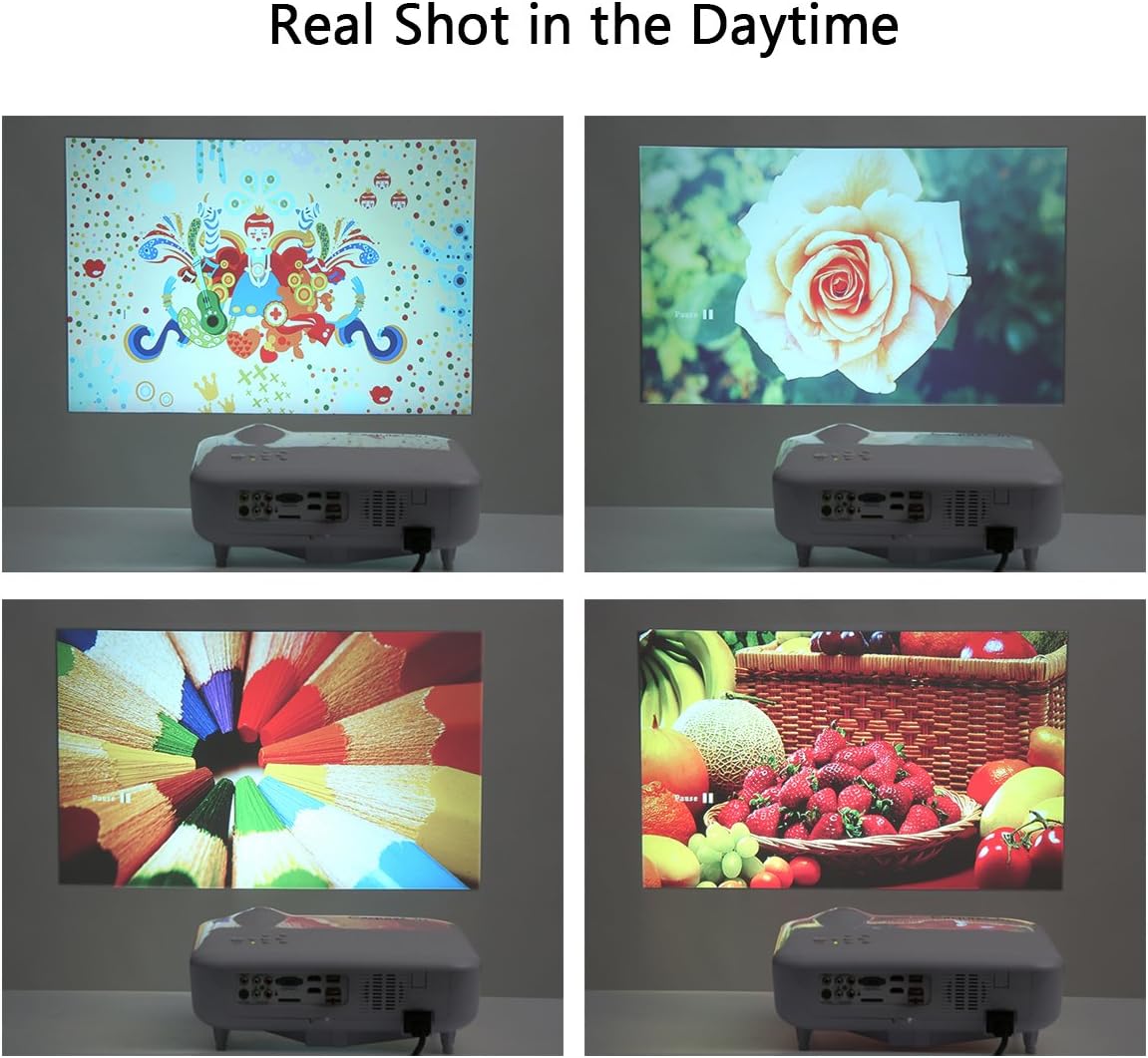
Малюнак 5.3: Examples of images projected by the ExquizOn 5018D in a daytime environment, demonstrating its performance under ambient light conditions.
6. Тэхнічнае абслугоўванне
6.1. Ачыстка аб'ектыва
Выкарыстоўвайце мяккую тканіну без ворса, спецыяльна распрацаваную для аптычных лінзаў, каб акуратна працерці аб'ектыў праектара. Пазбягайце выкарыстання абразіўных ачышчальнікаў або празмернага прымянення сілы, бо гэта можа падрапаць аб'ектыў.
6.2. Cleaning Ventilation Openings
Dust accumulation in the ventilation openings can lead to overheating. Regularly clean the vents using a soft brush or compressed air to ensure proper airflow. Do not block the ventilation openings during operation.
6.3. Святлодыёд Lamp жыццё
The projector utilizes an LED light source with an estimated lifespan of over 20,000 hours, significantly reducing the need for lamp замена.
7. Выпраўленне непаладак
Калі ў вас узніклі праблемы з праектарам, звярніцеся да наступных распаўсюджаных праблем і рашэнняў:
- Выява не адлюстроўваецца:
- Пераканайцеся, што праектар уключаны.
- Verify that the input source is correctly selected (e.g., HDMI1, USB).
- Check all cable connections between the projector and the input device.
- Try a different input device or cable to rule out external issues.
- Размытая выява:
- Адрэгулюйце кольца факусоўкі на аб'ектыве праектара.
- Пераканайцеся, што адлегласць праекцыі знаходзіцца ў рэкамендаваным дыяпазоне.
- Clean the projector lens if it is dirty.
- Выява мае трапецападобную форму:
- Adjust the keystone correction dial until the image is rectangular.
- Пераканайцеся, што праектар размешчаны перпендыкулярна экрану.
- Няма гуку або нізкі гук:
- Increase the volume on the projector and the input device.
- Check audio cable connections (if using AV or external audio).
- Пераканайцеся, што аўдыёвыхад з прылады-крыніцы ўключаны.
- Калі выкарыстоўваюцца знешнія дынамікі, пераканайцеся, што яны правільна падключаны і маюць харчаванне.
- Залішні шум вентылятара:
- Пераканайцеся, што вентыляцыйныя адтуліны праектара не заблакаваныя.
- Place the projector in an area with good air circulation.
- While some fan noise is normal for projectors, persistent loud noise might indicate dust buildup or a fan issue. Contact support if it persists.
8. Тэхнічныя характарыстыкі
| Асаблівасць | Спецыфікацыя |
|---|---|
| Праекцыйная тэхніка | 5.8-цалевы TFT LCD |
| Роднае дазвол | 1280 х 800 пікселяў |
| Падтрымліваецца дазвол | Up to 1920 x 1080p |
| Яркасць святлодыёдаў | 3000 люмен |
| Каэфіцыент кантраснасці | 2000:1 |
| Колеразнаўства | 1.67 мільёна кветак |
| Аб'ектыў | F = 2.8; f = 200 mm |
| Суадносіны бакоў | Native 16:9, Compatible 4:3 |
| Адлегласць праекцыі | 2 - 5.3 метраў |
| Памер праекцыі | 60 - 200 цалі |
| Метад праекцыі | Front / Rear / Ceiling Mount |
| Дакладчык | 4 Ом, 3 Вт |
| Электразабеспячэнне | AC 100V to 240V, 50Hz to 60Hz |
| Карэкцыя Keystone | ±15° Інструкцыя |
| Узровень шуму | ≤ 50 дБ |
| Інтэрфейсы | 1 x DVB-T2, 1 x USB, 1 x TV, 1 x HDMI, 1 x VGA, 1 x AV |
| Тэрмін службы святлодыёда | 20,000 гадзіны |
| Памеры прадукту (Д х Ш х У) | 34 cm × 26.5 cm × 12.5 cm (13.39 × 10.43 × 4.92 inches) |
| Вага нета | 3.2 кг (7.05 фунтаў) |
| Мовы экраннага меню | 22 languages including English, Spanish, French, German, Italian, etc. |
9. Гарантыя і падтрымка
Specific warranty details for the ExquizOn 5018D projector are not provided in this manual. Please refer to the warranty card included with your purchase or contact your retailer for information regarding warranty coverage and terms.
For technical support, troubleshooting assistance beyond this manual, or inquiries about replacement parts, please contact ExquizOn customer service through their official webсайт або кантактную інфармацыю, прадстаўленую разам з вашым прадуктам.