
Уводзіны
This manual provides instructions for the proper setup, operation, and maintenance of your Targus W600 Wireless Optical Mouse. Please read this manual thoroughly before using the device to ensure optimal performance and longevity.
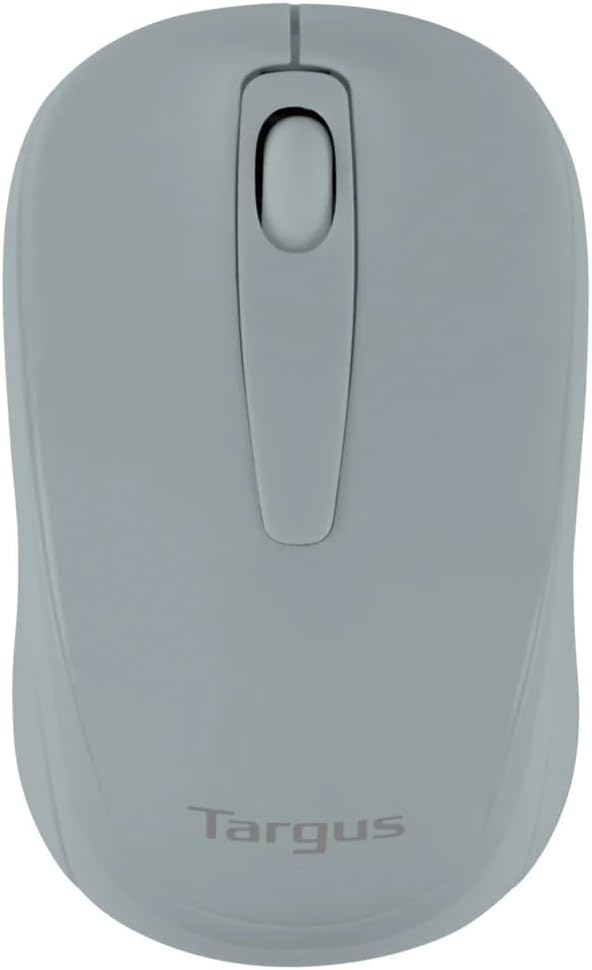
Figure 1: Targus W600 Wireless Optical Mouse (Quarry Gray)
Змест пакета
Пераканайцеся, што ўсе прадметы прысутнічаюць у пасылцы:
- Бесправадная аптычная мыш Targus W600
- USB-прыёмнік
- Кіраўніцтва карыстальніка (гэты дакумент)
Note: 1 AA battery is required and sold separately.
Асаблівасці прадукту
- 2.4 GHz Wireless Technology for reliable connection
- 1600 DPI Optical Sensor for precise tracking
- Эрганамічны дызайн для зручнага выкарыстання
- Сумяшчальны з аперацыйнымі сістэмамі Windows і Mac
- Integrated USB receiver storage compartment
Настройка
1. Устаноўка акумулятара
- Turn the mouse over to locate the battery compartment cover.
- Gently slide the cover off.
- Устаўце адну (1) батарэйку тыпу АА, сачыце за правільнай палярнасцю (+/-).
- Замяніце крышку батарэйнага адсека.
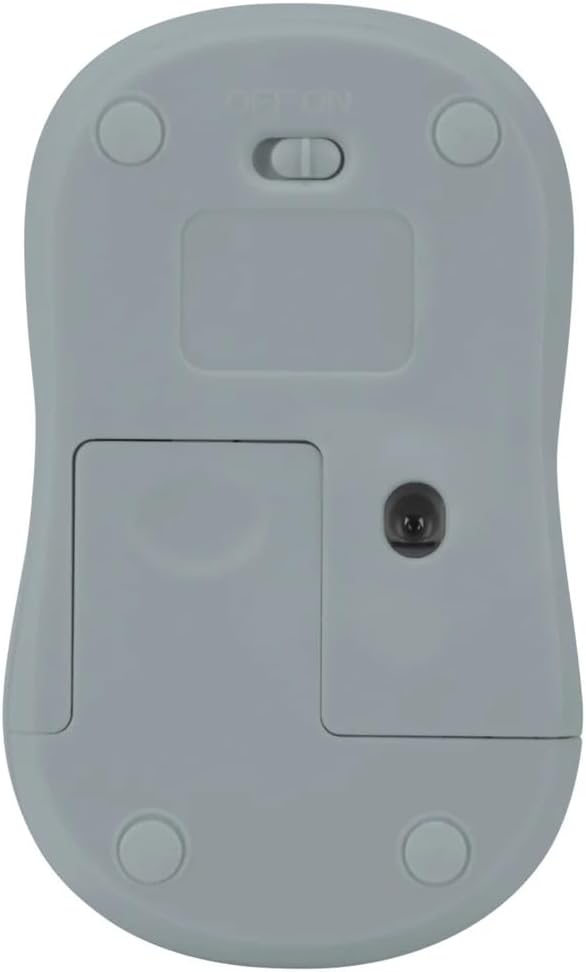
Малюнак 2: унізе view of the mouse with battery compartment and power switch.
2. Падключэнне USB-прыёмніка
- Locate the USB receiver, typically stored inside the mouse's battery compartment or a dedicated slot.
- Падключыце USB-прыёмнік да вольнага порта USB на вашым кампутары.
- Ваш камп'ютар павінен аўтаматычна выявіць і ўсталяваць неабходныя драйверы. Гэта можа заняць некалькі хвілін.
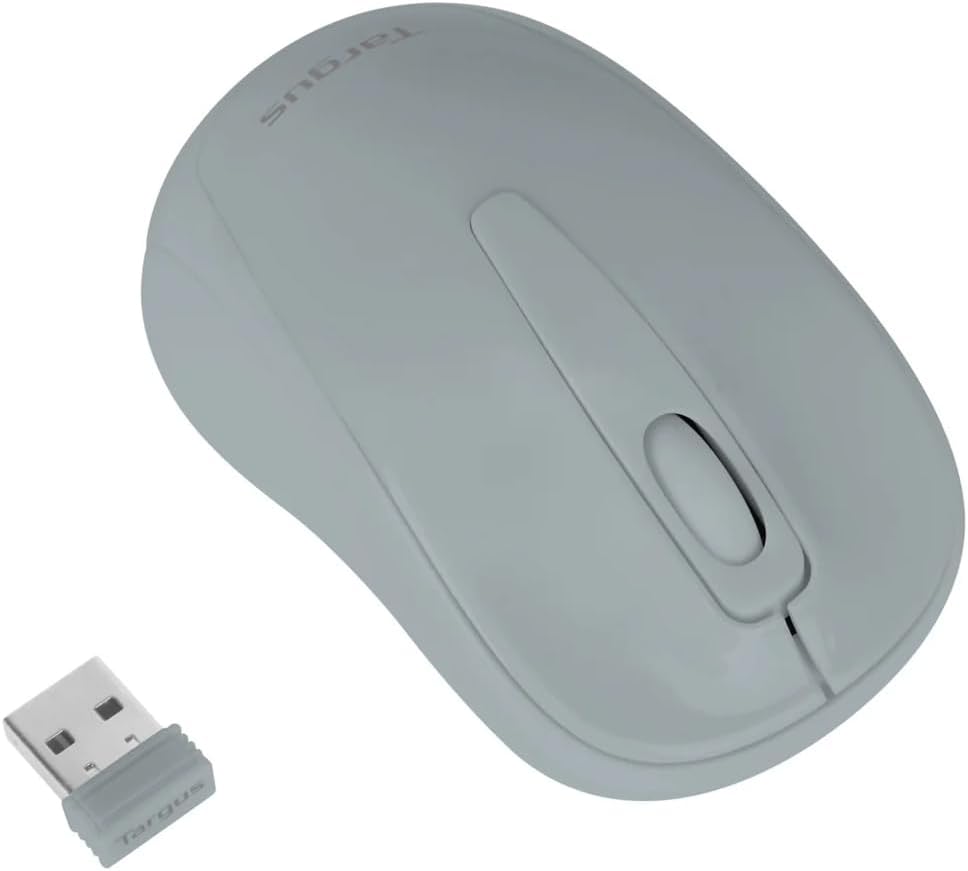
Figure 3: Targus W600 mouse and its USB receiver.

Figure 4: USB receiver plugged into a laptop, with the mouse nearby.
3. Уключэнне мышы
On the bottom of the mouse, slide the ON/OFF switch to the "ON" position. The mouse is now ready for use.
Кіраванне мышшу
The Targus W600 Wireless Optical Mouse functions like a standard 3-button mouse. It features a left button, a right button, and a scroll wheel that also acts as a middle button.
- Пстрычка левай кнопкай мышы: Primary action, selection, opening items.
- Пстрыкніце правай кнопкай мышы: Адкрывае кантэкстныя меню.
- Кола пракруткі: Пракручвае дакументы і web pages vertically. Pressing the scroll wheel acts as a middle click, often used for opening links in new tabs or specific application functions.
The 1600 DPI optical sensor provides smooth and accurate cursor control on most surfaces. For best performance, use on a mouse pad or a non-reflective, uniform surface.
Тэхнічнае абслугоўванне
Уборка
Каб пачысціць мыш, акуратна працярыце паверхню мяккай губкайamp cloth. Avoid using harsh chemicals or abrasive cleaners, as these can damage the finish or internal components. Ensure no liquid enters the mouse.
Замена батарэі
When the mouse performance degrades or stops responding, it may be time to replace the battery. Follow the steps outlined in the "Installing the Battery" section to replace the AA battery. Dispose of used batteries responsibly according to local regulations.
Ліквідацыю непаладак
| праблема | Рашэнне |
|---|---|
| Мышка не рэагуе |
|
| Няўстойлівы рух курсора |
|
| Кароткі дыяпазон бесправадной сувязі |
|
Тэхнічныя характарыстыкі
| Нумар мадэлі | AMW60006AP-55 |
| Сувязь | Бесправадная сувязь 2.4 ГГц (USB-прыёмнік) |
| Sensor Technology | Аптычны |
| DPI | 1600 DPI |
| Колькасць кнопак | 3 (левая, правая, кола пракруткі/сярэдняя кнопка мышы) |
| Крыніца харчавання | 1 батарэі АА (не ўключаны) |
| Сумяшчальныя аперацыйныя сістэмы | Windows, Mac |
Заўвага: Тэхнічныя характарыстыкі могуць быць зменены без папярэдняга паведамлення.
Гарантыя і падтрымка
Каб атрымаць інфармацыю аб гарантыі і тэхнічнай падтрымцы, звярніцеся да афіцыйнага прадстаўніка Targus. webсайт або звярніцеся ў службу падтрымкі кліентаў. Захоўвайце чэк аб куплі як пацвярджэнне пакупкі для прэтэнзій па гарантыі.
Афіцыйны прадстаўнік Targus Webсайт: www.targus.com