
Уводзіны
The SteelSeries Apex 100 Gaming Keyboard is designed for optimal gaming performance, featuring Quick Tension Switches for fast reaction times, tactile feedback, and quiet operation. It includes blue LED backlighting, advanced anti-ghosting, and is built with splash resistance for durability.
Настройка
1. Падключэнне клавіятуры
Connect the keyboard's USB-A cable to an available USB port on your computer. The keyboard is plug-and-play, and your operating system should automatically detect and install the necessary drivers.

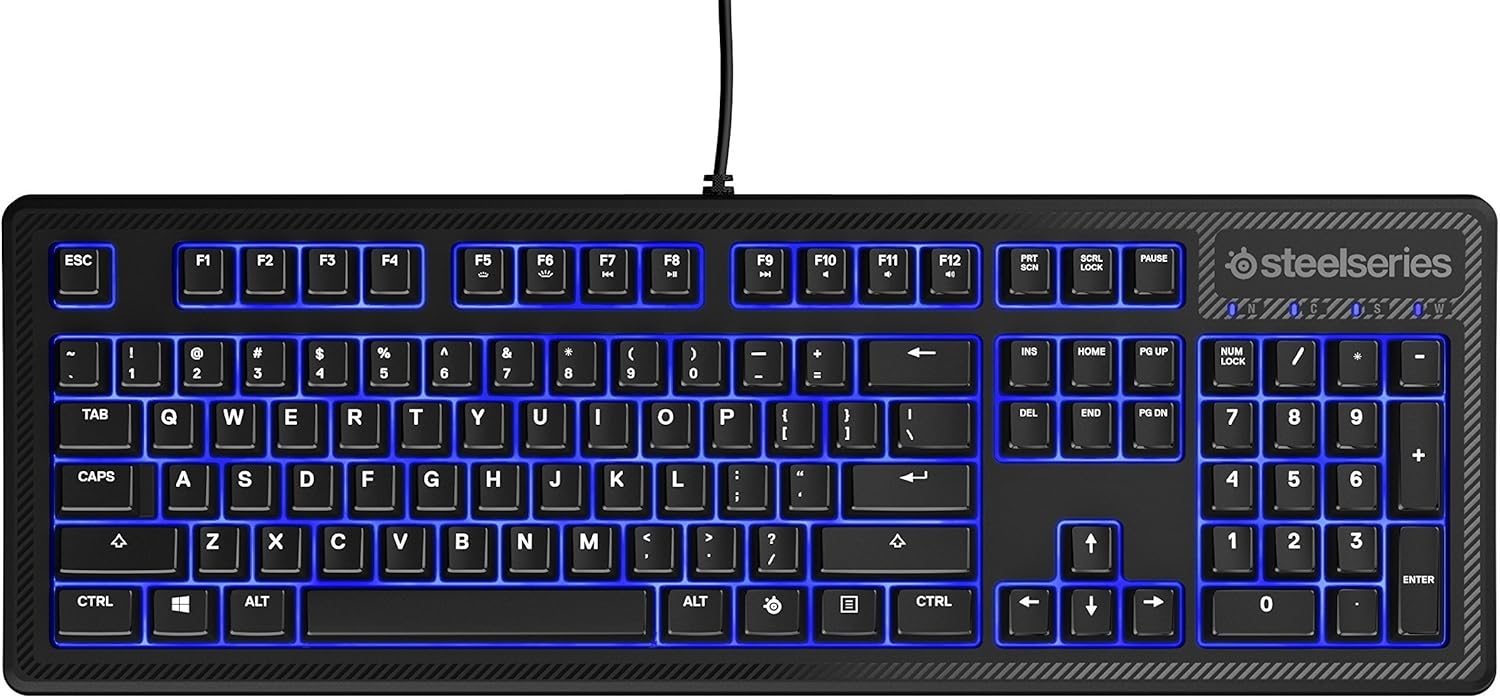
Выява: Уверсе view of the SteelSeries Apex 100 Gaming Keyboard, showing the full QWERTY layout with blue LED backlighting and the attached USB cable.
2. Усталёўка праграмнага забеспячэння (неабавязкова)
For advanced customization, including macro programming and backlighting adjustments, download and install the SteelSeries Engine 3 software from the official SteelSeries webсайт (steelseries.com/engine). Выконвайце інструкцыі на экране для ўсталёўкі.
Кіраванне клавіятурай
Асноўныя характарыстыкі
- Quick Tension Switches: Designed to mimic mechanical switches, providing a tactile feel and fast actuation.
- Сіняя святлодыёдная падсветка: Offers brilliant ground effects backlighting. Intensity can be adjusted via SteelSeries Engine 3.
- Пашыраная абарона ад прывідаў: Ensures all key presses are registered accurately during intense gaming sessions.
- Элементы кіравання мультымедыя: Integrated media control functions are accessible via function keys (F7-F12) in combination with the Fn key.
Выява: Збоку view of the SteelSeries Apex 100 Gaming Keyboard, highlighting its ergonomic design and keycap profile.
Customization with SteelSeries Engine 3
The SteelSeries Engine 3 software allows you to:
- Create and assign macros to any key.
- Adjust the intensity of the blue LED backlighting.
- Configure polling rates and other performance settings.
Тэхнічнае абслугоўванне
Уборка
To clean your keyboard, disconnect it from your computer. Use a soft, dry cloth to wipe down the keys and chassis. For stubborn dirt, a slightly damp cloth with mild soap can be used, ensuring no liquid enters the key switches or internal components. The keyboard is splash resistant, but not waterproof; avoid submerging it or exposing it to excessive liquids.
Даўгавечнасць
The Apex 100 keyboard features a guaranteed 20-million click lifespan for its switches, ensuring long-term reliability under heavy use.

Выява: Ніжняя частка view of the SteelSeries Apex 100 Gaming Keyboard, showing the drainage channels and adjustable feet.
Ліквідацыю непаладак
Клавіятура не адказвае
- Пераканайцеся, што USB-кабель надзейна падключаны як да клавіятуры, так і да кампутара.
- Паспрабуйце падключыць клавіятуру да іншага порта USB.
- Перазагрузіце кампутар.
- Калі карыстаецеся USB-канцэнтратарам, паспрабуйце падключыць яго непасрэдна да кампутара.
Праблемы з падсветкай
- Check the backlighting settings within the SteelSeries Engine 3 software.
- Ensure the keyboard's brightness level is not set to minimum.
Ключы не рэгіструюцца
- Ачысціце вакол пашкоджаных клавіш, каб выдаліць смецце.
- If the issue persists, consider reinstalling the SteelSeries Engine 3 software or updating your USB drivers.
For further assistance, please refer to the SteelSeries support webсайт.
Тэхнічныя характарыстыкі
| Асаблівасць | Дэталь |
|---|---|
| Марка | SteelSeries |
| Назва мадэлі | Апекс 100 |
| Нумар мадэлі | 64435 |
| Тэхналогія падлучэння | USB-A |
| Апісанне клавіятуры | Гульнявая |
| Рэкамендуемае выкарыстанне | Гульнявая |
| Асаблівасць | Падсвятленне |
| Колер | Сіні |
| Падтрымка колеру падсвятлення клавіятуры | Single Color (Blue) |
| стыль | Ціха як шэпт – тактыльна і бясшумна |
| Памеры прадукту | 18.21 см Д х 6.13 см Ш х 1.58 см В |
| Крыніца харчавання | USB |
| Тып перамыкача | Tactile (Quick Tension Switches) |
| Раскладка клавіятуры | QWERTY |
| Колькасць кнопак | 104 |
| Сумяшчальнае сямейства аперацыйных сістэм | вокны |
| Колькасць ключоў | 100 |
| Матэрыял корпуса | Пластыкавыя |
| Вага прадмета | 2.42 фунта |
| UPC | 813682020101 |
Інфармацыя аб гарантыі
According to product information, this item comes with няма гарантыі. Please check with your retailer for their return or exchange policies.
Падтрымка
For additional support, driver downloads, or frequently asked questions, please visit the official SteelSeries support webсайт: