
1. Уводзіны
Thank you for choosing the 2BOOM HPBT500K Wireless Headphone System. This manual provides essential information for the proper setup, operation, and maintenance of your new headphones. Please read it thoroughly before use to ensure optimal performance and longevity of the product.
The HPBT500K headphones offer a wireless audio experience with a built-in microphone for hands-free calling, enhanced bass sound, and comfortable wear.
2. Што ў скрынцы
- 2BOOM HPBT500K Wireless Headphone
- USB-кабель для зарадкі
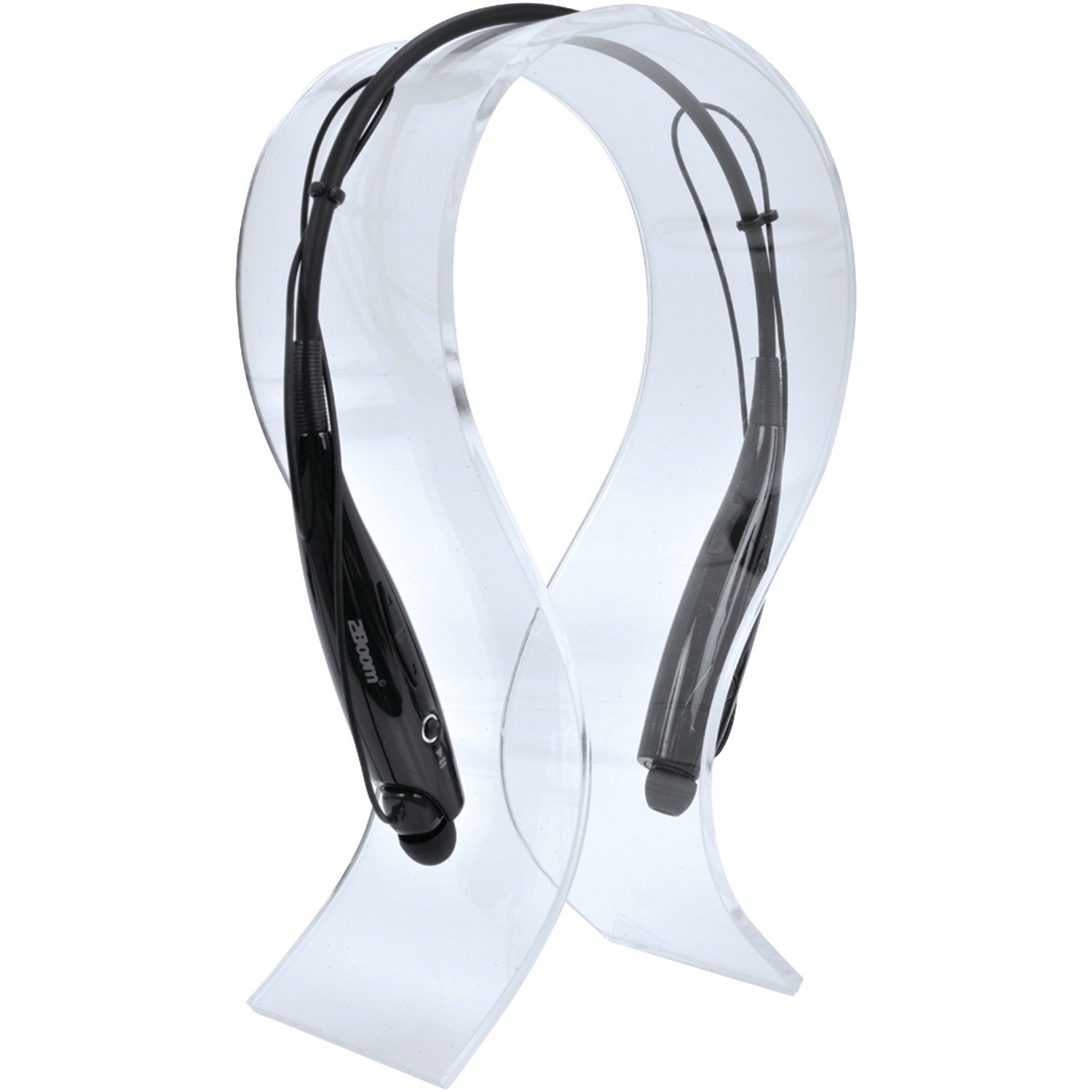
Image: The 2BOOM HPBT500K Wireless Headphone, showcasinг яго дызайн.
Image: The included USB charging cable for the headphones.
3. Прадукт скончыўсяview
Familiarize yourself with the various parts and controls of your HPBT500K headphones.

Выява: Збоку view of the 2BOOM HPBT500K Wireless Headphone, highlighting control buttons and ports.
Элементы кіравання і індыкатары:
- Кнопка харчавання: Used to turn the headphones on/off and for pairing.
- Узмацненне гучнасці/наступны трэк: Павялічвае гучнасць або пераходзіць да наступнай песні.
- Паменшыць гучнасць/Папярэдні трэк: Змяншае гучнасць або пераходзіць да папярэдняй песні.
- Шматфункцыянальная кнопка (МФК): Play/Pause, Answer/End Call.
- Мікрафон: Для сувязі без рук.
- Святлодыёдны індыкатар: Shows power status, pairing mode, and charging status.
- Порт для зарадкі Micro USB: Для падключэння зараднага кабеля.
4. Зарадка навушнікаў
Before first use, fully charge your headphones. A full charge typically takes about 2-3 hours.
- Connect the small end of the USB charging cable to the Micro USB charging port on your headphones.
- Connect the larger end of the USB charging cable to a USB power source (e.g., computer USB port, USB wall adapter). Ensure the power source provides DC 5V.
- The LED indicator will illuminate during charging and change color or turn off once charging is complete.
Заўвага: Do not use chargers with a voltage higher than DC 5V, as this may damage the headphones.
5. Налада і спалучэнне Bluetooth
Follow these steps to pair your HPBT500K headphones with your Bluetooth-enabled device.
- Уключэнне: Press and hold the Power button on the headphones until the LED indicator flashes, usually alternating blue and red, indicating pairing mode.
- Актываваць Bluetooth: On your smartphone, tablet, or other Bluetooth device, go to the Bluetooth settings and ensure Bluetooth is turned on.
- Пошук прылады: Your device will scan for available Bluetooth devices.
- Select 'HPBT500K': From the list of found devices, select 'HPBT500K'.
- Пацвердзіць спалучэнне: Once paired, the LED indicator on the headphones will typically flash blue slowly or remain solid blue, and your device may confirm the connection.
The operating distance for Bluetooth connectivity is up to 33 feet (10 meters) in an open environment. Obstacles may reduce this range.
6. Інструкцыя па эксплуатацыі
Прайграванне музыкі:
- Прайграванне/Паўза: Націсніце шматфункцыянальную кнопку (MFB) адзін раз.
- Наступны трэк: Націсніце і ўтрымлівайце кнопку павелічэння гучнасці.
- Папярэдні трэк: Націсніце і ўтрымлівайце кнопку памяншэння гучнасці.
- Павялічыць гучнасць: Коратка націсніце кнопку павелічэння гучнасці.
- Паменшыць гучнасць: Коратка націсніце кнопку памяншэння гучнасці.
Music playback time is up to 3 hours on a full charge.
Гучная сувязь:
- Адказаць на званок: Націсніце шматфункцыянальную кнопку адзін раз, калі паступае званок.
- Завяршыць выклік: Націсніце MFB адзін раз падчас размовы.
- Адхіліць выклік: Press and hold the MFB for approximately 2 seconds when a call comes in.
- Паўторны набор апошняга нумара: Двойчы націсніце MFB.
Talk time is up to 3 hours on a full charge.
7. Тэхнічнае абслугоўванне
Каб забяспечыць даўгавечнасць і аптымальную працу вашых навушнікаў, выконвайце наступныя рэкамендацыі па абслугоўванні:
- Keep the headphones dry. Avoid exposure to moisture, rain, or liquids.
- Clean the headphones with a soft, dry cloth. Do not use harsh chemicals or abrasive cleaners.
- Захоўвайце навушнікі ў прахалодным, сухім месцы, удалечыні ад экстрэмальных тэмператур.
- Пазбягайце падзення навушнікаў і моцных удараў.
- Не спрабуйце разбіраць або мадыфікаваць навушнікі, бо гэта прывядзе да анулявання гарантыі.
8. Выпраўленне непаладак
If you encounter issues with your HPBT500K headphones, refer to the following common problems and solutions:
- Навушнікі не ўключаюцься:
Пераканайцеся, што навушнікі цалкам зараджаныя. Падключыце іх да крыніцы харчавання з дапамогай прыкладзенага кабеля USB. - Немагчыма спалучыць прыладу з:
Make sure Bluetooth is enabled on your device and the headphones are in pairing mode (LED flashing blue/red). Move the headphones closer to your device. Try turning both devices off and on again. - Няма гуку або нізкі гук:
Праверце ўзровень гучнасці як на навушніках, так і на падлучанай прыладзе. Пераканайцеся, што навушнікі правільна спалучаныя. - Дрэнная якасць гуку або абрывы сувязі:
Пераканайцеся, што паміж навушнікамі і прыладай няма перашкод. Падыдзіце бліжэй да прылады. Пазбягайце асяроддзяў з моцнымі перашкодамі Wi-Fi або іншымі бесправаднымі перашкодамі. - Мікрафон не працуе:
Пераканайцеся, што навушнікі правільна падключаны і выбраны ў якасці ўваходнай аўдыёпрылады на вашым тэлефоне/камп'ютары.
9. Тэхнічныя характарыстыкі
| Асаблівасць | Спецыфікацыя |
|---|---|
| Версія Bluetooth | 2.1 + EDR |
| Дыстанцыя дзеяння | Да 33 футаў (10 метраў) |
| Час прайгравання музыкі | Да 3 гадзін |
| Час размовы | Да 3 гадзін |
| Зарадны ўваход Voltage | 5 В пастаяннага току |
| Час зарадкі | Прыкладна 2-3 гадзін |
| Выхад на дынамік | 2 х 40 мВт |
| Убудаваны акумулятар | 3.7 В, 150 XNUMX мАг |
| Вага прадмета | 113 г |
| Памеры прадукту (ДxШxВ) | 23.11 х 16.76 х 3.81 см |
| Уключаныя кампаненты | Headphone with charging cable |
| Метад кантролю | Дакранацца |
| Асаблівасці | Lightweight, Microphone Included |
10. Гарантыя і падтрымка
For warranty information or technical support, please refer to the documentation provided at the time of purchase or contact 2BOOM customer service. Keep your proof of purchase for warranty claims.