
1. Уводзіны
The UDIAG A200 is a professional-grade OBD2 diagnostic scan tool designed for comprehensive vehicle analysis. It offers full system diagnostics, bi-directional control, and a wide range of reset services specifically tailored for BMW, Mini, and Rolls Royce vehicles manufactured after 1996. This manual provides essential information for setting up, operating, and maintaining your A200 device to ensure accurate and efficient vehicle diagnostics.
2. Што ў скрынцы
Upon opening your UDIAG A200 package, please verify that all the following items are included:
- A200 Diagnostic Scan Tool
- OBD II кабель
- Счытвальнік карт TF
- Ахоўны футляр
- Кіраўніцтва карыстальніка (гэты дакумент)

Image: The UDIAG A200 diagnostic scan tool, OBD II cable, TF card reader, protective case, and user manual as packaged.
3. Кіраўніцтва па наладцы
Follow these steps to prepare your UDIAG A200 for first use:
- Знайдзіце порт OBDII: The OBDII (On-Board Diagnostics II) port is typically located under the dashboard on the driver's side of your vehicle. Refer to your vehicle's owner's manual if you cannot find it.
- Connect the OBDII Cable: Plug one end of the provided OBDII cable into the A200 device and the other end into your vehicle's OBDII port. Ensure a secure connection.
- Уключыце прыладу: The A200 device is powered directly by your vehicle's 8-18V electrical system through the OBDII port. Turn your vehicle's ignition key to the 'ON' position (do not start the engine). The device should power on automatically.
- Пачатковы выбар мовы: If this is your first time using the device, you may be prompted to select your preferred language. Use the navigation buttons to select English or another supported language (Spanish, French, German) and confirm.

Image: The UDIAG A200 scanner's main screen showing options for various diagnostic functions like TPMS, EPB, DPF, BRT, Suspension, ABS, Injector Coding, Throttle Reset, Sun Roof, Airbag, and SAS.
4. Інструкцыя па эксплуатацыі
The UDIAG A200 offers a range of diagnostic and service functions. Navigate through the menus using the directional buttons and confirm selections with the 'OK' button.
4.1. Уся сістэмная дыягностыка
The A200 can perform fast and accurate diagnoses for all available control modules in your vehicle, including ABS, SRS, Engine, Transmission, Brake System, Suspension System, Fuel system, and more. Select the 'BMW', 'Mini', or 'Rolls Royce' application from the main menu to access these functions.

Image: A visual representation of various diagnostic functions such as ABS/ASC/DSC, CBS, Clear Adaptions, Battery Health Check, TPMS ECU Function, Adjustment Steering-Angle Sensor, Fuel Pump Function, DPF Regeneration Function, and DME/DDE Functions.
4.2. ABS Scan Tool and Bleeding
This unique feature allows for ABS bleeding, which is crucial after replacing brake components like calipers, wheel cylinders, master cylinders, brake lines, or hoses. The tool cycles the pump and valves to remove air from the brake system, ensuring a firm brake pedal and safe driving.
4.3. 40+ Special Service Functions
The A200 supports over 40 special service functions for maintenance and resets. These include, but are not limited to:
- Скід электроннага стаяначнага тормазу (EPB)
- Каліброўка датчыка вугла павароту (SAS).
- Throttle Body Alignment (TBA/TPS)
- Скід сістэмы кантролю ціску ў шынах (TPMS)
- Скід нафтавай службы
- Suspension Adaptation
- Рэгістрацыя акумулятара
- Adaptive Gearbox Reset
- Кодаванне інжэктара
- Дызельны сажевый фільтр (DPF).

Image: The UDIAG A200 screen showing a list of special functions available, such as ABS Bleeding, EPB Reset, Battery Reset, SAS Learning, Oil Reset, EGR, DPF Regeneration, TPMS, and Injector Coding.
4.4. Active Test (Bi-Directional Control) and DTC Lookup
The A200 supports bi-directional control, allowing you to send commands to vehicle components to test their functionality. This includes actuating components like folding mirrors, rolling windows, electric fans, injectors, A/C clutch, wipers, electronic fuel pump, and deactivating brakes. The device also features an onboard DTC library to help interpret error codes without needing external resources.
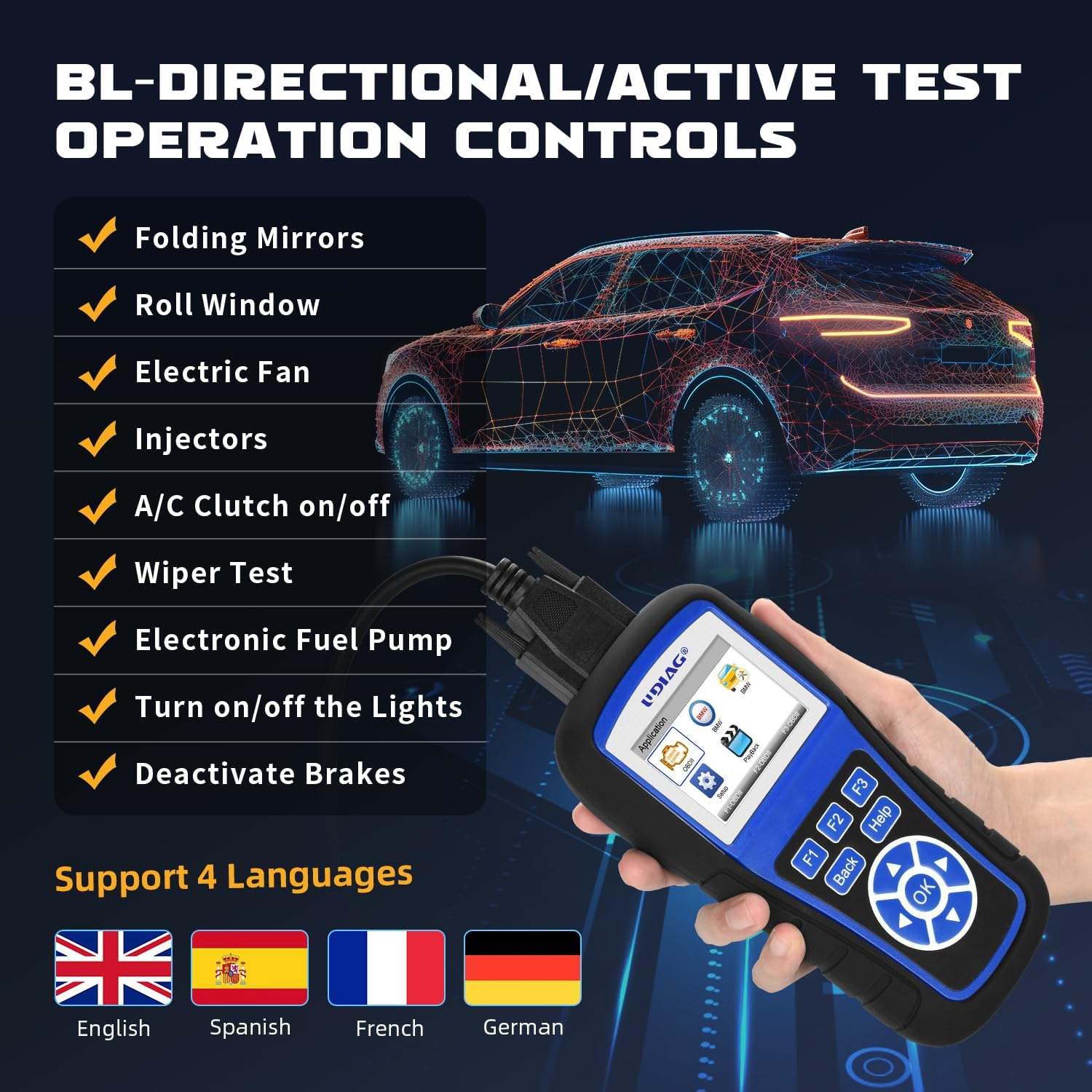
Image: The UDIAG A200 screen showing a list of bi-directional/active test operations, such as Folding Mirrors, Roll Window, Electric Fan, Injectors, A/C Clutch on/off, Wiper Test, Electronic Fuel Pump, Turn on/off the Lights, and Deactivate Brakes.
4.5. Full OBDII Functions
Beyond specific BMW/Mini/Rolls Royce functions, the A200 also serves as a universal OBDII car code reader, supporting all 10 OBDII test modes for checking engine lights, reading, and erasing codes on any OBDII compliant vehicle (SUVs, light trucks, and 12V diesel vehicles). These functions include:
- Чытаць коды
- Выразныя коды
- Паток дадзеных
- Даныя стоп-кадра
- Сістэмная інфармацыя
- Тэст бартавога манітора
- I/M Гатоўнасць
- Кампанентны тэст
- EVAP Monitor Test
- Тэст манітора O2

Image: The UDIAG A200 screen showing a comprehensive list of full OBDII functions, such as On-Board Monitor Test, I/M Readiness, Code Lookup, Freeze Frame, Read codes, Component Test, EVAP Monitor Test, O2 Monitor Test, Erase/Clear Codes, Live Data / Data Stream, and Vehicle Information.
5. Сумяшчальнасць з транспартнымі сродкамі
The UDIAG A200 is specifically designed for BMW, Mini, and Rolls Royce vehicles manufactured after 1996. Additionally, its universal OBDII functions are compatible with most other car makes worldwide, including SUVs, light trucks, and 12V diesel vehicles equipped with an OBD2 system.
6. Тэхнічнае абслугоўванне
To ensure the longevity and optimal performance of your UDIAG A200, consider the following maintenance guidelines:
- Абнаўленні праграмнага забеспячэння: The UDIAG A200 comes with lifetime free software updates. Regularly check for and install updates to ensure compatibility with the latest vehicle models and diagnostic protocols. Use the provided TF card reader to facilitate updates via a computer.
- Уборка: Wipe the device with a soft, dry cloth. Avoid using abrasive cleaners or solvents that could damage the screen or casing.
- захоўванне: Store the device in its protective case when not in use to prevent dust accumulation and physical damage. Keep it in a cool, dry place away from direct sunlight and extreme temperatures.
- Сыход за кабелем: Inspect the OBDII cable regularly for any signs of wear or damage. Replace if necessary to maintain a reliable connection.
7. Выпраўленне непаладак
If you encounter issues while using your UDIAG A200, try the following common troubleshooting steps:
- Прылада не ўключаецца: Ensure the OBDII cable is securely connected to both the device and the vehicle's OBDII port. Verify that the vehicle's ignition is in the 'ON' position. Check your vehicle's fuse box for any blown fuses related to the OBDII port.
- Памылка сувязі: Confirm that your vehicle is OBDII compliant and that the ignition is on. Try disconnecting and reconnecting the cable. Ensure the vehicle's battery has sufficient charge.
- Incorrect Readings/Functions: Ensure the device software is up to date. Verify that you have selected the correct vehicle make/model within the device's menu.
- Завісанне экрана: Disconnect the device from the vehicle, wait a few seconds, and then reconnect it. If the issue persists, perform a software update.
Калі ў вас ёсць праблемы або вы не зможаце іх вырашыць складана, звярніцеся ў раздзел падтрымкі.
8. Тэхнічныя характарыстыкі
| Асаблівасць | Дэталь |
|---|---|
| мадэль | A200 for BMW |
| Марка | удзяг |
| Крыніца харчавання | 8-18V Provided by Vehicle |
| Аперацыйная сістэма | Убудаваная сістэма |
| Памер экрана | 2.8 цалі |
| Вытворца | UDIAG |
9. Гарантыя і падтрымка
UDIAG is committed to providing high-quality products and excellent customer service. Your satisfaction is our priority.
9.1. UDIAG Quality Assurance
The UDIAG A200 is manufactured under strict quality control standards. We stand behind the reliability and performance of our products.
9.2. Зварот у службу падтрымкі
If you have any questions, concerns, or require technical assistance with your UDIAG A200, please do not hesitate to contact our customer support team. Refer to the contact information provided on our official website or the product packaging for the most up-to-date support channels.