
Logitech MK275
Logitech MK275 Wireless Keyboard and Mouse Set User Manual
Мадэль: MK275
1. Уводзіны
Thank you for choosing the Logitech MK275 Wireless Keyboard and Mouse Set. This combo provides a reliable 2.4 GHz wireless connection, offering convenience and efficiency for your computing needs. The full-size keyboard features quiet, low-profile keys and dedicated multimedia controls, while the compact mouse ensures comfortable and precise navigation. This manual will guide you through the setup, operation, and maintenance of your new wireless set.

Image: The Logitech MK275 Wireless Keyboard and Mouse Set, showcasing both devices.
2. Змесціва ўпакоўкі
Пераканайцеся, што ўсе прадметы прысутнічаюць у вашай упакоўцы:
- Бесправадная клавіятура Logitech MK275
- Бесправадная мыш Logitech
- USB нана прыёмнік
- Карыстальніцкая дакументацыя
- AA and AAA Batteries (pre-installed or included)

Image: The USB Nano Receiver, typically found within the product packaging or a dedicated slot.
3. Кіраўніцтва па наладцы
3.1. Устаноўка батарэі
The keyboard requires two AAA batteries, and the mouse requires one AA battery. Batteries are typically included with the product. If not already installed, open the battery compartments on the underside of both the keyboard and mouse, insert the batteries according to the polarity indicators (+/-), and close the compartments. Remove any plastic pull tabs if present.
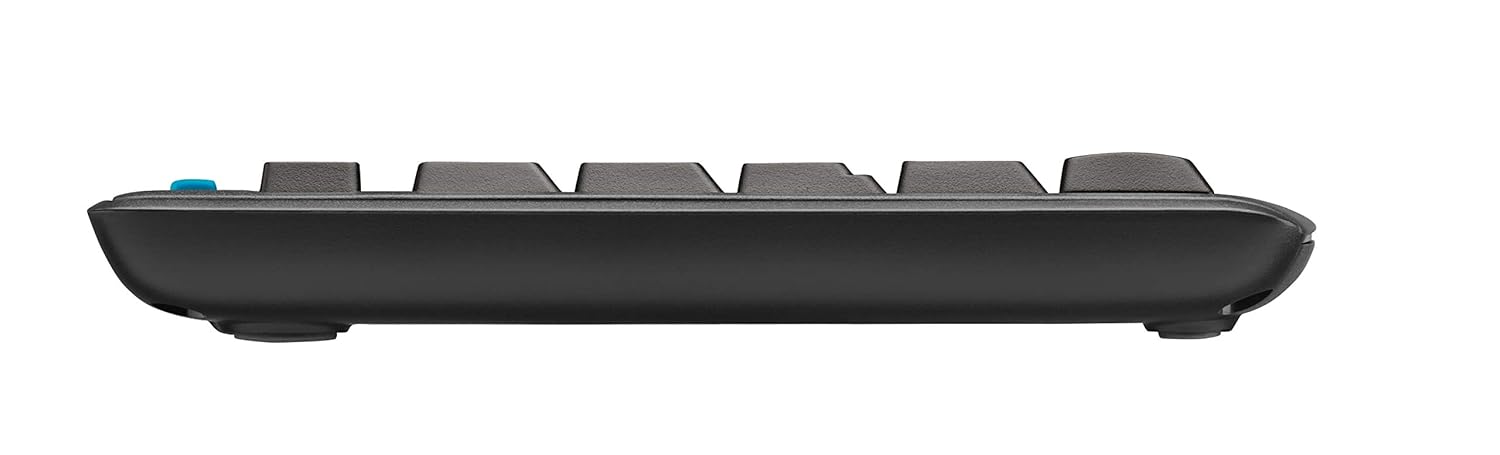
Выява: Side profile of the keyboard, showing its slim design and indicating the location of the battery compartment on the underside.
3.2. Падключэнне рэсівера
The Logitech MK275 uses a single USB Nano Receiver for both the keyboard and mouse. This allows you to use only one USB port on your computer.
- Locate the USB Nano Receiver. It is small and designed to be left in your computer.
- Plug the USB Nano Receiver into an available USB port on your desktop PC or laptop.
- Turn on the keyboard and mouse using their respective On/Off switches, usually located on the underside of each device.
- Your computer should automatically detect and install the necessary drivers. No software installation is typically required for Windows XP, Vista, Windows 7, and Windows 8.
4. Інструкцыя па эксплуатацыі
4.1. Асноўнае выкарыстанне
Once the USB Nano Receiver is connected and the devices are powered on, your keyboard and mouse are ready for immediate use. The 2.4 GHz wireless connection provides a strong and reliable signal, minimizing lag and interference.
4.2. Multimedia and Shortcut Keys
The Logitech MK275 keyboard features 8 convenient multimedia and shortcut keys located above the function keys (F1-F12). These keys provide quick access to frequently used functions:
- Дом: Адкрывае па змаўчанні web галоўная старонка браўзера.
- электронная пошта: Launches your default email client.
- Сон ПК: Puts your computer into sleep mode.
- Адключэнне гуку: Уключае або выключае гук.
- Паменшыць гучнасць: Памяншае гучнасць гуку.
- Павялічыць гучнасць: Павялічвае гучнасць гуку.
- Прайграванне/Паўза: Кіруе прайграваннем мультымедыя.
- калькулятар: Opens the calculator application.

Image: The Logitech MK275 keyboard, highlighting the dedicated multimedia and shortcut keys for quick access to common functions.
5. Тэхнічнае абслугоўванне і догляд
To ensure the longevity and optimal performance of your Logitech MK275 set, follow these maintenance guidelines:
- Уборка: Выкарыстоўвайце мяккую безворсовую тканіну, злёгку dampened with water or a mild cleaning solution to clean the surfaces of the keyboard and mouse. Avoid harsh chemicals or abrasive materials.
- Устойлівасць да разліву: The keyboard is designed to be spill-resistant. In case of accidental spills, immediately turn off the keyboard, disconnect it, and allow it to dry completely before reuse. Do not immerse the keyboard in liquid.
- Тэрмін службы батарэі: The keyboard offers up to 24 months of battery life, and the mouse up to 12 months. Battery life may vary based on usage. Replace batteries when performance degrades.
- захоўванне: When not in use for extended periods, turn off both the keyboard and mouse to conserve battery life. Store the USB Nano Receiver in the dedicated slot within the mouse (if available) or in a safe place to prevent loss.
- Асяроддзе: Пазбягайце ўздзеяння на прылады экстрэмальных тэмператур, прамых сонечных прамянёў або высокай вільготнасці.
6. Выпраўленне непаладак
If you encounter issues with your Logitech MK275 set, try the following solutions:
- Няма падключэння/затрымка:
- Пераканайцеся, што USB Nano Receiver надзейна падключаны да спраўнага USB-порта.
- Verify that both the keyboard and mouse are turned on.
- Replace the batteries in both devices. Low battery can cause connection issues.
- Move the keyboard and mouse closer to the receiver. The effective range is approximately 10 meters (33 feet).
- Try plugging the receiver into a different USB port or a different computer to rule out port issues.
- Пазбягайце размяшчэння прыёмніка побач з іншымі электрычнымі прыладамі, якія могуць выклікаць перашкоды (напрыклад, бесправаднымі тэлефонамі, Wi-Fi маршрутызатарамі).
- Клавішы не рэагуюць:
- Праверце ўзровень зарада батарэі.
- Пераканайцеся, што клавіятура ўключана.
- If specific keys are not working, check for debris under the keycaps.
- Курсор мышы скача або працуе нераўнамерна:
- Ачысціце аптычны датчык на ніжняй частцы мышы.
- Выкарыстоўвайце мыш на чыстай, небліскучай паверхні.
- Праверце ўзровень зарада батарэі.
7. Тэхнічныя характарыстыкі
| Асаблівасць | Дэталь |
|---|---|
| мадэль | МК275 |
| Сувязь | Бесправадная сувязь 2.4 ГГц (USB Nano Receiver) |
| Далёкасць бесправадной сувязі | Да 10 метраў (33 футаў) |
| Тэрмін службы батарэі клавіятуры | Да 24 месяцаў |
| Тэрмін службы батарэі мышы | Да 12 месяцаў |
| Тып батарэі клавіятуры | 2 x AAA (Alkaline) |
| Тып батарэі мышы | 1 x AA (Alkaline) |
| Сумяшчальныя аперацыйныя сістэмы | Windows XP, Windows Vista, Windows 7, Windows 8, Windows 10, Windows 11 |
| Памеры клавіятуры (ДхШхВ) | Прыблізна 50 х 15.6 х 4.4 см |
| Вага прадмета | Прыбл. 726 г |
| Колер | Чорны |
8. Гарантыя і падтрымка
Logitech products are manufactured to the highest quality standards. For detailed warranty information and technical support, please visit the official Logitech webсайт:
На ст website, you can find product registration, FAQs, driver downloads, and contact information for customer service.
Ask a question about this manual
Ask about setup, troubleshooting, compatibility, parts, safety, or missing instructions. Manuals+ will review the question and use this page’s manual context to help answer it.