
1. Уводзіны
The Unitek USB C 3-Slot SD Card Reader is a versatile device designed for efficient data transfer from various memory cards to your USB Type-C (or Thunderbolt 3 Port) enabled computer or tablet. This manual provides essential information for setting up, operating, and maintaining your card reader.
2. Асноўныя магчымасці
- USB C Connectivity: Designed for USB Type-C and Thunderbolt 3 devices.
- 3-слотавая канструкцыя: Supports simultaneous reading and writing of SD, Micro SD (TF), and CompactFlash (CF) cards.
- Высакахуткасная перадача дадзеных: Utilizes USB 3.0 technology for speeds up to 5Gbps.
- Wide Card Compatibility: Supports SDHC, SDXC, Micro SD, Micro SDHC (UHS-I), Micro SDXC (UHS-I), and CF Type I/MD/MMC cards up to 2 TB.
- Plug & Play: No external drivers required for installation.
- Святлодыёдны індыкатар: Verifies USB bus power and active data file перадача.
- Трывалы дызайн: Алюмініевы сплаў casing for enhanced durability and portability.
3. Кіраўніцтва па наладцы
3.1 Змест пакета
- 1 x Unitek USB C 3-Slot SD Card Reader (Model Y-9324BGY)
- 1 х Кіраўніцтва карыстальніка
3.2 Connecting the Card Reader
- Вызначце раз'ём USB-C: Ensure your device has a USB Type-C or Thunderbolt 3 port. The card reader features a USB-C connector.
- Устаўце карты памяці: Gently insert your SD, Micro SD, or CF cards into their respective slots on the card reader. Ensure they are fully seated.
- Падключэнне да прылады: Plug the USB-C connector of the card reader into a compatible port on your computer or tablet. The LED indicator on the card reader will illuminate, signifying power and readiness for data transfer.

Image: The Unitek USB C SD Card Reader with its USB-C connector. This image helps users identify the correct port type for connection.

Image: A diagram illustrating the three distinct card slots on the Unitek reader: TF/Micro SD, SD, and CF Card, indicating their compatibility.
Video: This video demonstrates the physical connection of the Unitek USB C Card Reader to a device and the insertion of various memory cards into its slots.
4. Інструкцыя па эксплуатацыі
4.1 Перадача дадзеных
Once connected, your operating system should automatically detect the card reader and the inserted memory cards. They will appear as removable drives. You can then drag and drop files between your device and the memory cards, or between different memory cards inserted into the reader simultaneously.
- Simultaneous Reading: The card reader supports reading data from all three card slots concurrently, allowing for efficient multi-card workflows.
- LED Activity Indicator: A built-in LED light indicates when the device is powered and actively transferring data.
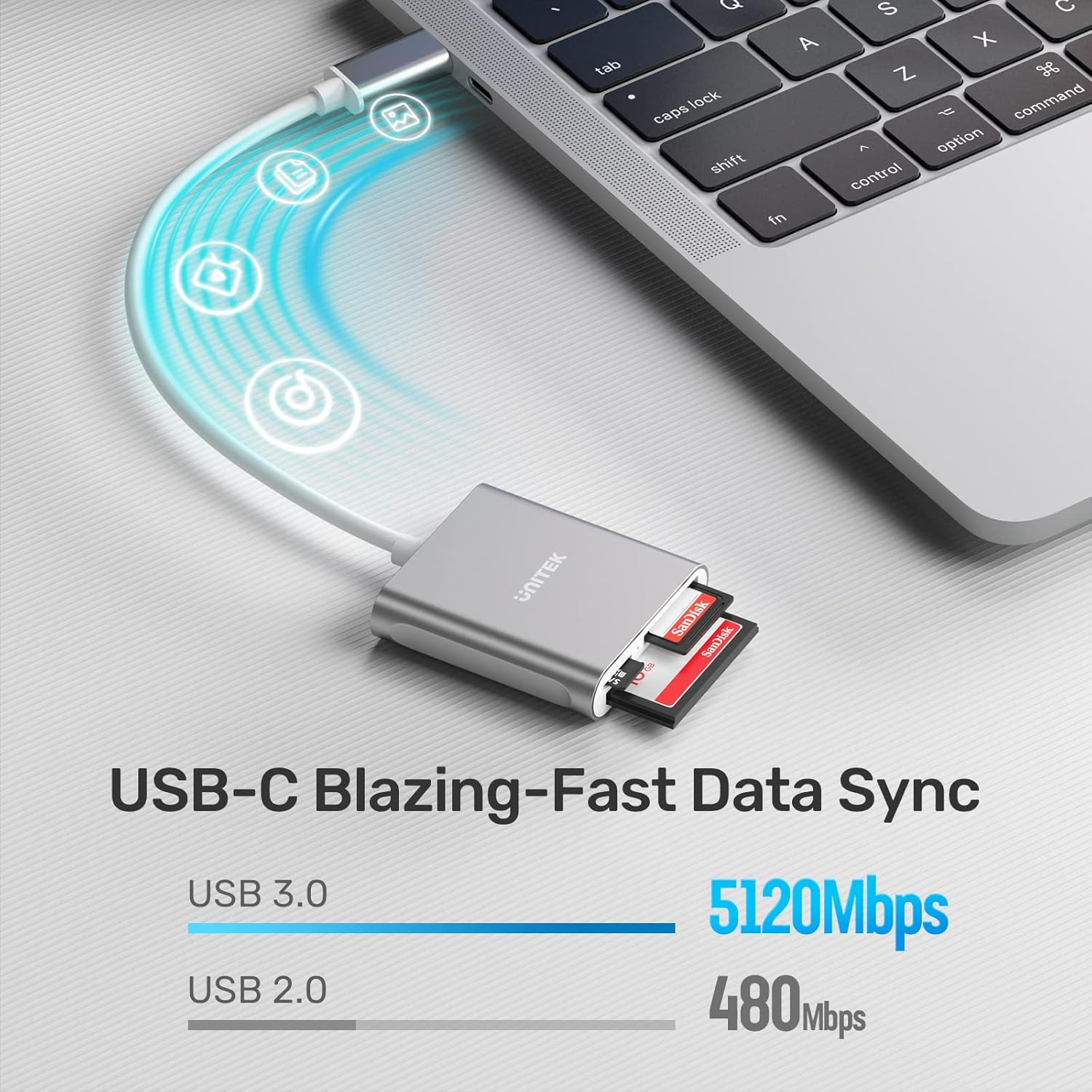
Image: A visual comparison highlighting the high-speed data transfer capabilities of USB 3.0 (5120Mbps) supported by the Unitek card reader, significantly faster than USB 2.0 (480Mbps).
Video: This video demonstrates the Unitek USB 3.0 SD Memory Card Reader in action, showing how it reads and transfers data from various card types like CF, SD, and Micro SD.
4.2 Бяспечнае выдаленне
Always safely eject the memory cards or the card reader from your operating system before physically disconnecting to prevent data corruption.
5. Сумяшчальнасць
The Unitek USB C 3-Slot SD Card Reader is compatible with a wide range of devices and operating systems:
- прылады: USB Type-C enabled laptops, tablets, and smartphones including: MacBook Pro (2016-2019), MacBook (2015-2017), iPad Pro 2018, Surface Book 2, Samsung Galaxy S8/S9/S10/Note 8/Note 9, Pixelbook, Dell XPS 13/15, Galaxy Book.
- Аперацыйныя сістэмы: Mac OS X, Windows 10, Android, Linux.
- Заўвага: Thunderbolt 3 uses the same port type as USB-C, making it compatible. However, Thunderbolt 1 & 2 are not compatible.

Image: This image visually confirms the wide compatibility of the Unitek card reader with various devices (smartphones, laptops, tablets) and operating systems (Windows, Android, macOS, Linux).
6. Тэхнічнае абслугоўванне
- Трымайце картрыдар чыстым і без пылу і смецця. Выкарыстоўвайце для чысткі мяккую сухую тканіну.
- Не падвяргайце прыладу ўздзеянню экстрэмальных тэмператур або вільготнасці.
- Не спрабуйце самастойна разабраць або адрамантаваць прыладу.
7. Выпраўленне непаладак
7.1 Прылада не распазнаецца
- Ensure the card reader is securely plugged into a functional USB-C port on your device.
- Пераканайцеся, што ваша аперацыйная сістэма абноўлена.
- Try connecting the card reader to a different USB-C port or another compatible device to rule out port issues.
- Restart your computer or tablet.
7.2 Memory Card Not Detected
- Ensure the memory card is correctly and fully inserted into its designated slot.
- Check if the memory card is damaged or corrupted. Try it in another device if possible.
- Verify that the memory card format is supported by your operating system.
7.3 Павольная перадача дадзеных
- Ensure both your device's USB-C port and the card reader support USB 3.0 (or higher) for optimal speeds.
- The speed of the memory card itself can affect transfer rates. Use high-speed cards for faster performance.
- Пазбягайце запуску некалькіх праграм з інтэнсіўным выкарыстаннем дадзеных падчас перадачы дадзеных.
8. Тэхнічныя характарыстыкі
| Атрыбут | Дэталь |
|---|---|
| Марка | Юнітэк |
| Нумар мадэлі | Y-9324BGY |
| Тэхналогія падлучэння | USB Type C (USB 3.0) |
| Падтрымліваюцца тыпы носьбітаў | CompactFlash, MMC, SD Card, SDHC, SDXC, UHS-I, microSD, microSDHC, microSDXC |
| Сумяшчальнасць аперацыйнай сістэмы | Mac OS X, Windows 10, Android, Linux |
| Вага прадмета | 1.59 унцыі |
| Памеры прадукту (ДxШxВ) | 2.4 х 2.3 х 0.6 цалі |
| Даўжыня кабеля | 30 CM (1 foot) |
| Колер | USB C Silver |
9. Інфармацыя аб гарантыі
Warranty details for your Unitek USB C 3-Slot SD Card Reader are typically included with your product packaging or can be found on the official Unitek website. Please refer to these resources for specific terms and conditions.
10. Падтрымка кліентаў
For further assistance, technical support, or inquiries regarding your Unitek product, please visit the official Unitek website or contact their customer service department. You can often find FAQs, driver downloads, and contact information on their support pages.
Афіцыйны Unitek Webсайт: Крама Unitek на Amazon