
Уводзіны
This document provides instructions for the KoolKani KK9000 Replacement Remote Controller, designed for use with the KoolKani KK9000 Dog Fence & Remote Trainer System. This remote controller is a replacement unit and requires pairing with your existing receiver. Please read these instructions carefully before use to ensure proper functionality and safety.
Setup: Pairing the Remote Controller with the Receiver
Follow these steps to successfully pair your new remote controller with your existing KK9000 receiver unit.
- Уключыце пульт: Push and hold the power button (marked with '+') on the remote controller until it turns on. Select a channel (A, B, or C) for operation.
- Turn on the Receiver: Turn on your receiver unit by pushing its power button three times in a row.
- Пачаць спалучэнне: While the receiver is on, push and hold down its power button. You should observe the green light on the receiver illuminating. Simultaneously, push the 'T' button on the remote controller.
- Пацвердзіць спалучэнне: As soon as the receiver's green light begins to flash, release your fingers from both buttons. This indicates that the remote and receiver are successfully paired.

This image displays the front of the KoolKani KK9000 remote controller, showing the power (+), volume (-), speaker, shock, and 'T' buttons, along with channel selectors A, B, and C. The display screen is also visible.
Кіраванне пультам дыстанцыйнага кіравання
The KoolKani KK9000 remote controller features several buttons for managing your dog's training and fence system.
- Power Button (+): Press and hold to turn the remote ON. A short press may increase intensity or function depending on mode.
- Volume/Intensity Button (-): A short press may decrease intensity or function depending on mode.
- Кнопка дынаміка: Activates the audible tone function on the receiver.
- Shock/Correction Button: Activates the static correction function on the receiver.
- 'T' Button: Used for pairing the remote with the receiver.
- Channel Selectors (A, B, C): Allows selection of different channels to control multiple receivers or avoid interference.
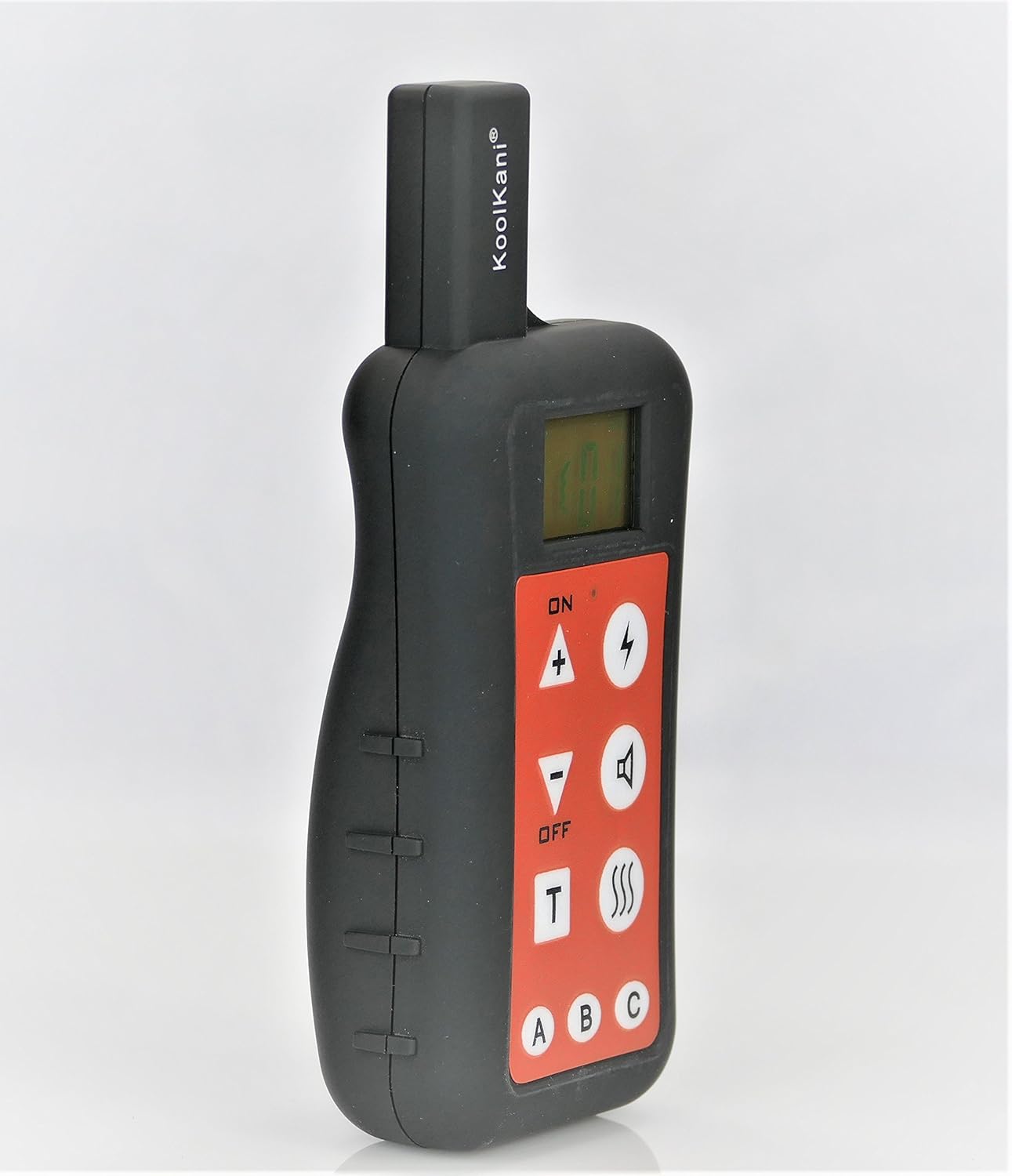
Падрабязны view of the KoolKani KK9000 remote controller, highlighting the tactile buttons for power, intensity, sound, static correction, and the 'T' button for pairing. Channel selection buttons A, B, and C are also clearly visible at the bottom.
Тэхнічнае абслугоўванне
To ensure the longevity and optimal performance of your KoolKani KK9000 Replacement Remote Controller, follow these maintenance guidelines:
- Уборка: Працірайце пульт мяккай сухой тканінай. Пазбягайце выкарыстання агрэсіўных хімікатаў або абразіўных ачышчальнікаў.
- Сыход за батарэяй: If the remote uses replaceable batteries (Alkaline, as per specifications), ensure they are inserted correctly. Replace batteries when the indicator shows low power to maintain consistent performance.
- захоўванне: Захоўвайце пульт у сухім месцы, удалечыні ад экстрэмальных тэмператур і прамых сонечных прамянёў.
- Ўздзеянне вады: This remote is not waterproof. Avoid exposing it to water or high humidity.
Ліквідацыю непаладак
If you encounter issues with your remote controller, refer to the following common troubleshooting steps:
- Пульт не адказвае:
- Check battery levels. Replace batteries if necessary.
- Пераканайцеся, што пульт уключаны.
- Verify that the receiver unit is also turned ON.
- Памылка спалучэння:
- Repeat the pairing steps carefully, ensuring all buttons are pressed and held for the correct duration.
- Make sure the remote and receiver are within close proximity during the pairing process.
- Check if the receiver is already paired with another remote or if there's interference.
- Непаслядоўная аперацыя:
- Пераканайцеся, што паміж пультам дыстанцыйнага кіравання і прымачом няма перашкод.
- Check for potential radio interference from other electronic devices.
- Confirm the correct channel (A, B, or C) is selected on the remote.
Тэхнічныя характарыстыкі
| Асаблівасць | Дэталь |
|---|---|
| Марка | KoolKani |
| Назва мадэлі | КК9000 |
| Сумяшчальныя прылады | KoolKani KK9000 Dog Trainer & Fence System |
| Тэхналогія падлучэння | Інфрачырвоны |
| Тып кантролера | Кіраванне кнопкамі |
| Колькасць кнопак | 4 (plus channel selectors) |
| Тып батарэі | Шчолачны |
| Асаблівасць | Лёгкі |
| Вага | Approximately 62g / 2.2 ounces |

На гэтым малюнку паказаны бакавы прафесіяналfile of the KoolKani KK9000 remote controller, emphasizing its slim and ergonomic design. The back casing is smooth and black.
Гарантыя і падтрымка
For information regarding warranty coverage or technical support for your KoolKani KK9000 Replacement Remote Controller, please refer to the original product documentation that came with your complete KoolKani KK9000 Dog Fence & Remote Trainer System. Alternatively, you may contact KoolKani customer service directly through their official webсайт для дапамогі.