
Уводзіны
The Perixx PERIBOARD-313 is a wired, full-sized keyboard featuring an integrated touchpad and a 3-level LED backlight. Designed for convenience and efficiency, this keyboard combines typing and pointing functionalities into a single device, making it suitable for various computing environments. Its dimensions are approximately 456mm x 160mm x 30mm, with a touchpad measuring 57mm x 40mm.
This manual provides comprehensive instructions for the proper setup, operation, and maintenance of your PERIBOARD-313 keyboard to ensure optimal performance and longevity.
Змест пакета
- 1 x Perixx PERIBOARD-313 Wired USB Backlit Keyboard with Touchpad
- Кіраўніцтва карыстальніка (гэты дакумент)

Image: The Perixx PERIBOARD-313 keyboard, its USB cable, and the user manual shown next to the product packaging.
Сістэмныя патрабаванні
- Аперацыйная сістэма: Windows 7, 8 або 10
- Connectivity: Available USB port
Настройка
- Распакуйце клавіятуру: Carefully remove the PERIBOARD-313 from its packaging.
- Падключыцеся да кампутара: Падключыце раз'ём USB клавіятуры да вольнага порта USB на вашым кампутары.
- Ўстаноўка драйвера: The keyboard is plug-and-play. Your operating system will automatically detect and install the necessary drivers. No additional software installation is required.
- Праверце функцыянальнасць: Once connected, the keyboard and touchpad should be immediately functional. Test by typing and moving the cursor.
Інструкцыя па эксплуатацыі
Раскладка клавіятуры
The PERIBOARD-313 features a standard full-size US English QWERTY layout with 104 keys, including a dedicated numeric keypad and function keys.

Image: Detailed diagram illustrating the full QWERTY keyboard layout, including the numeric keypad and integrated touchpad.
Функцыі сэнсарнай панэлі
The integrated touchpad provides precise cursor control and includes two buttons that function as left and right mouse clicks.
- Рух курсора: Slide your finger across the touchpad surface to move the cursor on the screen.
- Пстрычка левай кнопкай мышы: Press the left button below the touchpad or tap once on the touchpad surface.
- Пстрыкніце правай кнопкай мышы: Press the right button below the touchpad or tap with two fingers on the touchpad surface (if supported by OS settings).
- Пракрутка: Use two fingers to scroll vertically on the touchpad (if supported by OS settings).
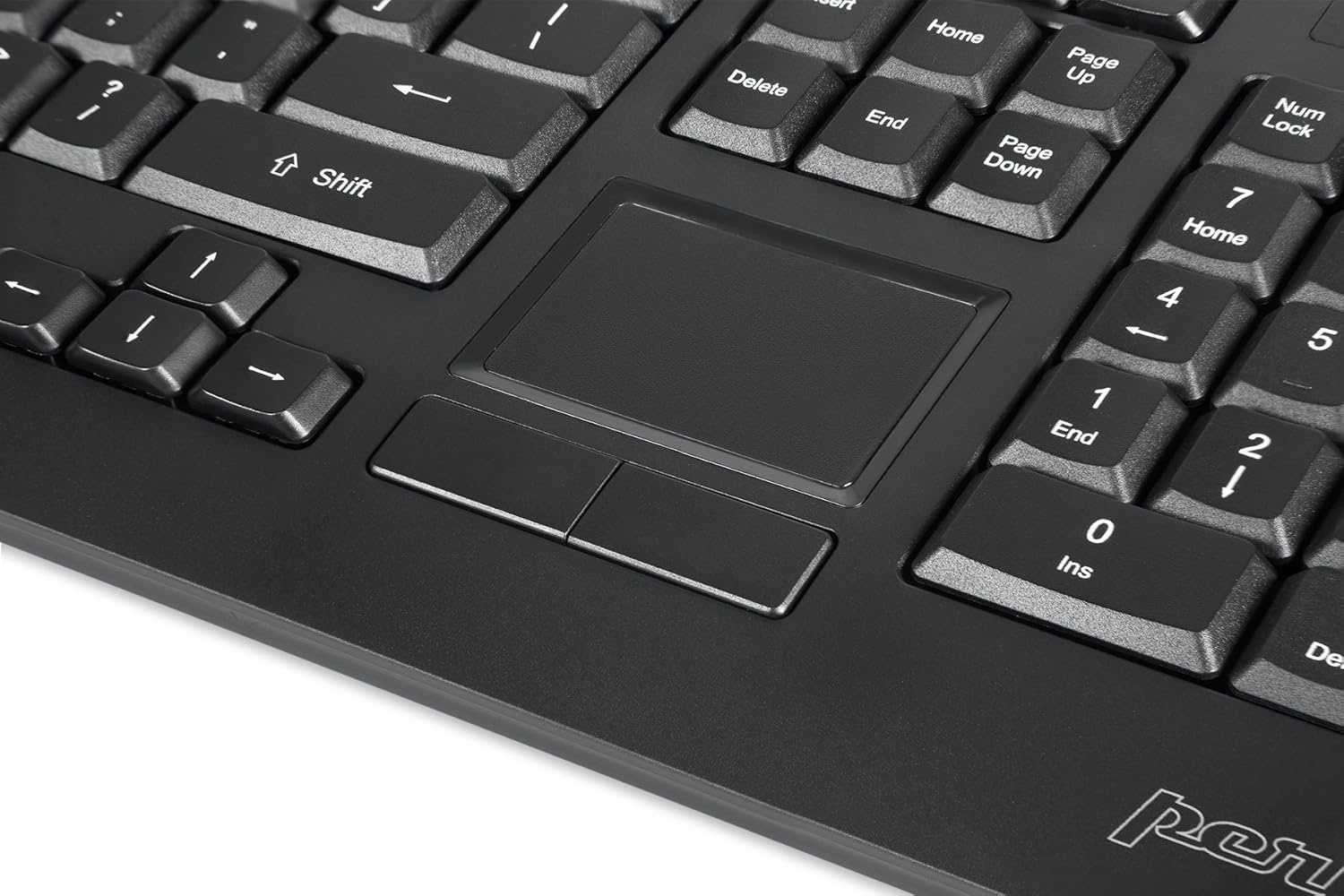
Image: A close-up of the integrated touchpad, highlighting its surface and the two dedicated click buttons.

Image: A user's hand interacting with the touchpad for cursor control.
Кіраванне падсветкай
The keyboard features a white LED backlight with three adjustable brightness levels. Use the dedicated backlight control keys to adjust the illumination.
- Уключэнне/выключэнне падсвятлення: Націсніце Fn + F12 камбінацыя клавіш.
- Наладзіць яркасць: Прэса Fn + F11 для пераключэння паміж трыма ўзроўнямі яркасці.
мультымедыйныя клавішы
The PERIBOARD-313 includes 10 multimedia function keys for quick access to media controls and internet features. These functions are activated by holding the Fn клавішу і націсканне адпаведнай функцыянальнай клавішы (F1-F10).
- Fn+F1: Адкрыйце медыяплэер
- Fn+F2: Памяншэнне гучнасці
- Fn+F3: Павялічыць гучнасць
- Fn+F4: Адключыць гук
- Fn+F5: Папярэдні трэк
- Fn+F6: Наступны трэк
- Fn+F7: Прайграванне/Паўза
- Fn+F8: Стоп
- Fn+F9: Адкрыты Web Браўзэр
- Fn+F10: Адкрыць паштовы кліент
Убудаваныя USB-канцэнтратары
The keyboard features two integrated USB 2.0 hubs, allowing you to connect additional USB devices directly to the keyboard for convenience.

Image: The side of the keyboard displaying the two built-in USB 2.0 ports for connecting peripherals.
Тэхнічнае абслугоўванне
- Уборка: Disconnect the keyboard from your computer before cleaning. Use a soft, damp cloth to wipe the surface. For deeper cleaning between keys, use compressed air to remove dust and debris. Avoid using harsh chemicals or abrasive cleaners.
- захоўванне: Store the keyboard in a dry environment, away from extreme temperatures and direct sunlight.
- Ўздзеянне вадкасці: This keyboard is not water-resistant. Avoid spilling liquids on it. If liquid exposure occurs, immediately disconnect the keyboard and allow it to dry completely before reconnecting.
Ліквідацыю непаладак
| праблема | Магчымая прычына | Рашэнне |
|---|---|---|
| Клавіятура не адказвае | Слабае падключэнне USB, няспраўны порт USB, праблема з драйверам. |
|
| Не працуе сэнсарная панэль | Driver issue, touchpad disabled (unlikely for wired), physical damage. |
|
| Backlight not turning on/off or adjusting | Incorrect key combination, software conflict. |
|
| Мультымедыйныя клавішы не працуюць | Incorrect key combination, software conflict. |
|
Тэхнічныя характарыстыкі
| Марка | Перыкс |
| Назва мадэлі | PERIBOARD-313 US |
| Нумар мадэлі | 11445 |
| Тэхналогія падлучэння | USB-A (правадны) |
| Апісанне клавіятуры | QWERTY, Full-sized, Backlit |
| Асаблівасць | Backlit, Integrated Touchpad, USB Hubs |
| Колер | Чорны |
| Колер падсветкі клавіятуры | Single Color (White LED) |
| Матэрыял | АБС-пластык |
| Колькасць ключоў | 104 |
| Тып перамыкача | Мембрана |
| Памеры тачпада | 57 мм х 40 мм (2.24 цалі х 1.57 цалі) |
| Памеры клавіятуры | 456 мм х 160 мм х 30 мм (17.95 цалі х 6.30 цалі х 1.18 цалі) |
| Вага прадмета | 1.85 фунта |
| Total USB 2.0 Ports | 2 (Integrated Hubs) |
Image: Technical drawing with key dimensions of the PERIBOARD-313 keyboard.
Гарантыя
The Perixx PERIBOARD-313 comes with a 1-гадовая абмежаваная гарантыя from the date of purchase. This warranty covers manufacturing defects and workmanship under normal use. It does not cover damage caused by misuse, accident, modification, or unauthorized repair. Please retain your proof of purchase for warranty claims.
Падтрымка
For further assistance, technical support, or warranty inquiries, please visit the official Perixx webна сайце або звярніцеся ў службу падтрымкі кліентаў. Больш падрабязную інфармацыю і кантактныя дадзеныя можна знайсці на Perixx Brand Store on Amazon.