
1. Прадукт скончыўсяview
The School Smart Large LED Wall Clock (Model WC800E) is designed for high visibility in large spaces such as gyms or cafeterias. Featuring large 8-inch red LED digits, this digital clock provides clear time display, along with temperature and calendar functions. It includes a convenient remote control for easy adjustments and operates with an AC-DC power adapter, supported by a battery backup system.
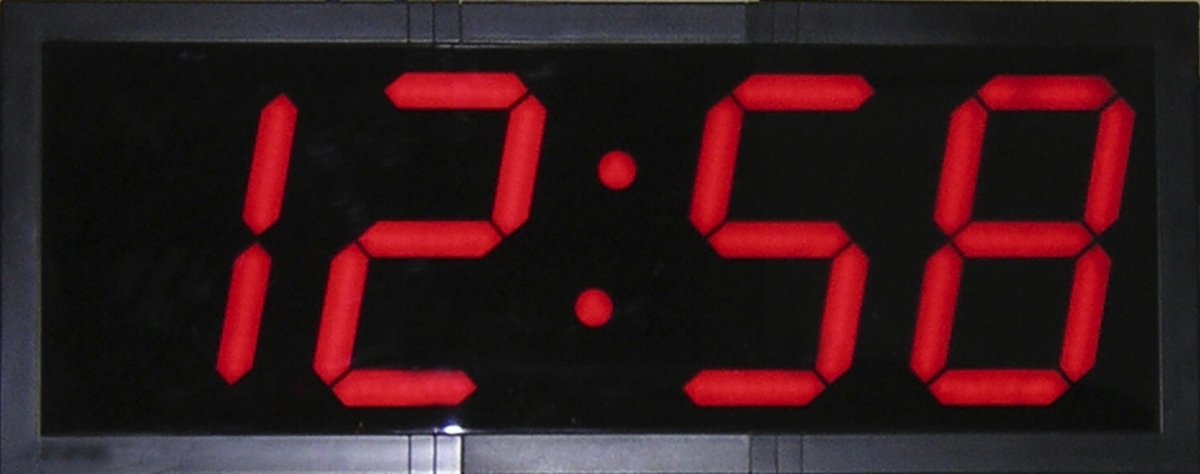
Image 1.1: The School Smart Large LED Wall Clock, showing its prominent red digital display.
Асноўныя характарыстыкі:
- Large, bright red LED digits for enhanced visibility.
- Remote control for convenient setting and adjustments.
- Displays time, temperature, and calendar.
- AC-DC power adapter with battery backup capability (3 AAA batteries not included).
- Dimensions: 28 inches (width) x 11-1/4 inches (height) x 1-2/5 inches (depth).
2. Інструкцыі па ўсталёўцы
2.1 Распакаванне
Carefully remove the clock and all accessories from the packaging. Verify that all components are present: the LED wall clock, AC-DC power adapter, and remote control.
2.2 Падключэнне харчавання
- Connect the AC-DC power adapter to the power input port on the back of the clock.
- Plug the power adapter into a standard electrical outlet. The clock display should illuminate.
2.3 Усталёўка рэзервовага акумулятара
For battery backup functionality, install 3 AAA batteries (not included) into the battery compartment located on the back of the clock. This feature ensures that time settings are retained during power outages, though the display will not be active without AC power.
2.4 Мантаж
The clock is designed for wall mounting. Use appropriate hardware (not included) suitable for your wall type. Ensure the clock is securely fastened to prevent accidental falls. The clock can be mounted at various heights to suit environmental needs.
3. Інструкцыя па эксплуатацыі
All settings and adjustments for the clock are performed using the included remote control.
3.1 Basic Time Setting
- Point the remote control at the clock.
- Press the 'SET' button on the remote. The hour digits will begin to flash.
- Use the 'UP' or 'DOWN' arrows to adjust the hour.
- Press 'SET' again to move to the minute digits. Use 'UP' or 'DOWN' to adjust the minutes.
- Press 'SET' a third time to confirm the time setting.
3.2 Устаноўка даты
- While in time display mode, press the 'DATE' button on the remote. The year digits will flash.
- Use the 'UP' or 'DOWN' arrows to adjust the year.
- Press 'DATE' again to move to the month digits. Adjust with 'UP' or 'DOWN'.
- Press 'DATE' a third time to move to the day digits. Adjust with 'UP' or 'DOWN'.
- Press 'DATE' a fourth time to confirm the date setting.
3.3 Дысплей тэмпературы
The clock automatically displays the ambient temperature. No manual setting is required for this feature. The temperature display will cycle with the time and date displays.
3.4 Display Mode Cycling
The clock cycles through time, date, and temperature displays automatically. There may be a dedicated 'MODE' button on the remote to manually cycle or hold a specific display, refer to the remote control's specific button layout if available.
4. Тэхнічнае абслугоўванне
4.1 Ачыстка
To clean the clock, gently wipe the surface with a soft, dry cloth. Do not use abrasive cleaners, solvents, or excessive moisture, as these can damage the display or internal components.
4.2 Замена батарэі (пульт дыстанцыйнага кіравання)
If the remote control becomes unresponsive, replace its batteries. Typically, remote controls use small button-cell batteries (e.g., CR2025 or CR2032). Refer to the remote control's battery compartment for the correct battery type and orientation.
5. Выпраўленне непаладак
5.1 Дысплей не падсвятляецца
- Ensure the AC-DC power adapter is securely plugged into both the clock and a working electrical outlet.
- Праверце працаздольнасць электрычнай разеткі, падключыўшы да яе іншую прыладу.
- Verify that the power cable is not damaged.
5.2 Няправільны час/дата
- Follow the 'Basic Time Setting' and 'Date Setting' instructions in Section 3 to reset the time and date using the remote control.
- If the time consistently loses accuracy, ensure the battery backup (3 AAA batteries) is installed correctly and not depleted.
5.3 Пульт дыстанцыйнага кіравання не рэагуе
- Ensure there are no obstructions between the remote control and the clock's sensor.
- Replace the batteries in the remote control (refer to Section 4.2).
- Пераканайцеся, што вы знаходзіцеся ў зоне дзеяння пульта дыстанцыйнага кіравання.
6. Тэхнічныя характарыстыкі
| Марка | Школа Smart |
| Нумар мадэлі | WC800E |
| Тып дысплея | Лічбавы святлодыёд |
| Колер | Чорны з чырвоным святлодыёдам |
| Памеры прадукту | 28 цалі Ш х 11.25 цаля В х 1.4 цалі Г (71.12 см Ш х 28.57 см В х 3.56 см Г) |
| Крыніца харчавання | Правадная электрычная |
| Рэзервовы акумулятар | Патрабуецца 3 батарэі ААА (не ўключаны) |
| Асаблівасці | Calendar Display, Temperature Display, Remote Control |
| Тып мацавання | Насценнае мацаванне |
| Матэрыял | Пластыкавыя |
| Вага прадмета | 1.46 фунта (0.66 кг) |
7. Інфармацыя па бяспецы
ПАПЯРЭДЖАННЕ: Гэты прадукт можа падвергнуць вас уздзеянню хімічных рэчываў, у тым ліку бісфенолу А (BPA), які, як вядома ў штаце Каліфорнія, выклікае прыроджаныя дэфекты або іншыя пашкоджанні рэпрадуктыўнай сістэмы. Для атрымання дадатковай інфармацыі перайдзіце да www.P65Warnings.ca.gov.
Always ensure the clock is securely mounted to prevent injury. Keep batteries out of reach of children. Do not expose the clock to extreme temperatures or moisture.
8. Гарантыя і падтрымка
Specific warranty details and direct support contact information are not provided in the available product data. For warranty inquiries or technical support, please refer to the product packaging or contact School Smart customer service directly through their official webсайта або ўпаўнаважаных прадаўцоў.