
1. Прадукт скончыўсяview
The KOKKO FCP2 Compressor Guitar Pedal is a mini effect processor featuring a fully analog circuit and true bypass. Designed for both guitar and bass, it offers a broader adjustable range for compression effects. Its compact size and durable aluminum alloy construction make it suitable for various setups.

Figure 1: KOKKO FCP2 Compressor Guitar Pedal
Змест пакета:
- 1 x KOKKO FCP2 Compressor Guitar Effect Pedal
- 1 х Кіраўніцтва карыстальніка (на англійскай мове)
2. Настройка
2.1 Крыніца харчавання
The KOKKO FCP2 pedal requires an external AC adapter (not included) delivering 9V DC regulated power with a minimum of 300mA. Ensure the adapter has a center-negative polarity. Connect the power adapter to the 'Power In' jack located at the top of the pedal.
Figure 2: Power Input Location
2.2 Падключэнне да інструмента і Ampзадымнік
- Connect your guitar or bass to the 6.35mm Input jack on the right side of the pedal using a standard instrument cable.
- Connect the 6.35mm Output jack on the left side of the pedal to your amplifier or other effects pedals using another standard instrument cable.
- Ensure all connections are secure before powering on the pedal.
Малюнак 3: Уваходныя і выходныя злучэнні
3. Інструкцыя па эксплуатацыі
The KOKKO FCP2 Compressor pedal features three control knobs and a footswitch for activation.
Figure 4: Pedal Controls
3.1 Элементы кіравання
- Рэгулятар SUSTAIN: Controls the amount of compression applied to the signal. Turning it clockwise increases sustain and compression.
- Ручка LEVEL: Adjusts the overall output volume of the pedal. Use this to match the volume of your compressed signal to your bypassed signal, or to provide a boost.
- Ручка ATTACK: Determines how quickly the compressor reacts to the initial transient of your notes. A lower attack setting (counter-clockwise) allows more of the initial pick attack to pass through before compression engages, resulting in a punchier sound. A higher attack setting (clockwise) compresses the initial attack more quickly, leading to a smoother, more even tone.
- Нажны пераключальнік: Toggles the effect on or off.
- Святлодыёдны індыкатар: Illuminates when the effect is active.
3.2 Асноўныя аперацыі
- After connecting the pedal and power supply, press the footswitch to activate the effect. The LED indicator will light up.
- Start with the SUSTAIN and ATTACK knobs at a moderate position (e.g., 12 o'clock) and the LEVEL knob set to unity gain (where the effect on volume matches the bypassed volume).
- Adjust the SUSTAIN knob to achieve the desired amount of compression and sustain.
- Experiment with the ATTACK knob to fine-tune how the compressor responds to your playing dynamics.
- Use the LEVEL knob to adjust the overall output volume to your preference.
4. Тэхнічнае абслугоўванне
To ensure the longevity and optimal performance of your KOKKO FCP2 Compressor pedal, follow these maintenance guidelines:
- Clean the pedal regularly with a soft, dry cloth. Avoid using abrasive cleaners or solvents.
- Keep the pedal free from dust and debris.
- Захоўвайце педаль у прахалодным, сухім месцы, калі яна не выкарыстоўваецца.
- Do not attempt to disassemble the pedal yourself, as this may void the warranty and cause damage.
5. Выпраўленне непаладак
If you encounter issues with your KOKKO FCP2 Compressor pedal, refer to the following common problems and solutions:
| праблема | Магчымая прычына | Рашэнне |
|---|---|---|
| No sound when pedal is on. | Incorrect power supply, loose cables, pedal bypassed. | Ensure 9V DC center-negative power supply is connected. Check all instrument cables are securely plugged in. Press footswitch to engage effect (LED should light up). |
| Слабы або скажоны гук. | Incorrect knob settings, faulty cables. | Adjust LEVEL, SUSTAIN, and ATTACK knobs. Test with different cables. |
| LED not lighting up. | No power, faulty LED. | Verify power supply connection and specifications. If power is confirmed, the LED may be faulty (contact support). |
| Залішні шум або гул. | Ground loop, interference, faulty power supply. | Use a high-quality, isolated power supply. Ensure all equipment is properly grounded. Try moving the pedal away from other electronic devices. |
6. Тэхнічныя характарыстыкі
| Асаблівасць | Дэталь |
|---|---|
| Марка | КОКА |
| мадэль | FCP2 COMPRESSOR (Mini) |
| Асноўны матэрыял | Алюмініевы сплаў |
| Уваходны супраціў | 1 МОм |
| Выхадны супраціў | 10 КОм |
| Электразабеспячэнне | External AC adapter 9V DC regulated, minimum 300mA (center negative) |
| Памер прадмета | 9.4 см х 5.1 см х 5.3 см (3.7 х 2.01 х 2.09 цалі) |
| Вага прадмета | 180g (6.3 Ounces) |
| Фармат сігналу | Аналаг |
| Эфекты аўдыёвыхаду | Кампрэсія |
| Тып элементаў кіравання | ручка |
| Тып раздыма | Barrel Connector (Power) / 1/4-inch Audio (Input/Output) |
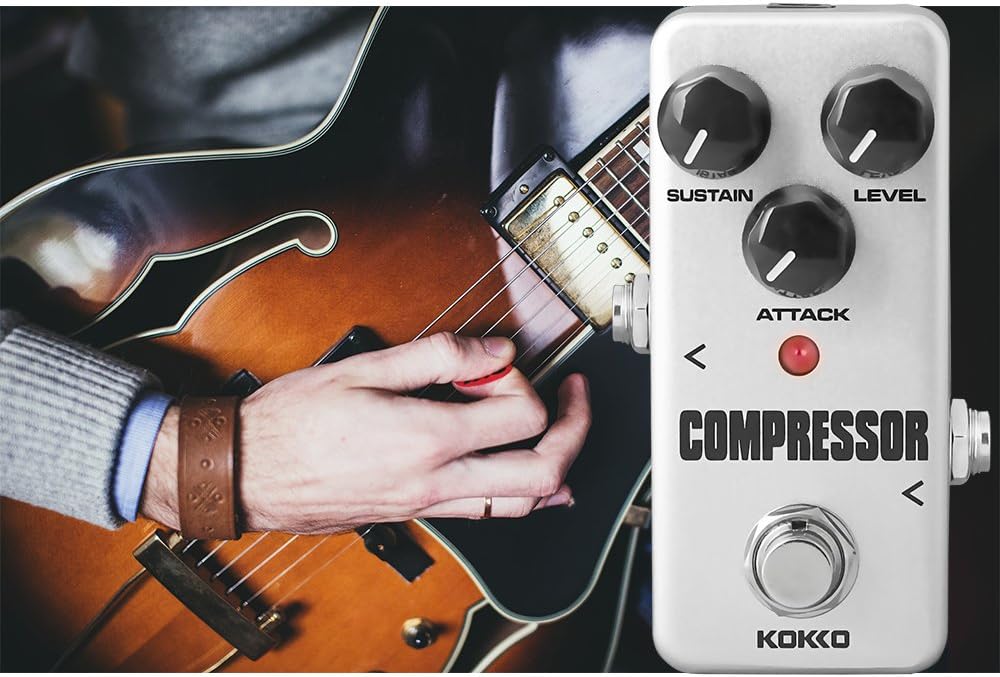
Figure 5: Pedal Dimensions
7. Гарантыя
The KOKKO FCP2 Compressor Guitar Pedal comes with a 1-year warranty. Please retain your purchase receipt for warranty claims. For detailed warranty terms and conditions, please refer to the official KOKKO webсайт або звярніцеся ў службу падтрымкі кліентаў.
8. Важныя заўвагі па бяспецы
- Do not use the pedal in high temperature, high humidity, or subzero environments.
- Avoid using the pedal in direct sunlight.
- Do not disassemble the pedal yourself.
- Захоўвайце гэта кіраўніцтва для выкарыстання ў будучыні.


