
ExquizOn S6
ExquizOn S6 Mini Cube Pico DLP Projector User Manual
Мадэль: S6
1. Уводзіны
Дзякуй за пакупкуasing the ExquizOn S6 Mini Cube Pico DLP Projector. This compact and portable projector is designed to provide a versatile viewing experience, supporting up to 1080P resolution with wireless connectivity options. Please read this manual thoroughly before operating the device to ensure proper use and maintenance.

Image: The ExquizOn S6 Mini Cube Pico Projector, demonstrating its small, portable size when held in a hand.
2. Інфармацыя па бяспецы
Каб забяспечыць бяспечную працу і прадухіліць пашкоджанні, калі ласка, выконвайце наступныя меры засцярогі:
- Не глядзіце непасрэдна ў аб'ектыў праектара, калі ён уключаны.amp уключаны.
- Не размяшчайце праектар пад прамымі сонечнымі прамянямі або побач з крыніцамі цяпла.
- Avoid placing the projector in areas with excessive dust, humidity, or vibrations.
- Выкарыстоўвайце толькі адаптар сілкавання, які пастаўляецца з праектарам.
- Не спрабуйце разбіраць або мадыфікаваць праектар. Звяртайцеся па любыя паслугі па абслугоўванні да кваліфікаванага персаналу.
- Трымайце праектар далей ад вады або іншых вадкасцей.
- Забяспечце належную вентыляцыю вакол праектара, каб прадухіліць перагрэў.
3. Змесціва ўпакоўкі
Калі ласка, пастаўце галачку для наступных пунктаў:
- ExquizOn S6 Mini Cube Pico Projector
- Кабель HDMI
- Micro HDMI Connector
- Сілавы кабель
- Адаптар сілкавання
- Міні штатыў
- Пульт дыстанцыйнага кіравання
- Кіраўніцтва карыстальніка (гэты дакумент)

Image: A visual representation of the ExquizOn S6 projector and its accompanying accessories, including cables, adapter, tripod, and remote control.
4. Прадукт скончыўсяview
4.1. Projector Components
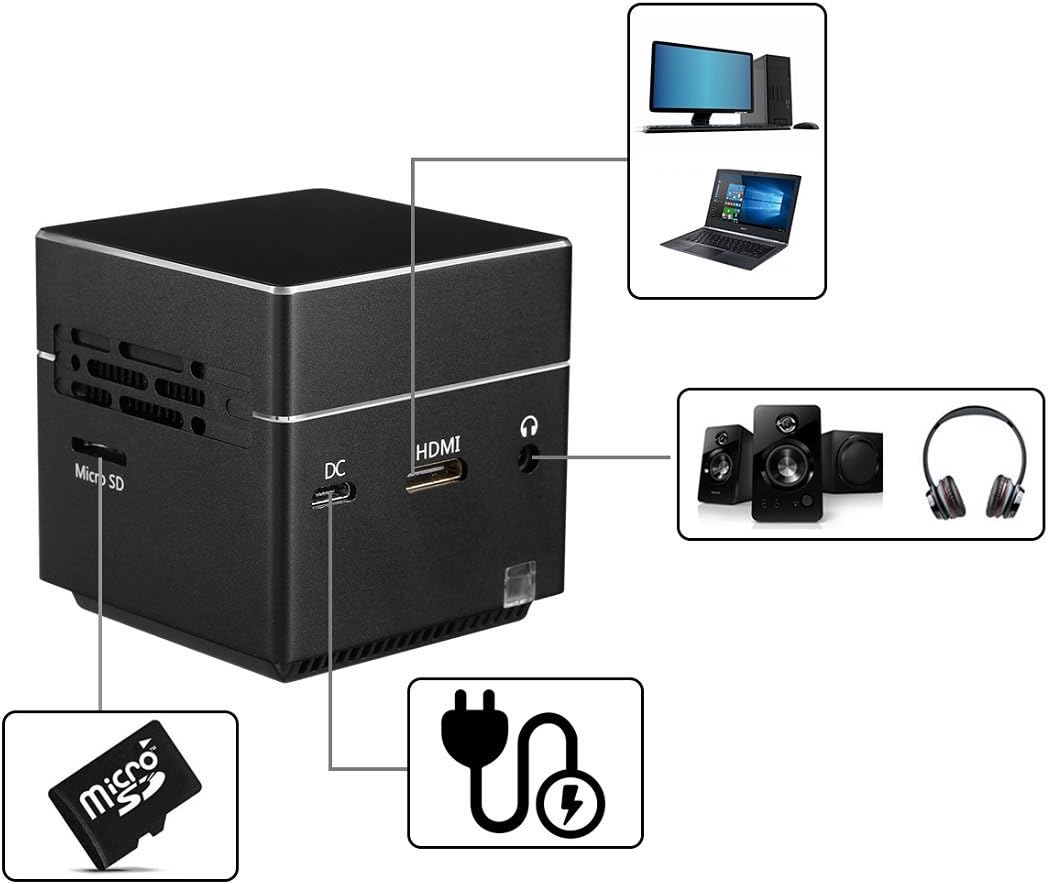
Выява: Падрабязны view of the ExquizOn S6 projector's side panel, highlighting the Micro SD card slot, DC power input, HDMI input, and 3.5mm audio output jack.
The ExquizOn S6 projector features a compact design with essential ports for connectivity:
- Аб'ектыў праектара: Выпраменьвае выяву.
- Фокуснае кола: Рэгулюе выразнасць выявы.
- Кнопка харчавання: Уключае/выключае праектар.
- Кнопкі рэгулявання гучнасці (+/-): Рэгулюе гучнасць гуку.
- Кнопка ўводу: Пацвярджае выбар.
- Слот Micro SD: For multimedia playback from a Micro SD card.
- Уваход пастаяннага току: Падключаецца да адаптара харчавання для зарадкі і працы.
- Mini HDMI Input: Connects to HDMI-enabled devices (e.g., laptops, game consoles).
- 3.5 мм аўдыявыхад: Падключаецца да знешніх дынамікаў або навушнікаў.
5. Настройка
5.1. Зарадка праектара
Before first use, fully charge the projector. Connect the power adapter to the DC input port on the projector and plug it into a power outlet. The charging indicator light will show the charging status.
5.2. Placement and Positioning
Place the projector on a stable, flat surface. For optimal image quality, project onto a smooth, light-colored wall or a projector screen. The included mini tripod can be attached to the bottom of the projector for adjustable positioning.
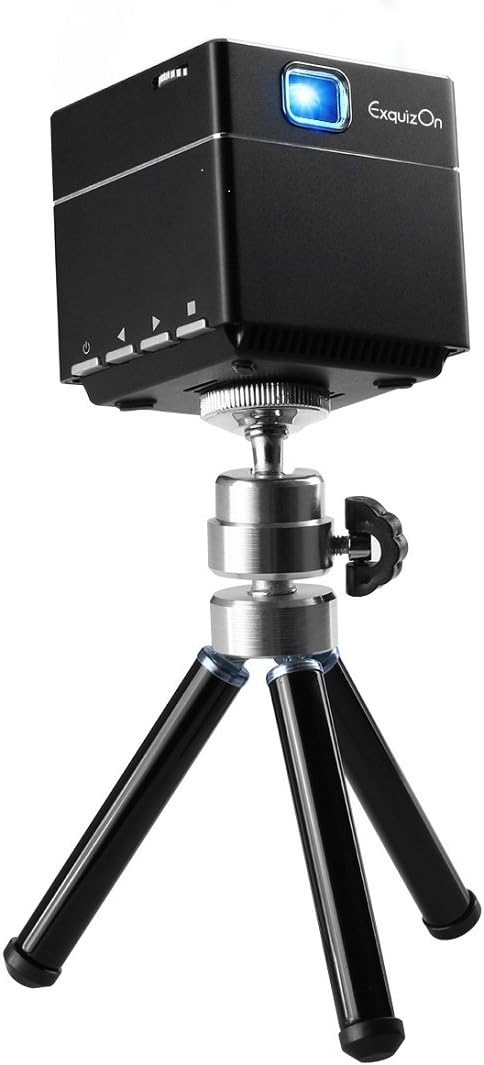
Image: The ExquizOn S6 projector securely mounted on its compact mini tripod, ready for stable projection.
5.3. Уключэнне / выключэнне харчавання
Press and hold the Power button on the projector or remote control to turn the device on or off.
6. Аперацыйная
6.1. Рэгуляванне фокусу
Rotate the focus wheel located near the lens until the projected image appears clear and sharp.
6.2. Падключэнне прылад
Праектар падтрымлівае розныя крыніцы ўваходнага сігналу:
- HDMI: Connect your laptop, game console, TV box, or other HDMI-enabled devices using the provided HDMI cable and Micro HDMI connector.
- Micro SD-карта: Insert a Micro SD card into the designated slot for direct multimedia playback.

Image: An illustration demonstrating the ExquizOn S6 projector's compatibility with a wide range of devices, including game consoles, Micro SD cards, smartphones, tablets, laptops, cameras, and TV boxes.
6.3. Wireless Mirroring (Screen Mirroring)
The projector supports wireless mirroring for compatible devices:
- For Android OS Devices: Use Miracast to mirror your screen.
- For iOS Devices (iOS 9.0, 10): Use AirPlay to mirror your screen.
Refer to your device's manual for specific instructions on enabling Miracast or AirPlay.
6.4. Enjoying the Bigger Screen
The projector can create a screen size from 7 inches up to 100 inches, providing a flexible viewвопыт працы ў розных асяроддзях.

Image: A visual comparison illustrating the significant difference in size between a standard 32-inch television screen and a 100-inch image projected by the ExquizOn S6 projector.
The projector supports resolutions up to 1080P, offering clear and vibrant images.

Image: A side-by-side comparison demonstrating the enhanced image clarity and detail achieved by the ExquizOn S6 projector (bottom) compared to a generic projector (top), particularly noticeable in landscape scenes.
6.5. Сцэнарыі выкарыстання
The portable design allows for versatile use, from home entertainment to outdoor activities.
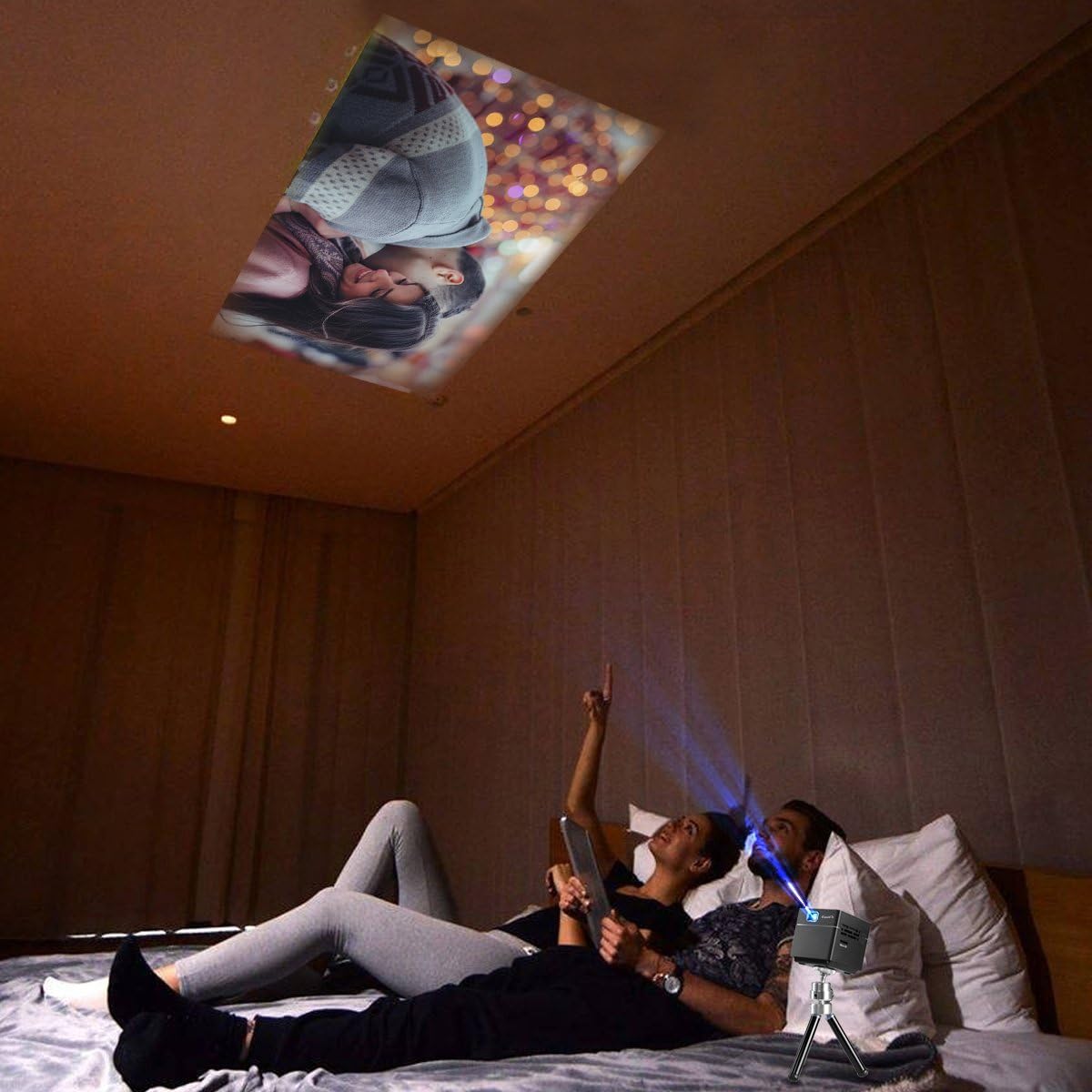
Image: A couple relaxing in bed, enjoying a movie projected onto the ceiling by the ExquizOn S6 projector, illustrating a comfortable indoor viewвопыту.

Image: Individuals enjoying a projected movie on the inside wall of a tent during a camping trip, showcasing the projector's portability for outdoor entertainment.
7. Тэхнічнае абслугоўванне
7.1. Ачыстка аб'ектыва
Use a soft, lint-free cloth specifically designed for optical lenses to gently wipe the projector lens. Do not use abrasive cleaners or solvents.
7.2. Ачыстка корпуса праектара
Працярыце знешнія паверхні праектара мяккай сухой тканінай. Для выдалення ўстойлівых плям злёгкуamp можна выкарыстоўваць тканіну, а затым сухую тканіну.
7.3. Захоўванне
Калі праектар не выкарыстоўваецца працяглы час, захоўвайце яго ў прахалодным, сухім месцы, удалечыні ад прамых сонечных прамянёў і экстрэмальных тэмператур. Выкарыстоўвайце арыгінальную ўпакоўку або ахоўны чахол, каб прадухіліць назапашванне пылу і пашкоджанні.
8. Выпраўленне непаладак
| праблема | Магчымая прычына | Рашэнне |
|---|---|---|
| Няма праецыравання выявы |
|
|
| Відарыс размыты |
|
|
| Няма гуку |
|
|
| Wireless mirroring not working |
|
|
9. Тэхнічныя характарыстыкі
| Асаблівасць | Дэталь |
|---|---|
| Тэхналогія адлюстравання | DLP |
| Яркасць | 100 люмен |
| Роднае дазвол | FWVGA (854 x 480) |
| Сумяшчальнае разрозненне | 640 x 480 - 1920 x 1080 (up to 1080p) |
| Крыніца святла | RGB LED OSRAM |
| LED Working Life | +30,000 гадзіна |
| Каэфіцыент кантраснасці | 1000:1 |
| Суадносіны бакоў экрана | 16:9 |
| Каэфіцыент выкіду | 1.2:1 |
| Частата абнаўлення | 60 Гц |
| Памер праекцыйнага экрана | 7" - 100" |
| Убудаваны дынамік | 8 ohm 1.5W (x1) |
| Убудаваны акумулятар | Li-polymer, 2500mAh |
| Час працы (ад батарэі) | Прыбл. 2 гадзіны |
| Бесправадное люстраное адлюстраванне | Miracast (Android), AirPlay (iOS 9.0, 10) |
| Інтэрфейсы | Mini HDMI x 1 (1.4 Line), Micro SD x 1, DC x 1, 3.5mm Stereo Audio Output x 1 |
| Памеры прадукту | 5.49 х 5.49 х 5.49 см |
| Вага прадмета | 172.37 грам |
10. Гарантыя і падтрымка
For warranty information and technical support, please refer to the official ExquizOn webсайт або звярніцеся да мясцовага дыстрыбутара. Захоўвайце чэк аб куплі як пацверджанне пакупкі для гарантыйных прэтэнзій.
Кантактная інфармацыя: Калі ласка, наведайце www.exquizon.com for the latest support information and contact details.
Ask a question about this manual
Ask about setup, troubleshooting, compatibility, parts, safety, or missing instructions. Manuals+ will review the question and use this page’s manual context to help answer it.