
1. Уводзіны
The Yealink CPW90 is a pair of wireless expansion microphones designed to enhance the audio pickup range and flexibility of your Yealink CP960 conference phone. These microphones provide Optima HD voice quality and full-duplex technology, ensuring clear communication in conference environments.
Each microphone features a touchpad for muting and offers a 10-foot (3-meter) 360° voice pickup range. With an 800mAh battery capacity, they provide up to 19 hours of talk time and 11 days of standby time. The optimal operating distance between the CPW90 microphones and the CP960 conference phone is up to 20 meters.
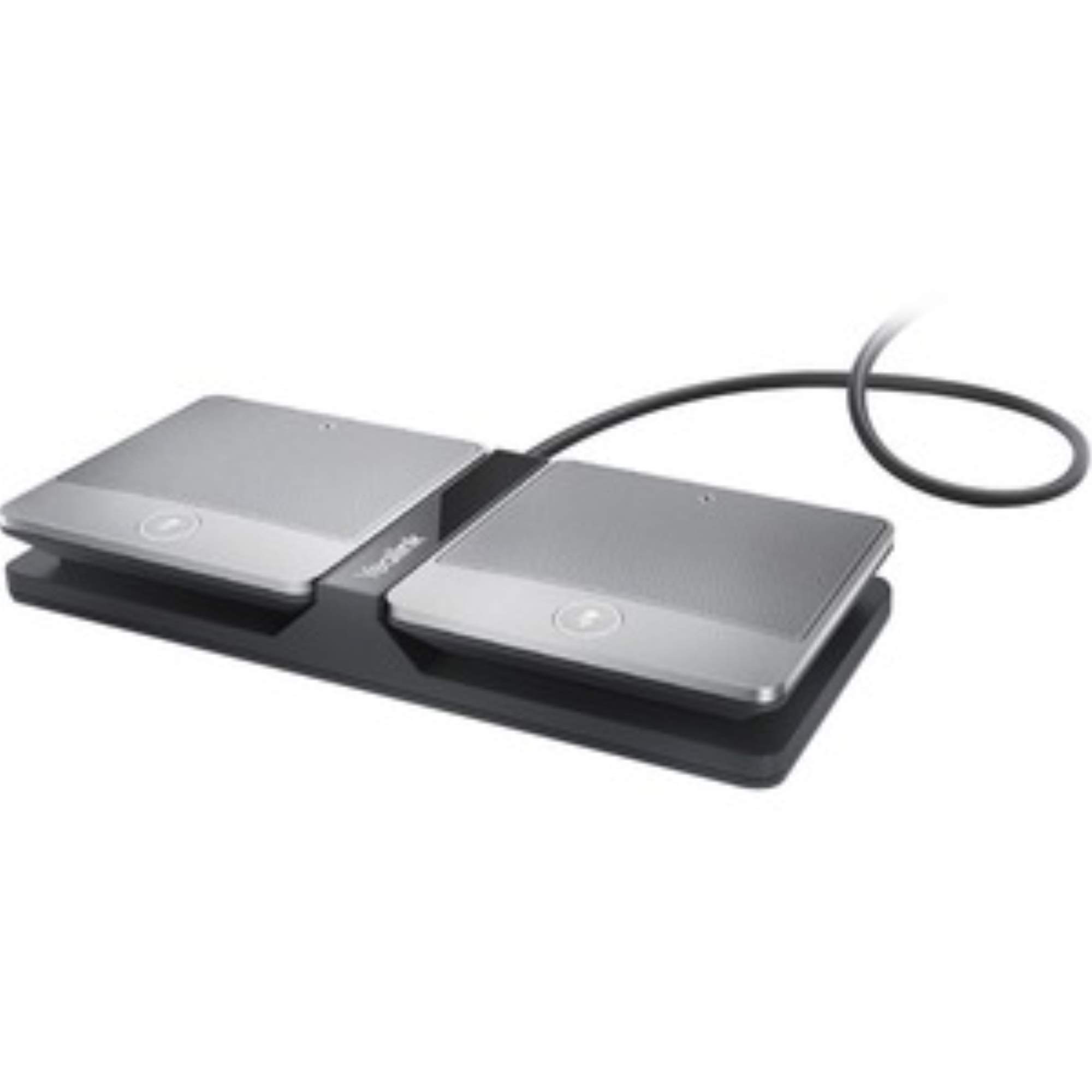
Image 1.1: The Yealink CPW90 Wireless Expansion Microphone, showing two microphones and a charging cradle.
2. Змесціва ўпакоўкі
Пераканайцеся, што ўсе прадметы прысутнічаюць у вашай упакоўцы:
- Two (2) Yealink CPW90 Wireless Expansion Microphones
- One (1) Charger Cradle
- One (1) Battery (pre-installed or separate, refer to packaging)
- Кароткае кіраўніцтва карыстальніка (калі ўключана)
Note: A Yealink DD10 USB dongle is required for pairing the CPW90 microphones with the CP960 conference phone and is typically sold separately. A charging block for the charger cradle is also not included and must be supplied by the user.
3. Настройка
3.1 Зарадка мікрафонаў
- Connect the charger cradle to a power source using a compatible USB charging block (not included).
- Place each CPW90 microphone into the charger cradle. Ensure the charging contacts align.
- The LED indicator on the microphone will show charging status. A full charge typically takes approximately 3 hours.
3.2 Pairing with Yealink CP960
To use the CPW90 microphones, they must be paired with a Yealink CP960 conference phone via a Yealink DD10 USB dongle.
- Ensure your CP960 conference phone is powered on.
- Insert the DD10 USB dongle (sold separately) into an available USB port on the CP960 conference phone.
- On the CP960, navigate to the Меню > Налады > Базавы > Бесправадны мікрафон раздзел.
- Follow the on-screen prompts to initiate the pairing process.
- On each CPW90 microphone, press and hold the pairing button (refer to the microphone's physical layout for exact location, usually a small button on the side or bottom) until the LED indicator flashes rapidly, indicating it is in pairing mode.
- Once paired, the LED indicator on the microphone will show a steady light, and the CP960 display will confirm the connection.
Important: If pairing fails, ensure the DD10 dongle is correctly inserted and the microphones are sufficiently charged. Refer to the CP960 user manual for detailed pairing instructions.
4. Operating the Microphones
4.1 Размяшчэнне
For optimal audio pickup, place the CPW90 microphones strategically around the conference table. Each microphone provides a 10-foot (3-meter) 360° voice pickup range. Ensure they are within 20 meters of the CP960 conference phone for reliable connection.
4.2 Функцыя адключэння гуку
To mute or unmute a microphone, gently tap the touchpad on the top of the CPW90 microphone. The LED indicator will change color (e.g., red for muted, green for active) to indicate its status.
4.3 Стан батарэі
The LED indicator on the microphone also provides information about the battery level. Refer to the CPW90's specific LED patterns for low battery warnings and charging status. A fully charged microphone offers up to 19 hours of talk time and 11 days of standby time.
5. Тэхнічнае абслугоўванне
5.1 Ачыстка
Wipe the microphones and charger cradle with a soft, dry cloth. Do not use liquid cleaners or abrasive materials, as these can damage the device.
5.2 Сыход за акумулятарам
- Пазбягайце частай поўнай разрадкі акумулятара.
- Store the microphones in a cool, dry place when not in use for extended periods.
- Charge the microphones regularly to maintain battery health.
6. Выпраўленне непаладак
| праблема | Магчымая прычына | Рашэнне |
|---|---|---|
| Microphones do not pair with CP960. |
|
|
| Няма гуку або якасць гуку нізкая. |
|
|
| Мікрафон не зараджаецца. |
|
|
7. Тэхнічныя характарыстыкі
| Асаблівасць | Дэталь |
|---|---|
| Нумар мадэлі | CPW90 |
| Марка | Yealink |
| Сумяшчальнасць | Yealink CP960 Conference Phone (requires DD10 USB dongle) |
| Дыяпазон падбору галасы | 10-foot (3-meter) 360° |
| Далёкасць бесправадной сувязі | Up to 20 meters (between CPW90 and CP960) |
| Ёмістасць батарэі | 800 мАг |
| Час размовы | Да 19 гадзін |
| Час чакання | Да 11 дзён |
| Асаблівасці | Optima HD voice, Full duplex technology, Touchpad muting |
| Вага прадмета | Approximately 1.08 pounds (for the pair, including cradle, packaging weight) |
| Памеры прадукту | Прыблізна 20.28 х 9.25 х 11.26 цаляў (памеры ўпакоўкі) |
8. Інфармацыя аб гарантыі
Specific warranty terms and conditions for the Yealink CPW90 Wireless Expansion Microphone are typically provided with the product packaging or can be found on the official Yealink website. Please refer to these resources for detailed warranty coverage and claim procedures.
9. Падтрымка
For technical assistance, product inquiries, or further support regarding your Yealink CPW90 Wireless Expansion Microphone, please visit the official Yealink support website or contact their customer service department. Contact information is usually available in the product documentation or on the manufacturer's webсайт.