
Micca MPLAY-HD Mini
Micca MPLAY-HD Mini Digital Media Player User Manual
Model: MPLAY-HD Mini
1. Уводзіны
The Micca MPLAY-HD Mini is a compact 1080P Full-HD digital media player designed to play videos, music, and photo slideshows from USB drives or microSD cards on your television or projector. It offers universal compatibility with both modern and older displays through HDMI and analog audio/video connections. Its automatic playback and resume features enhance user convenience, making it suitable for various environments including home, office, or RV use.
2. Прадукт скончыўсяview
Familiarize yourself with the components and ports of your MPLAY-HD Mini player.

Малюнак 2.1: Micca MPLAY-HD Mini player with its remote control.
Малюнак 2.2: Rear panel connections including HDMI output and AV output.
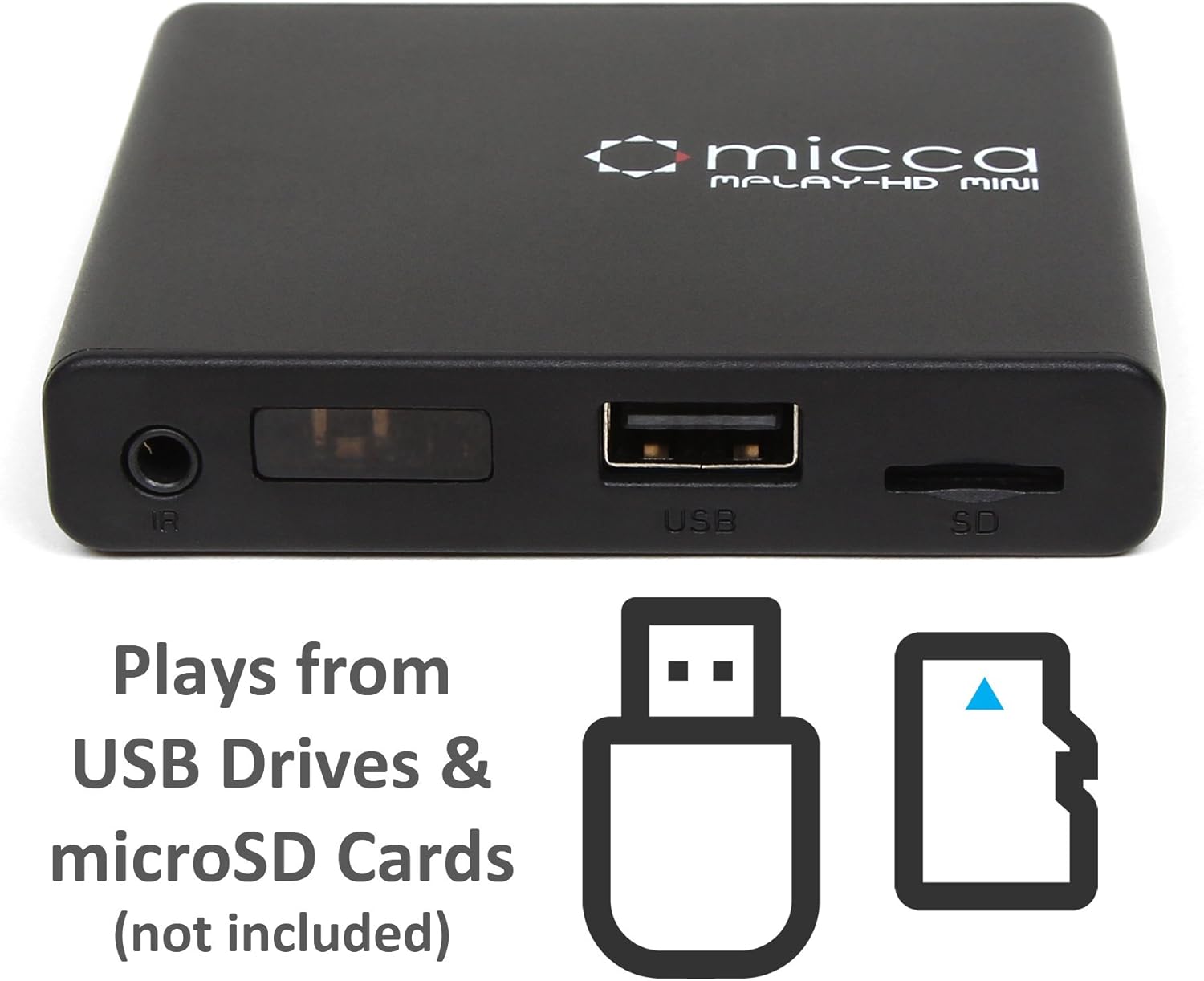
Малюнак 2.3: Side panel with USB port and microSD card slot.
2.1. Front/Side Panel
- ІЧ-прыёмнік: Прымае сігналы з пульта дыстанцыйнага кіравання.
- Порт USB: Connect USB flash drives or external hard drives.
- Слот для карты MicroSD: Insert microSD cards for media playback.
2.2. Задняя панэль
- Выхад HDMI: Connect to an HDMI-enabled TV or projector for high-definition video and audio.
- Аўдыёвыход: Connect to older TVs or displays using the included AV cable for standard definition video and stereo audio.
- Уваходная магутнасць 5 В пастаяннага току: Падключыце прадастаўлены адаптар сілкавання.
3. Настройка
Follow these steps to set up your Micca MPLAY-HD Mini player.
- Падключэнне да тэлевізара:
- For High Definition: Connect an HDMI cable (not included) from the MPLAY-HD Mini's HDMI output to an HDMI input on your TV or projector.
- For Standard Definition: Connect the included AV cable from the MPLAY-HD Mini's AV output to the corresponding composite video (yellow) and stereo audio (red/white) inputs on your TV.
- Падключыце харчаванне: Plug the provided power adapter into the DC 5V input on the MPLAY-HD Mini, then plug the adapter into a wall outlet. The player will power on automatically.
- Уставіць медыяфайл: Insert your USB flash drive or external hard drive into the USB port, or your microSD card into the microSD card slot. Ensure media is formatted as FAT32, NTFS, or exFAT.
- Выберыце ўвод: On your TV, select the correct input source (e.g., HDMI 1, AV) that corresponds to where you connected the MPLAY-HD Mini.
- Пульт дыстанцыйнага кіравання: Устаўце дзве батарэйкі тыпу AAA (не ўваходзяць у камплект) у пульт дыстанцыйнага кіравання.
4. Інструкцыя па эксплуатацыі
This section details how to navigate and play media on your device.
4.1. Навігацыя па галоўным меню
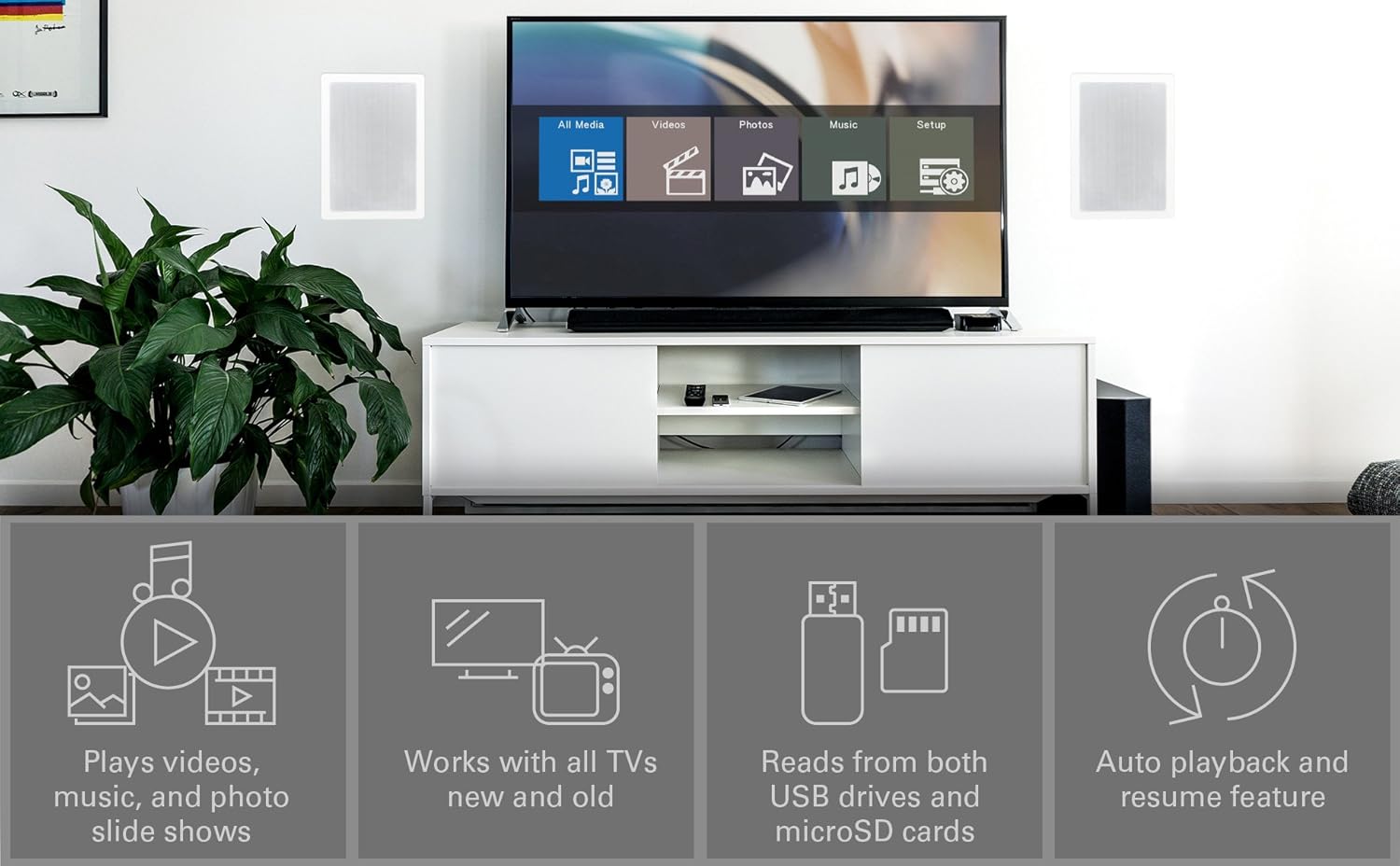
Upon powering on, the player will display a main menu with options such as "All Media", "Videos", "Photos", "Music", and "Setup". Use the arrow keys on the remote to navigate and the "OK" button to select.

Малюнак 4.1: Example of the main menu interface on a connected display.
4.2. Прайграванне мультымедыя Files
- From the main menu, select the desired media type (e.g., "Videos").
- Navigate through your connected USB drive or microSD card to locate the desired file або тэчку.
- Press "OK" to select and play the file.
- Use the remote control buttons for playback functions: Play/Pause, Stop, Fast Forward, Rewind, Next/Previous Track.
The MPLAY-HD Mini supports automatic playback, which can be configured in the settings to start playing media immediately after power on. It also features a resume capability, allowing you to continue watching a video from where you left off.
4.3. Падтрымліваемыя медыяфарматы
The player supports a wide range of media formats:
- Відэа: MKV, AVI, MOV, MP4, ISO with MPEG4 or H.264/AVC encoding, up to 1920x1080p resolution and 30fps.
- Аўдыё: MP3, WMA, OGG, FLAC, APE, AAC.
- фота: JPG, JPEG, BMP, GIF, PNG.
- субтытры: SRT, SSA, SMI, SUB.
Важная заўвага: The MPLAY-HD Mini does не support HEVC/H.265, 10-bit MKV, and 4K videos.
5. Тэхнічнае абслугоўванне
Правільны догляд гарантуе даўгавечнасць і аптымальную працу вашай прылады.
- Уборка: Use a soft, dry cloth to clean the exterior of the player. Do not use liquid cleaners or aerosols.
- Вентыляцыя: Ensure the player is placed in a well-ventilated area to prevent overheating. Do not block any ventilation openings.
- захоўванне: When not in use for extended periods, disconnect the power adapter and store the player in a cool, dry place.
- Сыход за портам: Keep USB and microSD card slots free from dust and debris.
6. Выпраўленне непаладак
Звярніцеся да гэтага раздзела, каб знайсці рашэнні распаўсюджаных праблем.
6.1. Няма харчавання / Няма дысплея
- Ensure the power adapter is securely connected to the player and a working power outlet.
- Verify that your TV is set to the correct input source (HDMI or AV).
- Check all cable connections between the player and the TV.
6.2. Няма гуку
- Check the volume level on your TV and the player.
- Ensure audio cables (HDMI or AV stereo) are correctly connected.
- Some video files may have unsupported audio codecs. Try playing a different file.
6.3. Пульт дыстанцыйнага кіравання не рэагуе
- Ensure fresh AAA batteries are correctly inserted into the remote.
- Point the remote directly at the IR receiver on the front of the player.
- Remove any obstructions between the remote and the player.
- Consider updating the firmware if available, as some remote issues (e.g., fast forward functionality) have been addressed in updates.
6.4. СМІ Files Not Playing / Recognized
- Праверце, ці ёсць у СМІ file format is supported (refer to Section 4.3).
- Ensure the USB drive or microSD card is properly inserted and recognized by the player.
- Праверце file system of your USB drive/microSD card (FAT32, NTFS, exFAT are supported).
- Large USB drives (128GB or larger) might take longer to be recognized or display files.
- Забяспечыць files are not corrupted. Try playing them on a computer.
6.5. Абнаўленне прашыўкі
Periodically check the official Micca website for firmware updates. Firmware updates can improve performance, add features, and resolve known issues. Instructions for updating firmware are typically provided on the Micca support page for your specific model.
7. Тэхнічныя характарыстыкі
| Марка | Мікка |
| Назва мадэлі | MPLAY-HD Mini |
| дазвол | 1080p (Full-HD) |
| Тэхналогія падлучэння | HDMI, USB |
| Тып раздыма | HDMI, AV (Composite Video + Stereo Audio) |
| Медыя-сховішча | USB Drives, MicroSD Cards |
| Падтрымліваецца File сістэмы | FAT32, NTFS, exFAT |
| Кадзіроўка відэа | MPEG4, H.264/AVC (up to 1080p 30fps) |
| Памеры | 2.98 х 2.55 х 0.59 цалі |
| Вага прадмета | 3 унцыі |
| Колер | Чорны |
| Тып кантролера | Пульт дыстанцыйнага кіравання |
8. Падтрымка і гарантыя
For technical support, warranty information, or further assistance, please visit the official Micca website or contact Micca customer service. Details can typically be found on the product packaging or the manufacturer's webсайт.
Official Micca Webсайт: miccatron.com
Звязаныя дакументы - MPLAY-HD Mini
 |
Кіраўніцтва карыстальніка лічбавага медыяплэера Micca MPLAY-HD Mini Кіраўніцтва карыстальніка для лічбавага медыяплэера Micca MPLAY-HD Mini, якое ахоплівае ўстаноўку, падключэнне, прайграванне фільмаў, музыкі, фатаграфій, налады, ліквідацыю непаладак і інфармацыю аб гарантыі. |
 |
Кіраўніцтва карыстальніка лічбавага медыяплэера Full HD 4K Інструкцыя карыстальніка для лічбавага медыяплэера Micca Speck G3/4K (мадэль V8), у якой падрабязна апісаны характарыстыкі, налада, падключэнні, функцыі пульта дыстанцыйнага кіравання, прайграванне відэа, музыкі і фатаграфій, а таксама сістэмныя налады. |
 |
Кіраўніцтва карыстальніка лічбавай фотарамкі Micca: налада, функцыі і падтрымка Азнаёмцеся з лічбавай фотарамкай Micca (мадэлі M707Z, M808Z, M1010Z) з дапамогай гэтага кіраўніцтва карыстальніка. Даведайцеся пра наладу, такія функцыі, як слайд-шоў і прайграванне медыя, парады па ліквідацыі непаладак і падрабязную інфармацыю аб гарантыі. Наведайце miccatron.com для атрымання падтрымкі. |
 |
Micca M707Z, M808Z, M1010Z Digital Photo Frame Owner's Manual User manual for Micca M707Z, M808Z, and M1010Z digital photo frames. Covers setup, features, operation, troubleshooting, and specifications for displaying photos, music, and videos. |
 |
Кіраўніцтва карыстальніка і характарыстыкі палічнай акустычнай сістэмы Micca COVO-S Concentric Driver Падрабязнае кіраўніцтва карыстальніка і характарыстыкі палічнага дынаміка Micca COVO-S з канцэнтрычным драйверам, апісаныя ў наладах, размяшчэнні, ampмеркаванні па выратаванні і тэхнічныя дэталі. |
 |
Micca Speck G3/4K Digital Media Player Owner's Manual User guide for Micca Speck G3 and Speck 4K digital media players. Covers setup, specifications, media playback, settings, troubleshooting, and warranty information. |
Ask a question about this manual
Ask about setup, troubleshooting, compatibility, parts, safety, or missing instructions. Manuals+ will review the question and use this page’s manual context to help answer it.