
1. Уводзіны
The Elitech RC-51H is a reusable USB temperature data logger designed for precise and reliable temperature monitoring. This device is suitable for various applications including life sciences, food cold chain management, and industrial processes. It features a pen-style design, IP67 waterproof rating, and the ability to generate PDF reports without specialized software. This manual provides detailed instructions for setting up, operating, maintaining, and troubleshooting your RC-51H data logger.
2. Прадукт скончыўсяview
The RC-51H data logger is a compact and portable device. Key components include:

Image: Elitech RC-51H data logger with its transparent cap, USB port, LCD screen, seal ring, button with bi-color indicator, and temperature sensor clearly labeled.
- Transparent Cap: Protects the USB connector.
- Порт USB: Used for connecting to a computer for configuration and data download.
- ВК-экран: Displays current temperature, humidity, maximum/minimum values, and logging status.
- Seal Ring: Ensures IP67 waterproof and dustproof protection when the cap is securely fastened.
- Button & Bi-color Indicator (Red and Green): Used for device operation (e.g., starting/stopping logging, cycling through display modes) and status indication.
- Датчык тэмпературы: Integrated sensor for accurate temperature measurement.
The device also features a large data storage capacity of 32,000 points, allowing for continuous recording over extended periods.

Image: The Elitech RC-51H data logger highlighting its 32,000 data point storage capacity.
3. Настройка
3.1 Software Installation (Optional for PDF Report Generation)
While the RC-51H can generate PDF reports directly, the Elitechlog software offers advanced parameter settings and data analysis features. Download the latest version of Elitechlog software from the official Elitech webсайт.
3.2 Пачатковая канфігурацыя
- Remove the transparent cap to expose the USB connector.
- Plug the data logger into a USB port on your computer.
- If using Elitechlog software:
- Open the Elitechlog software.
- Navigate to the "Parameter" tab.
- Adjust settings such as logging interval, temperature unit (Celsius/Fahrenheit), alarm thresholds, and start mode.
- Click "Save Parameter" to apply the settings to the logger.
- Safely remove the data logger from the computer and replace the transparent cap, ensuring the seal ring is properly seated for IP67 protection.
Video: Elitech RC-51/RC-51H Data Logger Operation Guide. This video demonstrates how to connect the logger to a computer, configure parameters using the Elitechlog software, and prepare it for logging.
4. Аперацыя
4.1 Starting Logging
To start logging, press the button once to activate the LCD screen. Then, press and hold the button for more than 4 seconds until a triangle symbol firmly lights up on the screen, indicating that logging has begun.
4.2 Viewing Data on LCD
During logging, a single press of the button will cycle through various display modes on the LCD screen, showing current temperature, humidity (if applicable), maximum/minimum values, and other relevant information.

Малюнак: Examples of LCD screen indications on the Elitech RC-51H, showing current temperature, humidity, average, maximum, and minimum values.
4.3 Stopping Logging
To stop logging, press and hold the button for more than 4 seconds until the logging indicator disappears or the screen displays "END".
5. Data Retrieval and Analysis
The RC-51H allows for quick data export without requiring software installation on the retrieval computer.
- Remove the transparent cap and plug the data logger into a USB port on your computer.
- The device will automatically generate an encrypted PDF report containing a summary, graph, and detailed data table.
- The logger will appear as a removable drive. Copy the generated PDF file на свой кампутар.
- For advanced analysis, use the Elitechlog software to view data, generate Excel or TXT reports, and compare data from multiple loggers.

Image: The Elitech RC-51H data logger connected to a laptop, illustrating the automatic generation of PDF reports without requiring additional software.
6. Тэхнічнае абслугоўванне
6.1 Ачыстка
Wipe the device clean with a soft, dry cloth. Avoid using abrasive cleaners or solvents that could damage the casinг або экран.
6.2 Замена батарэі
The RC-51H uses 1 Lithium Metal battery. If the battery indicator on the LCD shows low power, replace the battery according to the instructions provided in the full user manual or consult Elitech support.
6.3 IP67 Protection
Ensure the transparent cap is securely fastened with the seal ring properly in place to maintain the IP67 waterproof and dustproof rating. This protects the USB port and internal components from environmental elements.
Video: Elitech RC-51 Pen-Style Design with Waterproof IP67. This video demonstrates the pen-style design and the IP67 waterproof feature of the data logger.
7. Выпраўленне непаладак
| праблема | Магчымая прычына | Рашэнне |
|---|---|---|
| Прылада не ўключаецца. | Нізкі або разраджаны акумулятар. | Заменіце батарэю. |
| Logging does not start. | Button not held long enough; incorrect start mode setting. | Press and hold the button for 4 seconds until the logging indicator appears. Verify start mode in Elitechlog software. |
| Кампутар не распазнае прыладу. | Improper USB connection; USB port issue; driver issue. | Ensure secure connection. Try a different USB port. Reinstall Elitechlog software to ensure drivers are installed. |
| PDF report not generated. | Device memory full; corrupted data. | Download data and clear device memory. If issue persists, contact support. |
8. Тэхнічныя характарыстыкі
| Асаблівасць | Дэталь |
|---|---|
| Назва мадэлі | RC-51H |
| Дыяпазон тэмператур | -30°C да 70°C (-40°F да 185°F) |
| Дакладнасць тэмпературы | ±0.5°C (±0.9°F) |
| Дыяпазон вільготнасці | Ад 10% да 95% адноснай вільготнасці |
| Дакладнасць вільготнасці | ±3% адносная вільготнасць |
| Ёмістасць дадзеных | 32,000 балаў |
| Інтэрвал рэгістрацыі | Configurable (e.g., 10 seconds to several hours) |
| Сувязь | USB |
| Клас абароны | IP67 (воданепранікальнасць і пыланепранікальнасць) |
| Крыніца харчавання | 1 літый-металічная батарэя |
| Памеры | Approximately 3.14 inches (length) |
| Адпаведнасць | FDA 21 CFR Part 11 standard |
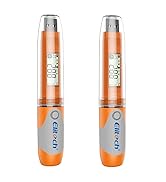
Image: Elitech RC-51H data logger showing its physical dimensions and key specifications.
9. Гарантыя і падтрымка
The Elitech RC-51H comes with a calibration certificate, indicating its adherence to quality standards. For warranty information, technical support, or service inquiries, please refer to the contact details provided in the packaging or visit the official Elitech webсайт.

Image: Elitech RC-51H data logger shown alongside a two-year validation certificate, confirming its calibration and quality.