
Amazon Basics B074SVCYZY
Amazon Basics Heavy-Duty Tilting TV Wall Mount & High-Speed HDMI Cable User Manual
Model: B074SVCYZY
Уводзіны
This manual provides comprehensive instructions for the safe and proper installation, operation, and maintenance of your Amazon Basics Heavy-Duty Tilting TV Wall Mount and High-Speed HDMI Cable. This wall mount is designed to securely hold flat-panel televisions ranging from 37 inches to 80 inches, with a maximum weight capacity of 120 pounds. The included HDMI cable supports Ethernet, 3D, and 4K video, along with Audio Return Channel (ARC) for versatile connectivity.
Please read this manual thoroughly before beginning installation to ensure correct setup and to prevent damage to the product or injury.
Інфармацыя па бяспецы
ПАПЯРЭДЖАННЕ: Failure to read and follow all instructions can result in personal injury or property damage. The manufacturer is not responsible for damage or injury caused by incorrect mounting, incorrect assembly, or incorrect use.
- Ensure the wall structure can safely support the combined weight of the mount and the television. Consult a qualified professional if unsure.
- Не перавышайце максімальную грузападымальнасць 120 фунтаў (54.4 кг).
- This mount is intended for use with flat-panel TVs between 37 and 80 inches.
- Заўсёды выкарыстоўвайце адпаведныя сродкі бяспекі, у тым ліку ахоўныя акуляры, падчас усталёўкі.
- Verify the location of electrical wires, water pipes, and gas lines behind the wall before drilling.
- Two people are recommended for installation due to the size and weight of TVs.
- Трымайце ўсе дробныя дэталі і ўпаковачныя матэрыялы далей ад дзяцей.
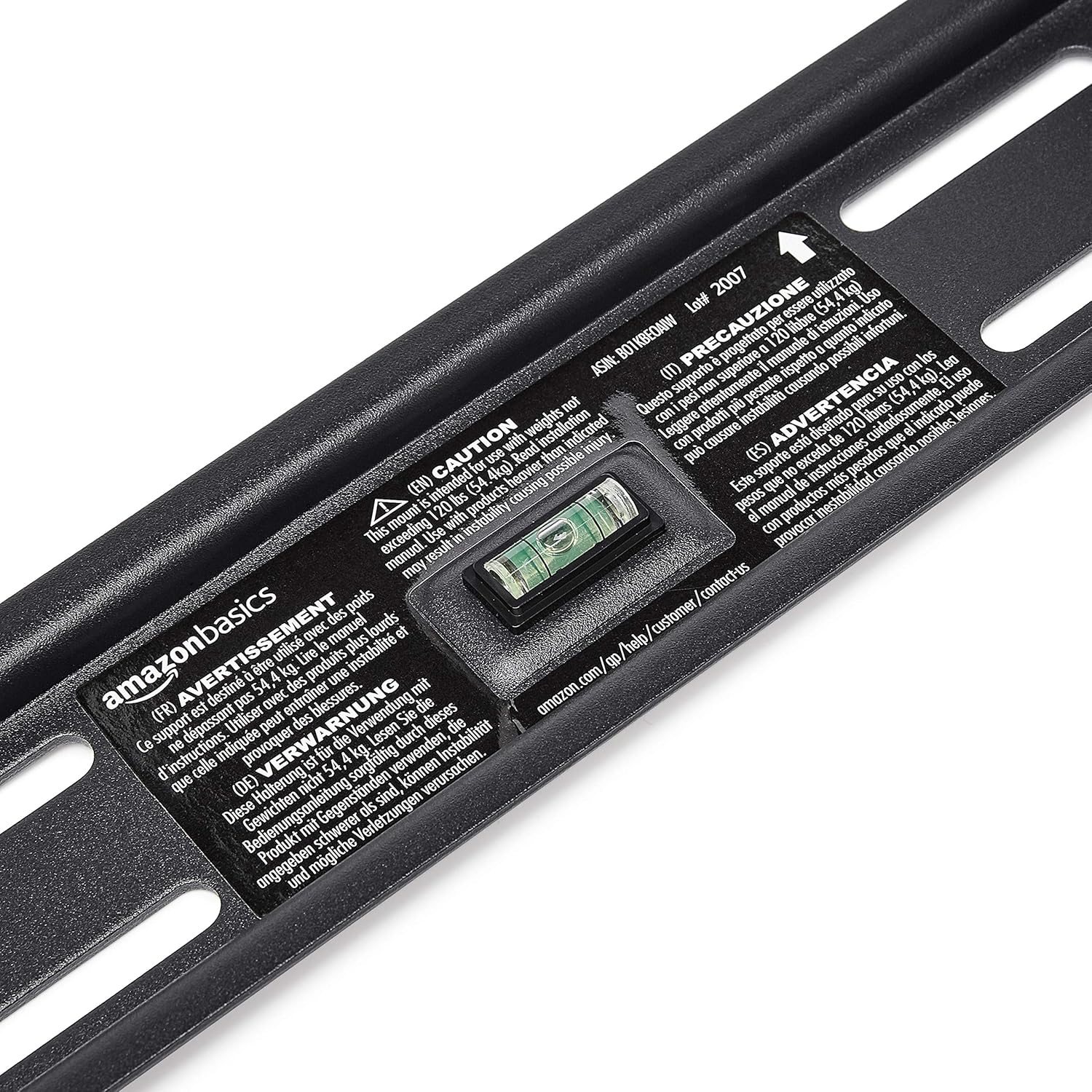
Змест пакета
Акуратна распакуйце скрынку і пераканайцеся, што ўсе кампаненты наяўныя і не пашкоджаныя. Калі якія-небудзь дэталі адсутнічаюць або пашкоджаныя, не спрабуйце ўсталёўваць. Звярніцеся па дапамогу ў службу падтрымкі кліентаў.
- Зборка насценнай пласціны (1)
- TV Mounting Brackets (2)
- High-Speed HDMI Cable (1)
- Камплект фурнітуры (розныя шрубы, шайбы, распоркі, анкеры)
- Інструкцыя па эксплуатацыі (гэты дакумент)


Настройка і ўстаноўка
Неабходныя інструменты (не ўключаны):
- Шукальнік шпілек
- Дрыльце адпаведнымі свердзеламі (дрэва/бетон)
- Level (though one is built into the mount)
- Крыжовая адвёртка
- Socket wrench or adjustable wrench
- Аловак
- Вымяральная стужка
Крок 1: Вызначце месца мацавання
Choose a location on your wall that is structurally sound and free from electrical wires, water pipes, or gas lines. Use a stud finder to locate wood studs if mounting to drywall, or ensure you have appropriate concrete anchors if mounting to masonry.
Крок 2: Усталюйце насценную пласціну
- Hold the wall plate against the wall at the desired height. Use the built-in level to ensure it is perfectly horizontal.
- Адзначце алоўкам месцы свідравання адтулін на насценнай пласціне.
- Прасвідруйце адтуліны ў пазначаных месцах. Памер свердзела будзе залежаць ад тыпу сцяны і выкарыстоўваных анкераў/балтоў.
- Secure the wall plate to the wall using the provided lag bolts and washers. Ensure it is firmly attached and level.

Step 3: Attach TV Mounting Brackets to TV
- Lay your TV face down on a soft, clean surface to prevent screen damage.
- Вызначце мантажныя адтуліны VESA на задняй панэлі тэлевізара.
- Select the appropriate screws, washers, and spacers from the hardware kit that fit your TV's mounting holes.
- Attach the two vertical TV mounting brackets to the back of your TV, ensuring they are centered and aligned with the VESA pattern. The hooks on the brackets should face upwards.

Крок 4: Усталюйце тэлевізар на насценную кранштэйну
- З дапамогай асцярожна падніміце тэлевізар і зачапіце кранштэйны за верхні край насценнай пласціны.
- Акуратна апускайце тэлевізар, пакуль кранштэйны цалкам не зачапяцца за насценную кранштэйну. Вы павінны пачуць пстрычку або адчуць, як ён зафіксаваўся на месцы.
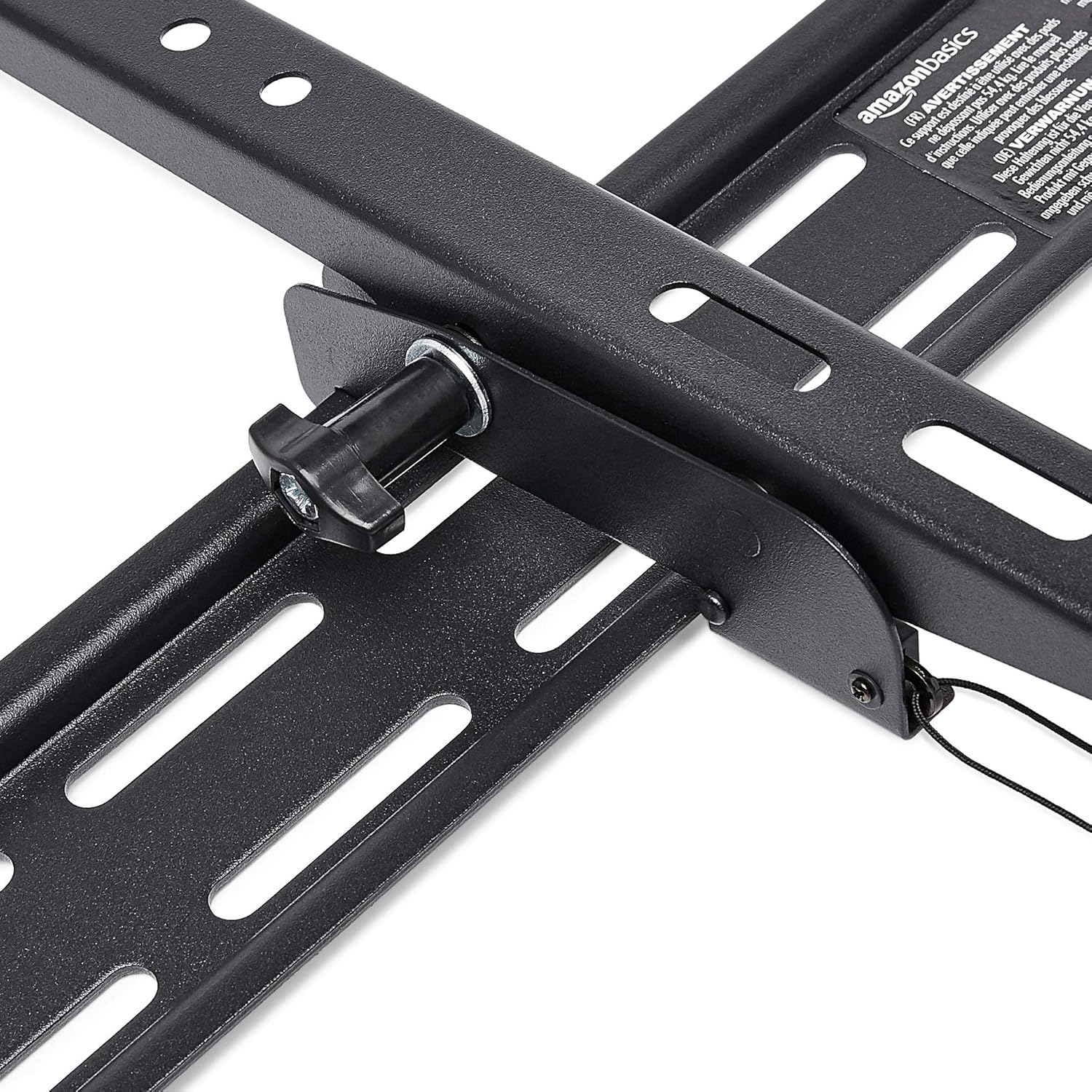
- Pull the release strings (if applicable) to ensure the TV is securely latched to the mount. Some models have safety screws to further secure the TV; tighten these if present.


Step 5: Connect HDMI Cable
Connect one end of the included High-Speed HDMI cable to the HDMI output port on your source device (e.g., Blu-ray player, game console, streaming device) and the other end to an HDMI input port on your TV.

Інструкцыя па эксплуатацыі
Tilting the TV:
This wall mount allows for 18 degrees of tilt, ranging from +15 degrees (upward) to -3 degrees (downward), to achieve an optimal viewing angle and reduce glare. To adjust the tilt:
- Locate the tilt adjustment knobs or levers on the side of the TV mounting brackets.
- Loosen the knobs or levers to allow the TV to tilt freely.
- Carefully tilt the TV to your desired angle.
- Tighten the knobs or levers to secure the TV in place.
Тэхнічнае абслугоўванне
- Перыядычна правярайце ўсе шрубы і балты, каб пераканацца, што яны надзейна закручаныя.
- Clean the mount and HDMI cable with a soft, dry cloth. Avoid abrasive cleaners or solvents.
- Do not hang anything from the mount or TV that exceeds the weight capacity.
Ліквідацыю непаладак
| праблема | Магчымая прычына | Рашэнне |
|---|---|---|
| Тэлевізар нераўнамерна размешчаны пасля ўстаноўкі. | Насценная пліта няроўная падчас усталёўкі. | Carefully remove TV, loosen wall plate screws, adjust level using built-in bubble level, and re-tighten. Re-mount TV. |
| TV not securely attached to mount. | Brackets not fully engaged or safety screws not tightened. | Ensure brackets are fully seated on the wall plate. Tighten any safety screws on the bottom of the brackets. |
| Няма выявы/гуку праз HDMI. | Incorrect input selected on TV, loose cable connection, or faulty source device. | Verify TV input matches the connected HDMI port. Ensure HDMI cable is firmly connected at both ends. Test with another HDMI cable or source device if possible. |
Тэхнічныя характарыстыкі
- Марка: Асновы Amazon
- мадэль: Heavy-Duty Tilting TV Wall Mount & High-Speed HDMI Cable
- ASIN: B074SVCYZY
- Тып мацавання: Нахіл
- Сумяшчальныя памеры тэлевізараў: Ад 37 да 80 цаляў
- Максімальная ёмістасць: 120 фунта (54.4 кг)
- Кут нахілу: +15 to -3 degrees (18 degrees total)
- Даўжыня кабеля HDMI: 10 футаў
- Асаблівасці HDMI: Supports Ethernet, 3D, 4K video, Audio Return Channel (ARC)
Гарантыя і падтрымка
Каб атрымаць інфармацыю аб гарантыі і падтрымцы кліентаў, звярніцеся да афіцыйнага кіраўніцтва Amazon Basics. webсайт або звярніцеся непасрэдна ў службу падтрымкі кліентаў Amazon. Захоўвайце чэк аб куплі для прэтэнзій па гарантыі.
Webсайт: Базавая крама Amazon
Ask a question about this manual
Ask about setup, troubleshooting, compatibility, parts, safety, or missing instructions. Manuals+ will review the question and use this page’s manual context to help answer it.