
Уводзіны
Дзякуй за пакупкуasing the 2BOOM Portable Wireless Bluetooth Speaker System. This manual provides detailed instructions for setting up, operating, and maintaining your speaker. Please read this manual thoroughly before using the product to ensure proper function and longevity.
Змест пакета
Калі ласка, праверце змесціва пакета, каб пераканацца ў наяўнасці ўсіх прадметаў:
- 1 x 2BOOM Twister Speaker (Model: BX311R)
- 1 х аўдыёкабель
- 1 х зарадны кабель
- 1 х Кіраўніцтва карыстальніка
Note: This unit does not come with an attachable carry strap.
Прадукт скончаныview

Малюнак 1: Спераду view of the 2BOOM Twister speaker, showcasing its cylindrical design with red end caps and a black carbon fiber textured body.

Figure 2: Diagram highlighting the key features of the speaker, including Deep Digital Bass, FM Radio capability, Colorful Light FX, and a Bluetooth range of 32.8 feet.

Малюнак 3: падрабязна view of the speaker's control panel, indicating the location and function of the DC5V charging port, AUX input, OFF/ON switch, Mode button, Previous/Volume -, Play/Pause, Next/Volume +, MIC-VOL, Microphone input, USB input, and TF Card slot.

Малюнак 4: Пад вуглом view of the speaker's top, providing a clear perspective of the control panel and its various buttons and ports.
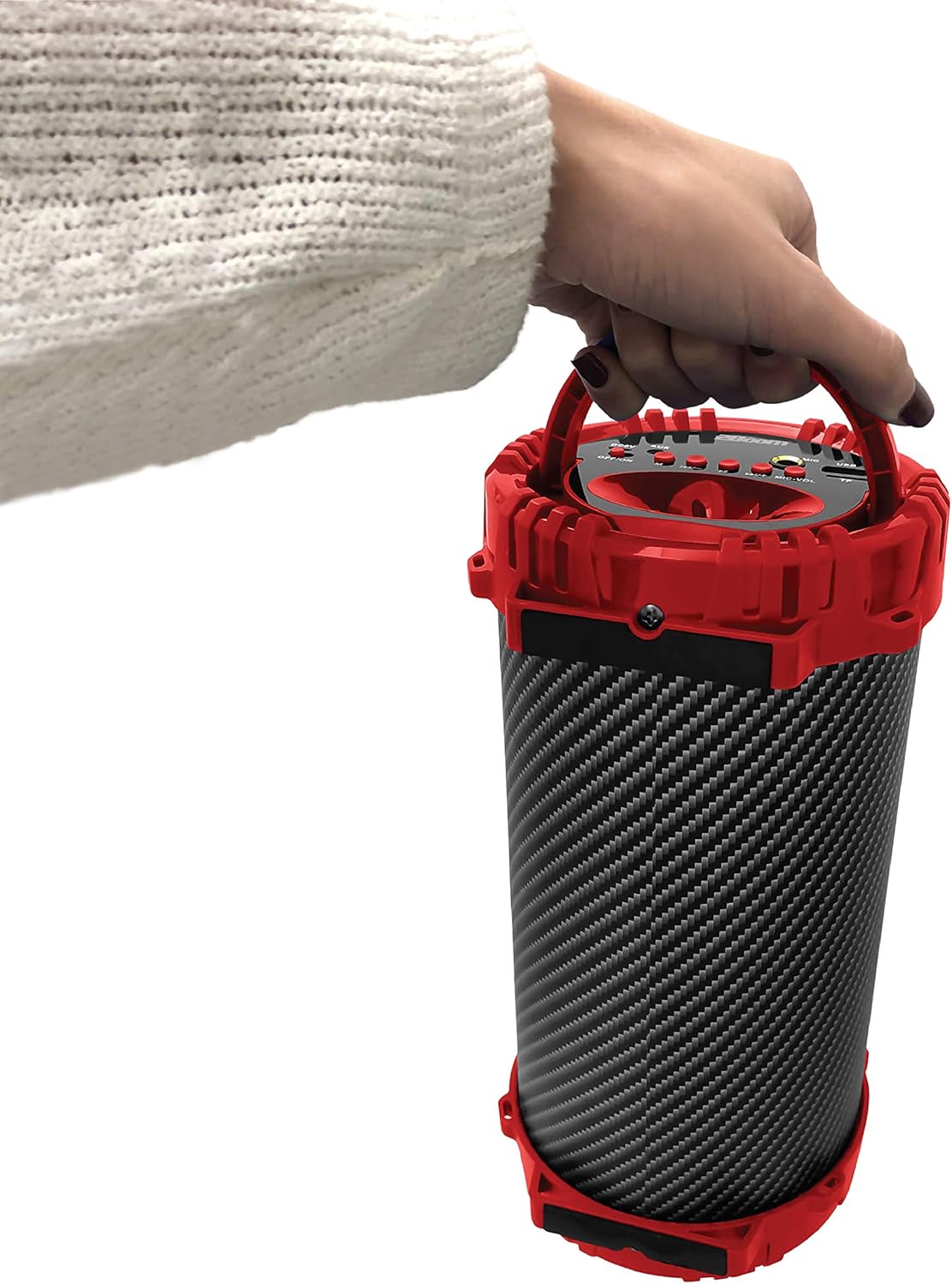
Figure 5: Image demonstrating the portability of the speaker, held by hand using its integrated carry handle.
Настройка
Зарадка дынаміка
Before first use, fully charge the speaker. Connect the provided charging cable to the DC5V port on the speaker (refer to Figure 3) and the other end to a USB power adapter (not included) or a computer's USB port. The charging indicator light will illuminate during charging and turn off when fully charged.
Уключэнне/выключэнне
Locate the OFF/ON switch on the control panel (refer to Figure 3). Slide the switch to the "ON" position to power on the speaker. Slide it to the "OFF" position to power off the speaker.
Інструкцыя па эксплуатацыі
Злучэнне Bluetooth
- Ensure the speaker is powered on. It will automatically enter Bluetooth pairing mode.
- На прыладзе з падтрымкай Bluetooth (смартфоне, планшэце, MP3-плэеры) уключыце Bluetooth і знайдзіце даступныя прылады.
- Select "2BOOM Twister" from the list of devices.
- Once connected, the speaker will emit an audible confirmation. Your device will automatically remember the speaker for future connections.
- The Bluetooth connection range is up to 33 feet (10 meters).
Выбар рэжыму
Press the "M" (Mode) button on the control panel (refer to Figure 3) to cycle through available modes: Bluetooth, FM Radio, AUX, USB, and TF Card.
Праца FM-радыё
- Switch to FM Radio mode using the "M" button.
- Press and hold the "Play/Pause" button to automatically scan and save available FM stations.
- Use the "Previous/Volume -" and "Next/Volume +" buttons to navigate between saved stations.
AUX ўваход
Connect an external audio device (e.g., MP3 player, computer) to the AUX port on the speaker (refer to Figure 3) using the provided audio cable. Switch to AUX mode using the "M" button. Audio will now play through the speaker from your connected device.
USB ўваход
Устаўце флэш-назапашвальнік USB з аўдыёфайлам у фармаце MP3 files into the USB port (refer to Figure 3). The speaker will automatically switch to USB mode and begin playing the audio files.
Увод карты TF
Устаўце карту TF (MicroSD), якая змяшчае аўдыё ў фармаце MP3 files into the TF Card slot (refer to Figure 3). The speaker will automatically switch to TF Card mode and begin playing the audio files.
Microphone Input (Karaoke Function)
Connect a microphone (not included) to the MIC input port (refer to Figure 3). Adjust the microphone volume using the "MIC-VOL" knob. You can sing along to music playing from any source (Bluetooth, AUX, USB, TF Card, FM Radio).
Volume Control and Track Navigation
- Павялічыць гучнасць: Press and hold the "Next/Volume +" button.
- Паменшыць гучнасць: Press and hold the "Previous/Volume -" button.
- Next Track/Station: Short press the "Next/Volume +" button.
- Previous Track/Station: Short press the "Previous/Volume -" button.
- Прайграванне/Паўза: Short press the "Play/Pause" button.
Тэхнічнае абслугоўванне
- Уборка: Выкарыстоўвайце мяккую сухую тканіну для чысткі вонкавага боку дынаміка. Не выкарыстоўвайце абразіўныя ачышчальнікі або растваральнікі.
- захоўванне: Захоўвайце дынамік у прахалодным, сухім месцы, удалечыні ад прамых сонечных прамянёў і экстрэмальных тэмператур.
- Воданепранікальнасць: This speaker is NOT waterproof. Avoid exposing it to water or excessive moisture.
- Сыход за батарэяй: Каб падоўжыць тэрмін службы батарэі, пазбягайце частай поўнай разрадкі батарэі. Рэгулярна зараджайце дынамік, нават калі ён не выкарыстоўваецца працяглы час.
Ліквідацыю непаладак
| праблема | Магчымая прычына | Рашэнне |
|---|---|---|
| Дынамік не ўключаецца. | Батарэя разраджаная або разраджаная. | Зараджайце дынамік з дапамогай прыкладанага зараднага кабеля. |
| Немагчыма спалучыцца з прыладай Bluetooth. | Bluetooth is not enabled on your device; speaker is not in pairing mode; device is out of range. | Ensure Bluetooth is on and the speaker is in pairing mode. Move device closer to the speaker (within 33 feet). |
| Няма гуку з дынаміка. | Volume is too low; incorrect mode selected; audio cable not fully connected. | Increase speaker and device volume. Ensure correct mode (Bluetooth, AUX, etc.) is selected. Check cable connections. |
| Прыём FM-радыё дрэнны. | Слабы сігнал; перашкоды ад навакольнага асяроддзя. | Try repositioning the speaker. Perform an auto-scan for stations again. |
Тэхнічныя характарыстыкі
| Асаблівасць | Дэталь |
|---|---|
| мадэль | BX311R |
| Марка | 2BOOM |
| Дыяметр сабвуфера | 4 цалі |
| Тэхналогія падлучэння | Bluetooth, USB, бесправадная сувязь |
| Максімальны дыяпазон Bluetooth | 33 футаў (10 метраў) |
| Рэжым выхаду гуку | Стэрэа |
| Крыніца харчавання | Харчаванне ад батарэі |
| Тып матэрыялу | Пластыкавыя |
| Колер | Чырвоны |
| Вага прадмета | 1.65 фунта (прыблізна 748.43 г) |
| Памеры прадукту (Д х Ш х У) | 25.4 х 16.51 х 15.24 см |
| Асаблівасці | FM Radio, Microphone Input, USB/TF Card Playback |
Гарантыя і падтрымка
The 2BOOM Twister Speaker comes with an UNLIMITED 2BOOM warranty when bought from Tech Direct Worldwide. For warranty claims, technical support, or any inquiries regarding your product, please contact the retailer or manufacturer directly.
Калі ласка, захавайце пацвярджэнне пакупкі для гарантыйных мэт.