
Уводзіны
The INEVIFIT Body-Analyzer Scale is a highly accurate digital bathroom scale designed to help you monitor your body composition. It measures various health metrics to provide a comprehensive overview of your fitness progress.
Key metrics measured include:
- Вага
- Працэнт тлушчу ў целеtage
- Працэнт вады ў целеtage
- Працэнт мышачнай масыtage
- Працэнт касцяной масыtage
- Індэкс масы цела (ІМТ)
- Visceral Fat Levels
- Базальны ўзровень метабалізму (BMR)
- Метабалічны ўзрост
The scale features a 12.8" x 12.8" premium platform, a large 4.1" LCD display for easy reading, and supports up to 10 unique user profiles with automatic recognition. It is equipped with advanced sensors for precise results and can weigh up to 400 lbs (180 kgs).

Image: INEVIFIT Body-Analyzer Scale displaying weight, body fat, muscle, bone, and body water percentagэс.
Настройка
1. Устаноўка батарэі
The scale requires 4 AAA batteries (included). To install:
- Знайдзіце батарэйны адсек на ніжняй частцы вагаў.
- Адкрыйце крышку батарэйнага адсека.
- Устаўце 4 батарэйкі тыпу ААА, сачыце за правільнай палярнасцю (+/-).
- Надзейна зачыніце крышку батарэйнага адсека.

Image: INEVIFIT Body-Analyzer Scale in its packaging, highlighting that batteries are included.
2. Карыстальнік Profile Настройка
Шалі падтрымліваюць да 10 прафесійных карыстальнікаўfiles (P1-P10). To set up a profile:
- Firmly double-tap the "SET" button. The user profile number (e.g., "P1") will begin blinking.
- Use the Up and Down arrows to select your desired profile number (P1-P10).
- Націсніце «SET», каб пацвердзіць выбарfile лік.
- The gender icon will blink. Use the Up and Down arrows to select Male, Female, Athletic Male, or Athletic Female. (Note: Athletic setting requires 10 or more hours of rigorous physical activity per week).
- Press "SET" to confirm gender.
- The age will blink. Use the Up and Down arrows to enter your age.
- Press "SET" to confirm age.
- The height will blink. Use the Up and Down arrows to enter your height.
- Press "SET" to confirm height.
- Ваш прафесіянал карыстальнікаfile зараз захаваны.
To set up additional users, repeat the process using a different profile лік.
Інструкцыя па эксплуатацыі
1. Scale Placement and Auto-Calibration
For accurate readings, place the scale on a hard, flat, and level surface. Avoid carpets or uneven flooring.
To auto-calibrate the sensors:
- Firmly step on and off the scale.
- The display should show "0.0" (or "0.00" depending on unit) indicating it is ready for measurement.
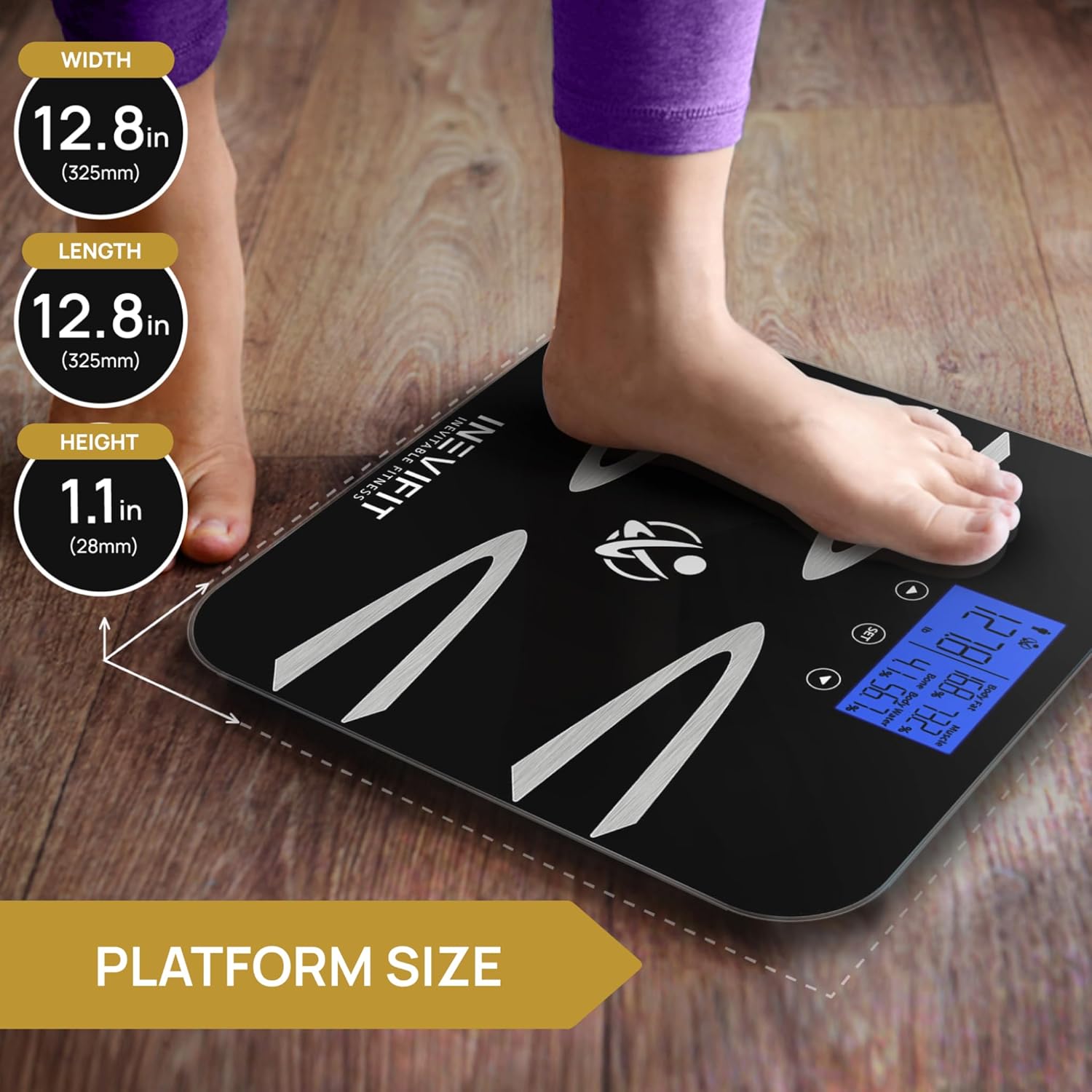
Image: A foot on the INEVIFIT Body-Analyzer Scale, illustrating the platform size and dimensions.
2. Правядзенне вымярэнняў
To obtain a body composition analysis:
- Ensure your feet are bare and have good contact with the metal electrodes on the scale's surface.
- Step onto the scale. It will automatically recognize your profile if previously set up.
- Stand still until your weight and body composition metrics are displayed. The scale will cycle through the various measurements.
If only weight is displayed, ensure your feet are bare and making proper contact with the electrodes for body composition analysis.
3. Changing Unit of Measurement
To switch between pounds (LB) and kilograms (KG):
- Tap the "SET" button to power on the scale.
- Double-tap the Down arrow button to toggle between LB and KG.
- The selected unit will be displayed.
Тэхнічнае абслугоўванне
To ensure the longevity and accuracy of your INEVIFIT Body-Analyzer Scale, follow these maintenance guidelines:
- Уборка: Працярыце паверхню вагаў мяккай губкайamp тканінай. Не выкарыстоўвайце абразіўныя ачышчальныя сродкі і не апускайце шалі ў ваду.
- захоўванне: Захоўвайце вагі ў прахалодным, сухім месцы. Пазбягайце экстрэмальных тэмператур і прамых сонечных прамянёў.
- Замена батарэі: Replace batteries when the low battery indicator appears on the display. Always replace all 4 AAA batteries at the same time.
- Пазбягайце ўздзеяння: Do not drop the scale or subject it to heavy impact, as this may damage the sensors.
Ліквідацыю непаладак
If you encounter issues with your scale, try the following steps:
- Няма дысплея/нізкі зарад батарэі: Check if batteries are correctly installed. Replace all 4 AAA batteries if the display is dim or not showing.
- Няправільныя паказанні:
- Пераканайцеся, што шалі размешчаны на цвёрдай, роўнай і гарызантальнай паверхні.
- Perform auto-calibration by stepping on and off the scale until "0.0" is displayed.
- For body composition analysis, ensure bare feet are making good contact with all four metal electrodes.
- Verify that the correct user profile (gender, age, height) is selected.
- Паведамленні пра памылкі: Refer to the full instruction manual for specific error code meanings. Often, re-calibrating or replacing batteries can resolve common errors.
- Ачыстка памяці: To erase all user profile information, tap the "SET" button to power on the scale, then press and hold both the Up and Down arrow buttons firmly until "CLR" is displayed on the screen.
Тэхнічныя характарыстыкі
| Асаблівасць | Дэталь |
|---|---|
| Нумар мадэлі | I-BA002 |
| Памеры прадукту | 12.5 х 12.5 х 1 цалі |
| Вага | 3 фунта |
| Абмежаванне вагі | 400 Pounds (180 kgs) |
| Батарэі | Патрабуецца 4 батарэйка ААА (у камплекце) |
| Тып дысплея | LCD (4.1" large display) |
| Асаблівасці | Basal Metabolic Rate, Body Fat, Body Mass Index, Bone Mass, Muscle Mass, Body Water, Visceral Fat, Metabolic Age, Auto-On & Auto-Off, Advanced User Profiles, 10 User Memory |
| Матэрыял платформы | 6 мм загартаванае шкло |
Гарантыя і падтрымка
The INEVIFIT Body-Analyzer Scale comes with an industry-leading 5-year manufacturer's warranty.
For any questions, technical support, or warranty claims, please contact INEVIFIT customer service. They offer 7-day real USA customer support to ensure your satisfaction.
Дадатковыя планы абароны даступныя для куплі:
- 2-гадовы план абароны
- 3-гадовы план абароны
- План «Поўны абарона» (штомесячная аплата)
Please refer to your warranty card or the INEVIFIT webсайт для падрабязных умоў.
Ask a question about this manual
Ask about setup, troubleshooting, compatibility, parts, safety, or missing instructions. Manuals+ will review the question and use this page’s manual context to help answer it.