
1. Уводзіны
The Benetech GM610 is a portable digital wood moisture meter designed for quick and accurate measurement of moisture content in various wood types. It also provides environmental temperature and humidity readings. This manual provides detailed instructions for the proper use, setup, operation, and maintenance of your device to ensure optimal performance and longevity.
2. Асаблівасці прадукту
- Adjustable for 4 different wood species groups.
- Data hold function to lock readings.
- Automatic temperature compensation for varying environmental conditions.
- Review function for maximum moisture reading.
- Backlight on/off switch for improved visibility.
- Utilizes CPU technology for precise measurements.
- Powered by 2 AAA batteries with a battery icon indicator on the display.
- Large LCD display for clear readability.
- Automatic power-off after 120 seconds of inactivity; manual power-off is also available.
- Capable of measuring environmental humidity and temperature.
3. Прадукт скончыўсяview

Малюнак 1: Спераду view of the Benetech GM610 Wood Moisture Meter with the protective cap removed, displaying the LCD screen and control buttons.

Figure 2: The Benetech GM610 Wood Moisture Meter held in hand, demonstrating the illuminated LCD display with current readings.
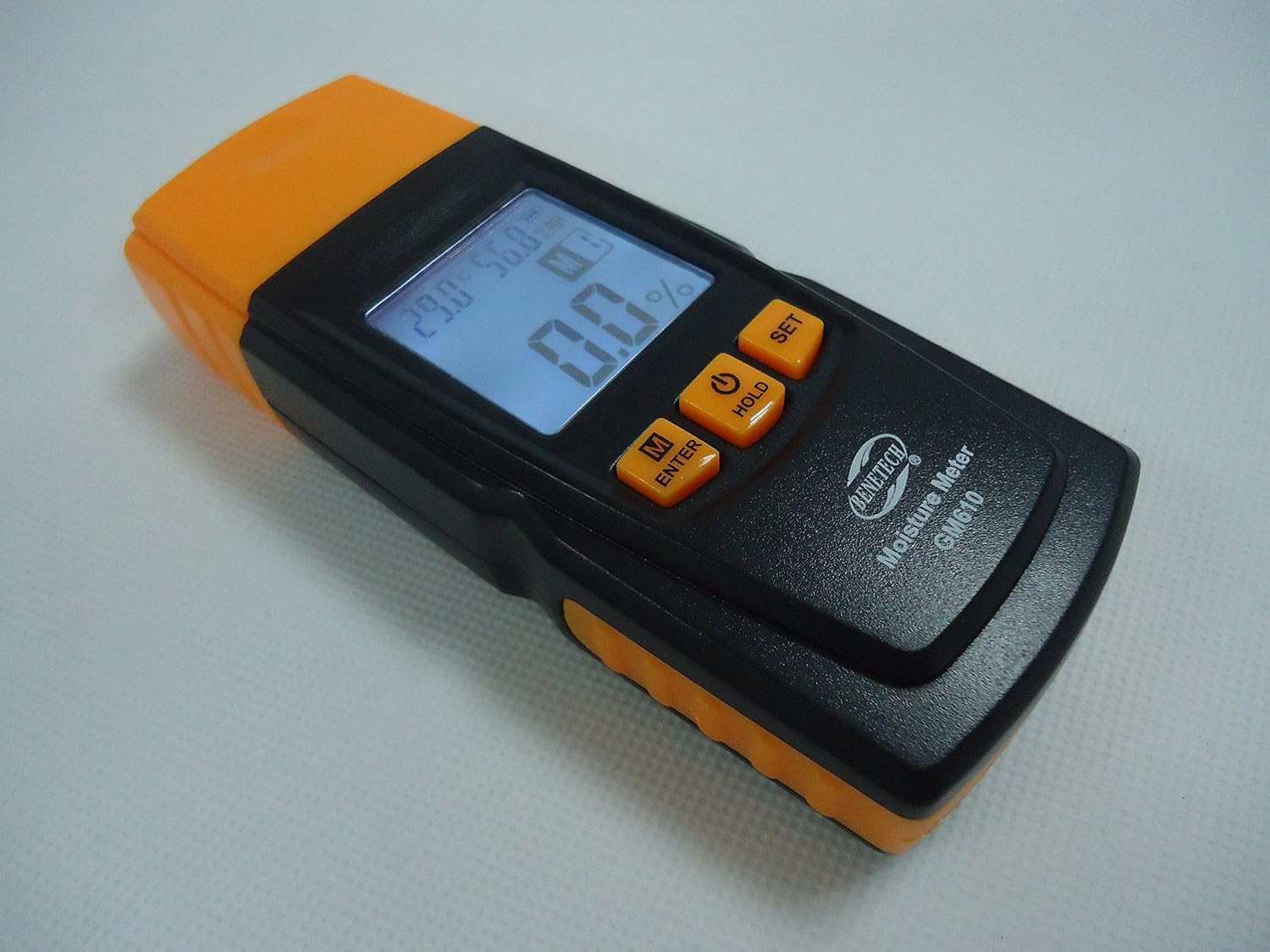
Малюнак 3: Вуглавы view of the Benetech GM610, showing the top measurement pins and the side profile прылады.

Figure 4: The Benetech GM610 Wood Moisture Meter presented in its open retail packaging, with the orange protective cap positioned next to it.
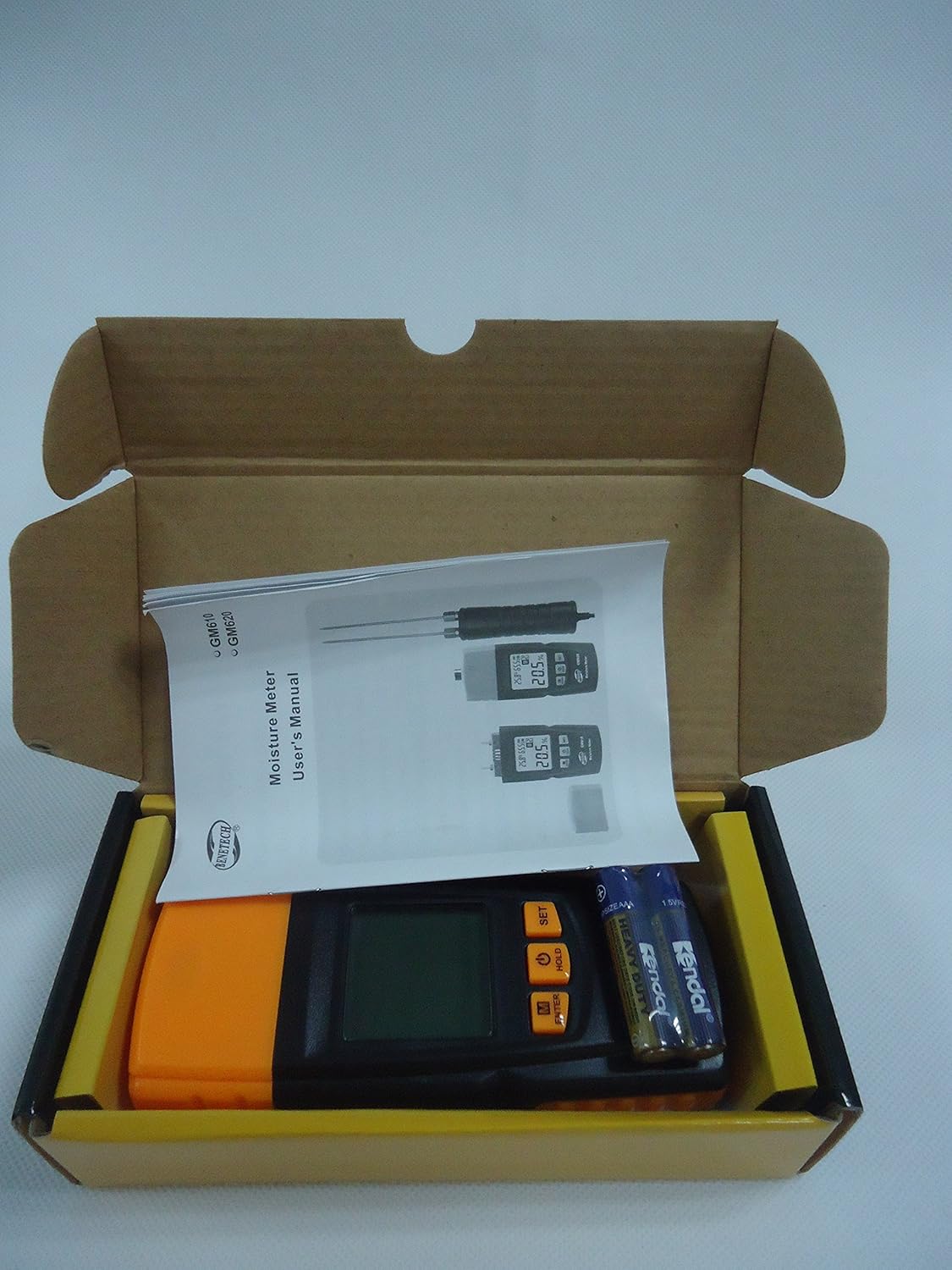
Figure 5: Contents of the Benetech GM610 package, including the moisture meter, user manual, and AAA batteries.
4. Настройка
4.1 Устаноўка батарэі
- Знайдзіце вечка батарэйнага адсека на задняй панэлі прылады.
- Зрушыце або адшчэпіце вечка, каб адкрыць адсек.
- Устаўце дзве (2) батарэйкі тыпу AAA 1.5 В, сачыце за правільнай палярнасцю (+/-).
- Надзейна заменіце крышку батарэйнага адсека.
Заўвага: батарэйкі звычайна не ўваходзяць у камплект і павінны быць набыты асобна.
5. Інструкцыя па эксплуатацыі
5.1 Уключэнне/выключэнне сілкавання
- Каб уключыць прыладу, націсніце ТРЫМАЦЬ button (power symbol).
- To manually power off the device, press and hold the ТРЫМАЦЬ кнопку прыблізна на 2 секунды.
- The device will automatically power off after 120 seconds of inactivity to conserve battery life.
5.2 Measuring Wood Moisture
- Зніміце ахоўны каўпачок з вымяральных шпілек.
- Gently push the measurement pins into the wood surface to be tested. Ensure both pins are fully inserted and make good contact with the wood.
- The moisture content percentage будзе адлюстроўвацца на ВК-экране.
- After measurement, carefully withdraw the pins and replace the protective cap.
5.3 Selecting Wood Species Group
The GM610 allows adjustment for 4 different wood species groups to ensure accurate readings. Refer to the wood species chart (usually provided in a separate document or on the device itself) to determine the correct group for your wood type.
- Націсніце M/ENTER button to cycle through the wood species groups (M1, M2, M3, M4).
- Select the group that corresponds to the wood you are measuring.
5.4 Функцыя ўтрымання дадзеных
Каб зафіксаваць бягучае паказанне на дысплеі:
- While a measurement is being taken, briefly press the ТРЫМАЦЬ button. The reading will be held on the screen.
- Націсніце ТРЫМАЦЬ button again to release the reading and resume live measurement.
5.5 Кантроль падсветкі
To turn the display backlight on or off:
- Націсніце НАБОР button to toggle the backlight.
5.6 Environmental Measurement
The device also displays the ambient temperature and relative humidity on the upper part of the LCD screen.
- The temperature unit (Celsius or Fahrenheit) can typically be switched by pressing and holding the НАБОР button (refer to specific device instructions if this differs).
6. Тэхнічнае абслугоўванне
6.1 Ачыстка
- Працярыце прыладу мяккай сухой тканінай.
- Не выкарыстоўвайце абразіўныя ачышчальнікі або растваральнікі.
- Ensure the measurement pins are clean and free of debris after each use.
6.2 Захоўванне
- Always replace the protective cap over the measurement pins when not in use to prevent damage and injury.
- Захоўвайце прыладу ў прахалодным, сухім месцы, удалечыні ад прамых сонечных прамянёў і экстрэмальных тэмператур.
- Пры працяглым захоўванні выміце батарэйкі, каб прадухіліць уцечку.
6.3 Замена батарэі
When the battery indicator on the LCD shows low power, replace the batteries as described in the Setup section (4.1 Battery Installation).
7. Выпраўленне непаладак
| праблема | Магчымая прычына | Рашэнне |
|---|---|---|
| Прылада не ўключаецца. | Разраджаныя або слабыя батарэі; няправільная ўстаноўка батарэй. | Заменіце батарэйкі новымі, выконваючы палярнасць. |
| Няправільныя паказанні вільготнасці. | Incorrect wood species group selected; pins not fully inserted; pins dirty or damaged. | Verify wood species group; ensure pins are fully inserted; clean or inspect pins for damage. |
| Дысплей цьмяны або мігціць. | Нізкі зарад батарэі. | Заменіце батарэі. |
| Auto-off function not working. | Device is actively being used or buttons pressed. | Ensure no interaction for 120 seconds. If issue persists, contact support. |
8. Тэхнічныя характарыстыкі
| Параметр | Каштоўнасць |
|---|---|
| Moisture Measurement Range | 2% to 70% (specific ranges for wood types: 2~40%/50%/60%/70%) |
| Moisture Measurement Error | ±1% |
| Дыяпазон тэмператур | -10℃ да 60℃ (ад 14℉ да 140℉) |
| Дыяпазон вільготнасці | 20% RH да 90% RH |
| Электразабеспячэнне | 2 батарэйкі 1.5 В ААА |
| Аўтаматычнае адключэнне | Пасля 120 секунд бяздзейнасці |
| Вага | 107.7 г (без акумулятараў) |
| Памеры | 135.6 мм х 55 мм х 29.4 мм |
9. Гарантыя і падтрымка
This Benetech GM610 Wood Moisture Meter is covered by a standard manufacturer's warranty against defects in materials and workmanship. Please refer to your purchase documentation for specific warranty terms and duration.
For technical support, troubleshooting assistance, or warranty claims, please contact the retailer or manufacturer directly using the contact information provided at the time of purchase.