
DoHonest S36
DoHonest HD 1080P Digital Wireless Backup Camera System S36 User Manual
Мадэль: S36
1. Уводзіны
This manual provides detailed instructions for the installation, operation, and maintenance of your DoHonest HD 1080P Digital Wireless Backup Camera System S36. This system is designed to enhance visibility and safety for various vehicles, including trucks, cars, campers, trailers, and RVs, offering both continuous monitoring and reverse assistance.
The system features a 1080P HD camera and a 5-inch TFT monitor, utilizing a digital wireless signal for reliable transmission up to 320 feet. Please read this manual thoroughly before installation and use to ensure proper function and longevity of the product.

Image: DoHonest HD 1080P Digital Wireless Backup Camera System S36, showing the 5-inch monitor displaying a truck towing a trailer, and the camera unit.
2. Змесціва ўпакоўкі
Праверце, ці ўсе пералічаныя ніжэй прадметы ўваходзяць у вашу ўпакоўку:
- 5-inch TFT Monitor
- Блок камеры
- Monitor Sunshade
- Мацаванне лабавога шкла
- U-вобразны кранштэйн
- Антэны (для манітора і камеры)
- Адаптар сілкавання прыпальвальніка
- Power Cord for Camera
- Installation Kits (screws, cable ties, etc.)

Image: Visual representation of the package contents, including the monitor, sunshade, camera, mounts, antennas, power adapters, and installation hardware.
3. Настройка і ўстаноўка
3.1 Усталёўка камеры
The camera can be installed using two primary methods:
- Агульная ўстаноўка: Connect the camera's power wire to your vehicle's reverse light, running light, or tail light. Ensure the ground wire is securely connected to the vehicle's chassis. This method provides power to the camera when the selected light is active.
- Furrion Pre-wired System: If your RV or trailer is pre-wired for a Furrion camera, use the included Furrion adapter plate and pigtail wire for a direct plug-and-play installation.

Image: Illustration of camera installation methods, including general wiring to vehicle lights and specific steps for Furrion pre-wired systems.

Image: A recreational vehicle with the DoHonest camera system, highlighting its compatibility with existing Furrion pre-wired setups.
3.2 Устаноўка манітора
The monitor can be mounted on your dashboard or windshield using the provided mounts. Choose a location that offers clear visibility without obstructing your view дарогі.
- Attach the chosen mount (windshield suction cup or U-bracket for dashboard) to the monitor.
- Secure the monitor in your desired location.
- Connect the monitor to your vehicle's 12V power outlet using the cigarette lighter power adapter.

Image: A visual guide demonstrating the three-step installation process: installing the camera, installing the monitor, and turning on the monitor.
3.3 Пачатковае ўключэнне і спалучэнне
Once both the camera and monitor are powered, the system should automatically pair and display the camera feed. If no image appears, ensure all connections are secure and both units are powered. The digital wireless connection is designed for automatic pairing.
4. Інструкцыя па эксплуатацыі
4.1 Элементы кіравання маніторам
The monitor features several buttons for system control:
- OK: Пацвярджае выбар у меню.
- CH (канал): Switches between multiple camera views if additional cameras are connected.
- МЕНЮ: Accesses the system settings, including image adjustments, recording options, and guide line settings.
- Магутнасць: Уключае або выключае манітор.

Image: The DoHonest S36 monitor displaying its touch-sensitive control buttons and highlighting features like dual antennas, wide view, and image flip.
4.2 Multiple Camera Support
The system supports up to four cameras, allowing for various viewing configurations:
- Поўны экран: Displays a single camera view.
- Раздзелены экран: Displays two camera views адначасова.
- Quad Screen: Displays four camera views адначасова.
- H-Screen: A specific split-screen layout.
Additional cameras (license plate, side, or RV cameras) are sold separately.

Image: An illustration demonstrating the monitor's capability to display multiple camera feeds in full, split, quad, or H-screen modes, with optional camera types shown.

Image: An RV equipped with multiple cameras (rear, side, front, hitch) demonstrating the system's expandability.
4.3 Guide Lines
The monitor allows you to customize parking guide lines for precise maneuvering:
- Уключыць/выключыць: Enable or disable the guide lines through the menu.
- Змяніць шырыню: Modify the horizontal spread of the guide lines.
- Адрэгуляваць вышыню: Change the vertical position of the guide lines.
- Перамяшчэнне налева/направа: Shift the entire guide line display horizontally.

Image: The monitor screen showing how to adjust the width, height, and position of the parking guide lines.

Image: A sequence of monitor displays illustrating the process of turning guide lines on/off and adjusting their width, left/right position, and up/down position.
4.4 Запіс і прайграванне відэа
The monitor supports video recording to an SD card (up to 128GB, not included) and local playback. This feature allows you to record your journeys or specific events for later review.

Image: The monitor screen showing video playback, with a horse trailer in the background, indicating the recording feature's utility.
4.5 Image Adjustment and Flip
Adjust the monitor's brightness and contrast settings via the menu to optimize image clarity for different lighting conditions. The system also offers image flip options:
- Нармальны
- Люстэрка
- Inverted Front Image
- Перавернутае люстраное адлюстраванне

Image: A grid showing the four image display options: Normal, Mirror, Inverted Front Image, and Inverted Mirror Image, demonstrating how the camera feed can be adjusted.
5. Тэхнічнае абслугоўванне
5.1 Ачыстка
To maintain optimal performance and image clarity:
- Gently wipe the monitor screen and camera lens with a soft, lint-free, damp тканіна.
- Avoid using abrasive cleaners, solvents, or harsh chemicals, as these can damage the surfaces.
- Ensure the camera lens is free from dirt, mud, or water droplets before use.
5.2 Weather Resistance and Durability
The DoHonest S36 camera is designed for durability and performance in various environmental conditions:
- Воданепранікальнасць IP69: The camera is sealed to withstand high-pressure water jets and immersion, making it suitable for all weather conditions.
- Тэмпературная ўстойлівасць: The system is built with metal materials that provide resistance to extreme temperatures, operating effectively from -22°F to 149°F (-30°C to 65°C).
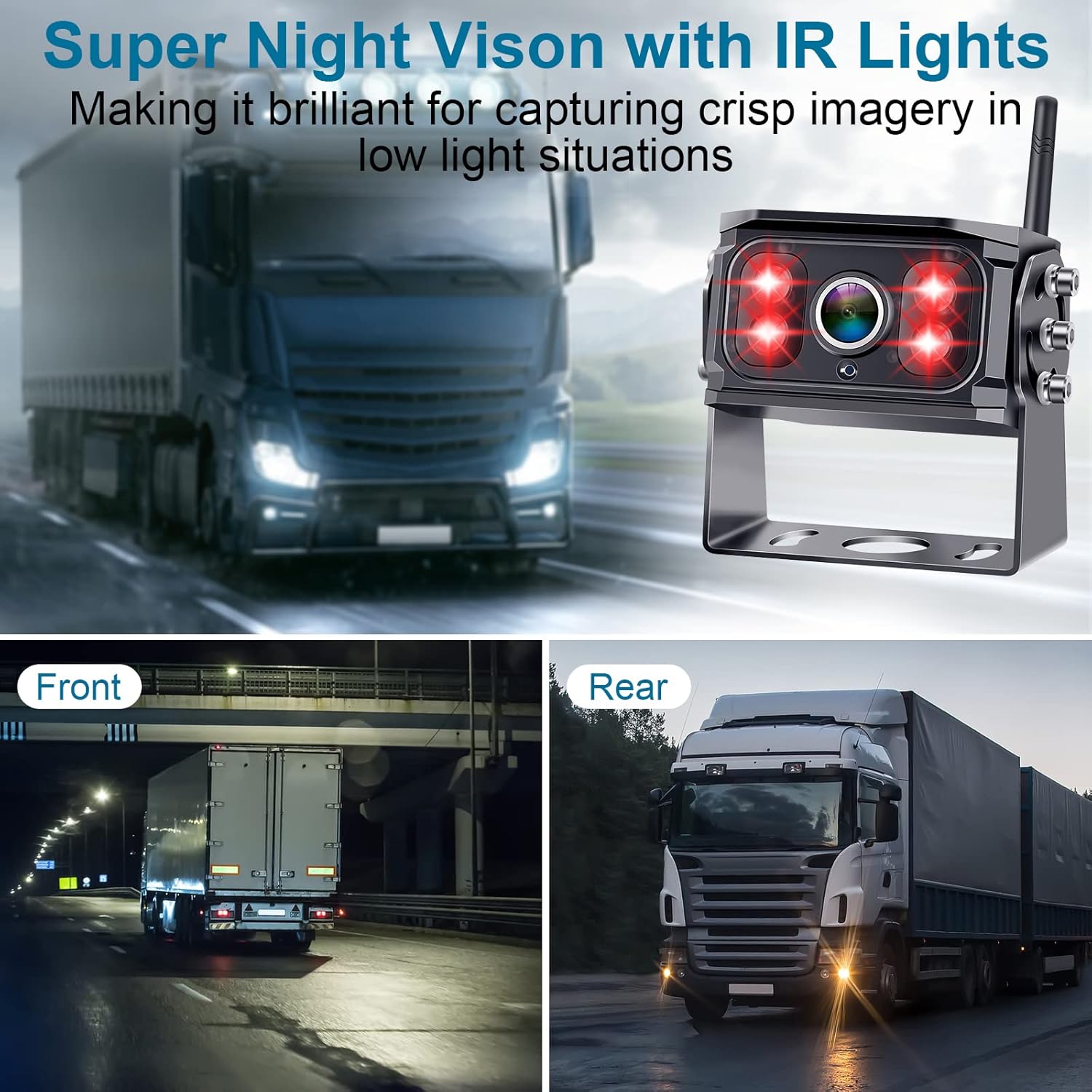
Image: The camera unit highlighting its infrared (IR) lights for enhanced night vision, showing clear imagery in low-light conditions.

Image: The camera system depicted in various weather scenarios (rain, snow, hot sun), illustrating its IP69 waterproof rating and temperature resistance.
6. Выпраўленне непаладак
If you encounter issues with your DoHonest S36 system, refer to the following common problems and solutions:
| праблема | Магчымая прычына | Рашэнне |
|---|---|---|
| Няма сігналу / Чорны экран | Loose power connection, camera not powered, signal interference, out of range. | Check all power connections for both monitor and camera. Ensure camera is receiving power. Verify antennas are securely attached. Reduce distance between camera and monitor. Avoid large metal obstructions. |
| Unclear or distorted image | Dirty camera lens, incorrect monitor settings, signal interference. | Clean the camera lens. Adjust monitor brightness and contrast settings. Check for sources of electromagnetic interference. |
| Guide lines not appearing or incorrect | Guide lines disabled in settings, incorrect adjustment. | Access the monitor menu to enable guide lines. Adjust their width, height, and position as needed. |
| Праблемы з запісам | SD card not inserted, full, or corrupted. | Ensure SD card is correctly inserted. Format the SD card (this will erase all data). Replace with a new SD card if corrupted. |
Калі праблема не знікне пасля спробы гэтых рашэнняў, звярніцеся ў службу падтрымкі кліентаў для атрымання дадатковай дапамогі.
7. Тэхнічныя характарыстыкі
| Асаблівасць | Дэталь |
|---|---|
| Нумар мадэлі | S36 |
| Марка | DoHonest |
| Памер экрана | 5 цалі |
| дазвол | 1080P HD |
| Тэхналогія аптычнага датчыка | CMOS |
| Optical Sensor Size | 1/3 цалі |
| Тып аб'ектыва | Шырокі кут |
| Сапраўдны кут View | 150 градусаў |
| Тып раздыма | Бесправадная сувязь |
| Тып ўстаноўкі | Мацаванне на прыборнай панэлі, павярхоўны мантаж |
| тtage | 12 вольта, 35 вольт |
| Рэйтынг воданепранікальнасці | IP69 |
| Працоўная тэмпература | Ад -22°F да 149°F (ад -30°C да 65°C) |
| Максімальная падтрымка SD-карт | 128 ГБ |
| Вага прадмета | 1.98 фунта |
| Памеры ўпакоўкі | 12.2 х 6.18 х 3.23 цалі |
8. Гарантыя і падтрымка
8.1 Інфармацыя аб гарантыі
The DoHonest HD 1080P Digital Wireless Backup Camera System S36 comes with a Гарантыя 3 год. This warranty covers manufacturing defects and ensures the product meets its specified performance standards under normal use. Please retain your proof of purchase for warranty claims.
Image: The DoHonest monitor displaying a '3 Year Warranty' badge, indicating the product's coverage.
8.2 Падтрымка кліентаў
For technical assistance, troubleshooting beyond this manual, or warranty claims, please refer to the contact information provided with your product packaging or visit the official DoHonest website. Our customer support team is available to help you with any questions or concerns.
Ask a question about this manual
Ask about setup, troubleshooting, compatibility, parts, safety, or missing instructions. Manuals+ will review the question and use this page’s manual context to help answer it.