
Уводзіны
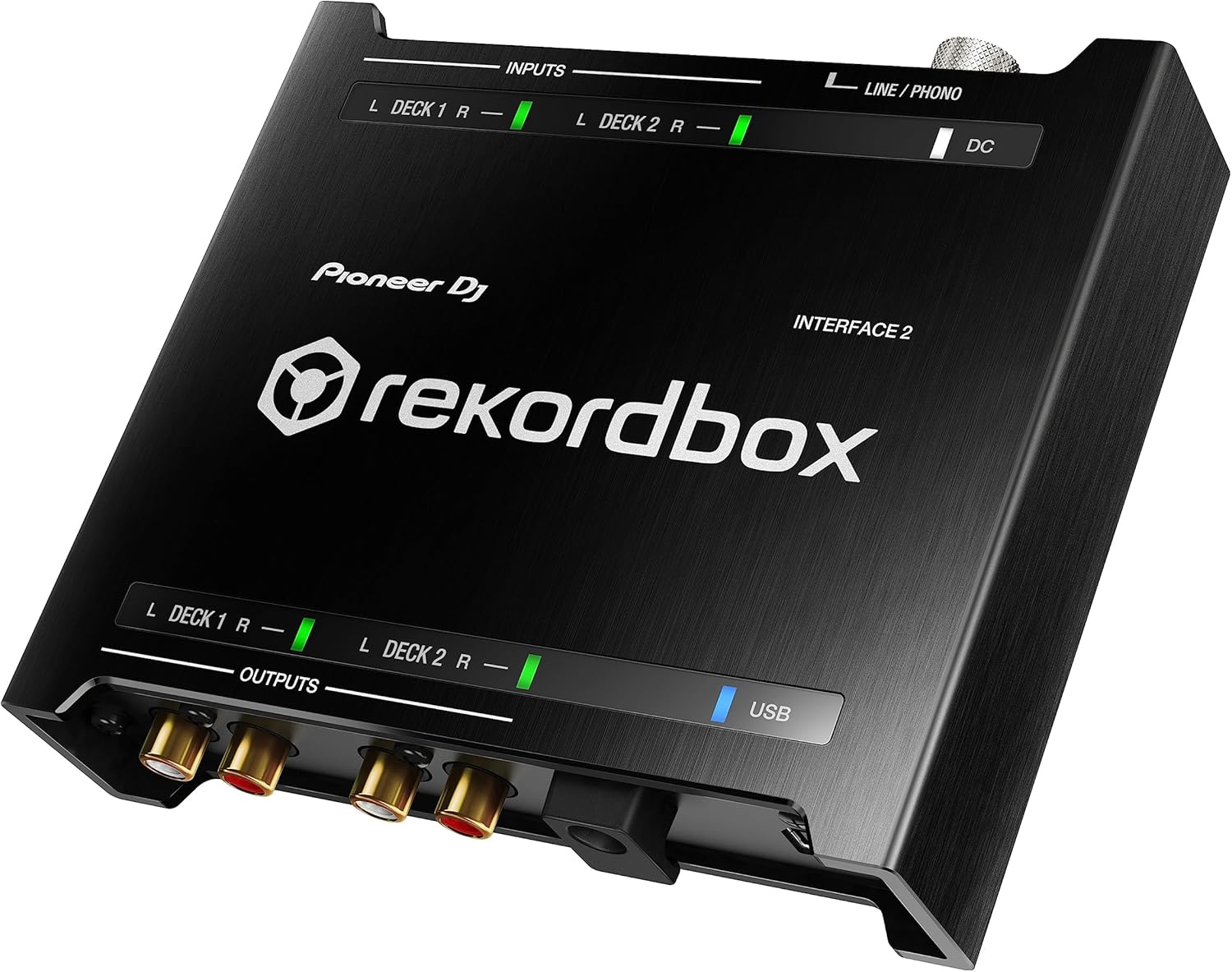
The Pioneer DJ INTERFACE 2 is a 2-channel audio interface designed to enable digital vinyl system (DVS) control with rekordbox. This device allows DJs to scratch and control digital music on their computer using any DJ setup, providing a robust and portable solution for various performance environments.
Key features include high-quality D/A converters supporting audio files up to 96kHz sampling rate for club-standard sound, a compact and robust aluminum casing with extended edges for terminal protection, and LED indicators for visual signal flow monitoring. The package includes essential cables to get started with rekordbox DVS immediately.

выява: Топ view of the Pioneer DJ INTERFACE 2, showcasing its compact design and input/output indicators.
Настройка
Proper setup of the INTERFACE 2 is crucial for optimal performance. Follow these steps to integrate the audio interface into your DJ setup:
- Connect Turntables/CDJs to Inputs: Connect your turntables or CDJs to the INPUTs (Deck 1 and Deck 2) on the INTERFACE 2 using RCA cables. Ensure the PHONO/LINE switch on the INTERFACE 2 matches the output type of your connected device (e.g., PHONO for turntables, LINE for CDJs).
- Connect Outputs to Mixer: Connect the OUTPUTs (Deck 1 and Deck 2) of the INTERFACE 2 to the LINE inputs of your DJ mixer using RCA cables.
- Падключыцеся да кампутара: Connect the INTERFACE 2 to your computer via the USB port using the provided USB cable.
- Падключэнне сілкавання: Connect the power adapter to the DC IN port on the INTERFACE 2 and plug it into a power outlet.
- Зазямленне: For turntables, connect the ground wire from each turntable to the GND terminal on the INTERFACE 2 to reduce hum and noise.
выява: Diagram illustrating the connections for the Pioneer DJ INTERFACE 2 with turntables, a mixer, and a laptop.

выява: Rear panel of the Pioneer DJ INTERFACE 2, showing the input/output ports, USB, DC IN, and GND terminal.
After physical connections, install the rekordbox software and drivers on your computer. Launch rekordbox and configure the audio settings to recognize the INTERFACE 2 for DVS control.
Аперацыйная
The INTERFACE 2 is designed for intuitive operation with rekordbox DVS. Here are key operational aspects:
Digital Vinyl System (DVS) Control
- Use the included control vinyl on your turntables to manipulate digital tracks within rekordbox.
- The multicolor LEDs on the INTERFACE 2 indicate the signal flow, providing visual feedback on your setup status and DVS signal quality.
- Adjust the input gain on the INTERFACE 2 to ensure optimal signal levels for DVS tracking.

выява: Close-up of the top panel of the Pioneer DJ INTERFACE 2, highlighting the multicolor LED indicators for signal flow.
rekordbox Performance Features
Leverage the full potential of rekordbox DJ performance features with the INTERFACE 2. This includes using hot cues, loops, and effects directly from the software, controlled by your physical turntables or CDJs.

выява: The Pioneer DJ INTERFACE 2 connected to a laptop running rekordbox software, demonstrating DVS control.
Official Product Introduction Video
Відэа: Official introduction to the Pioneer DJ INTERFACE 2, showcasing its features, setup, and use in a DJ environment.
Тэхнічнае абслугоўванне
To ensure the longevity and optimal performance of your Pioneer DJ INTERFACE 2, follow these maintenance guidelines:
- Уборка: Regularly wipe the unit with a soft, dry cloth. Avoid using abrasive cleaners or solvents.
- Кабельнае кіраванне: Ensure all cables are securely connected and not under undue stress. Avoid sharp bends or kinks in cables.
- захоўванне: When not in use, store the INTERFACE 2 in a cool, dry place away from direct sunlight and extreme temperatures.
- Tonearm Contact Cleaning: If using turntables, periodically disconnect the cartridge and clean the tonearm contacts to ensure a clean signal for DVS.
Ліквідацыю непаладак
If you encounter issues with your INTERFACE 2, consider the following troubleshooting steps:
Poor DVS Signal
- Праверце злучэнні: Ensure all RCA cables are correctly connected for LEFT and RIGHT channels between your turntables, INTERFACE 2, and mixer. Incorrect connections can lead to reversed audio or poor signal.
- Calibration Scope: In rekordbox, check the DVS calibration scope. A clean, circular pattern indicates a good signal. If the pattern is distorted or incomplete, it suggests a problem.
- Cartridge/Needle: A worn or dirty cartridge/needle can cause a poor timecode signal. Inspect and clean or replace if necessary.
- Tonearm Contacts: Clean the tonearm contacts on your turntable. Dust or corrosion can interfere with the signal.
- Зазямленне: Verify that your turntables are properly grounded to the INTERFACE 2 to eliminate hum.
No Power/Recognition
- крыніца харчавання: Ensure the power adapter is securely connected to the INTERFACE 2 and a working power outlet.
- USB-злучэнне: Паспрабуйце іншы USB-порт на вашым кампутары або іншы USB-кабель.
- Драйверы/Праграмнае забеспячэнне: Reinstall the latest drivers for the INTERFACE 2 and ensure rekordbox is updated to the latest version.
Тэхнічныя характарыстыкі
| Асаблівасць | Дэталь |
|---|---|
| Марка | Піянер дыджэй |
| мадэль | ІНТЕРФЕЙС2 |
| Колькасць каналаў | 2 |
| Тэхналогія падлучэння | USB |
| Сумяшчальныя прылады | Персанальны кампутар |
| Праграмнае забеспячэнне, якое падтрымліваецца | rekordbox |
| Аперацыйная сістэма | вокны |
| Аўдыё ўваход | USB |
| Максімум Sample Ацэнка | 96 кГц |
| Вага прадмета | 4.2 фунта |
| UPC | 841300100805 |
| ASIN | B0756LVTY6 |
Што ў скрынцы
The Pioneer DJ INTERFACE 2 package includes:
- 1 x INTERFACE2 2-channel audio interface
- Control vinyl (quantity not specified, but typically 2)
- кабель USB
- Сілавы кабель
- 4 x audio cables (RCA)
Гарантыя і падтрымка
The Pioneer DJ INTERFACE 2 comes with a 1-гадовая абмежаваная гарантыя.
For further assistance, technical support, or warranty claims, please refer to the official Pioneer DJ webсайт або звярніцеся непасрэдна ў службу падтрымкі кліентаў. Захоўвайце пацвярджэнне пакупкі для пацверджання гарантыі.