
1. Уводзіны
Дзякуй за пакупкуasing the Genius GX Wired Gaming Keyboard, Scorpion K220. This manual provides detailed instructions for setting up, operating, and maintaining your new gaming keyboard. Designed for PC gaming, the Scorpion K220 features a sleek design, compact construction, and vibrant backlighting for an enhanced gaming experience.

Малюнак 1.1: Спераду view of the Genius GX Wired Gaming Keyboard Scorpion K220, showcasing its design and colorful backlighting.
2. Інфармацыя па бяспецы
Please read the following safety precautions carefully before using the device to ensure optimal performance and prevent damage.
- Не падвяргайце клавіятуру ўздзеянню вады або іншых вадкасцей.
- Avoid extreme temperatures (hot or cold) and high humidity.
- Не спрабуйце разбіраць або мадыфікаваць клавіятуру. Гэта прывядзе да анулявання гарантыі.
- Keep the keyboard away from strong magnetic fields.
- Выкарыстоўвайце для чысткі толькі сухую, мяккую тканіну.
- Ensure the USB cable is not pinched or damaged during setup and use.
3. Змесціва ўпакоўкі
Праверце наяўнасць усіх прадметаў у камплекце:
- Genius GX Wired Gaming Keyboard (Scorpion K220)
- Кіраўніцтва карыстальніка (гэты дакумент)
4. Настройка
4.1 Падключэнне клавіятуры
The Scorpion K220 keyboard uses a standard USB connection for compatibility with PCs and Laptops. No additional drivers are typically required for basic functionality.
- Знайдзіце вольны USB-порт на вашым камп'ютары (ПК або ноўтбуку).
- Carefully insert the USB connector of the Scorpion K220 keyboard into the USB port.
- Ваша аперацыйная сістэма павінна аўтаматычна выявіць і ўсталяваць неабходныя драйверы. Гэты працэс можа заняць некалькі хвілін.
- Once installation is complete, the keyboard will be ready for use. The backlighting should illuminate.

Figure 4.1: The Genius GX Wired Gaming Keyboard Scorpion K220, ready for connection to a PC or laptop via its integrated USB cable.
5. Інструкцыя па эксплуатацыі
5.1 Асноўныя функцыі клавіятуры
The Scorpion K220 functions as a standard QWERTY keyboard. All standard keys (alphanumeric, function keys, navigation keys, and numeric keypad) operate as expected.
5.2 Кантроль падсветкі
The Scorpion K220 features vibrant backlighting to enhance your gaming and typing experience. The backlighting is always on when the keyboard is connected and powered.
- Рэгуляванне яркасці: Look for dedicated keys or key combinations (often Fn + Scroll Lock or similar) to adjust backlight brightness. Refer to the keyboard's key legends for specific controls.
- Рэжымы асвятлення: Some models may offer different lighting effects or static color modes. Experiment with function key combinations (e.g., Fn + F1-F12 or dedicated lighting keys) to cycle through available modes.
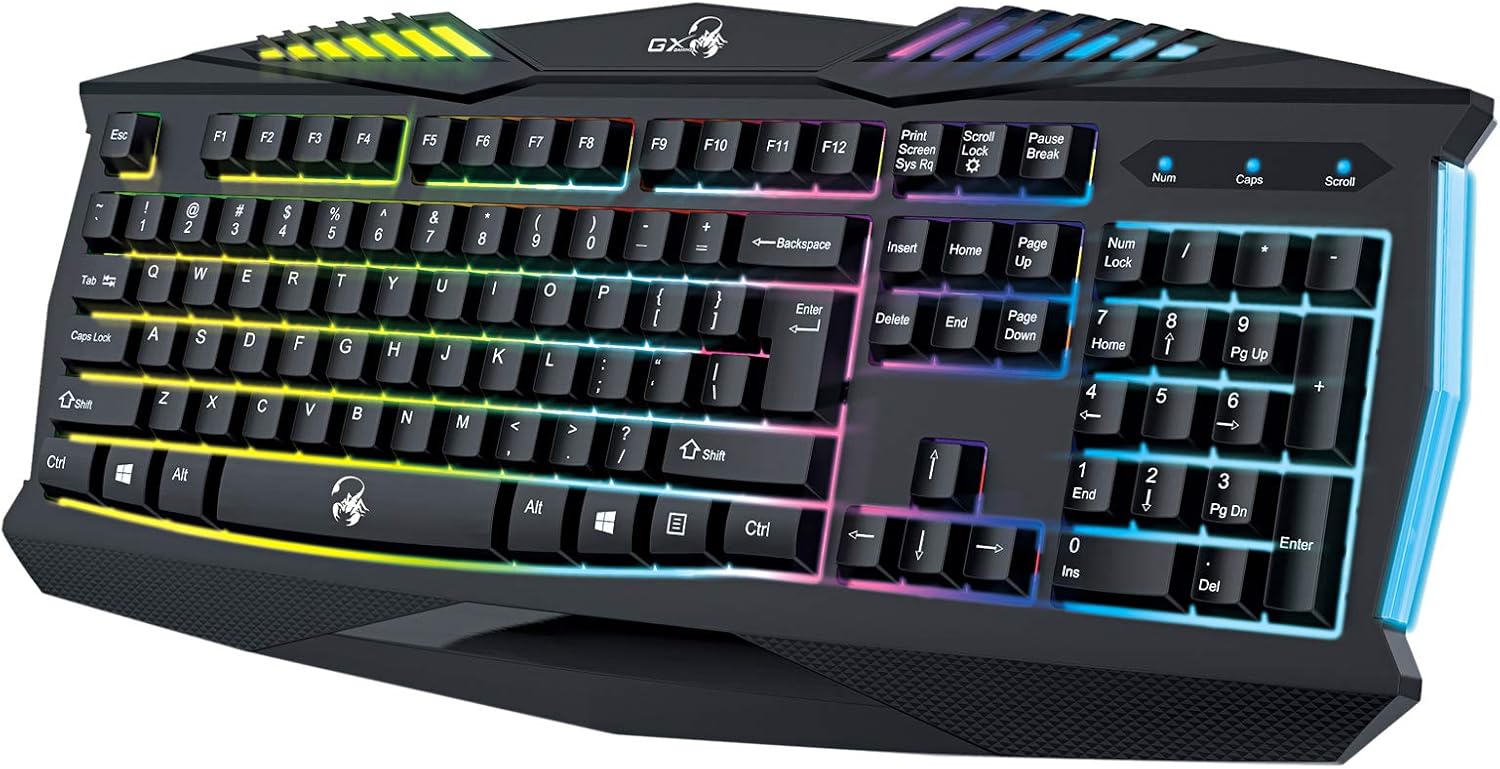
Малюнак 5.1: Буйны план view of the Genius GX Wired Gaming Keyboard Scorpion K220, highlighting the illuminated keys and vibrant backlighting.
5.3 Гульнявыя функцыі
The Scorpion K220 is designed for gaming with a responsive membrane switch type and a comfortable layout. While it does not feature programmable macro keys, its robust design and anti-ghosting capabilities (where applicable) ensure reliable performance during intense gaming sessions.
6. Тэхнічнае абслугоўванне
Правільнае абслугоўванне забяспечвае даўгавечнасць і аптымальную прадукцыйнасць вашай клавіятуры.
- Уборка:
- Адключыце клавіятуру ад кампутара перад чысткай.
- Use a soft, dry, lint-free cloth to wipe down the surface of the keyboard.
- Для выдалення пылу і смецця паміж клавішамі выкарыстоўвайце сціснутае паветра.
- Не выкарыстоўвайце агрэсіўныя хімікаты, абразіўныя ачышчальнікі або растваральнікі.
- захоўванне: Захоўвайце клавіятуру ў прахалодным, сухім месцы, удалечыні ад прамых сонечных прамянёў і экстрэмальных тэмператур, калі яна не выкарыстоўваецца працяглы час.
7. Выпраўленне непаладак
If you encounter issues with your Scorpion K220 keyboard, refer to the table below for common problems and solutions.
| праблема | Магчымая прычына | Рашэнне |
|---|---|---|
| Клавіятура не адказвае | Слабае падключэнне USB, няспраўны порт USB, праблема з драйверам. |
|
| Падсветка не працуе | Keyboard not powered, specific lighting mode selected. |
|
| Клавішы заліпаюць або не рэагуюць | Dirt or debris under the keys. |
|
8. Тэхнічныя характарыстыкі
Detailed technical specifications for the Genius GX Wired Gaming Keyboard Scorpion K220:
| Асаблівасць | Дэталь |
|---|---|
| Марка | Геній |
| Нумар мадэлі | К220 |
| Памеры прадукту | 23 х 49 х 4 см |
| Вага прадмета | 980 г |
| Вытворца | Геній |
| Крыніца харчавання | Правадная электрычная |
| Батарэі ўваходзяць у камплект | няма |
| Сумяшчальныя прылады | ПК, ноўтбук |
| Тэхналогія падлучэння | USB |
| Апісанне клавіятуры | Гульнявая |
| Асаблівасці | Падсвятленне |
| Матэрыял | Змешаныя матэрыялы |
| Тып перамыкача | Мембрана |
| Раскладка клавіятуры | QWERTY |
| Рука арыентацыі | Амбідэкстр |
9. Гарантыя і падтрымка
Genius products are manufactured to the highest quality standards. For information regarding warranty coverage, technical support, or service, please refer to the warranty card included with your product or visit the official Genius webсайт.
For further assistance, you may contact Genius customer support through their official channels. Please have your product model number (K220) and purchase details ready when contacting support.
Афіцыйны Webсайт: www.geniusnet.com