
Andoer HDV-534K
Andoer HDV-534K 4K 48 MP WiFi Digital Video Camera User Manual
Model: HDV-534K
Уводзіны
This manual provides comprehensive instructions for the operation and maintenance of your Andoer HDV-534K 4K 48 MP WiFi Digital Video Camera. Please read this manual thoroughly before using the camera to ensure proper functionality and to maximize your user experience.
The Andoer HDV-534K is a high-definition digital video camera capable of recording 4K (2880 x 2160) video at 24 frames per second (interpolated) and capturing still photos at 48MP (9212 x 5184) (interpolated). It features a 3-inch capacitive touchscreen for intuitive control and vivid display.
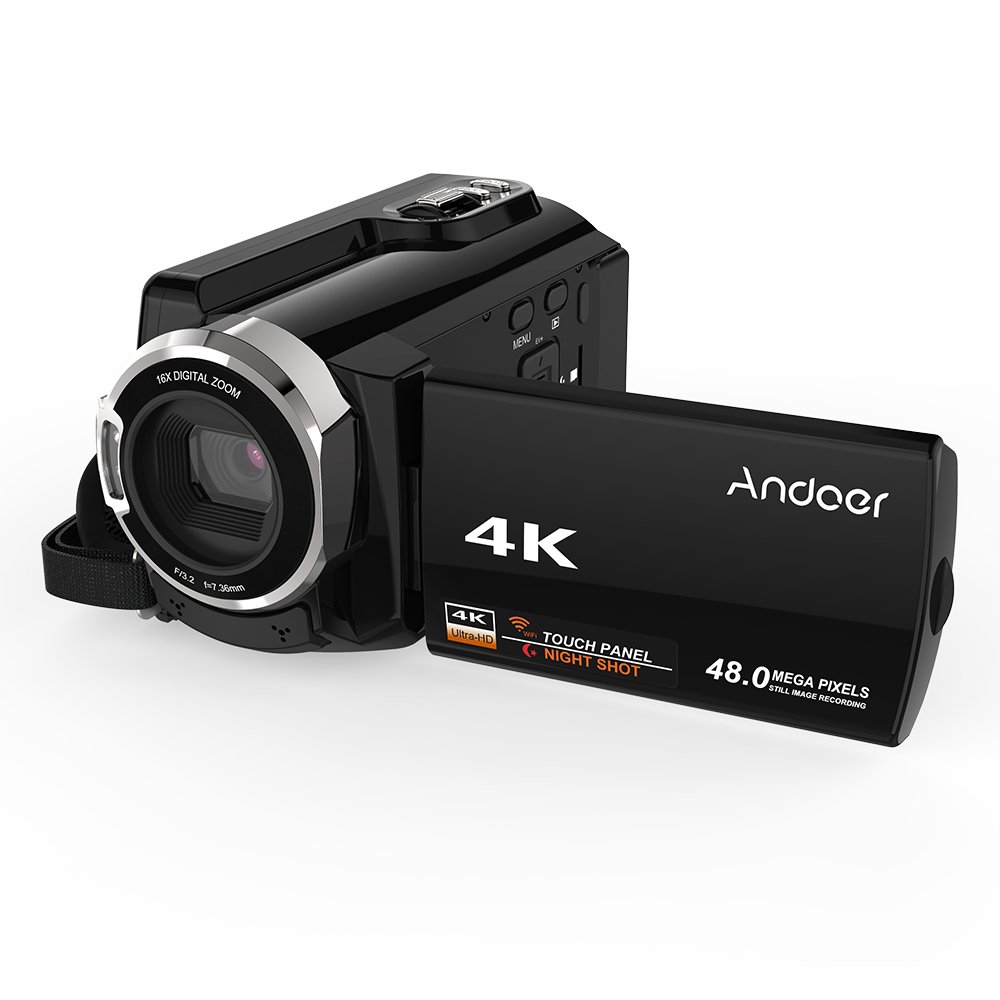
Figure 1: Andoer HDV-534K Digital Video Camera. This image shows the camera from the front-right, with the screen open, displaying the "4K" and "Andoer" branding.
Кампаненты прадукту і элементы кіравання
Familiarize yourself with the various parts and controls of your Andoer HDV-534K camera.

Figure 2: Detailed diagram of the Andoer HDV-534K camera, highlighting key components and controls such as the 3-inch touchscreen, MENU button, Playback button, T/W (Telephoto/Wide) zoom, Photo button, Mode button, Up/EV+, Right/IR, T-Flash Card Slot, AV/USB/HD Port, Left/Timed, Power button, Display/WiFi, Down/EV-, Infrared Light (IR), Lens, Mic, Secure Digital Memory Card Slot, Power Light, Charging Light, Start/Stop button, Strap, and Battery compartment.
Ключавыя кампаненты:
- Аб'ектыў: Захоплівае выявы і відэа.
- Інфрачырвонае святло (ВК): Used for night vision recording.
- 3-цалевы ёмістны сэнсарны экран: Для viewing and navigating menus.
- Батарэйны адсек: Змяшчае акумулятарную батарэю.
- Secure Digital Memory Card Slot: For inserting SD/SDHC memory cards (not included).
- AV/USB/HD Port: Multi-functional port for connecting to external devices.
- 1/4" Tripod Thread: Located at the bottom for mounting on a tripod.
Кіраўніцтва па ўстаноўцы
1. Зарадка акумулятара
Before first use, fully charge the camera's battery. The Andoer HDV-534K uses a 3.8V 2500mAh lithium polymer battery, designed for longer service time.
- Insert the battery into the battery compartment, ensuring correct orientation.
- Connect the camera to a power source using the provided USB cable and power adapter.
- The Charging Light will indicate the charging status. Refer to the camera's display for battery level.

Figure 3: Image showing the camera with the battery inserted, emphasizing the "Bigger Capacity Longer Service Time" feature of the 3.8V 2500mAh lithium polymer battery.
2. Устаўка карты памяці
The camera requires an SD/SDHC memory card (not included) to store photos and videos.
- Locate the Secure Digital Memory Card Slot on the camera.
- Insert the memory card with the metal contacts facing the correct direction until it clicks into place.
- Каб выняць, акуратна націсніце на карту, пакуль яна не выскочыць.
3. Пачатковае ўключэнне
- Адкрыйце ВК -экран.
- Націсніце і ўтрымлівайце Магутнасць button until the camera turns on.
- Follow any on-screen prompts for initial setup, such as setting date and time.
Інструкцыя па эксплуатацыі
Запіс відэа
- Ensure the camera is in video recording mode. If not, press the Рэжым кнопка для пераключэння.
- Скампануйце здымак з дапамогай 3-цалевага сэнсарнага экрана.
- Націсніце Пуск/Стоп button to begin recording. The recording indicator will appear on the screen.
- Націсніце Пуск/Стоп кнопку яшчэ раз, каб спыніць запіс.

Figure 4: The Andoer HDV-534K camera held in hand, displaying a 4K Ultra HD picture on its screen, demonstrating its video recording capability.
Фатаграфаванне
- Switch to photo mode by pressing the Рэжым кнопка.
- Compose your shot.
- Націсніце Фота кнопка для здымкі выявы.
Функцыя маштабавання
The camera features 16x digital zoom.
- Выкарыстоўвайце Т/В (Telephoto/Wide) button to zoom in (T) or zoom out (W).
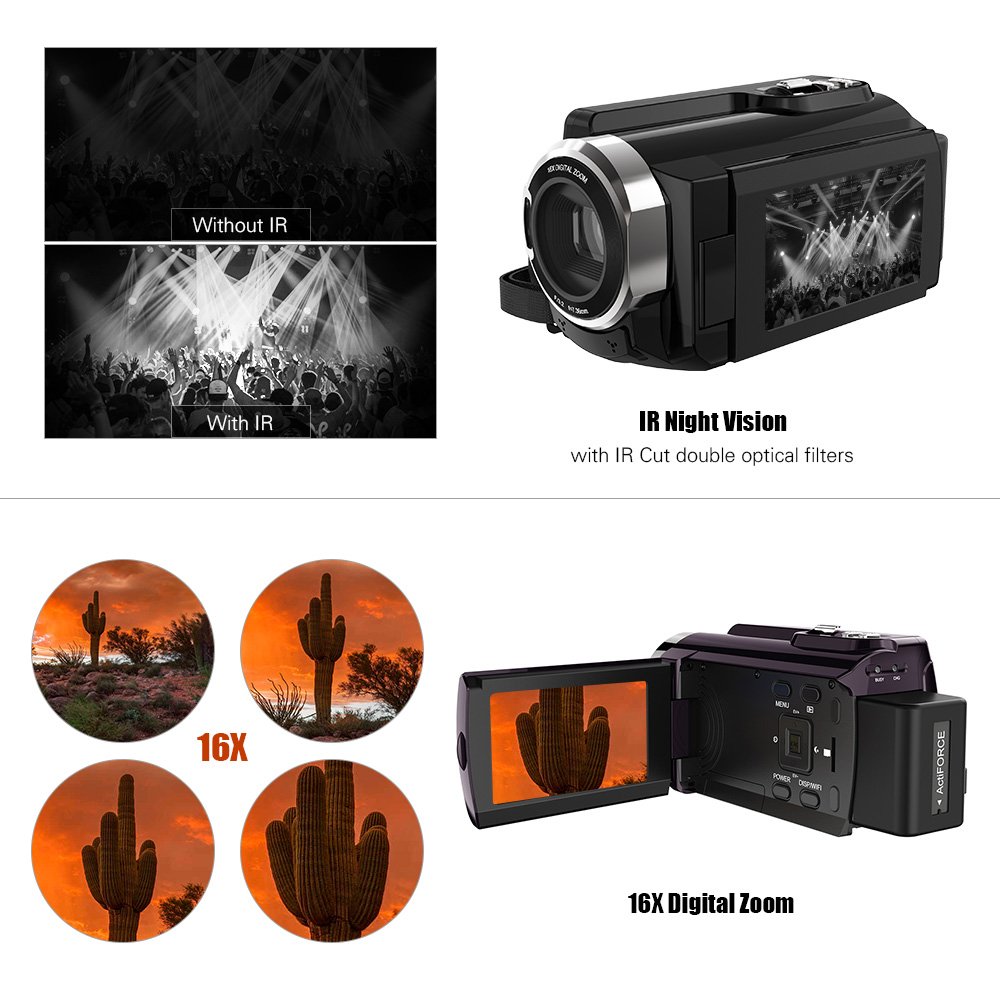
Figure 5: Illustration of the 16x digital zoom capability, showing four magnified views of a cactus, and a comparison of video quality with and without IR night vision.
Infrared (IR) Night Vision
Activate IR night vision for recording in low-light or dark conditions.
- Націсніце Right/IR button to toggle IR night vision on or off.
Connecting to Other Devices (WiFi & USB/HDMI)
The camera supports WiFi connectivity for wireless transfer and control, and can also connect via AV/USB/HD cable.
- WiFi: Націсніце Display/WiFi button to activate WiFi. Use the dedicated app on your smartphone or tablet to connect and transfer files.
- AV/USB/HD Cable: Connect the camera to a computer or TV using the appropriate cable for file transfer or direct viewінж.

Figure 6: Diagram illustrating the connectivity options of the Andoer HDV-534K, showing connection via AV/USB/HD Cable to a laptop and via WiFi to smartphones.
Тэхнічнае абслугоўванне
Чыстка камеры
- Выкарыстоўвайце мяккую, сухую тканіну для чысткі корпуса камеры.
- For the lens and touchscreen, use a specialized lens cleaning cloth and solution to avoid scratches.
- Не выкарыстоўвайце моцныя мыйныя сродкі або растваральнікі.
Сыход за батарэяй
- Захоўвайце батарэю ў прахалодным сухім месцы, калі яна не выкарыстоўваецца.
- Пазбягайце частай поўнай разрадкі акумулятара, каб падоўжыць тэрмін яго службы.
- Пры працяглым захоўванні зарадзіце акумулятар прыкладна да 50% яго ёмістасці.
Захоўванне
- Store the camera in a dust-free environment, preferably in a camera bag.
- Пазбягайце экстрэмальных тэмператур і высокай вільготнасці.
Ліквідацыю непаладак
| праблема | Магчымая прычына | Рашэнне |
|---|---|---|
| Камера не ўключаецца. | Батарэя разраджаная або няправільна ўстаўленая. | Цалкам зарадзіце акумулятар. Пераканайцеся, што акумулятар устаўлены з захаваннем правільнай палярнасці. |
| Немагчыма запісваць відэа/рабіць фота. | Карта памяці перапоўненая, не ўстаўлена або пашкоджана. | Check memory card. Delete unnecessary files or insert a new card. Format the card if necessary (this will erase all data). |
| Дрэнная якасць выявы/відэа. | Lens is dirty. Insufficient lighting. Incorrect settings. | Clean the lens. Ensure adequate lighting or activate IR night vision. Check resolution settings. |
| Праблемы з падключэннем да Wi-Fi. | Incorrect WiFi settings. App issues. | Ensure WiFi is enabled on camera and device. Restart both devices. Reinstall the camera's companion app. |
Тэхнічныя характарыстыкі
The following are the technical specifications for the Andoer HDV-534K Digital Video Camera:
| Асаблівасць | Дэталь |
|---|---|
| мадэль | HDV-534K |
| Дазвол відэазахопу | 4K (2880 x 2160) 24fps (interpolation) |
| Дазвол фота | 48MP (9212 x 5184) (interpolation) |
| Памер экрана | 3 Inches Capacitive Touchscreen |
| Лічбавы зум | 16x |
| Тэхналогія падлучэння | Wi-Fi |
| Тэхналогія фотадатчыка | CMOS |
| Максімальная дыяфрагма | 1.8 ф |
| Тып флэш-памяці | SmartMedia, SDHC |
| Фармат захопу відэа | MP4 |
| Падтрымоўваны аўдыяфармат | MP4 (AAC/MP3) |
| Вага прадмета | 640 г |
| Вытворца | Кітай |
| Першая даступная дата | 11 кастрычніка 2017 г |
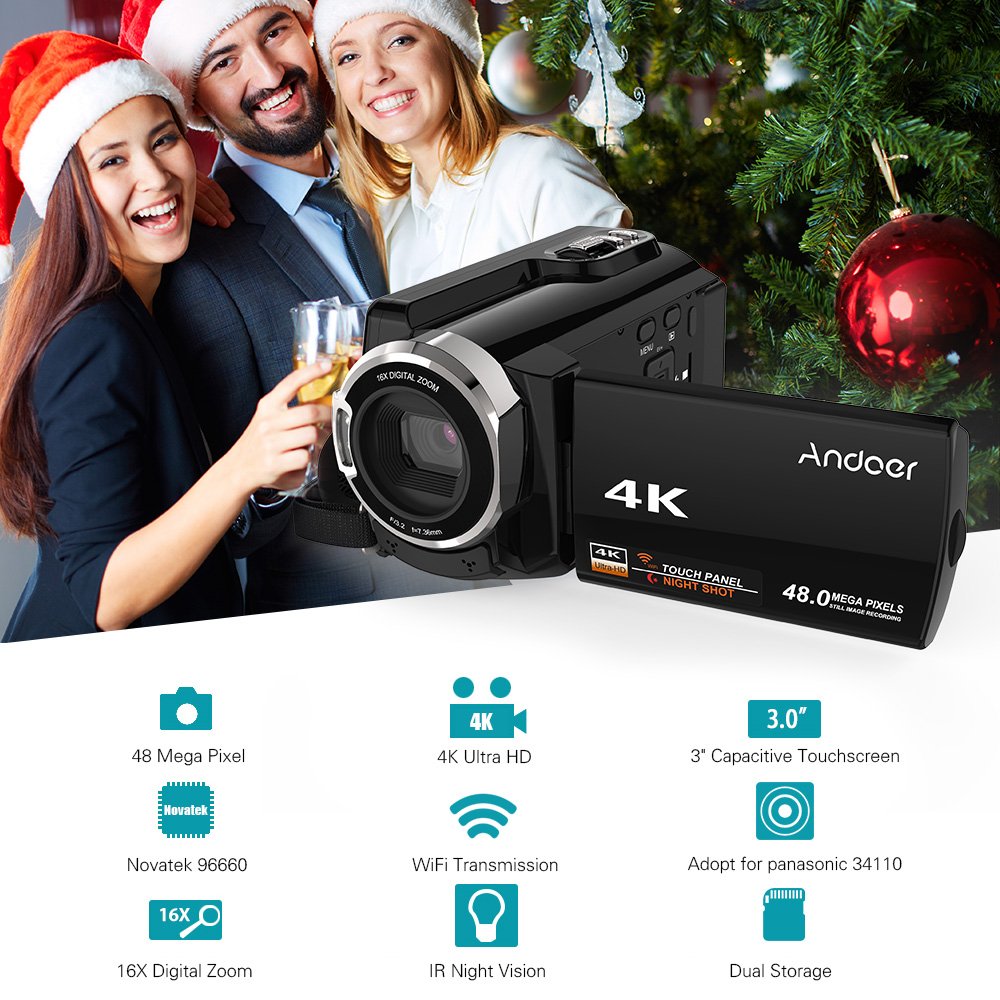
Figure 7: Infographic summarizing key features of the Andoer HDV-534K, including 48 Megapixel, 4K Ultra HD, 3.0" Capacitive Touchscreen, Novatek 96660 processor, 16X Digital Zoom, WiFi Transmission, IR Night Vision, and Dual Storage.
Гарантыя і падтрымка
For warranty information and customer support, please refer to the documentation included with your purchase or contact Andoer customer service directly. Specific warranty terms and conditions may vary by region and retailer.
Калі ласка, захавайце пацвярджэнне пакупкі для любых гарантыйных прэтэнзій.
Ask a question about this manual
Ask about setup, troubleshooting, compatibility, parts, safety, or missing instructions. Manuals+ will review the question and use this page’s manual context to help answer it.