
InFocus IN112XV
Інструкцыя па эксплуатацыі прэзентацыйнага праектара InFocus IN112XV
Model: IN112XV | Brand: InFocus
1. Уводзіны
This manual provides essential information for the safe and efficient operation of your InFocus IN112XV Presentation Projector. The IN112XV is designed for business presentations and educational use, offering a long lamp life, high brightness, and clear image quality.
- Пашыраны Лamp жыццё: Enjoy over 15,000 hours of viewінж.
- Высокая яркасць: 3800 lumens for clear images in various lighting conditions.
- Каэфіцыент кантраснасці: 26000:1 for distinct whites and blacks.
- Гнуткі ViewING: Projects images from 28 inches to 300 inches diagonally.
- Падключэнне: Features HDMI input and SVGA (800 x 600) resolution.
2. Змесціва ўпакоўкі
Праверце, ці ўсе пералічаныя ніжэй прадметы ўваходзяць у вашу ўпакоўку:
- InFocus IN112XV Projector
- Шнур харчавання
- Пульт дыстанцыйнага кіравання
- Кабель VGA
- Дакументацыя (гэты дапаможнік і іншыя кіраўніцтвы)
3. Прадукт скончыўсяview
Familiarize yourself with the components and controls of your InFocus IN112XV projector.
3.1 фронт View
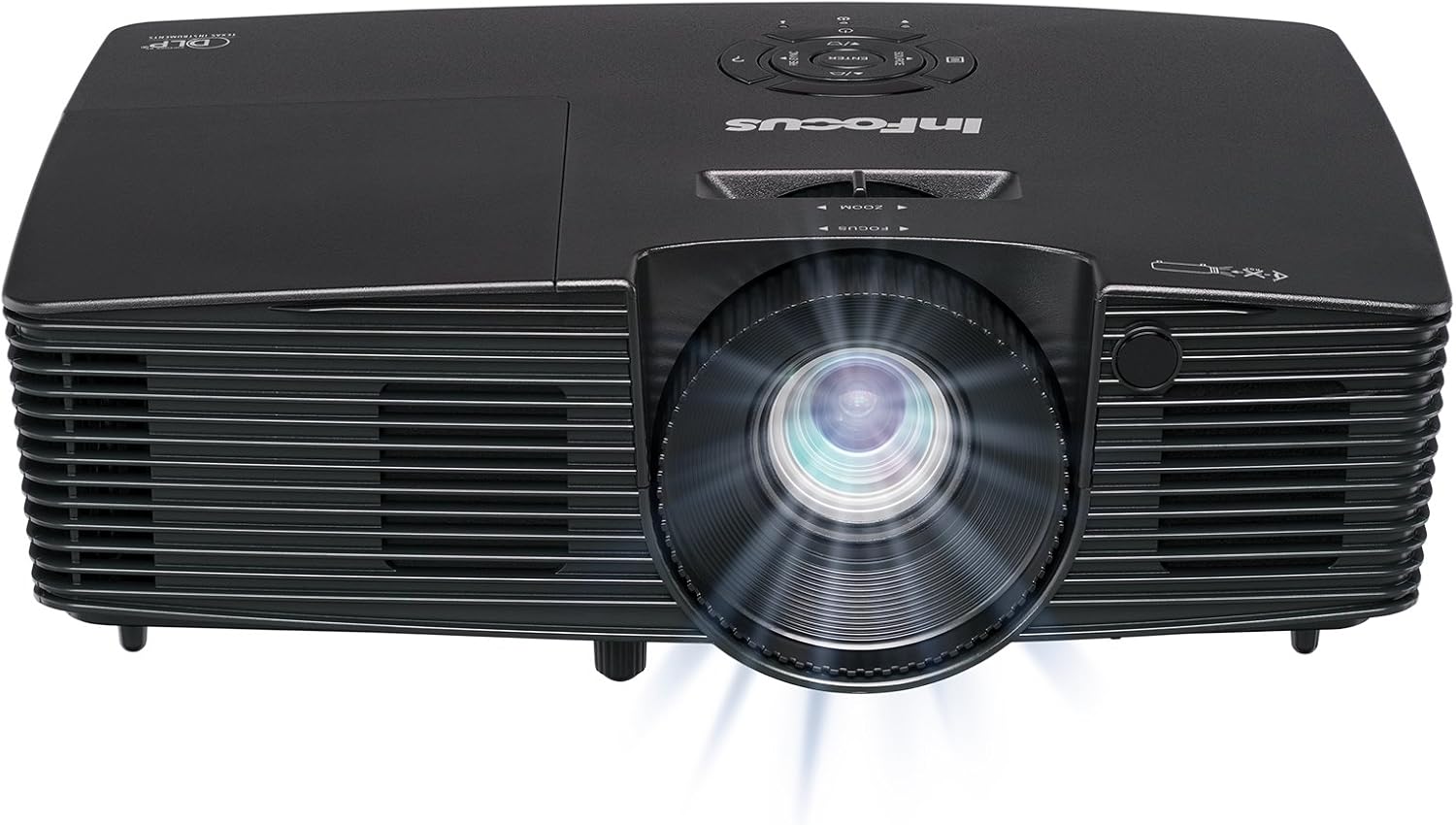
Малюнак 3.1: Фронт view of the InFocus IN112XV projector. This image highlights the main projection lens and the front ventilation grilles.
3.2 Вярх View і Панэль кіравання

Малюнак 3.2: Топ view of the InFocus IN112XV projector. The control panel is visible on the right, featuring buttons for power, source selection, menu navigation, keystone adjustment, and volume. The focus and zoom adjustment rings are located around the lens.
The control panel on the top of the projector allows for basic operation without the remote. Key buttons include:
- Магутнасць: Уключае або выключае праектар.
- Крыніца: Цыклічнае пераключэнне даступных крыніц уваходнага сігналу.
- Меню: Доступ да экраннага меню (OSD).
- Увядзіце: Пацвярджае выбар у экранным меню.
- Клавішы са стрэлкамі: Перамяшчайцеся па меню і змяняйце налады.
- Re-Sync: Synchronizes the image.
3.3 Ззаду View і парты падключэння

Малюнак 3.3: Тыл view of the InFocus IN112XV projector. This image displays the available connection ports, including Video In, S-Video In, Computer In (VGA), HDMI, and the power input.
The rear panel provides various ports for connecting external devices:
- Уваход відэа: For composite video sources.
- S-Video In: For S-Video sources.
- Computer In (VGA): For connecting to computers via VGA cable.
- HDMI: For digital video and audio sources.
- Сэрвіс: For service and maintenance purposes.
- Спажываная магутнасць: Connects the power cord to an electrical outlet.
3.4 Пульт дыстанцыйнага кіравання

Малюнак 3.4: Remote control for the InFocus IN112XV projector. The remote provides full control over the projector's functions, including power, source selection, menu navigation, keystone correction, and volume.
The remote control offers convenient access to all projector functions. Ensure batteries are correctly installed.
4. Настройка
4.1 Размяшчэнне
Position the projector on a stable, flat surface or mount it securely. Ensure there is adequate space around the projector for ventilation.
4.2 Падключэнне харчавання
- Падключыце шнур харчавання да ўваходнага порта харчавання праектара.
- Падключыце другі канец шнура сілкавання да заземленай электрычнай разеткі.
4.3 Падключэнне крыніц уваходнага сігналу
The projector supports various input sources. Choose the appropriate cable for your device:
- HDMI: Connect an HDMI cable from your source device (e.g., laptop, media player) to the projector's HDMI port.
- VGA (Computer In): Connect a VGA cable from your computer to the projector's Computer In port. This is a plug-and-play connection.
- Video In / S-Video In: Use composite video or S-Video cables for older video sources.
- Мабільныя прылады: To connect an iPad or smartphone, a LightCast Key (sold separately) is required.
5. Інструкцыя па эксплуатацыі
5.1 Уключэнне/выключэнне
- Каб уключыць: Націсніце Магутнасць button on the projector's control panel or the remote control. The power indicator light will change.
- Каб выключыць: Націсніце Магутнасць button again. A confirmation message may appear. Press again to confirm shutdown. Allow the projector to cool down before unplugging.
5.2 Выбар крыніцы ўваходнага сігналу
After connecting your source device, select the correct input:
- Націсніце Крыніца button on the projector's control panel or the remote control to cycle through available inputs (HDMI, VGA, Video, S-Video).
- Alternatively, use the dedicated input buttons (HDMI, VGA, Video) on the remote control.
5.3 Adjusting Focus and Zoom
For a clear and appropriately sized image, adjust the lens rings:

Малюнак 5.1: Manual Focus Adjustment. This image illustrates the effect of adjusting the focus ring, transforming a blurry projection into a clear and sharp image.
- Фокус: Павярнуць Фокус ring on the projector lens until the image appears sharp and clear.
- Маштаб: Павярнуць маштабаванне ring on the projector lens to adjust the size of the projected image.
5.4 Карэкцыя трапецеідальных скажэнняў
If the projected image appears trapezoidal (wider at the top or bottom), use keystone correction to square it:
- Націсніце Keystone+ or Keystone- buttons on the remote control to adjust the image geometry.
5.5 Навігацыя па меню
Access the On-Screen Display (OSD) menu for advanced settings:
- Націсніце Меню button on the remote or control panel.
- Use the arrow keys to navigate through menu options.
- Прэса Увайдзіце каб выбраць опцыю або пацвердзіць наладу.
- Прэса Меню зноў, каб выйсці з экраннага меню.
6. Тэхнічнае абслугоўванне
6.1 лamp жыццё
Праектар лamp has an estimated life of over 15,000 hours. When the lamp reaches the end of its life, the projector may display a warning message or the image brightness may significantly decrease. Refer to the full service manual for lamp replacement procedures if necessary.
6.2 Ачыстка
- Праектар Casing: Выкарыстоўвайце мяккую сухую тканіну для працірання вонкавых паверхняў праектара. Не выкарыстоўвайце абразіўныя ачышчальнікі або растваральнікі.
- Аб'ектыў: Gently clean the lens with a lens cleaning cloth and specialized lens cleaning solution. Avoid touching the lens surface with your fingers.
- Вентыляцыйныя адтуліны: Перыядычна правярайце і чысціце вентыляцыйныя адтуліны, каб забяспечыць належную цыркуляцыю паветра і прадухіліць перагрэў. Выкарыстоўвайце мяккую шчотку або сціснутае паветра для выдалення пылу.
7. Выпраўленне непаладак
У гэтым раздзеле разглядаюцца распаўсюджаныя праблемы, з якімі вы можаце сутыкнуцца пры выкарыстанні праектара.
| праблема | Магчымая прычына | Рашэнне |
|---|---|---|
| Не адлюстроўваецца выява |
|
|
| Відарыс размыты |
|
|
| Выява мае трапецападобную форму |
|
|
| Projector runs hot or smells of burning plastic |
|
|
| Няма гуку |
|
|
Важная заўвага: This projector is not recommended for high-definition movie viewing. While it can accept a 1080p input signal, it projects at its native SVGA (800 x 600) resolution.
8. Тэхнічныя характарыстыкі
| Асаблівасць | Дэталь |
|---|---|
| Нумар мадэлі | IN112XV |
| Тэхналогія адлюстравання | DLP |
| Роднае дазвол | SVGA (800 x 600) |
| Яркасць | 3800 люмен |
| Каэфіцыент кантраснасці | 26000:1 |
| Lamp жыццё | Да 15,000 гадзін |
| Сувязь | HDMI, VGA (Computer In), Video In, S-Video In |
| Асаблівасць | 3D-гатовы |
| Рэкамендуемае выкарыстанне | Бізнес, адукацыя |
| Памеры прадукту | 8.8 х 12.4 х 4 цалі |
| Вага прадмета | 5.5 фунта |
9. Гарантыя і падтрымка
9.1 Інфармацыя аб гарантыі
The InFocus IN112XV projector is backed by a Гарантыя 2 годГэтая гарантыя распаўсюджваецца на дэфекты матэрыялаў і вырабу пры нармальным выкарыстанні. Калі ласка, захавайце пацвярджэнне пакупкі для прэтэнзій па гарантыі.
9.2 Падтрымка кліентаў
For technical assistance, troubleshooting beyond this manual, or warranty service, please contact InFocus customer support. Contact information can typically be found on the official InFocus webна сайце або ў дакументацыі, якая пастаўляецца з вашым прадуктам.