
UDIRC U46
UDIRC U46 Mini Drone User Manual
Мадэль: U46
1. Уводзіны
The UDIRC U46 Mini Drone is a compact quadcopter designed for beginners and recreational flying. It features user-friendly controls and safety mechanisms to ensure an enjoyable experience. This manual provides essential information for operating and maintaining your drone.

Image 1.1: The UDIRC U46 Mini Drone, its remote controller, and three included batteries.
2. Правілы бяспекі
- Рэкамендаваны ўзрост: Гэты прадукт рэкамендуецца карыстальнікам ад 14 гадоў і старэй.
- Унутранае выкарыстанне: The U46 drone is primarily designed for indoor use. Avoid flying in windy conditions outdoors, as this can lead to loss of control.
- Чыстая зона: Operate the drone in an open area free from obstacles, people, and pets.
- Бяспека прапелера: Keep fingers, hair, and loose clothing away from the spinning propellers. The drone features propeller guards for added safety.
- Бяспека акумулятара: Do not overcharge batteries. Use only the provided USB charger. Discontinue use if batteries show signs of damage or swelling.
- Ўздзеянне вады: Avoid contact with water or moisture to prevent damage to electronic components.
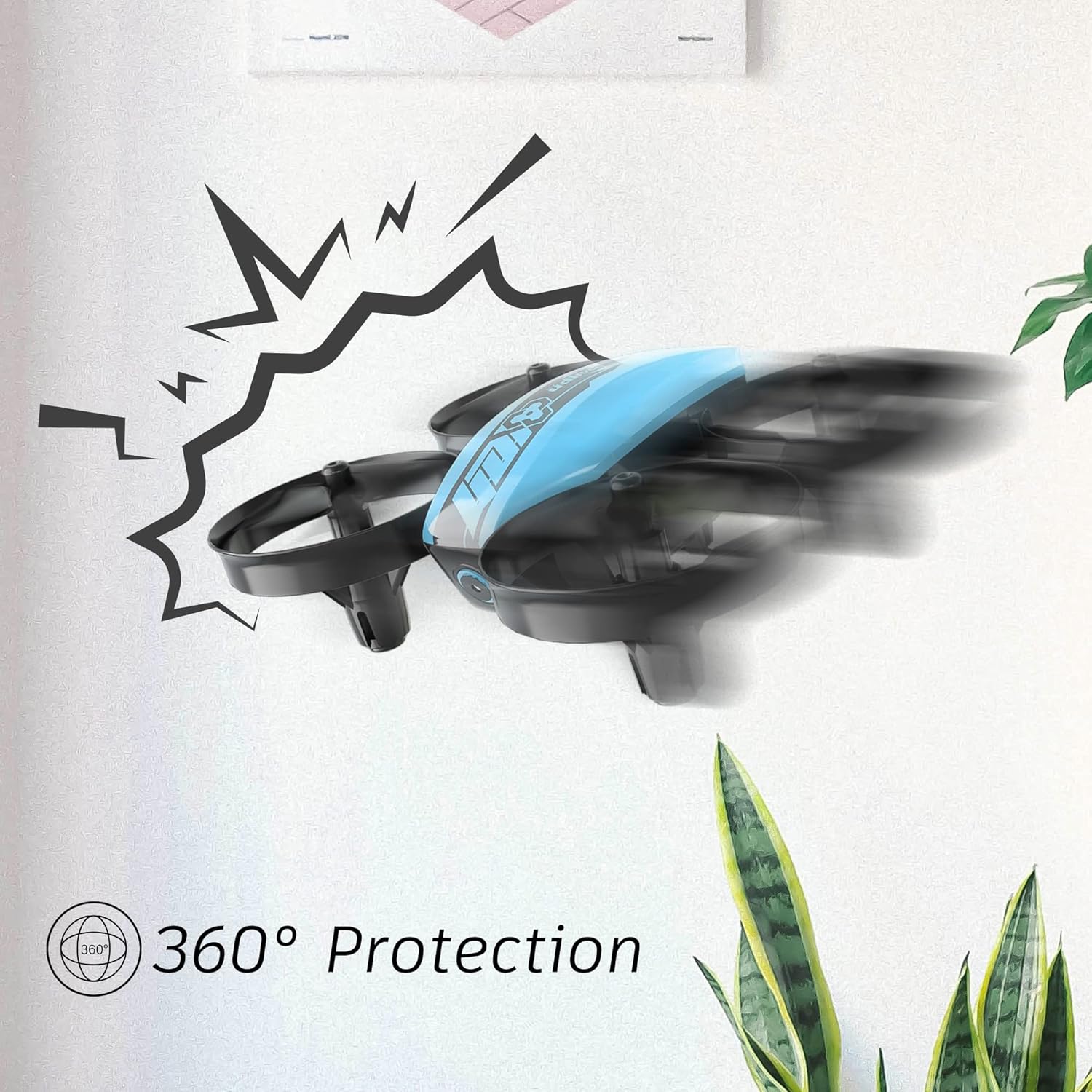
Image 2.1: The drone's 360-degree propeller protection guards help prevent damage during minor collisions.
3. Змесціва ўпакоўкі
Праверце наяўнасць усіх прадметаў у камплекце:
- 1 x U46 Mini Drone
- 1 х кантролер
- 3 x Drone Batteries
- 1 х зарадная прылада USB
- 4 дадатковыя прапелеры
- 1 х Кіраўніцтва карыстальніка

Image 3.1: All components included in the UDIRC U46 Mini Drone package.
4. Кампаненты большview
Familiarize yourself with the drone and controller components.
4.1 Кампаненты беспілотніка
- Прапелеры: Four rotating blades for lift and movement.
- Ахоўныя агароджы прапелераў: Integrated protective rings around each propeller.
- Асноўны корпус: Houses the electronics and battery.
- Светавыя індыкатары: Provide status information (e.g., pairing, low battery).
4.2 Кампаненты кантролера
- Левы джойсцік (дросель/рысканне): Кантралюе вышыню і паварот.
- Правы джойсцік (тангаж/крэн): Кіруе рухам наперад/назад і налева/направа.
- One Key Take-off/Landing Button: Ініцыюе аўтаматычны ўзлёт або пасадку.
- Speed Mode Button: Toggles between different flight speeds.
- Кнопка безгаловага рэжыму: Актывуе палёт без галавы.
- Выключальнік сілкавання: Turns the controller on/off.
- Светлавы індыкатар: Shows controller status.
5. Настройка
5.1 Зарадка акумулятара дрона
- Connect the drone battery to the USB charger.
- Plug the USB charger into a USB power source (e.g., computer, USB wall adapter).
- The indicator light on the USB charger will illuminate during charging and turn off when fully charged.
- Charging time is approximately 30 minutes per battery.
5.2 Installing Controller Batteries
- Адкрыйце батарэйны адсек на задняй панэлі кантролера.
- Insert 3 x 1.5V AA batteries (not included), ensuring correct polarity.
- Надзейна зачыніце батарэйны адсек.
5.3 Спалучэнне дрона і кантролера
- Пастаўце беспілотнік на роўную роўную паверхню.
- Turn on the drone's power switch. The drone's indicator lights will flash.
- Turn on the controller's power switch. The controller's indicator light will flash.
- Push the left joystick (throttle) all the way up, then all the way down.
- The drone and controller indicator lights will become solid, indicating successful pairing.
Video 5.1: This video demonstrates the simple frequency pairing process, one-key take-off/landing, headless mode, altitude hold, and low battery alarm features of the UDI U46 Mini Drone.
6. Кіраванне дронам
6.1 Узлёт і пасадка з адным ключом
- After pairing, press the One Key Take-off/Landing button. The drone will automatically ascend to a stable hovering altitude.
- To land, press the One Key Take-off/Landing button again. The drone will slowly descend and land.
6.2 Кіраванне палётам
- Левы джойсцік (дросель): Push up to increase altitude, pull down to decrease altitude.
- Левы джойсцік (рысканне): Push left or right to rotate the drone horizontally.
- Правы джойсцік (нахіл): Націсніце ўверх, каб ляцець наперад, пацягніце ўніз, каб ляцець назад.
- Правы джойсцік (паварот): Push left to fly left, push right to fly right.
6.3 Рэжым без галавы
- Press the Headless Mode button to activate. In this mode, the drone's orientation is irrelevant; it will always move relative to the pilot's position.
- Press the button again to exit Headless Mode.
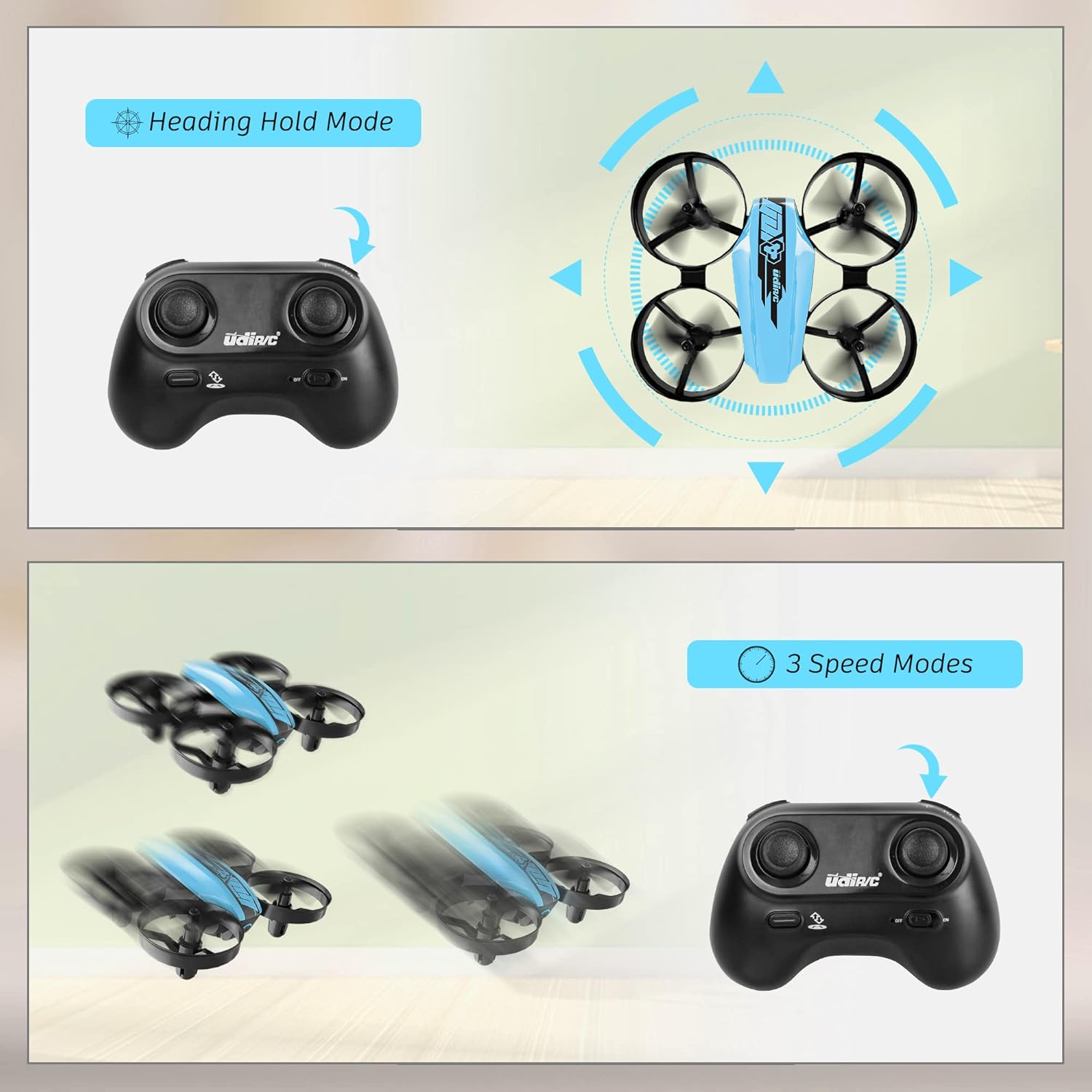
Image 6.1: Illustration of the Headless Mode feature and its activation on the controller.
6.4 Функцыя ўтрымання вышыні
- The U46 drone features an altitude hold function, allowing it to maintain a stable height automatically. This simplifies control, especially for beginners.

Image 6.2: Visual representation of Altitude Hold Mode, One Button Take Off/Landing, and Emergency Stop features.
6.5 рэжыму хуткасці
- The drone has three speed modes (low, medium, high). Press the Speed Mode button to cycle through them.
- Start with low speed for learning and gradually increase as you gain proficiency.
6.6 Аварыйны прыпынак
- In case of an emergency or loss of control, press and hold the One Key Take-off/Landing button for a few seconds to perform an emergency stop. The propellers will immediately cease rotation.
7. Тэхнічнае абслугоўванне
7.1 Замена прапелера
- If a propeller is damaged, carefully remove it and replace it with a new one from the spare parts. Ensure the correct propeller (A or B) is installed on the corresponding motor.
7.2 Ачыстка і захоўванне
- Wipe the drone with a soft, dry cloth after use. Avoid using water or cleaning agents.
- Store the drone and controller in a cool, dry place, away from direct sunlight and extreme temperatures.
- Remove batteries from the controller if storing for extended periods.
8. Выпраўленне непаладак
- Дрон не адказвае: Ensure both drone and controller are powered on and successfully paired. Check controller batteries.
- Дрон дрэйфуе падчас палёту: Perform calibration on a flat surface. Use the trim buttons on the controller to adjust for minor drifts.
- Кароткі час палёту: Ensure batteries are fully charged. Flight time can vary based on flight style and environmental factors.
- Propellers not spinning: Check for obstructions or damage to propellers. Ensure they are correctly installed.
- Сігналізацыя разраду батарэі: The controller will emit an alarm sound when the drone's battery is low, indicating it's time to land and recharge.
9. Тэхнічныя характарыстыкі
| Марка | UDIRC |
| Назва мадэлі | U46S |
| Вага беспілотніка | 0.05 фунта (прыблізна 22.68 грамаў) |
| Памеры дрона | 3.54 см Д х 3.54 см Ш х 1.25 см В |
| Час палёту | 6-7 minutes per battery (up to 21 minutes with 3 batteries) |
| Кантролер частаты | 2.4 ГГц |
| Акумулятар кантролера | 3 батарэйкі тыпу АА 1.5 В (не ўключаны) |
| Ёмістасць батарэі | 180 Міліamp Гадзіны (літый-палімерны) |
| Узровень майстэрства | Пачатковец |
| Асаблівасці | Altitude Hold, Headless Mode, One Key Take-off/Landing, 3 Speed Modes, 360° Protection |

Image 9.1: Flight time illustration, showing extended flight with multiple batteries.

Image 9.2: Dimensions of the UDIRC U46 Mini Drone, shown next to a smartphone for size comparison.
10. Гарантыя і падтрымка
For warranty information or technical support, please refer to the contact details provided with your purchase or visit the official UDIRC webсайт. Захоўвайце пацвярджэнне пакупкі для прэтэнзій па гарантыі.