
Уводзіны
Дзякуй за пакупкуasing the Klip Xtreme BluWave II KWS-616 2.1 Channel Stereo System. This system is designed to provide a rich audio experience for music, games, and movies. It features Bluetooth connectivity, USB and SD card playback, and an auxiliary input for versatile audio sources. Please read this manual thoroughly before operating the device to ensure proper use and to maximize your listening experience.
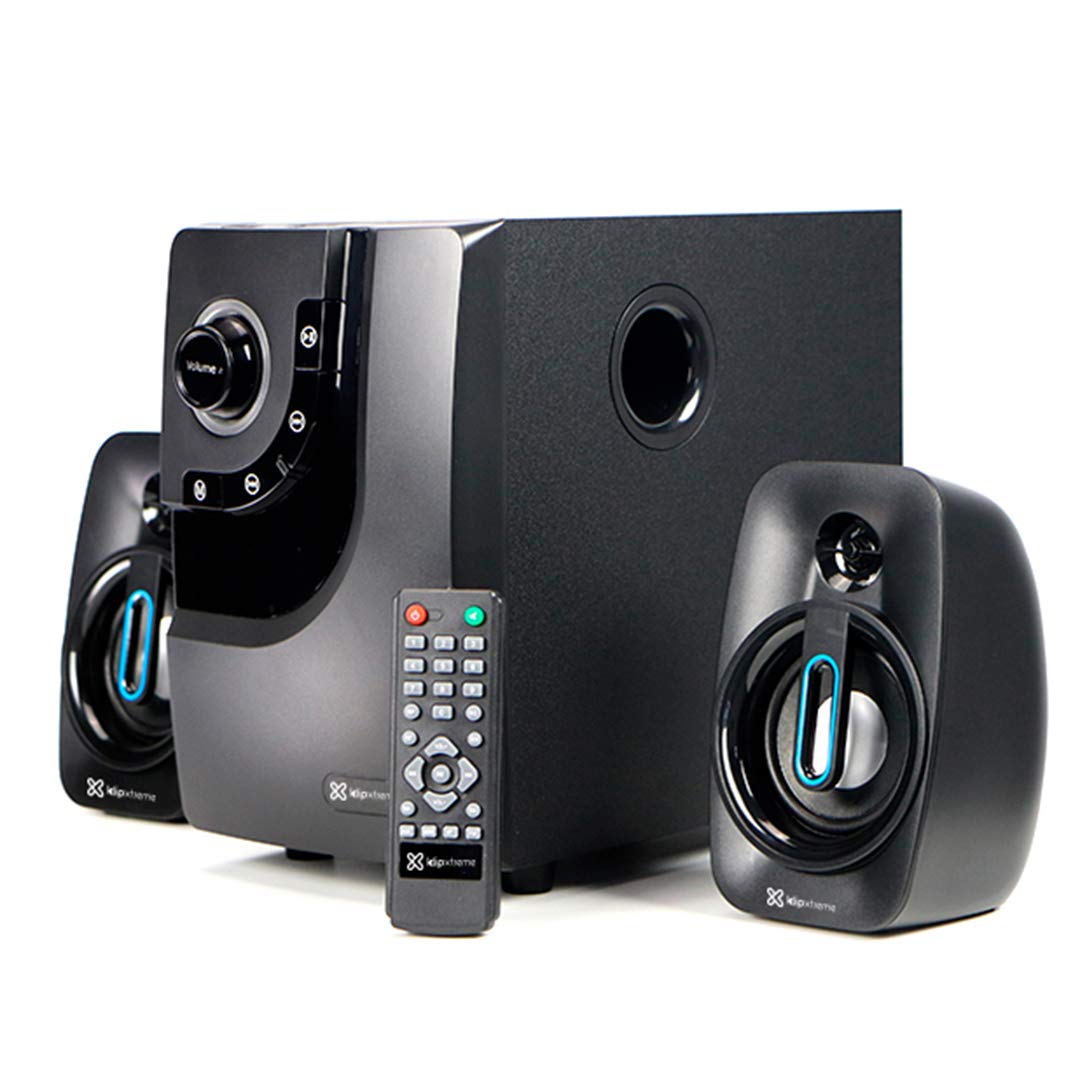
Image: The Klip Xtreme BluWave II KWS-616 system, including the subwoofer, two satellite speakers, and remote control, shown with its packaging and connecting cables.
Змест пакета
Калі ласка, пераканайцеся, што ўсе прадметы прысутнічаюць у пасылцы:
- Сабвуфер
- Satellite Speakers (x2)
- Пульт дыстанцыйнага кіравання
- Аўдыёкабель 3.5 мм
- Кіраўніцтва карыстальніка (гэты дакумент)

Image: The Klip Xtreme BluWave II KWS-616 system components, including the subwoofer, satellite speakers, remote, and cables, displayed alongside its retail packaging.
Прадукт скончаныview
Subwoofer Front Panel Controls

Выява: Падрабязны view of the subwoofer's front panel, showing the volume knob with blue LED illumination, mode button, playback controls, and digital display.
- Рэгулятар гучнасці: Rotate to adjust the master volume. Press to change input mode (Bluetooth, USB, SD, AUX).
- Басовая ручка: Рэгулюе ўзровень баса.
- Элементы кіравання прайграваннем: Прайграванне/Паўза, Папярэдні трэк, Наступны трэк.
- Лічбавай дысплей: Shows current mode, track number, or volume level.
Subwoofer Rear Panel Connections

Image: The rear panel of the subwoofer, displaying input and output ports, power switch, and AC power input.
- Input (R/L): RCA стэрэаўваход для падлучэння знешніх крыніц гуку.
- Output (R/L): Connects to the satellite speakers.
- Порт USB: Для USB-флэш-назапашвальнікаў.
- Слот для SD-карты: Для карт памяці SD.
- Выключальнік сілкавання: Turns the system ON or OFF.
- Уваход пераменнага току: Падключаецца да шнура харчавання.
Настройка
1. Падключэнне дынамікаў
- Connect the cables from the satellite speakers to the "Output (R/L)" ports on the rear panel of the subwoofer. Ensure correct polarity.
- Position the satellite speakers to the left and right of your listening area for optimal stereo separation. The subwoofer can be placed on the floor or a sturdy surface.
2. Падключэнне сілкавання
- Ensure the power switch on the rear of the subwoofer is in the OFF position.
- Connect the AC power cord to the "AC Input" on the subwoofer's rear panel.
- Plug the other end of the power cord into a standard wall outlet (110V/220V 60Hz/50Hz auto-sensing).
Інструкцыя па эксплуатацыі
Уключэнне/выключэнне харчавання
Flip the power switch on the rear panel of the subwoofer to the ON position to power on the system. Flip it to the OFF position to power off.
Volume and Bass Control
- Аб'ём: Rotate the large knob on the front of the subwoofer or use the volume buttons on the remote control to adjust the overall volume.
- Бас: Use the dedicated bass knob on the front of the subwoofer or the bass control buttons on the remote to adjust the bass intensity.
Рэжымы ўводу
Press the Volume knob on the front panel or the "Mode" button on the remote control to cycle through available input modes: Bluetooth, USB, SD, and AUX.
Спалучэнне Bluetooth
- Switch the system to Bluetooth mode. The digital display will show "BT" and an indicator light may flash, indicating it's in pairing mode.
- На прыладзе з падтрымкай Bluetooth (смартфоне, планшэце, камп'ютары) уключыце Bluetooth і знайдзіце даступныя прылады.
- Select "Klip Xtreme KWS-616" (or similar name) from the list of devices.
- Once paired, the system will confirm the connection, and you can begin playing audio from your device. The effective wireless range is approximately 33 feet (10 meters).
Прайграванне праз USB/SD
- Insert a USB flash drive or an SD card containing audio files into the respective port on the subwoofer's rear panel.
- Switch the system to USB or SD mode. The system will automatically detect and begin playing audio files.
- Use the playback controls on the front panel or remote control to play, pause, skip tracks, or adjust volume.
Падключэнне AUX
- Connect one end of the provided 3.5mm audio cable to the "Input (R/L)" RCA ports on the subwoofer (using an adapter if necessary).
- Connect the other end of the 3.5mm audio cable to the headphone jack or audio output of your external audio device (e.g., TV, DVD player, gaming console, MP3 player).
- Switch the system to AUX mode.
- Прайгравайце аўдыё з падлучанай прылады.
Функцыі дыстанцыйнага кіравання
The included remote control provides convenient access to all major functions:
- Магутнасць: Turns the system on/off (standby).
- рэжым: Cycles through input sources (Bluetooth, USB, SD, AUX).
- Гучнасць +/-: Рэгулюе асноўную гучнасць.
- НЧ +/-: Рэгулюе ўзровень басоў.
- Адключэнне гуку: Выключае/уключае гук.
- Прайграванне/Паўза: Кіруе прайграваннем праз USB/SD/Bluetooth.
- Папярэдні/Наступны: Skips tracks for USB/SD/Bluetooth.
Тэхнічнае абслугоўванне
- Keep the system away from direct sunlight, heat sources, and moisture.
- Clean the exterior surfaces with a soft, dry cloth. Do not use abrasive cleaners or solvents.
- Забяспечце належную вентыляцыю вакол сабвуфера, каб прадухіліць перагрэў.
- Do not block the subwoofer's bass port.
Ліквідацыю непаладак
| праблема | Магчымае рашэнне |
|---|---|
| Няма ўлады |
|
| Няма гуку |
|
| Збой спалучэння Bluetooth |
|
| Скажоны гук |
|
Тэхнічныя характарыстыкі

Image: The Klip Xtreme BluWave II KWS-616 subwoofer and satellite speakers displayed with rulers to indicate their physical dimensions.
| Тып прылады | 2.1 speaker system with Bluetooth technology |
| Максімальная выхадная магутнасць (RMS) | 40W (80W Peak Power) |
| Уваход пераменнага току | 110V/220V 60Hz/50Hz (autosensing) |
| Satellite Driver Unit | 3 цалі (76 мм) |
| Satellite RMS Power | 10W each (20W total) |
| Satellite Frequency Response | 120 Гц-18 кГц |
| Satellite Impedance | 8 Ом |
| Subwoofer Driver Unit | 4 цалі (102 мм) |
| Сярэдняя магутнасць сабвуфера | 20 Вт |
| АЧХ сабвуфера | 20 Гц-150 Гц |
| Імпеданс сабвуфера | 4 Ом |
| Суадносіны сігнал/шум | 60 дБ |
| Сувязь | Bluetooth, SD, USB, 3.5mm (via RCA input) |
| Далёкасць бесправадной сувязі | Да 33 футаў (10 метраў) |
| Памеры сабвуфера (ШxВxГ) | 6.1 х 9.8 х 10.8 цалі (15.5 х 24.9 х 27.4 см) |
| Satellite Dimensions (WxHxD) | 3.9 х 6.3 х 3.8 цалі (9.9 х 16.0 х 9.7 см) |
| Вага прадукту | 6.8 фунтаў (3.08 кг) |
| Даўжыня кабеля | 4.9 футаў (1.5 метра) |
| Нумар мадэлі | KWS-616 |
Гарантыя і падтрымка
The Klip Xtreme BluWave II KWS-616 system comes with a адзін год абмежаванай гарантыі з даты пакупкі. Гэтая гарантыя распаўсюджваецца на дэфекты матэрыялаў і вырабу пры нармальным выкарыстанні. Яна не распаўсюджваецца на пашкоджанні, выкліканыя няправільным выкарыстаннем, аварыяй, несанкцыянаванай мадыфікацыяй або знешнімі прычынамі.
For technical support or warranty claims, please contact your local Klip Xtreme authorized dealer or visit the official Klip Xtreme webсайт для кантактнай інфармацыі.