
Уводзіны
The Beats Studio3 Wireless Noise Cancelling Over-Ear Headphones are designed to provide a premium listening experience with advanced features. This manual will guide you through the setup, operation, and maintenance of your headphones.
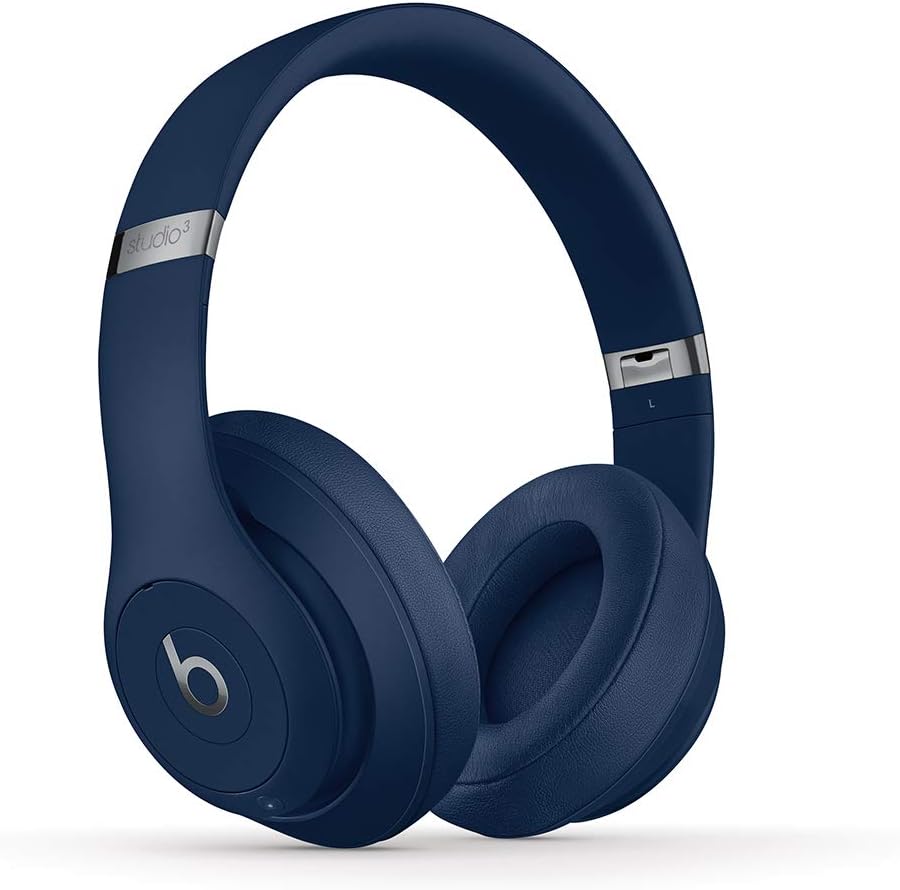
Image: Beats Studio3 Wireless Noise Cancelling Over-Ear Headphones in Blue.
Што ў скрынцы
- Beats Studio3 Wireless Noise Canceling Over-Ear Headphones - Blue
- Зарадны кабель Micro USB
- 3.5mm RemoteTalk Cable
- Сумка для пераноскі
- Кароткае кіраўніцтва
- Гарантыйны талон

Image: Contents of the Beats Studio3 Wireless Headphones box, including headphones, cables, and carrying case.
Настройка
1. Зарадка навушнікаў
Before first use, fully charge your Beats Studio3 Wireless headphones. Use the provided Micro USB cable to connect the headphones to a power source. The Fuel Gauge LEDs on the right ear cup will indicate the battery level.
- Хуткае паліва: A 10-minute charge provides 3 hours of playback.
- Full charge provides up to 22 hours of battery life with Pure ANC on, or up to 40 hours with Pure ANC off.
2. Спалучэнне з вашай прыладай
Your Beats Studio3 Wireless headphones utilize the Apple W1 chip for seamless pairing with Apple devices and Class 1 Bluetooth for other devices.
For Apple Devices (iOS):
- Ensure your iOS device is unlocked and Bluetooth is enabled.
- Hold your Beats Studio3 headphones near your unlocked iOS device.
- Follow the on-screen instructions to connect.
For Other Devices (Android, etc.):
- Press and hold the power button on your headphones for 5 seconds until the Fuel Gauge flashes.
- On your device, go to Bluetooth settings and select "Beats Studio3" from the list of available devices.
Кіраванне навушнікамі
Уключэнне/выключэнне харчавання
Press and hold the power button on the right ear cup for 1 second to turn the headphones on or off.
Чыстае адаптыўнае шумапрыглушэнне (Pure ANC)
Pure ANC actively blocks external noise and uses real-time audio calibration to preserve a premium listening experience. Pure ANC is enabled by default when you power on the headphones.
- To toggle Pure ANC on/off, double-press the power button.
Накладныя элементы кіравання
The 'b' button on the left ear cup and the volume rockers provide control over your audio and calls.
- Прайграванне/Паўза: Press the 'b' button once.
- Прапусціць трэк: Press the 'b' button twice for next, three times for previous.
- Рэгулятар гучнасці: Use the volume up/down buttons above and below the 'b' button.
- Адказ/завяршэнне выкліку: Press the 'b' button once.
- Актываваць галасавы памочнік: Press and hold the 'b' button.

Выява: Падрабязная view of the on-ear controls for music and calls.
Тэхнічнае абслугоўванне
Уборка
Regularly clean your headphones with a soft, dry, lint-free cloth. Avoid using harsh chemicals or abrasive materials. Keep the charging port free of debris.
Ear Cup Replacement
Over time, ear cup cushions may show signs of wear, especially with frequent use or exposure to sweat. Replacement ear cups are available and can be easily installed. Refer to official Beats support for replacement instructions and parts.
Video Description: This video demonstrates the process of replacing ear cup covers on Beats headphones, highlighting the adhesive nature of the covers and the ease of replacement.
Тэхнічныя характарыстыкі
| Асаблівасць | Дэталь |
|---|---|
| Назва мадэлі | Beats Studio3 Wireless Noise Canceling Over-Ear Headphones - Blue |
| Тэхналогія падлучэння | Bluetooth (Apple W1 chip, Class 1 Wireless Bluetooth) |
| Кантроль шуму | Active Noise Cancellation (Pure ANC) |
| Тэрмін службы батарэі | Up to 22 hours (with ANC), Up to 40 hours (without ANC) |
| Хуткае паліва | 10-minute charge provides 3 hours of playback |
| On-Ear Control | Audio playback, volume, phone call controls |
| Мікрафон | Internal and external microphones |
| Формаў-фактар | Над вухам |
| Гняздо для навушнікаў | 3.5-мм раз'ём (для праваднога выкарыстання) |
| Порт для зарадкі | Micro USB |
| Вага прадмета | 9.17 oz / 260 g (Product), 2.2 pounds (Shipping) |
| Памеры прадукту | 6.3 х 4.7 х 8.9 цалі |
| Вытворца | яблык |
Ліквідацыю непаладак
Агульныя праблемы і рашэнні
- Няма харчавання: Ensure headphones are charged. Connect to a power source using the Micro USB cable.
- Праблемы спалучэння: Ensure Bluetooth is enabled on your device and headphones are in pairing mode (flashing Fuel Gauge). Try restarting both devices.
- Праблемы з якасцю гуку: Check the audio source. Ensure ear cups are properly seated. If using wired connection, ensure the 3.5mm cable is fully inserted.
- Шумапрыглушэнне не працуе: Double-press the power button to toggle Pure ANC. Ensure ear cups form a good seal around your ears.
Гарантыя і падтрымка
Your Beats Studio3 Wireless headphones are manufactured by Apple and come with a standard limited warranty. For detailed warranty information, product registration, or technical support, please visit the official Beats or Apple support webсайт.
Захоўвайце доказы пакупкі для прэтэнзій па гарантыі.