
Прадукт скончаныview
The Amazon Basics Full Size Ergonomic Wireless Mouse is designed for comfort and seamless functionality, ideal for right-hand use. This black wireless mouse provides reliable performance for both laptops and PCs, enhancing your computing experience with its advanced features.
Key features include fast-scrolling capabilities, a clickable scroll wheel, and convenient forward/back thumb buttons for streamlined navigation. It connects via a compact USB receiver, allowing for a tidy workspace without occupying additional ports. The optical sensor offers a 1600 DPI resolution for smooth and accurate tracking on most surfaces. An integrated on/off switch helps extend battery life, making it a dependable choice for continuous use. The mouse operates on a stable 2.4 GHz non-Bluetooth wireless connection and comes with 2 AA batteries and a battery LED light for user convenience.
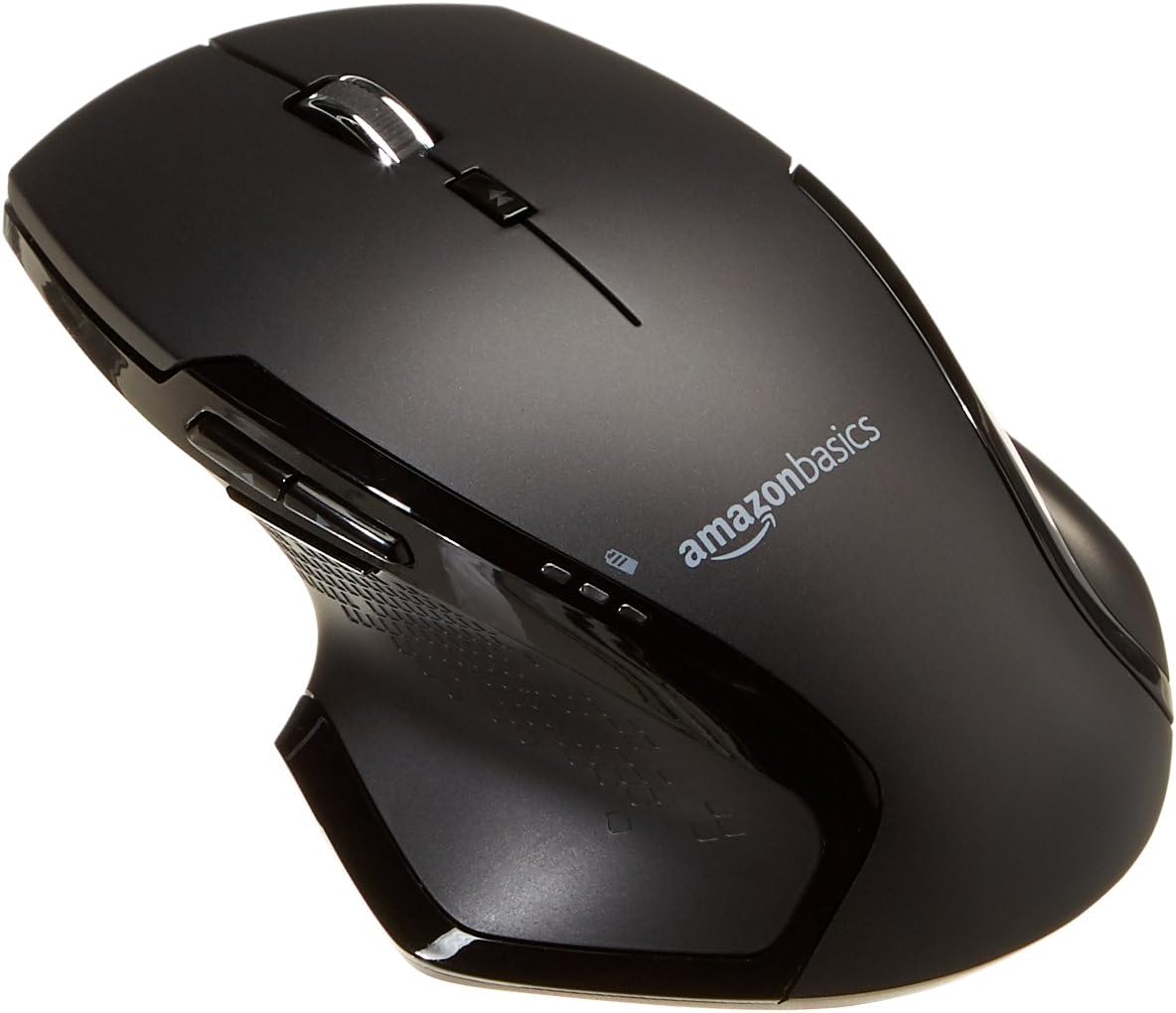
Выява: Уверсе view of the Amazon Basics Full Size Ergonomic Wireless Mouse, showcasinяго чорная аздабленне і эрганамічны дызайн.
Змест пакета
Перад тым, як працягнуць наладу, пераканайцеся, што ўсе элементы ёсць у наяўнасці:
- Бесправадная мыш
- 2 батарэек тыпу АА
- USB-прыёмнік
Настройка
1. Устаноўка батарэй
- Turn the mouse upside down.
- Знайдзіце вечка адсека для батарэй на ніжняй частцы мышы.
- Адкрыйце крышку.
- Устаўце дзве (2) батарэйкі тыпу АА, сочачы за правільнай палярнасцю (+/-), як паказана ўнутры адсека.
- Надзейна зачыніце крышку батарэйнага адсека.

Image: Underside of the mouse with the battery compartment open, showing the slots for two AA batteries and the stored USB receiver.
2. Падключэнне USB-прыёмніка
- Remove the USB receiver from its storage slot within the battery compartment of the mouse.
- Падключыце USB-прыёмнік да даступнага USB-порта на вашым камп'ютары (ПК або Mac).
- Круціце мышку ON using the on/off switch located on the underside of the mouse.
- Ваш камп'ютар павінен аўтаматычна выявіць і ўсталяваць неабходныя драйверы. Гэта можа заняць некалькі хвілін.

Image: The Amazon Basics wireless mouse positioned next to a laptop, illustrating a typical setup.
The mouse is plug-and-play and does not require additional software installation. For pointer speed adjustments, refer to your operating system's system settings.
Інструкцыя па эксплуатацыі
Асноўныя функцыі
- Пстрычка левай кнопкай мышы: Асноўная кнопка для выбару элементаў, адкрыцця fileі ўзаемадзеянне з праграмным забеспячэннем.
- Пстрыкніце правай кнопкай мышы: Дадатковая кнопка для доступу да кантэкстных меню і дадатковых опцый.
- Кола пракруткі: Пракручвайце дакументы ўверх або ўніз і web pages. The wheel is also clickable for middle-click functions.

Выява: Збоку view of the Amazon Basics wireless mouse, highlighting its ergonomic contours and side buttons.
Advanced Functions (Thumb Buttons)
- Кнопка "Наперад": Перамяшчаецца наперад web браўзэры або file даследчыкі.
- Кнопка "Назад": Пераходзіць назад у web браўзэры або file даследчыкі.

Image: A hand demonstrating the ergonomic grip on the Amazon Basics wireless mouse, showing natural placement of fingers and thumb on the buttons.
Тэхнічнае абслугоўванне
- Уборка: Для чысткі мышы выкарыстоўвайце мяккую сухую тканіну. Для ўстойлівага бруду злёгкуamp можна выкарыстоўваць тканіну, але сачыце за тым, каб вільгаць не трапляла ўнутр.
- Замена батарэі: When the battery LED light indicates low power, replace both AA batteries promptly to ensure optimal performance.
- захоўванне: When not in use for extended periods, turn off the mouse using the on/off switch to conserve battery life. The USB receiver can be stored inside the battery compartment for safekeeping.
Ліквідацыю непаладак
| праблема | Магчымая прычына | Рашэнне |
|---|---|---|
| Мышка не рэагуе. |
|
|
| Рух курсора няўстойлівы або скачковы. |
|
|
| Forward/Back buttons not working on Mac. |
|
|
Тэхнічныя характарыстыкі
| Асаблівасць | Дэталь |
|---|---|
| Марка | Асновы Amazon |
| Нумар мадэлі | ГП8-БК |
| Тэхналогія падлучэння | Бесправадная сувязь 2.4 ГГц (USB-прыёмнік) |
| Тэхналогія выяўлення руху | Аптычны |
| Дазвол DPI | 1600 DPI |
| Крыніца харчавання | 2 батарэйкі АА (уключаны) |
| Колер | Чорны |
| Вага прадмета | 8 унцыі (прыблізна 227 грамаў) |
| Памеры прадукту (ДxШxВ) | 4.96 х 1.77 х 3.24 цалі (прыблізна 12.6 х 4.5 х 8.2 см) |
| Сумяшчальныя аперацыйныя сістэмы | PC (Windows 7 and above), Mac, Laptop, Chromebook |
Гарантыя і падтрымка
Каб атрымаць інфармацыю аб гарантыі і падтрымцы кліентаў, звярніцеся да афіцыйнага кіраўніцтва Amazon Basics. website or the documentation included with your product. You can also find additional resources and contact information via the following links:
- Гарантыя (PDF)
- Кіраўніцтва карыстальніка (PDF)
- Кіраўніцтва карыстальніка (PDF)
- Visit the Amazon Basics Store
Каб атрымаць дадатковую дапамогу, звярніцеся ў службу падтрымкі кліентаў Amazon Basics.