
1. Прадукт скончыўсяview
The CHACON 54661 Set provides a convenient solution for wirelessly controlling your electrical appliances and lighting. This set includes two remote-controlled sockets and one remote control, allowing you to switch devices on or off from a distance within your home.
- Бесправадное кіраванне: Operate devices without direct access to the wall socket.
- Лёгкая ўстаноўка: Simple plug-and-play setup.
- Шырокая сумяшчальнасць: Suitable for various household appliances.
- Працоўная частата: 433.92 МГц.
- Максімальная магутнасць: 2000 Вт.
- Дыяпазон перадачы: Да 25 метраў на адкрытай мясцовасці.

Image: CHACON remote control and a socket in a typical home environment, demonstrating wireless control.
2. Інфармацыя па бяспецы
Калі ласка, прачытайце і зразумейце ўсе інструкцыі па тэхніцы бяспекі перад выкарыстаннем гэтага прадукта. Невыкананне гэтых інструкцый можа прывесці да паражэння электрычным токам, пажару або сур'ёзных траўмаў.
- Толькі для выкарыстання ў памяшканні: This product is designed for indoor use in dry locations. Do not expose to rain or moisture.
- Максімальная нагрузка: Do not exceed the maximum load of 2000 Watts. Overloading can cause overheating and fire.
- Вентыляцыя: Ensure adequate ventilation around the sockets. Do not cover them.
- Дзеці і хатнія жывёлы: Захоўваць у месцах, недаступных дзецям і хатнім жывёлам.
- Разборка: Do not attempt to open, modify, or repair the device. Refer all servicing to qualified personnel.
- Уборка: Disconnect from power before cleaning. Use a dry, soft cloth. Do not use liquid cleaners.
- Утылізацыя: Утылізуйце батарэйкі і выраб у адпаведнасці з мясцовымі правіламі.
3. Змесціва ўпакоўкі
Праверце наяўнасць усіх прадметаў у камплекце:
- 2 x CHACON Remote Controlled Sockets
- 1 x CHACON Remote Control
- 1 x Lithium-ion Battery (pre-installed in remote or supplied separately)
- 1 х Кіраўніцтва карыстальніка (гэты дакумент)
4. Настройка
4.1. Устаноўка батарэі пульта дыстанцыйнага кіравання
The remote control requires one Lithium-ion battery. If not pre-installed, follow these steps:
- Знайдзіце батарэйны адсек на задняй частцы пульта дыстанцыйнага кіравання.
- Адкрыйце крышку батарэйнага адсека.
- Insert the Lithium-ion battery, ensuring correct polarity (+ and -).
- Надзейна зачыніце крышку батарэйнага адсека.

Выява: Крупны план view of the CHACON remote control, showing the ON/OFF buttons and channel selectors (1, 2, 3, 4).
4.2. Pairing Sockets with Remote Control
Each socket needs to be paired with the remote control to establish communication. The remote control has four channels (1, 2, 3, 4) which can be used to control individual sockets or groups of sockets.
- Plug one CHACON remote controlled socket into a standard wall outlet. The LED indicator on the socket may flash.
- Within 5 seconds of plugging in the socket, press and hold the small pairing button located on the side or front of the socket until the LED indicator starts flashing rapidly.
- While the socket's LED is flashing, press the desired "ON" button (e.g., "1 ON") on the remote control.
- The socket's LED indicator will stop flashing and remain solid for a moment, then turn off, indicating successful pairing.
- Repeat this process for the second socket, assigning it to a different channel (e.g., "2 ON") or the same channel if you wish to control both simultaneously.
- To unpair a socket, plug it in, then press and hold the pairing button until the LED flashes rapidly. Then, press the corresponding "OFF" button on the remote control.

Image: A CHACON remote controlled socket plugged into a wall outlet, ready for pairing.
5. Інструкцыя па эксплуатацыі
Once your sockets are paired, you can easily control your connected devices.
- Plug the appliance you wish to control into the CHACON remote controlled socket.
- Ensure the appliance's own power switch is in the "ON" position (if applicable).
- To turn the appliance ON, press the corresponding "ON" button (1, 2, 3, or 4) on your remote control.
- To turn the appliance OFF, press the corresponding "OFF" button (1, 2, 3, or 4) on your remote control.
You can control devices individually or, if multiple sockets are paired to the same channel, control them simultaneously.
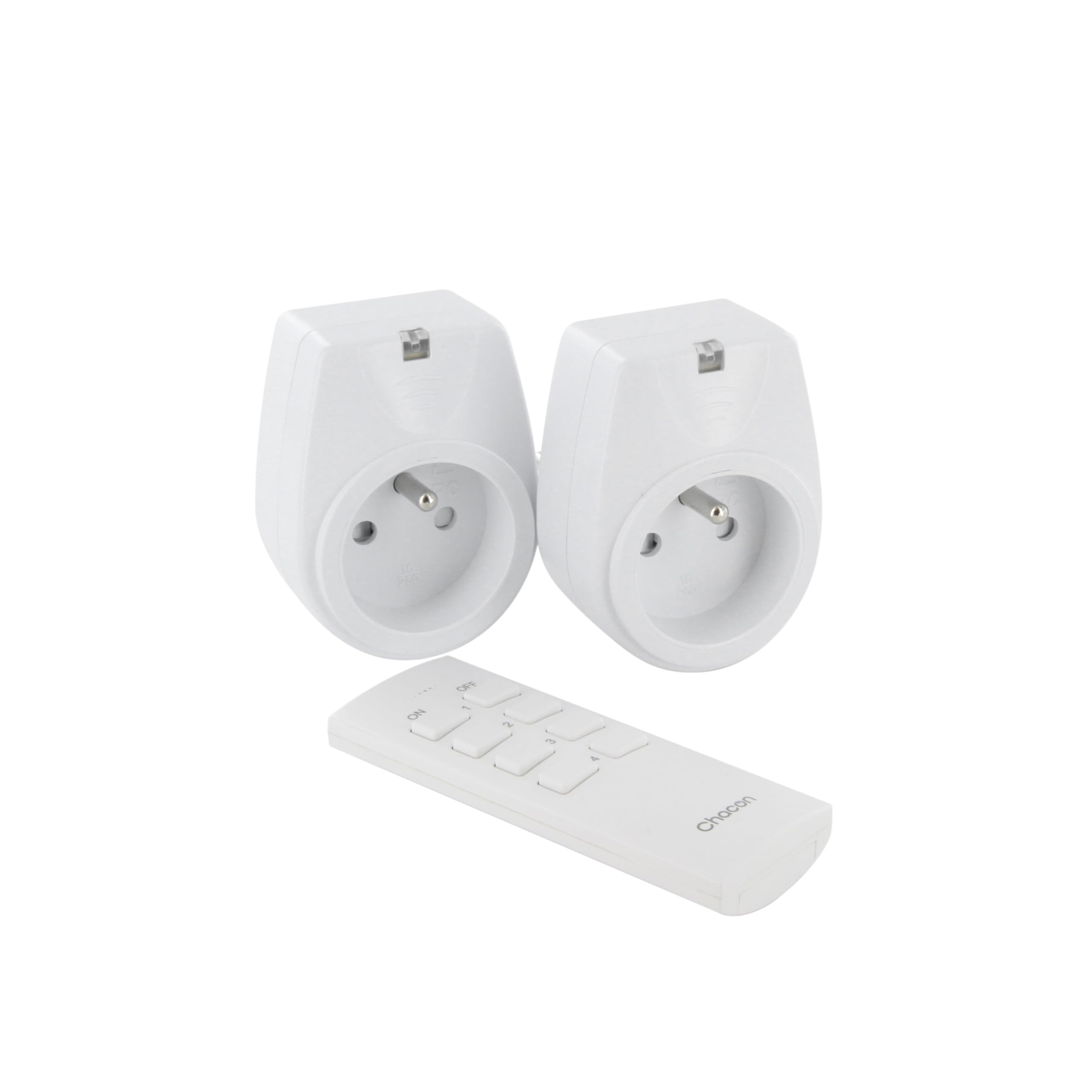
Image: A hand holding the CHACON remote control, demonstrating its use to switch on a lamp.
6. Тэхнічнае абслугоўванне
6.1. Уборка
To clean the sockets and remote control, ensure they are disconnected from power. Use a soft, dry cloth. Do not use abrasive cleaners, solvents, or immerse in water.
6.2. Замена батарэйкі ў пульце дыстанцыйнага кіравання
If the remote control's range decreases or it stops responding, the battery may need replacement. Follow the steps in Section 4.1 to replace the Lithium-ion battery with a new one of the same type.
7. Выпраўленне непаладак
| праблема | Магчымая прычына | Рашэнне |
|---|---|---|
| Socket does not respond to remote control. |
|
|
| Connected appliance does not turn on/off. |
|
|
| Reduced transmission range. |
|
|
8. Тэхнічныя характарыстыкі
| Марка | ШАКОН |
| Нумар мадэлі | 54661 |
| Колер | Белы |
| Асаблівасці | Бесправадная сувязь |
| Сумяшчальныя прылады | Air conditioner, Game console, Iron, Speaker, Lamp, DVD player, MP3 player, E-reader, Coffee machine, Modem, Laptop, Heater, Router, Refrigerator, Set-top box, Smartphone, Smartwatch, Audio system, Hair dryer, Tablet, Television |
| Тып батарэі дыстанцыйнага кіравання | Літый-іённы (1 у камплекце) |
| Максімальная магутнасць | 2000 ват |
| Адлегласць перадачы | 25 м (адкрытае поле) |
| Частата | 433.92 МГц |
| тtage | 230В |
| Колькасць разетак | 2 |
| Тып штэкера | FR (Type E/F) |
| Матэрыял | Полівінілхларыд (ПВХ) |
| Краіна паходжання | Кітай |
9. Гарантыя
This CHACON product is covered by a Гарантыя 2 год from the date of purchase. This warranty covers manufacturing defects and material faults under normal use. It does not cover damage caused by misuse, accident, unauthorized modification, or improper installation.
Калі ласка, захавайце доказы пакупкі для прэтэнзій па гарантыі.
10. Падтрымка
For technical assistance, troubleshooting not covered in this manual, or warranty inquiries, please contact CHACON customer support.
Visit the official CHACON webсайт, каб атрымаць найбольш актуальную інфармацыю аб падтрымцы і кантактныя дадзеныя.
Note: Specific contact information may vary by region.