
Уводзіны
This manual provides detailed instructions for the TECWARE Phantom 87 Key RGB Mechanical Gaming Keyboard. Please read this manual thoroughly before using the product to ensure proper operation and to maximize your experience.
Інфармацыя па бяспецы
- Не падвяргайце клавіятуру ўздзеянню вадкасці або празмернай вільгаці.
- Пазбягайце экстрэмальных тэмператур.
- Не спрабуйце разбіраць або мадыфікаваць клавіятуру. Гэта можа ануляваць гарантыю.
- Захоўваць у месцах, недаступных дзецям.
- Выкарыстоўвайце толькі з сумяшчальнымі прыладамі і крыніцамі харчавання.
Змест пакета
Праверце, ці ёсць усе прадметы ў вашай упакоўцы:
- TECWARE Phantom 87 Key RGB Mechanical Gaming Keyboard
- 4x Spare Mechanical Switches (Outemu Red)
- 1x здымнік выключальніка
- 1x здымач каўпачка
- 1x Кіраўніцтва карыстальніка

Figure 1: TECWARE Phantom 87 Key RGB Mechanical Gaming Keyboard with key features such as low latency, 16.8M RGB colors, gaming-oriented design, full N-key rollover, and durable fiberglass PCB.
Настройка
1. Падключэнне клавіятуры
- Locate the USB-A cable attached to your TECWARE Phantom keyboard.
- Plug the USB-A connector into an available USB port on your computer.
- The keyboard will automatically be detected and drivers will install (Windows/macOS).
2. Усталёўка праграмнага забеспячэння (неабавязкова)
For advanced customization, including per-key RGB lighting, macro recording, and user profiles, download the TECWARE software from the official TECWARE webсайт. Выконвайце інструкцыі на экране для ўсталёўкі.

Figure 2: The TECWARE software allows for custom per-key RGB lighting, 18 lighting effects control, macro recording and assignment, and up to 3 user profiles, along with brightness and speed adjustments.
Інструкцыя па эксплуатацыі
Асноўныя функцыі
- Увод: The keyboard features Outemu Red linear switches for a smooth and quiet typing experience.
- Пераключэнне N-клавішы: All key presses are registered simultaneously, preventing ghosting during rapid input.
- Блакаванне Windows: Use the dedicated Windows Lock key (often Fn + Win key) to disable the Windows key during gaming to prevent accidental interruptions.
Кіраванне RGB асвятленнем
The Phantom keyboard offers 16.8 million RGB colors and 18 pre-set lighting effects. These can be controlled directly on the keyboard or through the TECWARE software.
- Змена рэжымаў асвятлення: Use the Fn key combined with specific function keys (refer to your keyboard's keycaps for symbols) to cycle through the 18 pre-set lighting modes.
- Рэгуляванне яркасці/хуткасці: Use Fn + Arrow keys (or other designated keys) to adjust the brightness and speed of the lighting effects.
- Настройка: For per-key lighting and advanced effects, use the TECWARE software.
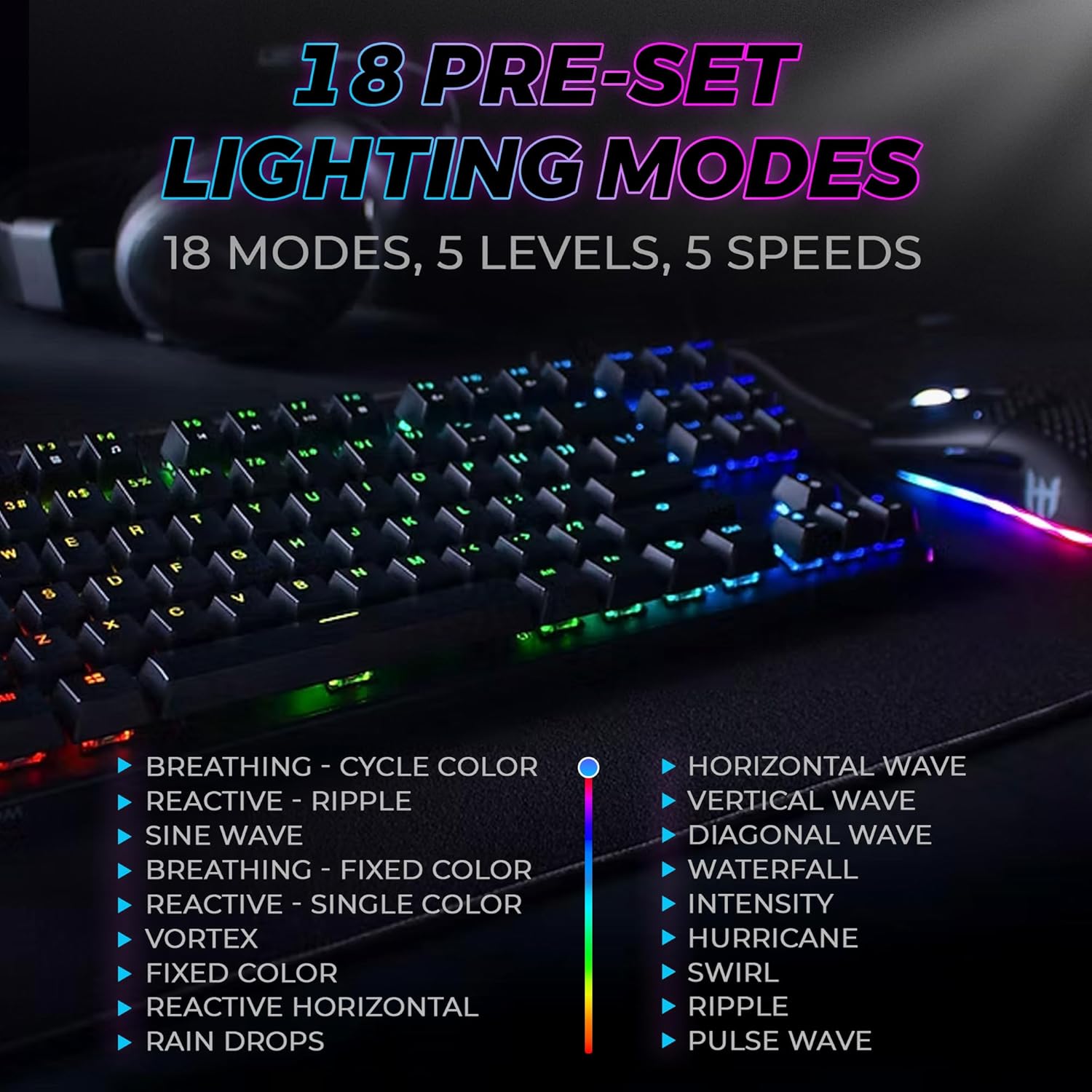
Figure 3: The keyboard features 18 pre-set lighting modes with 5 levels of brightness and 5 levels of speed, including effects like Breathing, Ripple, Sine Wave, Vortex, Waterfall, and Pulse Wave.
мультымедыйныя клавішы
Access multimedia controls by pressing the Fn key in combination with the F-keys (F1-F12). The specific functions are typically indicated by icons on the keycaps.
- Exampль: Fn + F7 (Play/Pause), Fn + F8 (Stop), Fn + F9 (Mute).
Video 1: Official TECWARE branded video showcasing various products, including the Phantom keyboard, highlighting its features and design philosophy.
Тэхнічнае абслугоўванне
Уборка
- Адключыце клавіятуру ад кампутара перад чысткай.
- Use a soft, dry cloth to wipe down the keycaps and chassis.
- For deeper cleaning, use the provided keycap puller to remove keycaps and compressed air to clear debris from under the keys.
Замена перамыкача
The TECWARE Phantom keyboard features hot-swappable Outemu mechanical switches, allowing for easy replacement without soldering.
- Выкарыстоўваючы прадугледжаны здымнік для клавіш, акуратна зніміце патрэбную клавішу.
- Use the provided switch puller to carefully grip the switch and pull it straight up to remove it.
- Сумясціце кантакты новага перамыкача з адтулінамі на друкаванай плаце.
- Акуратна ўстаўце новы перамыкач на месца, пакуль ён не пачуе пстрычку.
- Зноў прымацуйце каўпачок клавішы.
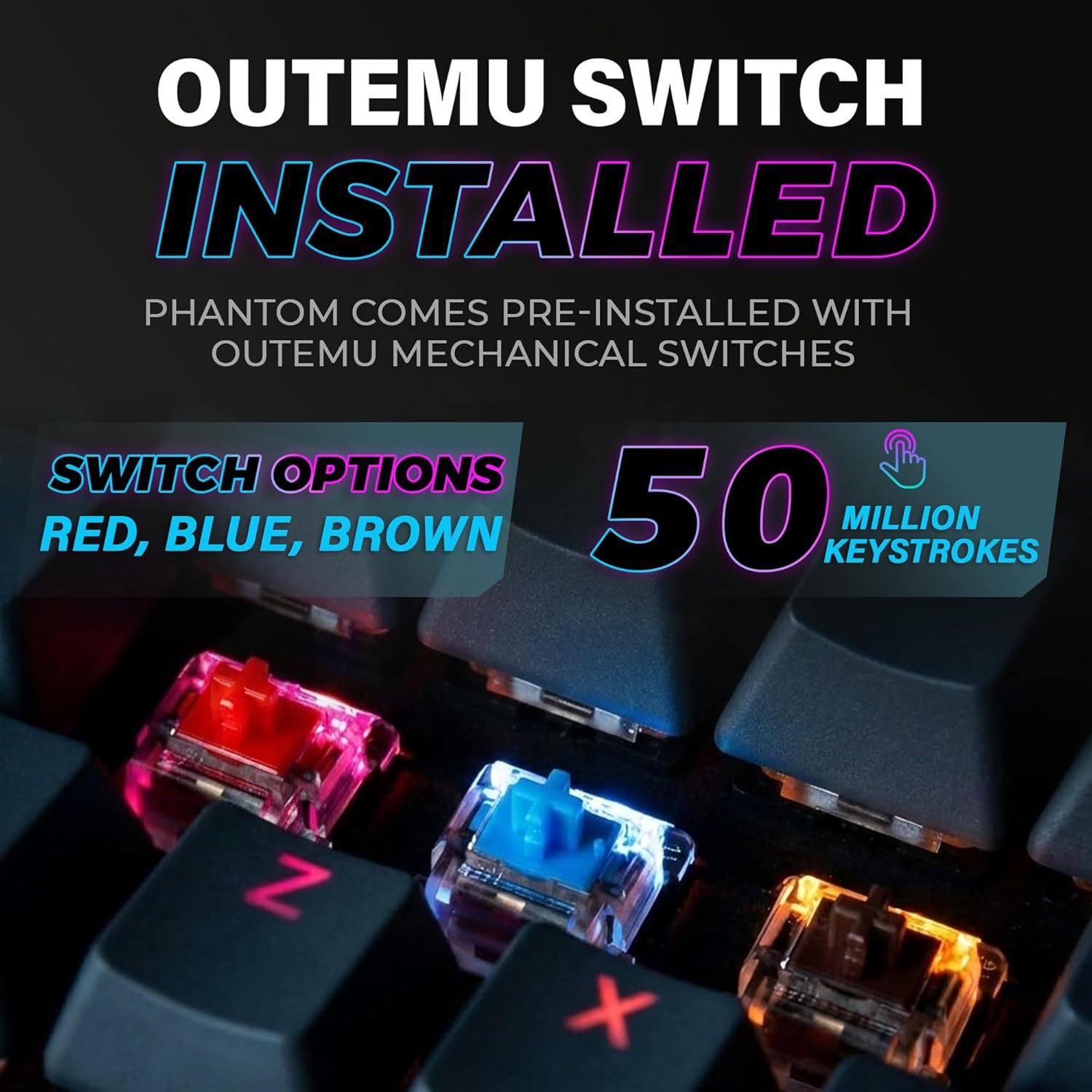
Figure 4: The keyboard comes with pre-installed Outemu switches, available in Red, Blue, and Brown options, rated for 50 million keystrokes.

Figure 5: An Outemu Red linear switch, detailing its pre-travel of 2.00mm, operating force of 45 gf/CN, and total travel of 4.00mm.
Ліквідацыю непаладак
| выпуск | Магчымае рашэнне |
|---|---|
| Клавіятура не адказвае | Ensure the USB cable is securely connected to both the keyboard and the computer. Try a different USB port or computer. |
| Не працуе RGB-асвятленне | Check if the lighting is turned off or set to minimum brightness using the Fn key combinations. Reinstall the TECWARE software if using custom profiles. |
| Пэўныя клавішы не працуюць | If you have hot-swappable switches, try replacing the faulty switch with one of the spare switches provided. Ensure the switch is properly seated. |
| Keys feel inconsistent | Ensure keycaps are fully pressed down. Clean under the keycaps for any debris. |
Video 2: Official TECWARE Phantom video demonstrating various features and functionalities of the keyboard.
Тэхнічныя характарыстыкі
| Асаблівасць | Дэталь |
|---|---|
| Нумар мадэлі | TWKB-P87ZORD |
| Тып перамыкача | Outemu Red Mechanical (Linear) |
| Падлік ключоў | 87 Ключы |
| RGB асвятленне | 16.8 Million Colors, 18 Pre-set Modes |
| Стаўка апытання | 1000 Гц |
| N-Key Rollover | Поўны N-Key Rollover |
| Сувязь | Правадной USB-A |
| друкаваная плата | Dual-layer Fiberglass PCB |
| Памеры (Д х Ш х У) | 14.21 х 5.24 х 1.61 цалі |
| Вага | 2.53 фунта |
Гарантыя і падтрымка
TECWARE products are designed for durability and performance. For warranty information, technical support, or to download the latest software and drivers, please visit the official TECWARE webсайт або звярніцеся ў службу падтрымкі кліентаў. Захоўвайце чэк аб куплі як пацвярджэнне пакупкі для прэтэнзій па гарантыі.
Інтэрнэт-рэсурсы:
- Official TECWARE Webсайт: www.tecware.co
- Старонка падтрымкі прадукту: TECWARE Amazon Store