
Уводзіны
This manual provides essential information for the safe and effective use of your Panasonic LUMIX DC-ZS200 digital camera. The LUMIX DC-ZS200 is a compact digital camera featuring a large 1-inch 20.1 Megapixel MOS sensor and a versatile 15x LEICA DC VARIO-ELMAR optical zoom lens (24-360mm equivalent). It is designed for high-quality still photography and 4K video recording, offering advanced features in a portable form factor.

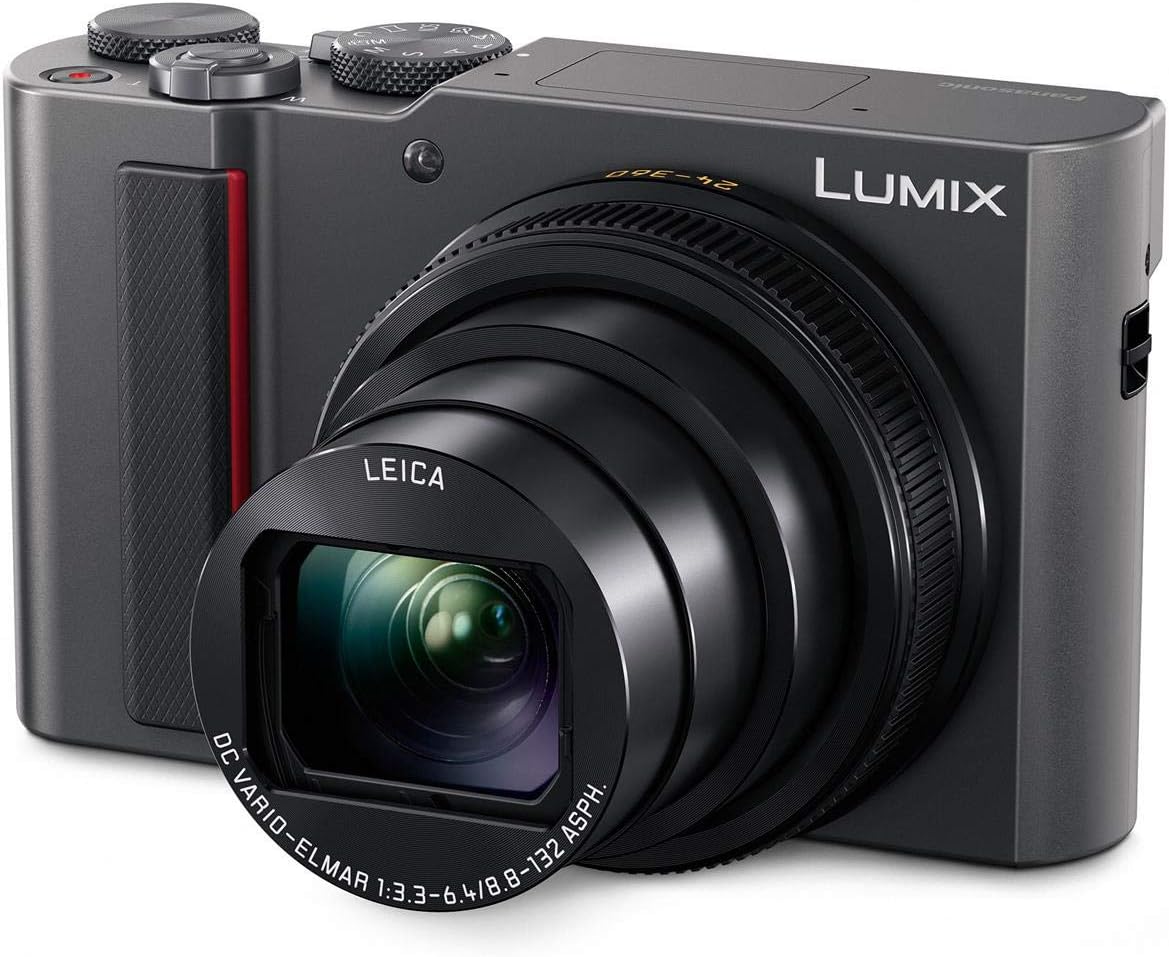
Малюнак 1: Фронт view of the Panasonic LUMIX DC-ZS200 digital camera with its 15x optical zoom lens extended.
Настройка
1. Распакоўка і змесціва ўпакоўкі
Перад пачаткам працы пераканайцеся, што ўсе кампаненты прысутнічаюць у камплекце:
- Panasonic LUMIX DC-ZS200 Camera Body
- Акумулятар
- Адаптар пераменнага току
- Кабель USB
- Папружка для рукі
2. Зарадка акумулятара
Insert the supplied battery pack into the camera. Connect the AC adaptor to the camera using the USB cable, then plug the AC adaptor into a power outlet. The charging indicator will illuminate during charging and turn off when complete.

Малюнак 2: Connecting the USB cable for battery charging. The charging port is located under a small cover.
3. Устаўка карты памяці
Open the battery/card compartment cover. Insert a compatible SDXC memory card (up to 64 GB recommended) into the slot with the contacts facing the correct direction until it clicks into place. Close the cover securely.
Кіраванне камерай
1. Уключэнне/выключэнне харчавання
To power on the camera, slide the ON/OFF switch located on the top panel. To power off, slide it again.

Малюнак 3: Топ view of the camera, highlighting the mode dial and ON/OFF switch.
2. Асновы фатаграфіі
- Дыск рэжымаў: Select your desired shooting mode (e.g., Program AE, Aperture Priority, Shutter Priority, Manual, Intelligent Auto, Scene Modes) using the mode dial on the top of the camera.
- Маштаб: Выкарыстоўвайце рычаг маштабавання вакол кнопкі спуску засаўкі, каб адрэгуляваць 15-кратны аптычны зум (эквівалент 24-360 мм).
- Аўтафокус: The camera features fast autofocus technology (Depth From Defocus) for quick subject acquisition. You can also use the touch-enabled LCD for touch focus.
- Стабілізацыя выявы: The 5-Axis HYBRID O.I.S.+ (Optical Image Stabilizer Plus) helps reduce blur from camera shake, especially at longer zoom settings.
3. Using the Electronic Viewшукальнік і ВК
The camera is equipped with an electronic viewfinder (EVF) and a 3-inch touch-enabled LCD screen. You can switch between them or use the EVF for precise framing and the LCD for reviewперагляд малюнкаў і навігацыя па меню.
Малюнак 4: Тыл view of the camera, showing the LCD screen and electronic viewшукальнік.
4. 4K Features
- Відэа 4K: Record high-resolution 4K video at 30p.
- 4K ФОТА: Capture 8-megapixel still images from 4K video footage at 30 frames per second, ideal for fast-moving subjects.
- 4K Live Crop: Utilize 4K video capabilities to create smooth panning and zooming effects in Full HD footage.
5. Падключэнне (Wi-Fi і Bluetooth)
The camera features built-in Wi-Fi and low-energy Bluetooth for wireless transfer of images to a smartphone or tablet using the Panasonic Image App. This allows for easy sharing and remote control of the camera.
Тэхнічнае абслугоўванне
1. Чыстка камеры
- Корпус камеры: Працярыце корпус камеры мяккай сухой тканінай. Для выдалення ўстойлівых забруджванняў выкарыстоўвайце тканіну, злёгку працёртуюampened with water and then wipe dry. Avoid using organic solvents.
- Аб'ектыў: Use a lens brush to remove dust, then gently wipe with a lens cleaning cloth. For smudges, use a lens cleaning fluid specifically designed for optical lenses.
- ВК-экран/Viewшукальнік: Use a soft, dry cloth to gently wipe the screen. Avoid pressing too hard.
2. Захоўванне
When not in use for extended periods, remove the battery and store the camera in a cool, dry, and well-ventilated place, away from direct sunlight and high humidity.
Ліквідацыю непаладак
If you encounter issues with your camera, refer to the following common troubleshooting tips:
- Камера не ўключаецца: Пераканайцеся, што акумулятар цалкам зараджаны і правільна ўстаўлены.
- Выявы размытыя: Check if the lens is clean. Ensure the camera is stable during shooting (use image stabilization or a tripod). Verify focus settings.
- Памылка карты памяці: Ensure the memory card is inserted correctly and is not full or corrupted. Try formatting the card (this will erase all data).
- Wi-Fi/Bluetooth connection issues: Ensure the camera and smart device are within range and the Panasonic Image App is installed and updated.
For more detailed troubleshooting, please consult the full user manual available on the Panasonic support webсайт.
Тэхнічныя характарыстыкі
| Асаблівасць | Дэталь |
|---|---|
| Назва мадэлі | PANASONIC LUMIX ZS200 (DC-ZS200) |
| Дазвол фотадатчыка | 20.1 МП |
| Памер фотадатчыка | 1-цалевы |
| Тып аб'ектыва | LEICA DC Vario-Elmar 15x optical zoom lens |
| Focal Length Range | 24-360 мм (эквівалент 35-мм) |
| Аптычны зум | 15x |
| Максімальная дыяфрагма | F3.3 - F6.4 |
| Стабілізацыя выявы | Optical, Sensor-Shift (5-Axis HYBRID O.I.S.+) |
| Дазвол відэа | 4K UHD 2160p |
| Бесперапынная здымка | Up to 10 FPS (mechanical shutter), 30 FPS (4K PHOTO) |
| Адчувальнасць ISO | Expanded ISO Minimum: 80, Maximum ISO: 12,800 |
| Тэхналогія аўтафакусоўкі | Depth From Defocus (DFD), Face/Eye Detection, Tracking, 49-area |
| Viewшукальнік | Electronic (EVF) |
| Памер экрана | 3 Inches LCD, Touch-enabled |
| Сувязь | Bluetooth, HDMI (Micro-HDMI), USB, Wi-Fi |
| Падтрымліваецца File фармат | JPEG, Raw |
| Тып карты памяці | SDXC (UHS-I, Class 10 recommended) |
| Вага прадмета | 298 грам |
Гарантыя і падтрымка
Інфармацыя аб гарантыі
This product is covered by a manufacturer's warranty. Please refer to the warranty card included in your product packaging for specific terms and conditions, or visit the official Panasonic webпадрабязную інфармацыю пра гарантыю, якая дзейнічае ў вашым рэгіёне, глядзіце на сайце.
Падтрымка кліентаў
For technical assistance, product inquiries, or service requests, please contact Panasonic customer support. You can find contact details and additional resources on the official Panasonic webсайт: www.panasonic.com.
You can also visit the Panasonic Store on Amazon for more product information and accessories: Крама Panasonic.