
PureMate PM850
Інструкцыя па эксплуатацыі 43-цалевага вентылятара PureMate Tower
Мадэль: PM850
1. Інфармацыя па бяспецы
Калі ласка, уважліва прачытайце ўсе інструкцыі перад выкарыстаннем гэтай прылады і захавайце іх для далейшага выкарыстання. Заўсёды выконвайце асноўныя меры бяспекі пры выкарыстанні электрапрыбораў, каб знізіць рызыку пажару, паражэння электрычным токам і траўмаў.
- Пераканайцеся, што крыніца харчавання адпавядае аб'ёмуtage, указаны на этыкетцы з ацэнкай.
- Не выкарыстоўвайце вентылятар з пашкоджаным шнуром або вілкай.
- Keep the fan away from water and moisture. Do not immerse in water or other liquids.
- Не ўстаўляйце пальцы або староннія прадметы ў рашотку падчас працы вентылятара.
- Unplug the fan from the power outlet when not in use, when moving it, or before cleaning.
- Гэты прыбор прызначаны толькі для выкарыстання ў памяшканні.
- Захоўваць у месцах, недаступных дзецям.
2. Прадукт скончыўсяview
The PureMate 43-inch Tower Fan (Model PM850) is designed to provide efficient and comfortable air circulation for your home or office. It features multiple speed and wind modes, oscillation, a timer, and an aroma function for enhanced comfort.

Image: The PureMate 43-inch Tower Fan in black, showing its sleek design, the remote control, and an illustration of air movement.
Асноўныя характарыстыкі:
- 3 Wind Modes: Normal, Natural, and Sleep for varied comfort.
- 3 рэжымаў хуткасці: Нізкі, сярэдні і высокі для рэгулявання інтэнсіўнасці паветранага патоку.
- 70-Degree Oscillation: Provides widespread air distribution.
- 8-гадзінны таймер: Allows for automatic shut-off.
- Пульт дыстанцыйнага кіравання: Для зручнага кіравання на адлегласці.
- Функцыя водару: Integrated tray for essential oils to diffuse fragrance.
- Ачышчальнік паветра: Helps improve air quality.
- Вялікі святлодыёдны дысплей: Clear indication of settings and room temperature.
- Ціхая праца: Designed for low noise levels, ideal for bedrooms.

Image: Detailed diagram of the fan's control panel, illustrating the various buttons and their corresponding functions such as ON/OFF, Speed, Mode, and Oscillation.
3. Настройка
The PureMate Tower Fan requires minimal assembly. Follow these steps to set up your fan:
- Асцярожна выдаліце ўсе ўпаковачныя матэрыялы з вентылятара і яго кампанентаў.
- Attach the base to the main fan unit. Align the screw holes on the base with those on the bottom of the fan.
- Secure the base using the provided screws. Typically, four screws are used to firmly attach the base.
- Пастаўце вентылятар на цвёрдую, роўную паверхню.
- Падключыце шнур сілкавання да адпаведнай электрычнай разеткі.
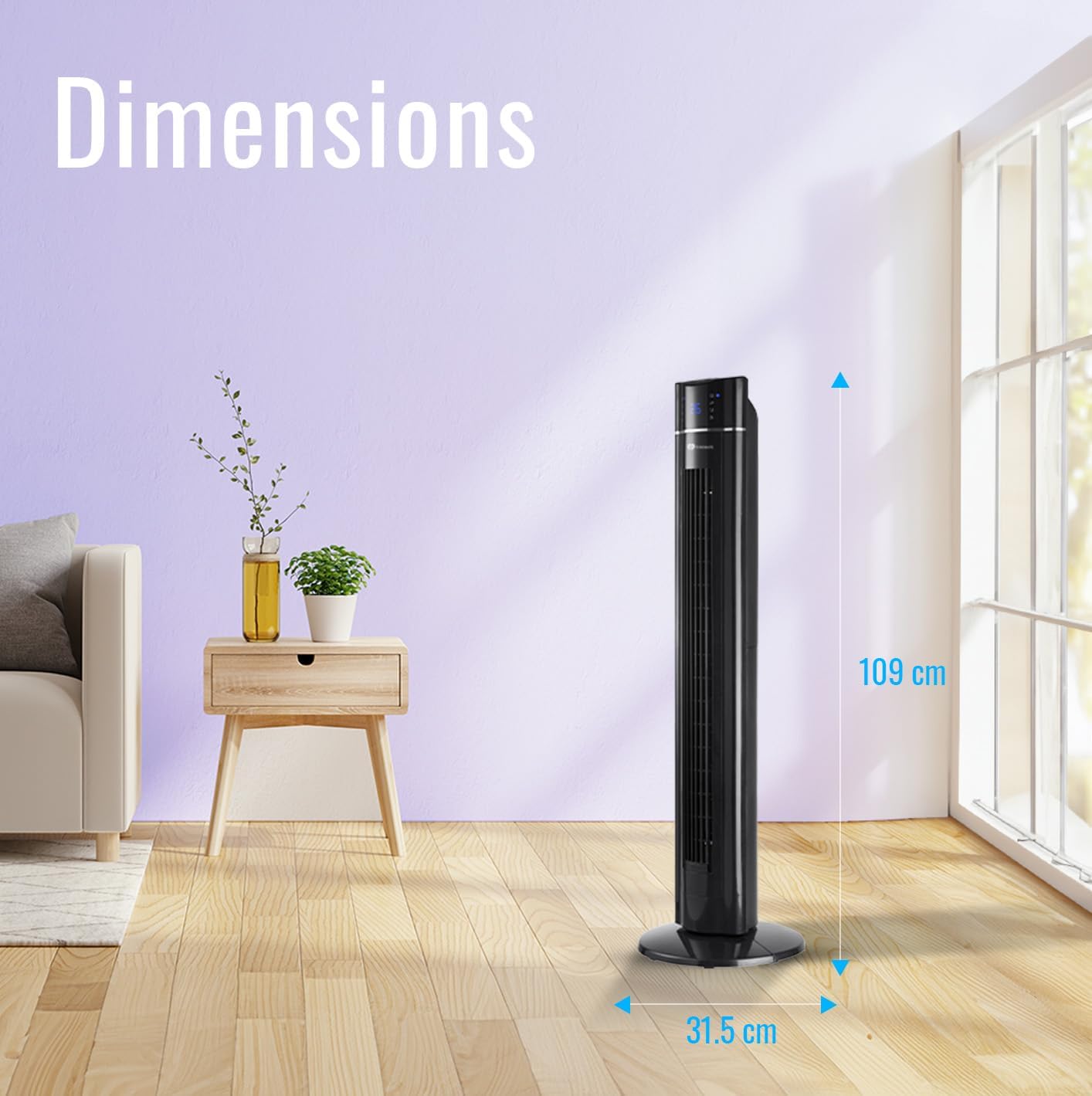
Image: The PureMate Tower Fan with its height (109 cm) and base width (31.5 cm) clearly marked, illustrating its compact and space-saving design.
4. Інструкцыя па эксплуатацыі
Your PureMate Tower Fan can be operated using the control panel on top of the unit or the included remote control.
4.1 Уключэнне/выключэнне сілкавання
- Націсніце ВКЛ/ВЫКЛ кнопку на панэлі кіравання або пульце дыстанцыйнага кіравання, каб уключыць або выключыць вентылятар.
4.2 Рэгуляванне хуткасці
- Націсніце хуткасць button repeatedly to cycle through Low, Medium, and High settings. The current speed will be indicated on the LED display.
4.3 Selecting Wind Mode
- Націсніце Рэжым button repeatedly to select Normal, Natural, or Sleep wind mode.
- Звычайны рэжым: Provides a constant airflow.
- Натуральны рэжым: Імітуе натуральны ветрык з рознай хуткасцю вентылятара.
- Рэжым сну: Gradually decreases fan speed and dims the LED display for undisturbed sleep.
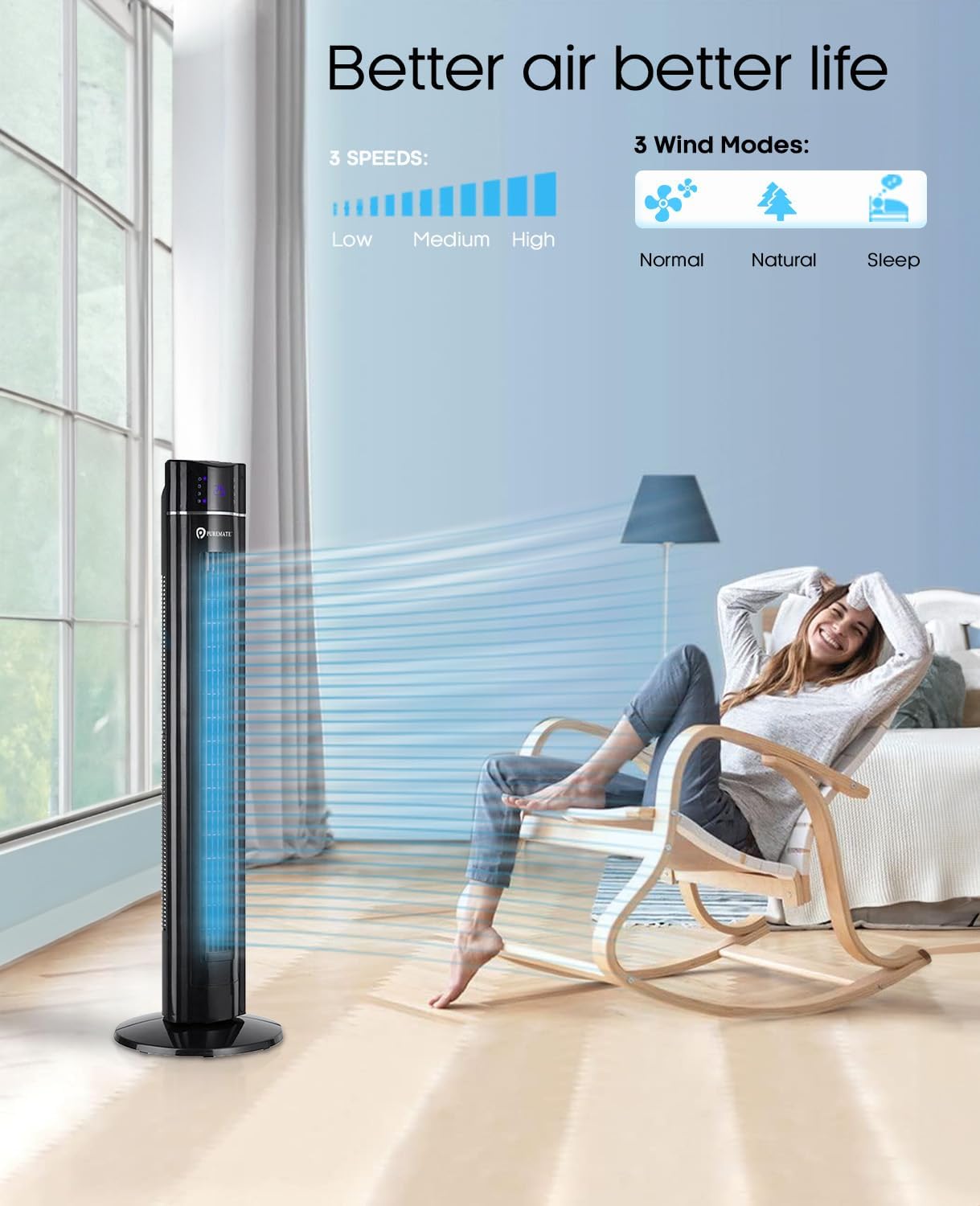
Image: The PureMate Tower Fan demonstrating its three speed settings (Low, Medium, High) and three wind modes (Normal, Natural, Sleep) for customized comfort.
4.4 Функцыя ваганняў
- Націсніце OSC (Oscillation) button to activate or deactivate the 70-degree oscillation feature, which helps distribute air across a wider area.
4.5 Функцыя таймера
- Націсніце Таймер button repeatedly to set the desired operating time, from 1 to 8 hours, in 1-hour increments. The fan will automatically turn off after the set time.
4.6 Aroma Function
- Locate the aroma tray on the back or side of the fan.
- Pull out the tray and add a few drops of your preferred essential oil onto the sponge pad.
- Slide the tray back into its slot. The fan's airflow will diffuse the aroma.
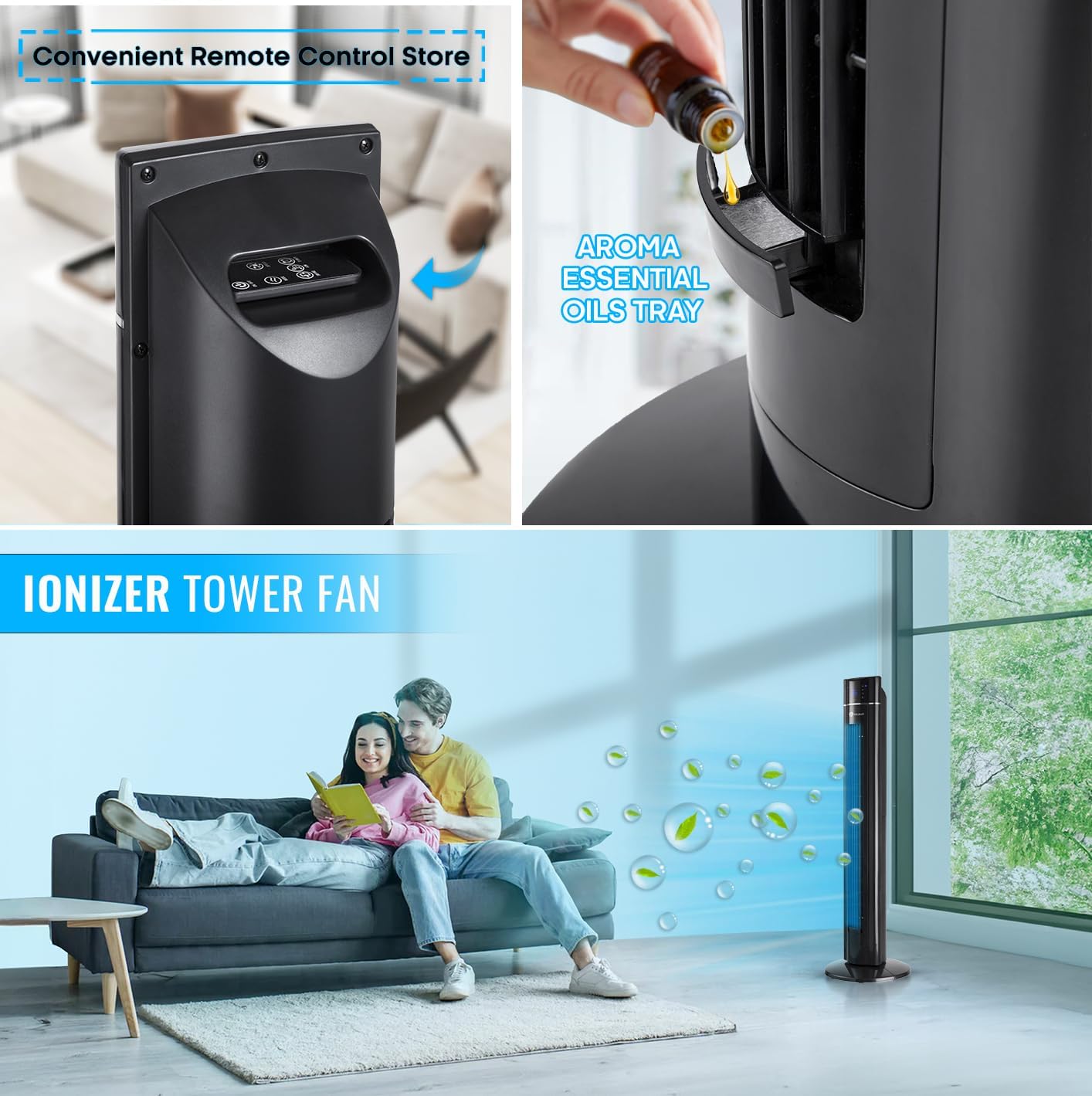
Выява: буйны план view of the PureMate Tower Fan's aroma essential oils tray, showing how to add drops of oil for fragrance diffusion.
4.7 Пульт дыстанцыйнага кіравання
- The remote control provides full functionality of the fan from a distance. Ensure batteries are correctly inserted.
- Store the remote control in the designated slot on the fan when not in use to prevent misplacement.
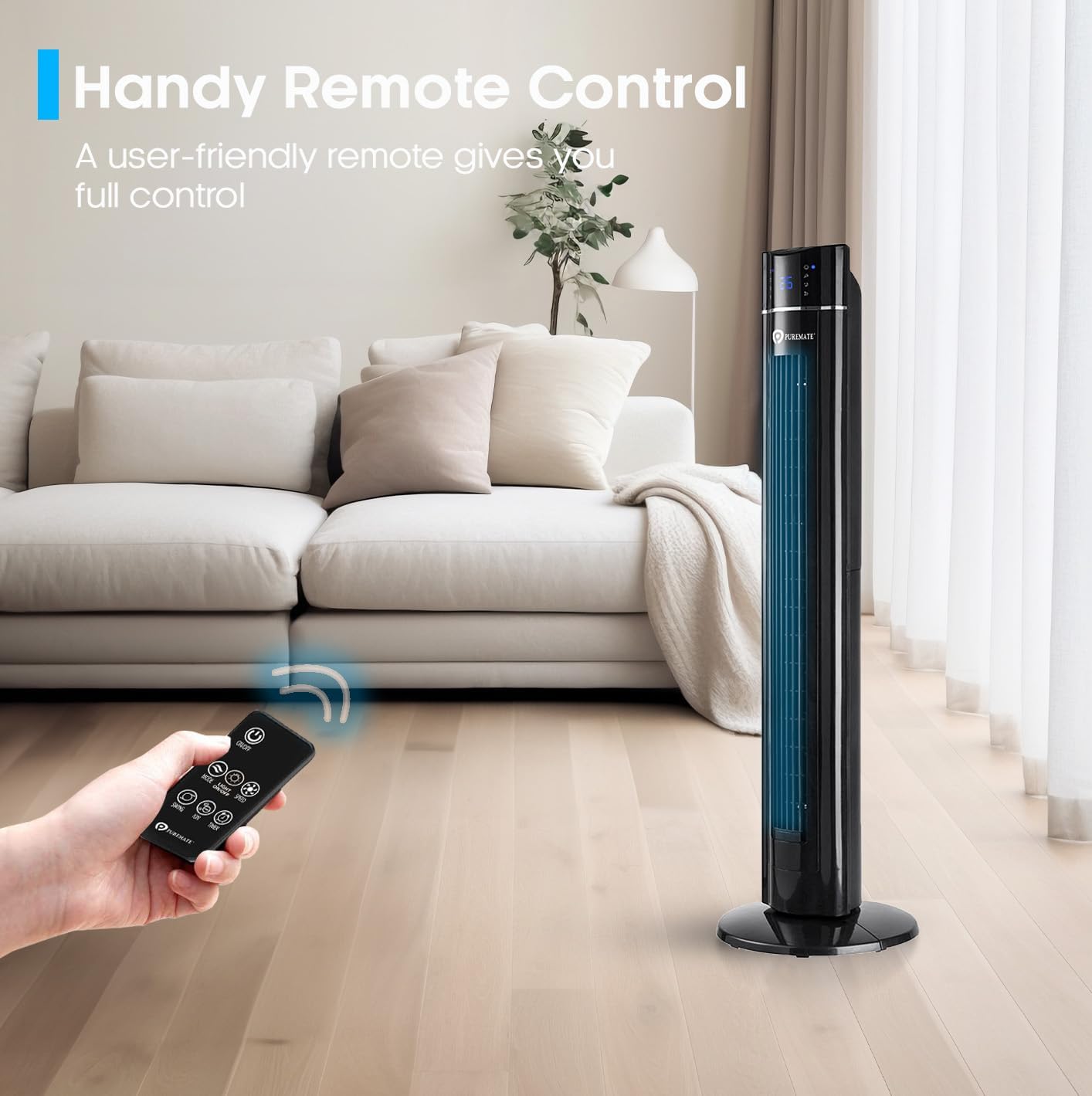
Image: A hand holding the remote control, demonstrating its use to operate the PureMate Tower Fan from a comfortable distance.
5. Тэхнічнае абслугоўванне
Regular cleaning and maintenance will ensure the longevity and optimal performance of your PureMate Tower Fan.
- Ачыстка вонкавага выгляду: Працярыце вонкавыя паверхні мяккай, damp тканіна. Не выкарыстоўвайце абразіўныя ачышчальнікі або растваральнікі.
- Cleaning the Air Inlet/Outlet: Выкарыстоўвайце пыласос са шчоткай-насадкай, каб выдаліць пыл з рашотак уваходнай і выходнай адтулін паветра.
- Паднос з водарам: Periodically clean the aroma tray and replace the sponge pad if it becomes discolored or worn.
- захоўванне: When not in use for extended periods, unplug the fan, clean it, and store it in a cool, dry place, preferably in its original packaging.
Caution: Always unplug the fan before cleaning or performing any maintenance.
6. Выпраўленне непаладак
If you encounter issues with your PureMate Tower Fan, refer to the following common problems and solutions:
| праблема | Магчымая прычына | Рашэнне |
|---|---|---|
| Вентылятар не ўключаецца. | Няма харчавання; кнопка харчавання не націснутая; батарэйкі пульта дыстанцыйнага кіравання разраджаныя. | Check if the fan is plugged in and the outlet is working. Press the power button firmly. Replace remote control batteries. |
| Слабы струмень паветра. | Занадта нізкая хуткасць вентылятара; паветразаборнікі заблакаваныя пылам. | Павялічце хуткасць вентылятара. Ачысціце паветразаборнікі і выпускныя адтуліны. |
| Fan makes unusual noise (rattling). | Loose components; Fan not on a level surface. | Ensure the base is securely attached. Place the fan on a stable, flat surface. If noise persists, contact customer support. |
| LED display is too bright at night. | Display light is active. | Use the 'Night Mode' or 'Light Off' button on the remote control or control panel to dim/turn off the display light. Note: Some models may reactivate the light upon power cycle. |
| Fan turns on/off unexpectedly. | Interference from other remote controls (e.g., TV remote). | Relocate the fan away from other devices that use infrared remote controls, or be mindful of other remote usage. |
| Loud beeping sound when changing settings. | Normal operational feedback. | This is a design feature. There is no option to disable the beeping sound. |
7. Тэхнічныя характарыстыкі
| Асаблівасць | Дэталь |
|---|---|
| Марка | PureMate |
| Нумар мадэлі | PM850 |
| Колер | Tower_fan_black |
| Памеры прадукту | 31.5 х 31.5 х 109 см |
| Вага прадмета | 4.3 кг |
| Магутнасць / Ватtage | 60 ват |
| тtage | 230 вольт |
| Узровень шуму | 52 дБ |
| асцыляцый | 70 градусаў |
| Таймер | Да 8 гадзін |
| Асаблівасці | Aroma Function, Air purifier, Portable, Oscillating, Lightweight, Bladeless, Timer, Remote Controlled, Quiet Operation, Safety Certified |
8. Гарантыя і падтрымка
PureMate products are manufactured with durability and quality in mind. For specific warranty details and customer support, please refer to the warranty card included with your product or visit the official PureMate webсайт.
For further assistance, you may contact PureMate customer service through their official channels. You can also visit the PureMate Store on Amazon для атрымання дадатковай інфармацыі і рэгістрацыі прадукту.
Ask a question about this manual
Ask about setup, troubleshooting, compatibility, parts, safety, or missing instructions. Manuals+ will review the question and use this page’s manual context to help answer it.