
1. Уводзіны
This manual provides essential information for the safe and effective use of your Amcrest IP8M-2493EB Outdoor PoE Bullet Camera. Please read these instructions thoroughly before installation and operation to ensure optimal performance and to prevent damage to the device.
2. Прадукт скончыўсяview
2.1 Асноўныя магчымасці
- 2MP IP PoE Bullet Camera
- 1920x1080p @30fps Video Resolution
- Nightvision up to 98 feet (30 meters)
- IP67 Weatherproof Rating for outdoor use
- Cloud Storage Capability
- Wall Mount Design
- 4K Video Capture Resolution (for recording)
- Motion Sensor Special Feature
2.2 Змест пакета
Праверце наяўнасць усіх кампанентаў у вашай упакоўцы:
- Amcrest IP8M-2493EB Outdoor PoE Bullet Camera
- Мантажныя элементы (шрубы, анкеры)
- Кароткае кіраўніцтва (гэта кіраўніцтва)
2.3 Кампаненты камеры
Азнаёмцеся з фізічнымі кампанентамі камеры:

Малюнак 1: Спераду view of the Amcrest IP8M-2493EB Bullet Camera, showing the lens, IR LEDs, and housing.
3. Настройка
3.1 Перш чым пачаць
Ensure you have the following items and conditions:
- A Power over Ethernet (PoE) switch or PoE injector (802.3af/at compliant)
- Cat5e or Cat6 Ethernet cable
- A stable internet connection (recommended for remote viewing and cloud features)
- A drill and screwdriver for mounting
3.2 Фізічная ўстаноўка
- Выберыце месца ўстаноўкі: Select a suitable wall location that provides the desired viewing angle and is within reach of your Ethernet cable.
- Пазначце адтуліны для свідравання: Use the provided mounting template (if included) or the camera base to mark the positions for drilling.
- Свідраваць адтуліны: Прасвідруйце адтуліны і ўстаўце анкеры ў сцяну, калі мацуеце на гіпсакардон або цэглу.
- Абараніце камеру: Attach the camera base to the wall using the provided screws.
- Наладзіць кут: Loosen the adjustment screws on the camera body to position the camera for optimal coverage, then tighten them securely.
3.3 Сеткавае падключэнне
Connect one end of the Ethernet cable to the camera's Ethernet port and the other end to a PoE port on your PoE switch or injector. The camera will power on automatically.
3.4 Пачатковая канфігурацыя
For initial setup and configuration, download the Amcrest View Pro app on your mobile device or use the Amcrest web interface via a computer connected to the same network. Follow the on-screen instructions to discover and add your camera to your system.
4. Кіраванне камерай
4.1 Доступ да жывой трансляцыі View
Access the live video feed through the Amcrest View Pro app or the web interface. This allows real-time monitoring of your surveillance area.
4.2 Запіс і захоўванне
The camera supports various recording options:
- Лакальнае сховішча: If equipped with a microSD card slot (card sold separately), recordings can be stored directly on the camera.
- Сеткавы відэарэгістратар (NVR): Connect the camera to a compatible Amcrest NVR for continuous recording and extended storage.
- Воблачнае сховішча: Utilize Amcrest Cloud services for off-site storage of event-triggered recordings. Refer to the Amcrest website for subscription details.
4.3 Дэтэктар руху
Configure motion detection settings via the camera's interface. You can define detection zones, sensitivity levels, and set up alerts (e.g., email notifications, push notifications to your phone) when motion is detected.
4.4 Начное бачанне
The camera features infrared (IR) LEDs for night vision, providing clear surveillance footage in low-light or no-light conditions up to 98 feet. The camera automatically switches between day and night modes.
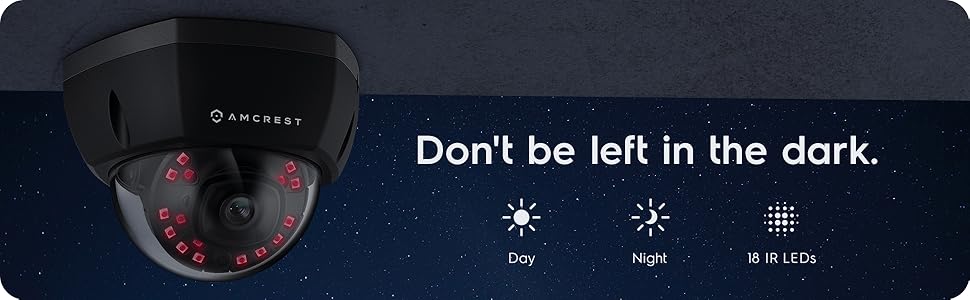
Малюнак 2: Выпample of night vision capability, illustrating clear image capture in dark conditions.
5. Тэхнічнае абслугоўванне
5.1 Ачыстка
Перыядычна чысціце аб'ектыў і корпус камеры мяккай губкайamp cloth. Avoid using harsh chemicals or abrasive materials that could scratch the lens or damage the finish.
5.2 Абнаўленне прашыўкі
Regularly check for and install firmware updates from the Amcrest website. Firmware updates often include performance improvements, new features, and security enhancements.
5.3 Абарона ад надвор'я
The IP8M-2493EB camera has an IP67 weatherproof rating, meaning it is protected against dust ingress and can withstand immersion in water up to 1 meter for 30 minutes. While designed for outdoor use, ensure all cable connections are properly sealed to maintain water resistance.
6. Выпраўленне непаладак
6.1 Агульныя праблемы і рашэнні
- No Power/No Video: Ensure the Ethernet cable is securely connected to both the camera and a functioning PoE port. Check the PoE switch/injector for power.
- Дрэнная якасць выявы: Clean the camera lens. Check network bandwidth. Adjust resolution and compression settings in the camera interface. Ensure sufficient lighting for optimal image clarity.
- Night Vision Halo Effect: This can occur if the IR light reflects off nearby surfaces or the camera housing. Ensure there are no obstructions close to the lens.
6.2 Video Support
For visual guidance on resolving common issues, including potential IR reflection, please refer to the following video:
Video 1: This video from Amcrest Direct provides instructions on resolving IR reflection issues that can affect night vision clarity in Amcrest cameras.
7. Тэхнічныя характарыстыкі
| Асаблівасць | Спецыфікацыя |
|---|---|
| Назва мадэлі | IP8M-2493EB |
| Выкарыстанне ў памяшканні/на вуліцы | На адкрытым паветры |
| Крыніца харчавання | AC/DC (via PoE) |
| Пратакол злучэння | Ethernet |
| Тып мацавання | Насценнае мацаванне |
| Дазвол відэазахопу | 4K |
| Колер | Чорны |
| Колькасць элементаў | 1 |
| Колькасць каналаў | 1 |
| Тэхналогія бесправадной сувязі | POE (харчаванне праз Ethernet) |
| Формаў-фактар | Куля |
| Дыяпазон начнога бачання | 98 футаў (30 метраў) |
| Частата кадраў | 30 кадраў у секунду |
| Памеры прадмета (Д х Ш х У) | 6.1 х 6.1 х 5.4 цалі |
| Вага прадмета | 1.3 фунта |
| Патрабуюцца батарэі? | няма |
| Тэхналогія нізкай асветленасці | Начны колер |
| Міжнародны рэйтынг абароны | IP67 |
| Максімум WebКамера дазвол выявы | 2 МП |
| Метад кантролю | дадатак |
| Рэкамендуемае выкарыстанне для прадукту | Ахова на адкрытым паветры |
| Тэхналогія падлучэння | Правадная |
| Асаблівасць | Датчык руху |
8. Гарантыя і падтрымка
Amcrest products typically come with a limited warranty. For specific warranty terms, registration, and technical support, please visit the official Amcrest website or contact Amcrest customer service directly. Keep your purchase receipt for warranty claims.
Amcrest Support: https://amcrest.com/support