
1. Уводзіны
This manual provides comprehensive instructions for the DROK Adjustable Current Voltage Analog Simulator Signal Generator, Model 300482_JPN. This versatile module is designed to generate both 0/4-20mA current signals and 0-10V voltage signals, making it suitable for a wide range of industrial and testing applications. Please read this manual carefully before operation to ensure proper use and to prevent damage.
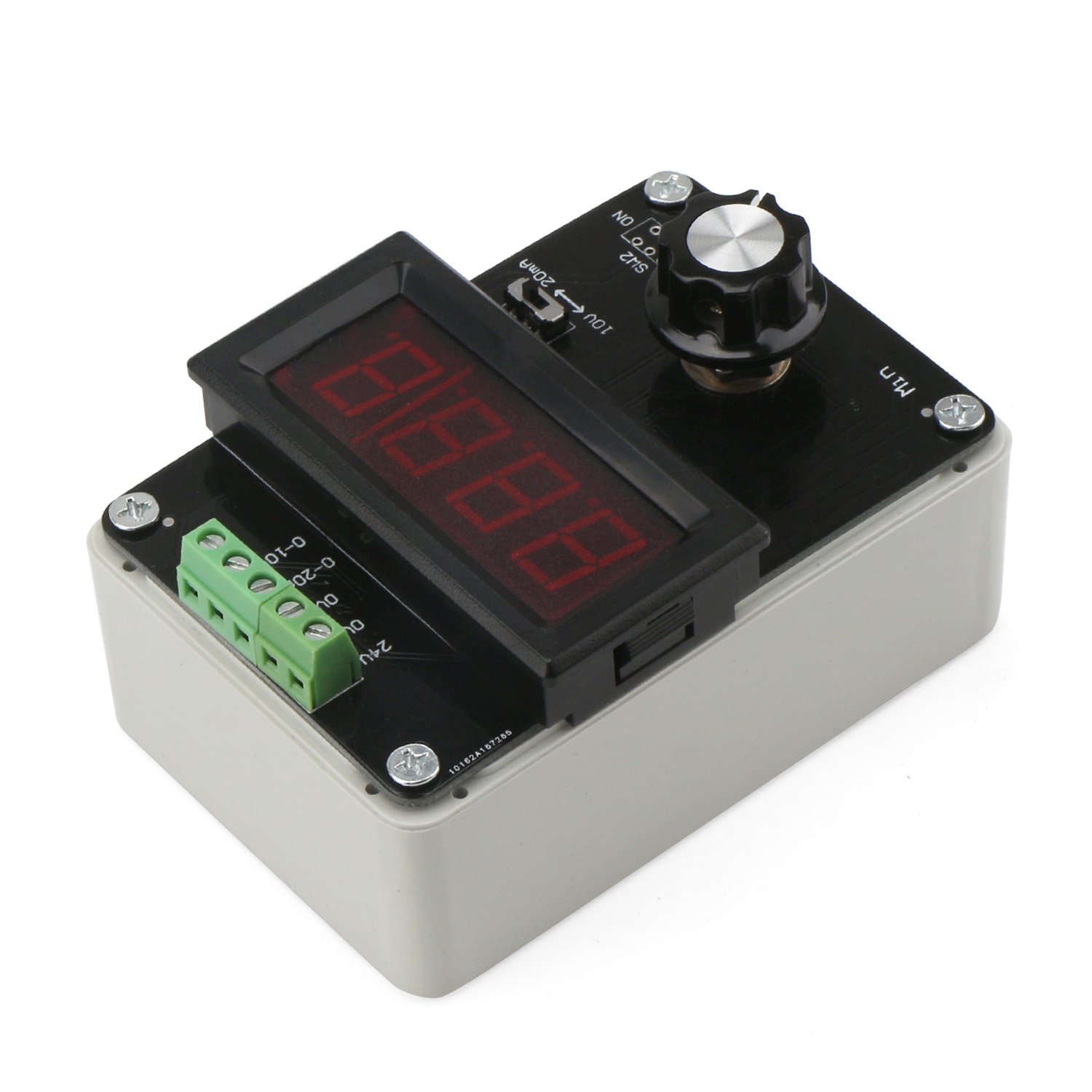
Малюнак 1: Зверху ўніз view of the DROK Signal Generator, showing the digital display, control knob, and terminal block.
2. Тэхнічныя характарыстыкі
| Параметр | Каштоўнасць |
|---|---|
| Аперацыйная Voltage | DC 12-24V |
| Уваходны сігнал | Potentiometer (for adjustment) |
| Выхадны сігнал | 0/4-20mA (Current) or 0-10V (Voltage) |
| Дакладнасць бягучага адлюстравання | 0.1 мА |
| тtage Дакладнасць адлюстравання | 0.01В |
| Памеры (Д х Ш х У) | 100 мм х 68 мм х 38 мм |
| Вага прадукту | 130 г |
| Нумар дэталі вытворцы | 300482_Японія |

Image 2: Dimensions of the DROK Signal Generator, illustrating its compact size.
3. Асаблівасці прадукту
- Dual Signal Output: Generates both 0/4-20mA current signals and 0-10V voltage signals from a single module.
- Рэгуляваны выхад: Output signals are precisely adjustable using a multi-cycle potentiometer.
- Чысты святлодыёдны дысплей: Features a bright, clear 3-digit LED digital display for real-time monitoring of output current and voltage.
- Easy Display Switching: A dedicated switch allows for quick toggling between current and voltage display modes.
- Каліброўка дысплея: Includes calibration potentiometers on the module's rear for fine-tuning the current and voltage display accuracy.
- Шырокае прымяненне: Suitable for signal generation, valve adjustment, inverter control, PLC debugging, panel debugging, LED testing, and transmitter output simulation.
4. Настройка
Before operating the signal generator, ensure proper power supply connection and output wiring.
- Падключэнне крыніцы харчавання: Connect a DC 12-24V power source to the designated power input terminals (typically labeled '24V' and 'GND' or similar) on the terminal block. Ensure correct polarity.
- Выходная праводка: Connect your target device or multimeter to the appropriate output terminals. For current output, use the '0-20mA' terminals. For voltage output, use the '0-10V' terminals. Refer to the terminal block labels for precise connections.
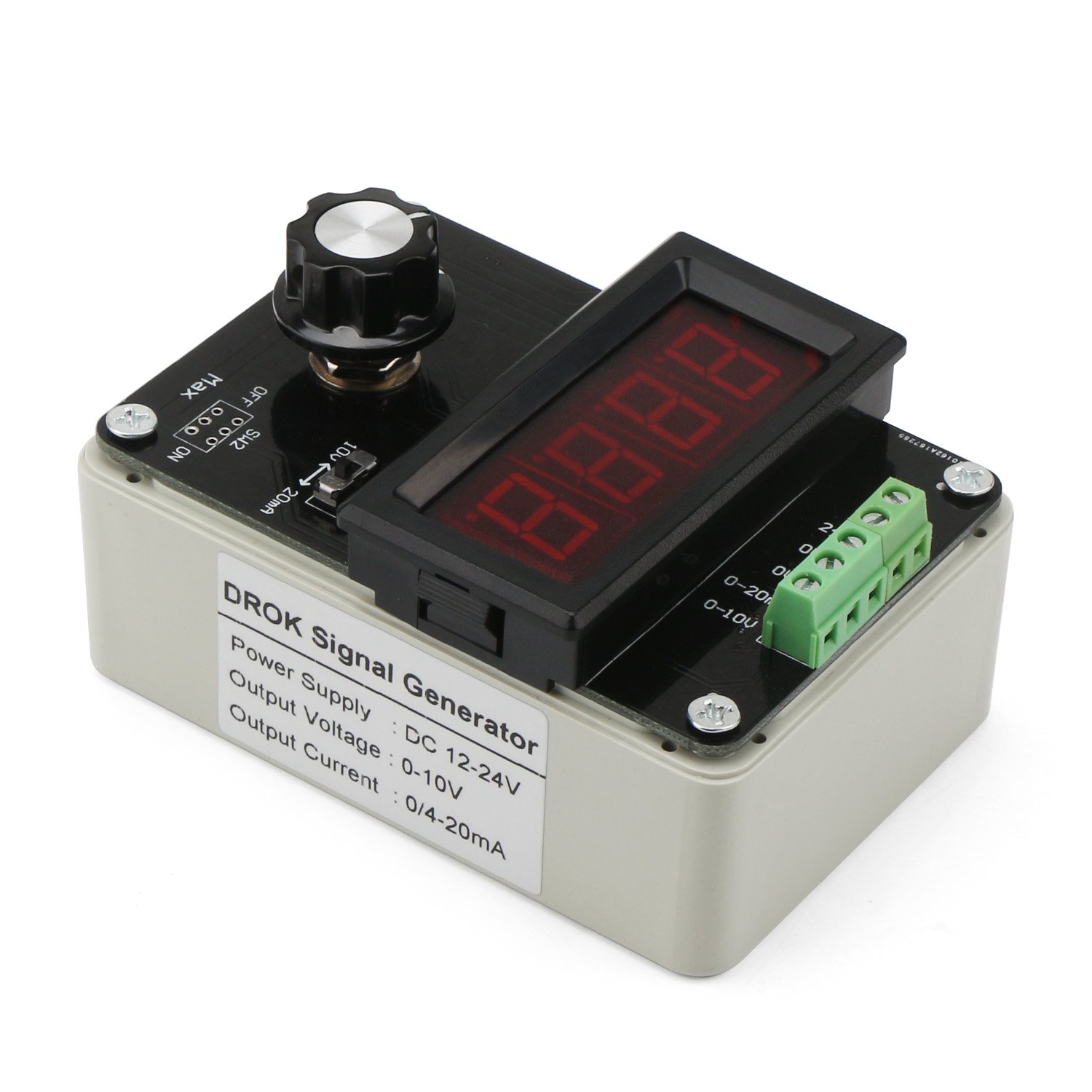
Малюнак 3: ззаду view of the DROK Signal Generator, showing the power supply and output voltage/current labels.
5. Аперацыя
The signal generator features a main control knob and a display switch for easy operation.
- Уключэнне: Once connected to a DC 12-24V power supply, the LED display will illuminate.
- Select Output Type: Use the slide switch (labeled SW1 or similar) to select between voltage output (0-10V) or current output (0/4-20mA). The switch position will typically be indicated by labels such as '10V' for voltage and '20mA' for current.
- Adjust Output Value: Rotate the multi-cycle potentiometer knob (labeled 'Min' to 'Max') to adjust the desired output signal. Turning the knob clockwise increases the output, and counter-clockwise decreases it.
- Пераключыць рэжым адлюстравання: Press the button located below the LED display to toggle between displaying the output current and output voltage.

Image 4: Labeled diagram of the control panel. It shows the 3-digit digital display, the current/voltage display switch (left for voltage, right for current), and the multi-cycle adjustable potentiometer.
6. Display Calibration
The module includes calibration potentiometers on the back to ensure the displayed values match the actual output. A multimeter is required for accurate calibration.
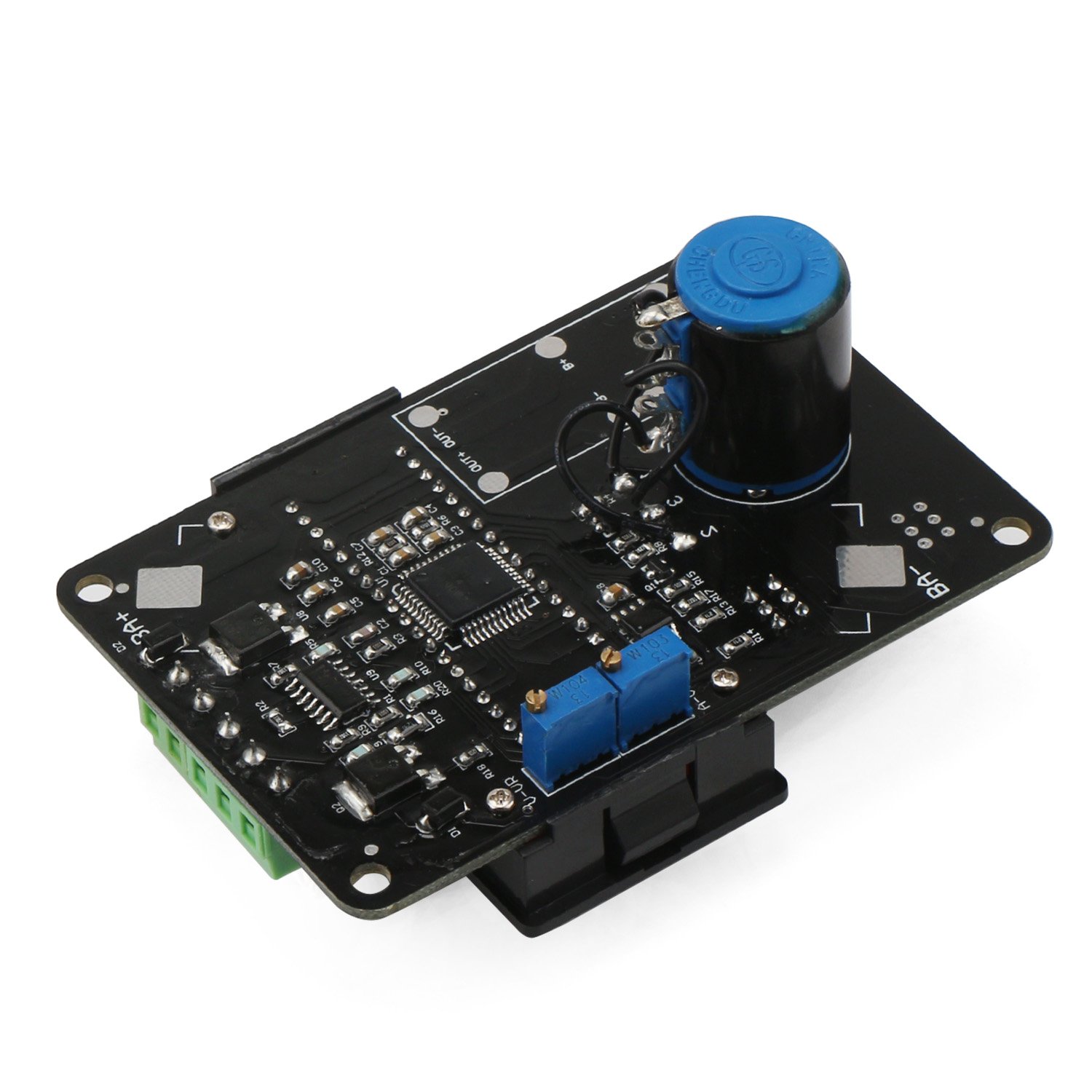
Малюнак 5: Ніжні бок view of the DROK Signal Generator PCB, highlighting the two blue calibration potentiometers for current and voltage display adjustment.
6.1. Current Display Calibration
- Rotate the main multi-cycle potentiometer knob clockwise to its maximum output.
- Set the output type switch (SW1) to the current output position (e.g., '20mA').
- Use an external multimeter to measure the actual output current value from the '0-20mA' terminals.
- Adjust the current display adjustment potentiometer (located on the back of the module, refer to Image 5) until the value shown on the module's LED display matches the actual current value measured by the multimeter.
6.2. Выпtage Display Calibration
- Rotate the main multi-cycle potentiometer knob clockwise to its maximum output.
- Set the output type switch (SW1) to the voltage output position (e.g., '10V').
- Use an external multimeter to measure the actual output voltage value from the '0-10V' terminals.
- Адрэгулюйце гучнасцьtage display adjustment potentiometer (located on the back of the module, refer to Image 5) until the value shown on the module's LED display matches the actual voltage value measured by the multimeter.
7. Дадаткі
The DROK Signal Generator is suitable for various applications, including but not limited to:
- General signal generation for testing and development.
- Valve adjustment and control.
- Inverter control systems.
- PLC (Programmable Logic Controller) debugging.
- Panel debugging and testing.
- LED testing and characterization.
- Transmitter output simulation.
8. Выпраўленне непаладак
| праблема | Магчымая прычына | Рашэнне |
|---|---|---|
| Няма дысплея/няма харчавання | Няправільны блок харчавання voltage or polarity; Loose connection. | Verify DC 12-24V power supply. Check power cable connections and polarity. |
| Output value does not change | Potentiometer not adjusted; Output type switch in wrong position. | Rotate the main potentiometer. Ensure the output type switch (SW1) is set correctly for current or voltage. |
| Displayed value is inaccurate | Display requires calibration. | Perform display calibration as described in Section 6 using an external multimeter. |
| Няма выхаднога сігналу | Incorrect wiring; Faulty connection to target device. | Check output wiring to the target device. Ensure the device is correctly configured to receive the signal. |
9. Змесціва ўпакоўкі
The package for Model 300482_JPN typically includes:
- 1 x DROK Adjustable Current Voltage Analog Simulator Signal Generator
10. Гарантыя і падтрымка
For warranty information or technical support, please refer to the product's purchase platform or contact DROK customer service directly. Keep your purchase receipt for warranty claims.