
Уводзіны
This manual provides instructions for the setup, operation, maintenance, and troubleshooting of your Rampage KM-RX9 CYPHER Gaming Keyboard and Mouse Set. This set includes a USB wired keyboard with rainbow ground illumination and a wired gaming mouse. Please read this manual thoroughly before using the product to ensure proper functionality and longevity.
Інфармацыя па бяспецы
- Трымайце прыладу далей ад вадкасцей і празмернай вільгаці.
- Не падвяргайце прыладу ўздзеянню экстрэмальных тэмператур.
- Не кідайце прыладу і не падвяргайце яе моцным ударам.
- Не спрабуйце разбіраць або рамантаваць прыладу самастойна. Звярніцеся да кваліфікаванага абслугоўваючага персаналу.
- Выкарыстоўвайце толькі з сумяшчальнымі USB-партамі.
Змест пакета
Калі ласка, праверце змесціва ўпакоўкі пасля распакавання. Стандартная ўпакоўка павінна ўключаць:
- Rampage KM-RX9 CYPHER Gaming Keyboard
- Rampage KM-RX9 CYPHER Gaming Mouse
- Кіраўніцтва карыстальніка (гэты дакумент)
Настройка
Follow these steps to set up your Rampage KM-RX9 CYPHER Gaming Keyboard and Mouse Set:
- Падключэнне клавіятуры: Locate an available USB port on your computer. Plug the USB connector of the Rampage KM-RX9 keyboard into the USB port.
- Падключыце мыш: Locate another available USB port on your computer. Plug the USB connector of the Rampage KM-RX9 mouse into the USB port.
- Ўстаноўка драйвера: The keyboard and mouse are typically plug-and-play devices. Your operating system (Windows, macOS, Linux) should automatically detect and install the necessary drivers. This process may take a few moments.
- Праверка: Once drivers are installed, the keyboard and mouse should be ready for use. Test by typing on the keyboard and moving/clicking the mouse. The keyboard's rainbow illumination should activate automatically.
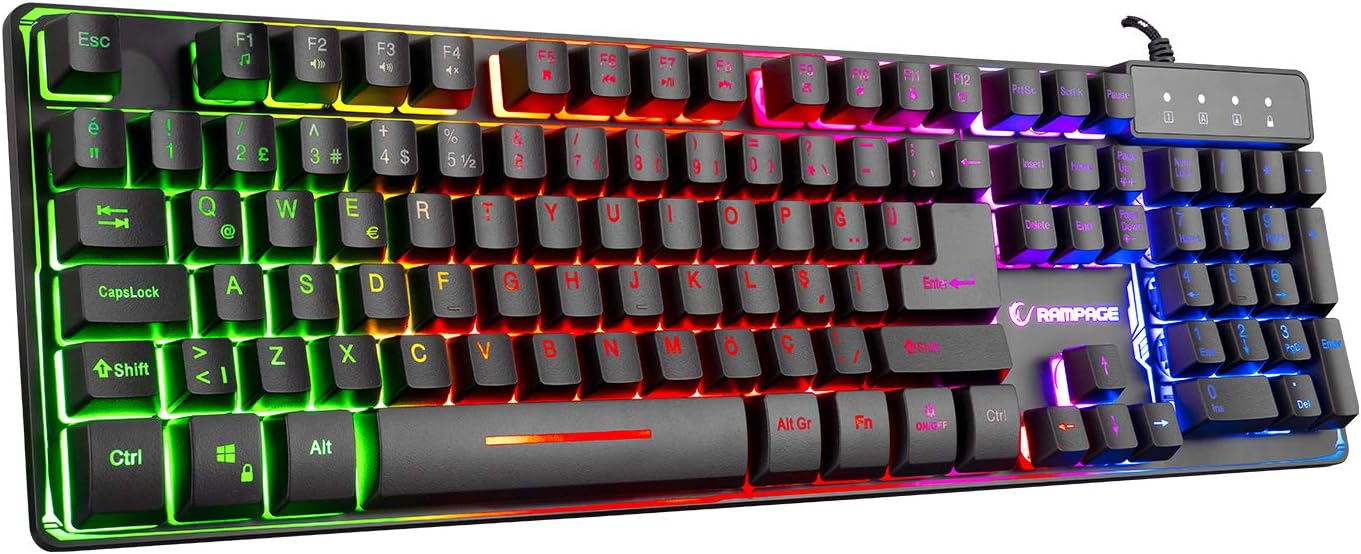
Малюнак 1: Верх view of the Rampage KM-RX9 CYPHER Gaming Keyboard, showcasing its full QWERTY layout and vibrant rainbow backlighting.
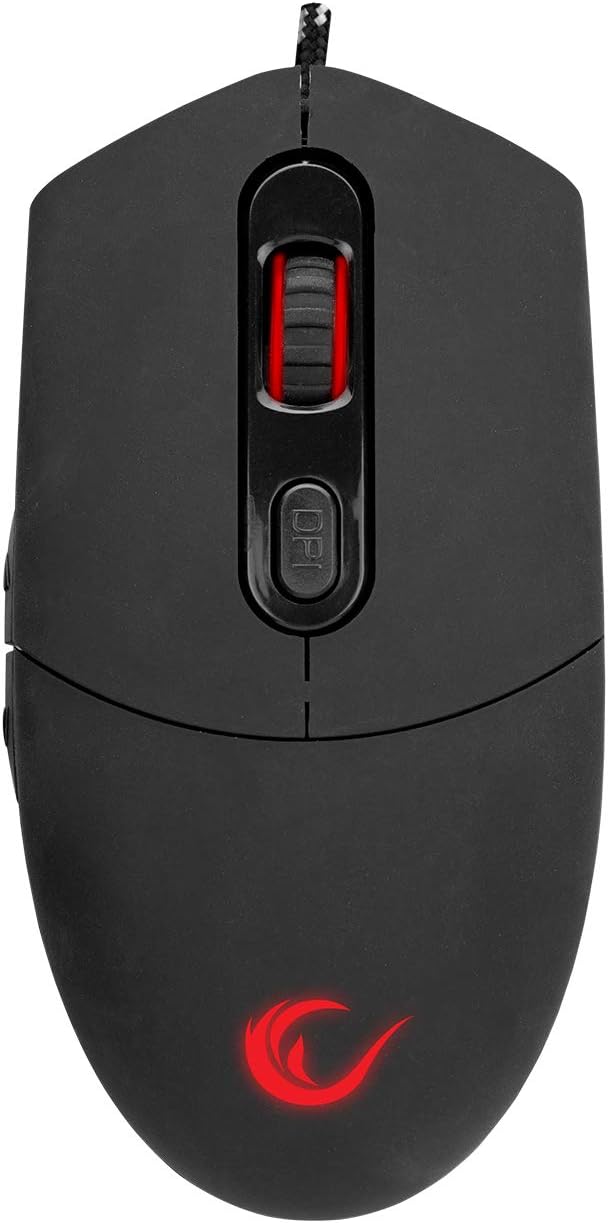
Малюнак 2: Верх view of the Rampage KM-RX9 CYPHER Gaming Mouse, featuring the scroll wheel and DPI adjustment button.
Кіраванне клавіятурай
Асноўныя функцыі
- Увод: The keyboard features a standard QWERTY layout for general typing and gaming.
- Функцыянальныя клавішы (F1-F12): These keys may have secondary multimedia or system functions when pressed in combination with the Fn key. Refer to the keycap legends for specific functions (e.g., volume control, media playback).
Кантроль асвятлення
The KM-RX9 keyboard features rainbow ground illumination. Specific controls for lighting modes or brightness are typically managed via dedicated keys or key combinations:
- Look for keys with light bulb icons or specific 'Fn' key combinations (e.g., Fn + Scroll Lock or Fn + старонка ўверх/уніз) to cycle through lighting effects or adjust brightness.
- The illumination is designed to provide a consistent rainbow effect across the keyboard's base.
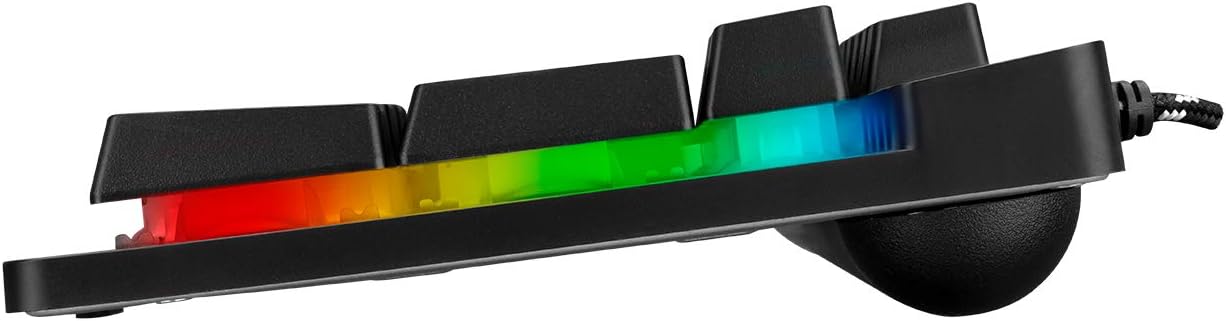
Малюнак 3: Бакавы прафесіяналfile of the Rampage KM-RX9 keyboard, illustrating the distinct rainbow ground illumination effect.
Кіраванне мышшу
Асноўныя функцыі
- Пстрычка левай кнопкай мышы: Кнопка асноўнага дзеяння.
- Пстрыкніце правай кнопкай мышы: Дадатковая кнопка дзеяння, звычайна для кантэкстных меню.
- Кола пракруткі: Выкарыстоўваецца для пракруткі дакументаў і web старонкі. Можа таксама функцыянаваць як сярэдняя кнопка мышы.
- Бакавыя кнопкі: The mouse features additional side buttons, commonly used for forward/backward navigation in web browsers or programmable for in-game actions.
Рэгуляванне DPI
The mouse includes a DPI (Dots Per Inch) adjustment button, usually located near the scroll wheel. Pressing this button cycles through different sensitivity levels, allowing you to adjust cursor speed on the fly to suit your preferences or game requirements.
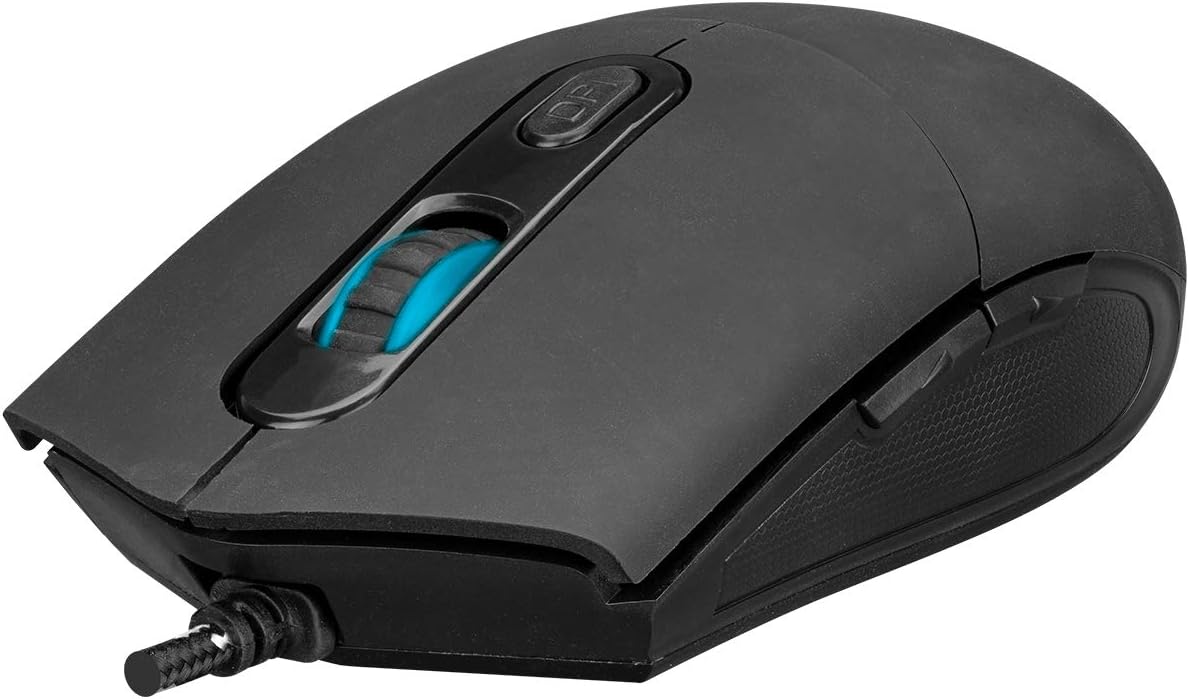
Малюнак 4: Пад вуглом view of the Rampage KM-RX9 mouse, highlighting the scroll wheel and the DPI adjustment button.

Малюнак 5: бок view of the Rampage KM-RX9 mouse, showcasing its ergonomic design and textured grip for enhanced control.
Тэхнічнае абслугоўванне
Proper maintenance ensures the longevity and performance of your gaming set:
- Чыстка клавіятуры: Use a soft, dry cloth to wipe down the keyboard surface. For dust between keys, use compressed air. Do not use harsh chemicals or abrasive cleaners.
- Чыстка мышкі: Працярыце паверхню мышы мяккай, злёгку злёгкуamp cloth. Ensure no moisture enters the device. Clean the optical sensor area on the bottom of the mouse with a cotton swab if tracking issues occur.
- захоўванне: When not in use for extended periods, store the keyboard and mouse in a clean, dry environment, away from direct sunlight and extreme temperatures.
Ліквідацыю непаладак
If you encounter issues with your Rampage KM-RX9 set, try the following solutions:
- Клавіятура/мыш не рэагуе:
- Пераканайцеся, што USB-кабелі надзейна падключаны да USB-партоў вашага кампутара.
- Паспрабуйце падключыць прылады да розных USB-партоў.
- Перазагрузіце кампутар.
- Check your computer's Device Manager (Windows) or System Information (macOS/Linux) to see if the devices are recognized.
- Illumination Not Working (Keyboard):
- Праверце, ці правільна падключана клавіятура.
- Press the dedicated lighting control keys or Fn key combinations to ensure illumination is not turned off or set to a very dim mode.
- Праблемы сачэння мышшу:
- Ачысціце аптычны датчык у ніжняй частцы мышы.
- Ensure you are using the mouse on a suitable surface (e.g., a mouse pad, not a reflective or transparent surface).
- Adjust the DPI settings using the DPI button.
Тэхнічныя характарыстыкі
| Мадэль прадукту | KM-RX9 |
| Марка | Rampage (Everest Rampўзрост) |
| Тэхналогія падлучэння | Правадной USB |
| Раскладка клавіятуры | QWERTY |
| Асаблівасці | Rainbow Ground Illuminated Keyboard, DPI Adjustable Mouse |
| Сумяшчальныя прылады | Настольны кампутар, ноўтбук, планшэт |
| Сумяшчальнасць аперацыйнай сістэмы | Windows, macOS, Linux |
| Памеры прадукту | Keyboard: 54 x 17 x 4.2 cm; 830 g |
| Крыніца харчавання | Electric Corded (USB) |
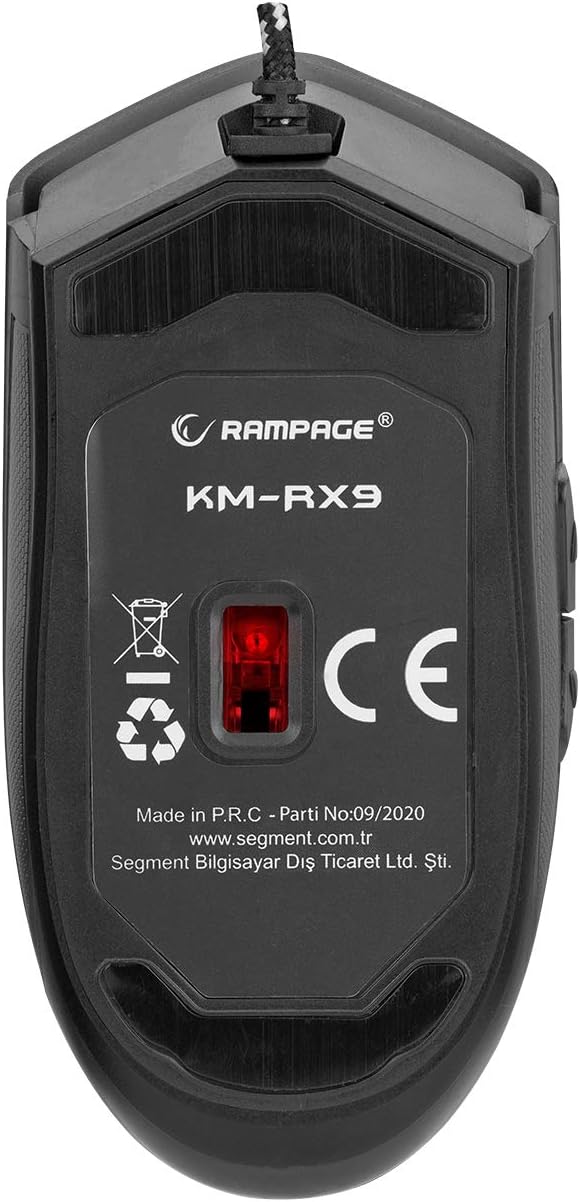
Малюнак 6: унізе view of the Rampage KM-RX9 mouse, displaying the model number and optical sensor.
Гарантыя і падтрымка
For warranty information and customer support, please refer to the documentation provided at the time of purchase or contact your retailer. You may also visit the official Rampўзрост webсайт для далейшай дапамогі.


