
Уводзіны
This manual provides comprehensive instructions for the Zerone Universal Remote Control, designed as a replacement for various Smart TV models including AA59-00582A, AA59-00580A, AA59-00581A, AA59-00638A, and AA59-00583A. Please read this manual carefully to ensure proper setup and operation of your new remote control.
Настройка
1. Устаноўка батарэі
Для пульта дыстанцыйнага кіравання патрэбныя дзве батарэйкі тыпу AAA (не ўключаны ў камплект). Каб усталяваць іх, выканайце наступныя дзеянні:
- Знайдзіце батарэйны адсек на задняй частцы пульта дыстанцыйнага кіравання.
- Зрушыце вечка батарэйнага адсека ўніз, каб адкрыць яго.
- Устаўце дзве батарэйкі тыпу AAA, пераканаўшыся, што станоўчая (+) і адмоўная (-) клемы супадаюць з дыяграмамі ўнутры адсека.
- Засуньце вечка батарэйнага адсека на месца, пакуль яна надзейна не зашчоўкне.

Image: Back of the remote control with the battery compartment visible. This shows where to open the cover to insert batteries.

Image: The remote control with its battery compartment open, revealing the slots for two AAA batteries. This illustrates the correct orientation for battery insertion.
2. No Programming Required
This remote control is designed to work immediately with compatible Smart TV models without any programming or setup. Simply insert the batteries, and it is ready for use.
Інструкцыя па эксплуатацыі
The Zerone Universal Remote Control features dedicated buttons for various functions. The remote operates within a distance of up to 10 meters (approximately 33 feet) with stable performance.
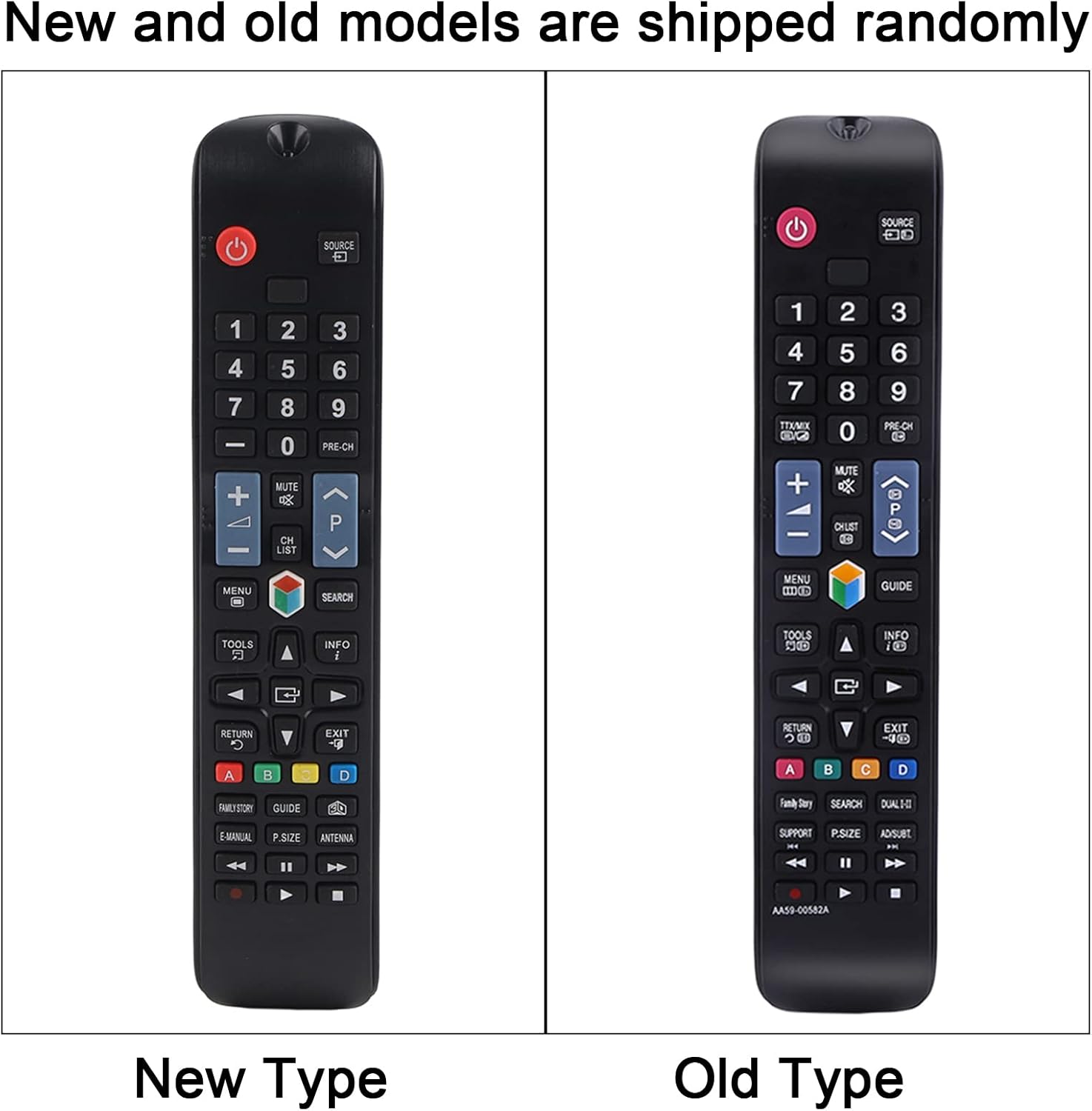
Выява: Чысты фронт view of the remote control, displaying all its buttons and their labels. This provides a visual guide to the remote's layout.
Асноўныя функцыі:
- Кнопка харчавання (●): Уключае або выключае тэлевізар.
- Кнопкі з лічбамі (0-9): Direct channel access.
- Гук уверх/уніз (+/-): Рэгулюе гучнасць тэлевізара.
- Пераключэнне каналаў (CH +/-): Змяняе тэлеканалы.
- Кнопка адключэння гуку: Уключае або выключае гук тэлевізара.
- Кнопка меню: Доступ да галоўнага меню тэлевізара.
- Кнопкі навігацыі (уверх, уніз, налева, направа, Enter): Navigates through menus and selections.
- Кнопка крыніцы/ўваходу: Змяняе крыніцу ўваходнага сігналу (HDMI, AV і г.д.).
- Кнопка выхаду: Выхад з бягучага меню або функцыі.
- Кнопка кіраўніцтва: Адлюстроўвае электронны тэлегід.
- Каляровыя кнопкі (A, B, C, D): Functionality varies depending on the TV model and current application.
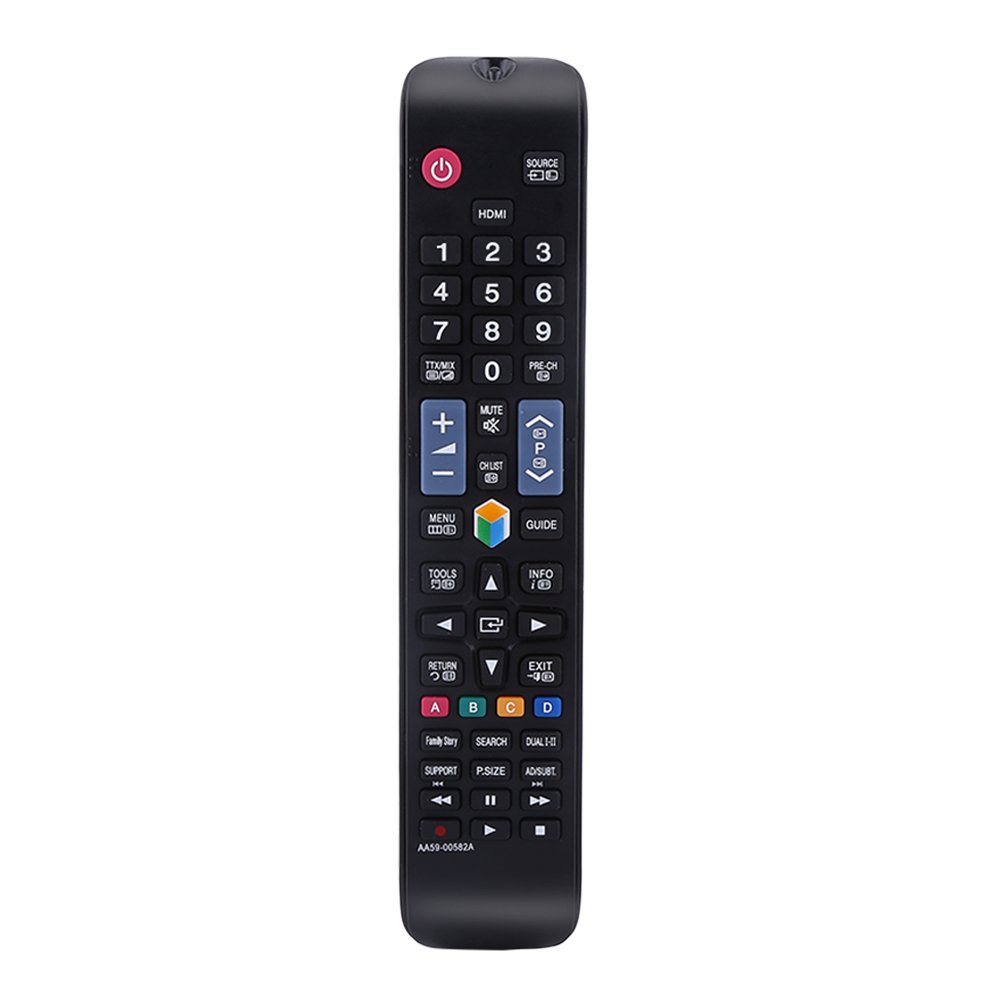
Image: The remote control being held, highlighting the power button, number pad, and the infrared emitter at the top. This demonstrates typical usage and the remote's design.
Тэхнічнае абслугоўванне
Замена батарэі:
When the remote control's performance degrades or it stops responding, replace the AAA batteries. Always replace both batteries at the same time with new ones. Do not mix old and new batteries, or different types of batteries.
Уборка:
Для чысткі пульта дыстанцыйнага кіравання выкарыстоўвайце мяккую сухую тканіну. Не выкарыстоўвайце вадкія ачышчальнікі, спрэі або абразіўныя матэрыялы, бо яны могуць пашкодзіць паверхню пульта дыстанцыйнага кіравання або ўнутраныя кампаненты.
Ліквідацыю непаладак
- Пульт не адказвае:
- Праверце, ці правільна ўсталяваныя батарэйкі з захаваннем палярнасці.
- Заменіце батарэі на новыя.
- Пераканайцеся, што паміж пультам дыстанцыйнага кіравання і інфрачырвоным прымачом тэлевізара няма перашкод.
- Make sure you are within the operating distance of 10 meters.
- Кнопкі заліпаюць або не рэагуюць:
- This may indicate dirt or debris under the buttons. Clean the remote as described in the Maintenance section.
Тэхнічныя характарыстыкі
| Назва прадукту | Пульт дыстанцыйнага кіравання |
| Тып | TV Remote Controller |
| мадэль | AA59-00582A (Compatible with AA59-00580A, AA59-00581A, AA59-00638A, AA59-00583A) |
| Крыніца харчавання | 2 х ААА батарэі (не ўключаны) |
| Дыстанцыя дзеяння | Within 10 meters (33 feet) |
| Матэрыял | АБС |
| Колер | Чорны |
| Памеры (Д х Ш х У) | 23 х 4.7 х 2 см (9 х 1.85 х 0.79 цалі) |
| Тэхналогія падлучэння | Інфрачырвоны |
| Тып кантролера | Кіраванне кнопкамі |

Image: The remote control displayed with its length, width, and height measurements indicated. This provides a visual reference for the physical dimensions of the device.
Гарантыя і падтрымка
For any questions or concerns regarding your Zerone Universal Remote Control, please contact our customer support. We are committed to providing assistance and follow-up services to ensure your satisfaction.