
Уводзіны
The School Smart CS-209 Scientific Calculator is designed for a wide range of mathematical and scientific calculations. It features a 2-line display and 183 pre-programmed functions, including logarithms, reciprocals, powers, roots, factorials, trigonometric functions, hyperbolic functions, and statistical calculations. This manual provides instructions for proper setup, operation, maintenance, and troubleshooting to ensure optimal performance of your calculator.
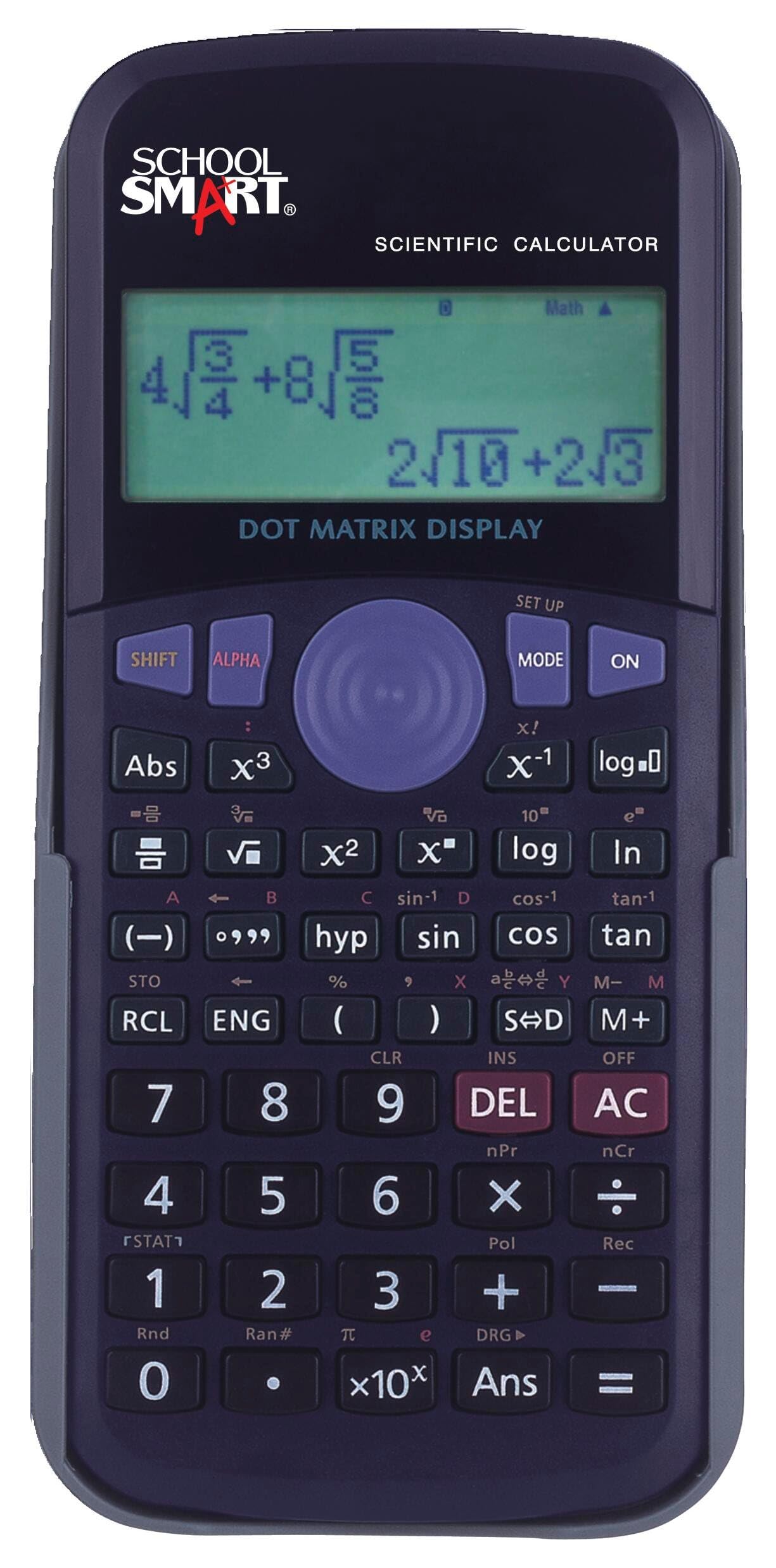
Image: A student utilizing the School Smart CS-209 Scientific Calculator for academic tasks.
Асноўныя характарыстыкі
- 183 Pre-programmed Functions: Includes a comprehensive set of scientific, trigonometric, statistical, and algebraic functions.
- 2-радковы дысплей: Allows for simultaneous viewing of input expressions and calculation results.
- Protective Hard Shell Case: Provides durability and protection for the calculator during transport and storage.
- Статыстычныя разлікі: Capable of performing one-variable statistical calculations.
- Разлікі дробаў: Падтрымлівае прамы ўвод і вылічэнні з дробамі.

Выява: спераду view of the School Smart CS-209 Scientific Calculator, showcasing its display and keypad layout.
Настройка
Ўстаноўка акумулятара
The School Smart CS-209 calculator uses AG13/LL54 batteries. To install or replace batteries:
- Пераканайцеся, што калькулятар выключаны.
- Знайдзіце батарэйны адсек на задняй панэлі калькулятара.
- Выкарыстоўвайце невялікую адвёртку, каб адкрыць вечка батарэйнага адсека.
- Выміце старыя батарэі, калі яны ёсць.
- Insert new AG13/LL54 batteries, ensuring correct polarity (+/-).
- Замяніце крышку батарэйнага адсека і замацуеце яе шрубай.

Выява: Задняя частка view of the School Smart CS-209 Scientific Calculator, indicating the battery compartment for installation.
Першапачатковае ўключэнне
Націсніце ON button to power on the calculator. The display should show '0' or a previous calculation result. If the display is blank or dim, check the battery installation.
Інструкцыя па эксплуатацыі
Асноўныя арыфметычныя аперацыі
Enter numbers and use the +, -, ×, ÷ keys for basic calculations. Press = каб атрымаць вынік.
Навуковыя функцыі
The calculator supports 183 pre-programmed functions. Many functions are accessed by pressing the ЗРУХ key followed by the desired function key (indicated by secondary labels above the keys).
- Трыганаметрычныя функцыі: Выкарыстоўвайце грэх, cos, загар keys. For inverse functions, press ЗРУХ затым адпаведную клавішу.
- Лагарыфмы: Выкарыстоўвайце часопіс (дзясяткавая сістэма злічэння) і ln (natural logarithm) keys.
- Сіла і карані: Выкарыстоўвайце x², x³, √, ³√ keys. For general powers, use x^y.
- дробы: Use the fraction key (often denoted as a/b or d/c) to input and calculate with fractions.
- Degrees, Minutes, Seconds (DMS) Conversions: Use the appropriate function key for conversions between decimal degrees and DMS.

Выява: Падрабязны view of the School Smart CS-209 Scientific Calculator's 2-line display and various function keys.
Статыстычныя разлікі
The calculator can perform one-variable statistical calculations. Refer to the specific key labels for entering data and calculating statistical measures like mean, standard deviation, etc. Typically, you enter a statistical mode, input data points, and then use dedicated keys to retrieve results.

Image: The calculator's keypad, highlighting the extensive range of over 180 mathematical functions.
Тэхнічнае абслугоўванне
Уборка
Для чысткі калькулятара выкарыстоўвайце мяккую сухую тканіну. Для ўстойлівага бруду злёгкуampen the cloth with water and a mild detergent, then wipe dry immediately. Do not use strong solvents or abrasive cleaners.
Замена батарэі
Replace batteries when the display becomes dim or calculations are erratic. Follow the battery installation steps outlined in the Setup section.
Захоўванне
When not in use, store the calculator in its protective hard shell case to prevent damage. Avoid exposing the calculator to extreme temperatures, humidity, or direct sunlight.

Image: The School Smart CS-209 Scientific Calculator shown with its included protective hard shell case.
Ліквідацыю непаладак
- Калькулятар не ўключаецца: Праверце ўстаноўку батарэек і пераканайцеся, што яны новыя.
- Дысплей цьмяны або пусты: Заменіце батарэі.
- Няправільныя вынікі разліку: Ensure correct mode (e.g., Degree/Radian) is selected. Clear previous calculations using the AC or CLR кнопка.
- Паведамленне пра памылку на дысплеі: Refer to the calculator's specific error codes (if available) or try clearing the calculation and re-entering. Common errors include division by zero or invalid input.
Тэхнічныя характарыстыкі
- Нумар мадэлі: КС-209
- Марка: Школа Smart
- Тып калькулятара: Навуковы
- Тып дысплея: LCD, 2-line Dot Matrix Display
- Колькасць функцый: 183 pre-programmed functions
- Крыніца харчавання: Battery Powered (AG13/LL54 batteries)
- Памеры: Approximately 12.7 x 7.62 x 0.25 cm (5-1/8 x 3 x 1/4 inches)
- Вага: Прыблізна 154.22 г (0.34 фунта)
- Матэрыял корпуса: Пластыкавыя

Image: The calculator's display, emphasizing its convenient 2-line capability for showing expressions and results.
Гарантыя і падтрымка
For warranty information or technical support regarding your School Smart CS-209 Scientific Calculator, please refer to the documentation provided at the time of purchase or contact School Smart customer service directly. Keep your purchase receipt as proof of purchase.