
1. Уводзіны
This manual provides essential information for the installation, operation, and maintenance of the Hirschmann RS20-0800T1T1SDAUHH Ethernet Rail Switch. This unmanaged Fast Ethernet switch is designed for industrial applications, offering reliable network connectivity with 8 ports and DIN rail mounting capabilities. Please read this manual thoroughly before operating the device.
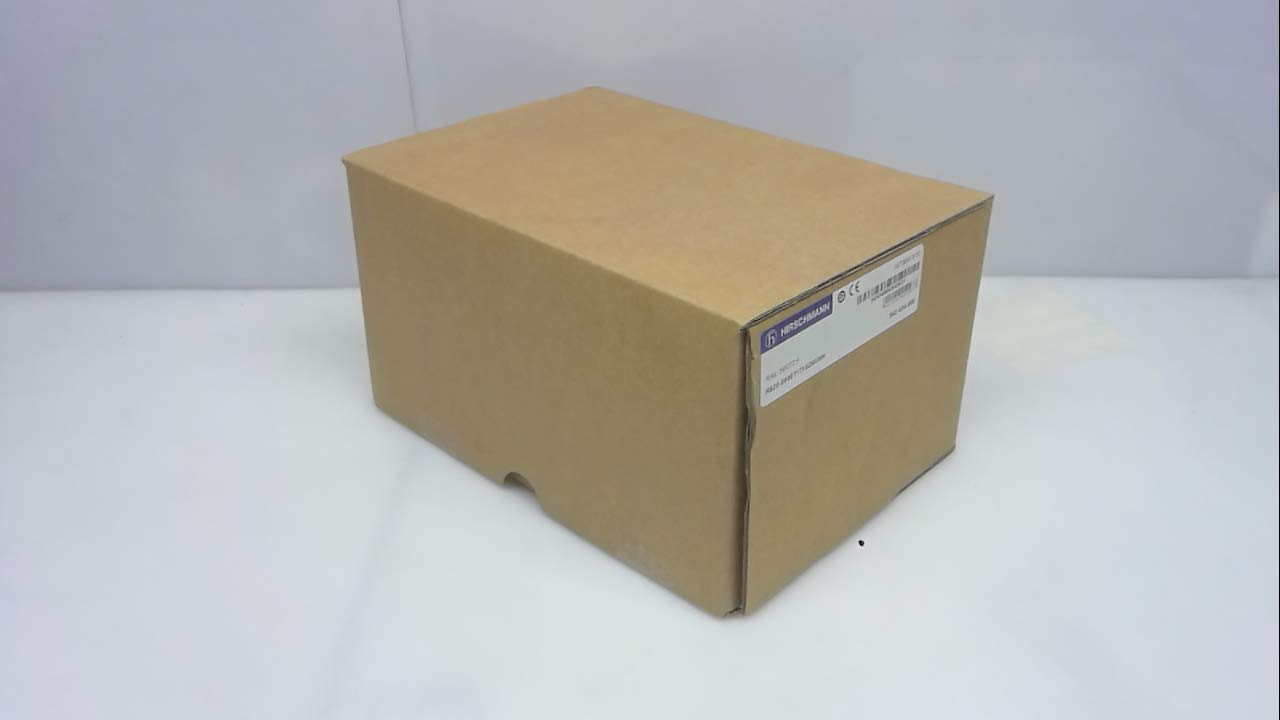
Малюнак 1: Hirschmann RS20-0800T1T1SDAUHH Ethernet Rail Switch in its original packaging. The packaging indicates the model number and brand for verification.
2. Настройка і ўстаноўка
Follow these steps for proper installation of your Hirschmann RS20-0800T1T1SDAUHH switch.
2.1 Распакаванне
- Акуратна дастаньце выключальнік з упакоўкі.
- Verify that all components are present and undamaged. The package should contain the switch and any included hardware.
2.2 Мантаж
The RS20-0800T1T1SDAUHH is designed for DIN rail mounting.
- Attach the switch securely to a standard DIN rail in an industrial enclosure.
- Забяспечце дастатковую вентыляцыю вакол прылады, каб прадухіліць перагрэў.
2.3 Падключэнне харчавання
Падключыце блок харчавання да выключальніка.
- The switch operates on 24V AC or 24-48V DC.
- Пераканайцеся, што крыніца харчавання адпавядае пазначанаму аб'ёмуtagе дыяпазон.
- Connect the power cables to the designated power input terminals on the switch.
2.4 Сеткавыя злучэнні
Connect Ethernet devices to the switch ports.
- The switch features 8 Fast Ethernet ports.
- Use standard Ethernet cables (e.g., Cat5e or Cat6) to connect your network devices (e.g., PLCs, industrial PCs, sensors) to any of the 8 ports.
- The switch automatically detects link speed and duplex mode.

Малюнак 2: The Hirschmann RS20-0800T1T1SDAUHH switch, illustrating the 8 Ethernet ports and the power input terminal block for connection.
3. Інструкцыя па эксплуатацыі
The Hirschmann RS20-0800T1T1SDAUHH is an unmanaged switch, designed for simple plug-and-play operation.
3.1 Уключэнне харчавання
Once the power supply is connected, the switch will power on automatically. There is no power button.
3.2 Падключэнне да сеткі
Upon connecting Ethernet devices to the switch ports, the switch will automatically establish network links. Data transmission will commence without further configuration.
3.3 Святлодыёдныя індыкатары
Observe the LED indicators on the switch for status information:
- Святлодыёд харчавання: Indicates the power status of the device. Typically green when powered on.
- Святлодыёды сувязі/актыўнасці (на кожны порт):
- Цвёрды зялёны: Indicates a successful network link.
- Міргае зялёным: Паказвае актыўнасць перадачы дадзеных на порце.
- Выключана: No link detected or device is not connected.
4. Тэхнічнае абслугоўванне
The Hirschmann RS20-0800T1T1SDAUHH switch requires minimal maintenance.
4.1 Ачыстка
- Перад чысткай пераканайцеся, што прылада выключана.
- Выкарыстоўвайце мяккую сухую тканіну, каб працерці вонкавую паверхню перамыкача.
- Do not use liquid cleaners or solvents, as these can damage the device.
4.2 Экалагічныя меркаванні
The switch has an IP00 rating, meaning it is not protected against dust or water ingress. It must be installed in an appropriate enclosure that provides protection from environmental factors.
5. Выпраўленне непаладак
У гэтым раздзеле прадстаўлены рашэнні распаўсюджаных праблем.
5.1 Няма харчавання
- сімптом: Святлодыёд харчавання не свеціцца.
- дзеянне:
- Check the power cable connection to the switch.
- Пераканайцеся, што крыніца харчавання актыўная і забяспечвае правільную гучнасцьtage (24V AC / 24-48V DC).
- Inspect the power terminals for secure contact.
5.2 Няма падключэння да сеткі
- сімптом: Link/Activity LED for a port is off, or devices cannot communicate.
- дзеянне:
- Пераканайцеся, што кабель Ethernet надзейна падключаны як да порта камутатара, так і да падлучанай прылады.
- Паспрабуйце іншы кабель Ethernet.
- Праверце, ці падключаная прылада ўключана і ці працуе яна правільна.
- Паспрабуйце падключыць прыладу да іншага порта камутатара.
6. Тэхнічныя характарыстыкі
Technical specifications for the Hirschmann RS20-0800T1T1SDAUHH Ethernet Rail Switch.
| Асаблівасць | Спецыфікацыя |
|---|---|
| Нумар мадэлі | RS20-0800T1T1SDAUHH |
| Марка | Гіршман |
| Тып перамыкача | Некіраваны камутатар хуткага Ethernet |
| Колькасць партоў | 8 |
| Тып мацавання | DIN-рэйка |
| Аперацыйная Voltage | 24V AC / 24-48V DC |
| Пратакол злучэння | Ethernet |
| Памеры прадукту (Д х Ш х У) | 0.31 х 0.31 х 0.28 цалі |
| Вага | 5.67 фунта |
| Міжнародны рэйтынг абароны | IP00 |
| Кантактны матэрыял | медзь |
| Дата першай даступнасці | 11 мая 2018 г |

Малюнак 3: Product label for the Hirschmann RS20-0800T1T1SDAUHH, displaying key identification numbers such as UPC 4002044252977 and Alt ID 943 434-999.
7. Гарантыя і падтрымка
7.1 Інфармацыя аб гарантыі
For specific warranty details regarding your Hirschmann RS20-0800T1T1SDAUHH switch, please refer to the warranty documentation provided with your purchase or contact Hirschmann directly. Warranty terms typically cover manufacturing defects for a specified period from the date of purchase.
7.2 Тэхнічная падтрымка
If you encounter issues that cannot be resolved using the troubleshooting guide, or require further technical assistance, please contact Hirschmann customer support or your authorized distributor. Have your product model number (RS20-0800T1T1SDAUHH) and serial number ready when contacting support.