
1. Уводзіны
This manual provides essential information for the safe and efficient operation of your Onida 50UIR KY Rock 50-inch 4K Ultra HD Smart LED TV. Please read it thoroughly before using the television and retain it for future reference.
2. Інфармацыя па бяспецы
Observe the following safety precautions to prevent fire, electric shock, or damage to the product:
- Не падвяргайце тэлевізар уздзеянню дажджу або вільгаці.
- Не адчыняйце корпус; звяртайцеся па абслугоўванне да кваліфікаванага персаналу.
- Забяспечце належную вентыляцыю; не блакуйце вентыляцыйныя адтуліны.
- Place the TV on a stable, level surface or mount securely to a wall.
- Адключайце тэлевізар ад сеткі падчас навальніцы або калі ён не выкарыстоўваецца працяглы час.
3. Змесціва ўпакоўкі
Праверце наяўнасць усіх прадметаў ва ўпакоўцы:
- 1 x Onida 50UIR LED TV
- 1 х Настольная падстаўка
- 1 х насценны кранштэйн
- 1 х Кіраўніцтва карыстальніка
- 1 х гарантыйны талон
- 1 х пульт дыстанцыйнага кіравання
4. Настройка
4.1 Installing the Stand or Wall Mount
You can choose to install the included table-top stand or use the wall mount bracket. Ensure the TV is placed on a stable surface or securely mounted to a wall according to the provided instructions for the chosen mounting method.
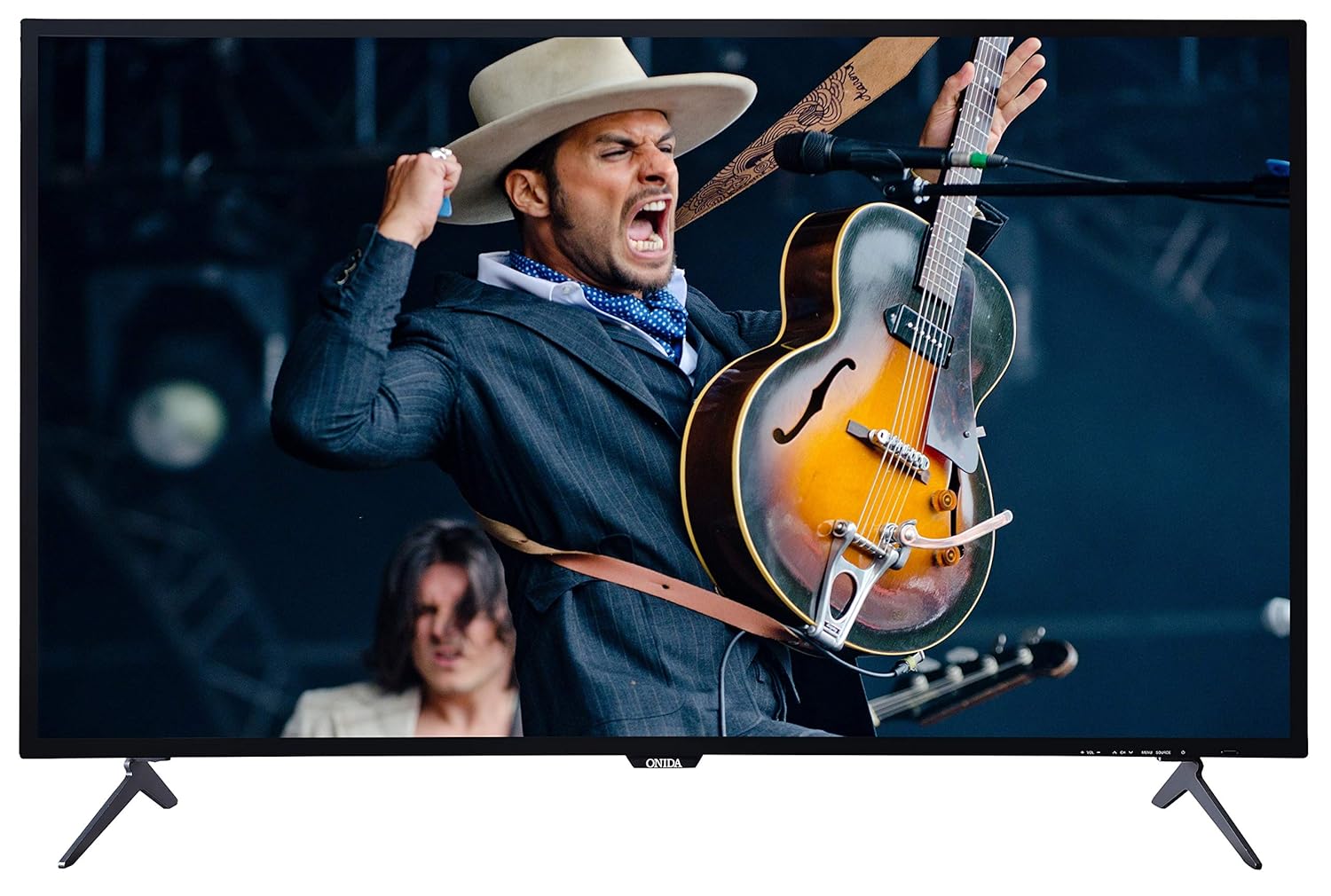
This image displays the front of the Onida 50UIR television, showcasing its slim bezels and the included table-top stands. The screen shows a vibrant image of a musician.

Пад вуглом view of the Onida 50UIR TV, highlighting its profile and the design of the table-top stands.
4.2 Пачатковае ўключэнне і канфігурацыя
After connecting the power cable, press the power button on the TV or remote control. Follow the on-screen prompts to complete the initial setup, including language selection, network connection, and channel scanning.
5. Інструкцыя па эксплуатацыі
5.1 Асноўныя функцыі
- Уключэнне/выключэнне харчавання: Націсніце кнопку харчавання на пульце дыстанцыйнага кіравання або тэлевізары.
- Рэгулятар гучнасці: Выкарыстоўвайце кнопкі VOL +/- на пульце дыстанцыйнага кіравання.
- Выбар канала: Выкарыстоўвайце кнопкі CH +/- або лічбавую клавіятуру на пульце дыстанцыйнага кіравання.
- Крыніца ўводу: Press the SOURCE button to select between HDMI, AV, VGA, or TV inputs.
6. Сувязь
The Onida 50UIR TV offers various connectivity options for external devices:
- Парты HDMI (3): Падключыце прыстаўкі, Blu-ray прайгравальнікі, гульнявыя кансолі.
- Парты USB (2): Падключыце жорсткія дыскі, USB-флэшкі для прайгравання медыя.
- Порт VGA (1): Падключыце кампутар.
- AV-уваход: Падключыце старыя прылады з дапамогай кампазітнага відэа і стэрэаўдыё.
- Антэнны ўваход: Connect a terrestrial or cable antenna.
- Порт Ethernet (LAN): Для праваднога падключэння да Інтэрнэту.

Падрабязны view of the rear panel of the Onida 50UIR TV, displaying various input and output ports including HDMI, USB, VGA, and audio connections.

This image provides another detailed view of the rear connectivity panel, highlighting the Ethernet port, additional HDMI inputs, VGA, PC Audio In, and Antenna input.
7. Функцыі Smart TV
Your Onida 50UIR TV is equipped with smart functionalities for an enhanced viewвопыт:
- Аперацыйная сістэма: АС Android 5.1.1
- Працэсар: ARM A7 Quad-core processor
- Памяць: 2GB RAM, 8GB Internal Memory
- Доступ да праграмы: Full access to the Google Play Store for downloading applications.
- Бесправаднае падключэнне: Built-in Wi-Fi for internet access.
- Адлюстраванне экрана: Share content from compatible mobile devices to the TV screen.
- Падтрымліваюцца паслугі: Includes YouTube and other streaming applications available via the Play Store.

A graphic detailing the main features of the Onida 50UIR TV, including 4K UHD resolution, Android OS, ARM A7 Quad Core Processor, Screen Mirroring, Built-In Wi-Fi, Quality Checks, Quick & Free Installation, and 300+ Service Centers.
8. Пульт дыстанцыйнага кіравання
The included remote control features navigation keys and a full QWERTY keyboard for convenient operation and text input.
8.1 Устаноўка батарэі
Open the battery compartment on the back of the remote control. Insert two AAA batteries, ensuring correct polarity (+/-). Close the compartment securely.
8.2 Remote Control Technology
The remote control utilizes both Infrared (IR) and Bluetooth technology for communication with the TV.

This image shows both the front and back of the Onida Smart TV remote control. The front features standard navigation and media playback buttons, while the back reveals a full QWERTY keyboard for easier text input.
9. Тэхнічнае абслугоўванне
9.1 Чыстка тэлевізара
Gently wipe the screen and cabinet with a soft, dry cloth. For stubborn marks, use a slightly damp cloth with a mild, non-abrasive cleaner specifically designed for electronics. Do not spray cleaner directly onto the screen.
9.2 Захоўванне
If storing the TV for an extended period, disconnect it from the power outlet and store it in a cool, dry place, protected from dust and extreme temperatures.
10. Выпраўленне непаладак
Калі ў вас узніклі праблемы з тэлевізарам, звярніцеся да наступных распаўсюджаных праблем і іх рашэнняў:
- Няма харчавання: Ensure the power cable is securely connected and the power outlet is functional. Check if the power indicator light is on.
- Няма выявы/гуку: Verify the correct input source is selected. Check all cable connections (HDMI, AV, etc.). Try another channel or media source.
- Пульт дыстанцыйнага кіравання не працуе: Check battery levels and ensure they are inserted correctly. Point the remote directly at the TV's IR sensor.
- Разумныя функцыі не рэагуюць: Check your internet connection (Wi-Fi or Ethernet). Restart the TV by unplugging it for a few minutes and plugging it back in.
- Дрэнная якасць выявы: Адрэгулюйце параметры выявы (яркасць, кантраснасць, рэзкасць). Пераканайцеся, што крыніца ўваходнага сігналу забяспечвае высокую якасць сігналу.
У выпадку пастаянных праблем звярніцеся ў службу падтрымкі кліентаў.
11. Тэхнічныя характарыстыкі
| Асаблівасць | Спецыфікацыя |
|---|---|
| Марка | Аніда |
| мадэль | 50UIR |
| Назва мадэлі | KY Rock |
| Памер экрана | 50 цалі (127 см) |
| Тэхналогія адлюстравання | LED ADS Panel |
| дазвол | 4K Ultra HD (3840 x 2160 пікселяў) |
| Частата абнаўлення | 60 Гц |
| Аперацыйная сістэма | АС Android 5.1.1 |
| Працэсар | ARM A7 Quad core |
| Ёмістасць памяці | 8 ГБ (унутранай) |
| АЗП | 2 ГБ |
| Гукавы выхад | 20 Вт (стэрэа) |
| Парты HDMI | 3 |
| Парты USB | 2 |
| Порт VGA | 1 |
| Абсталяванне інтэрфейсу | HDMI, USB, VGA |
| Тэхналогія падлучэння | HDMI, USB, Built-in Wi-Fi |
| Тэхналогія дыстанцыйнага кіравання | ІЧ-сігнал, Bluetooth |
| Viewing кут | 178 градусаў |
| Суадносіны бакоў выявы | 16:9 |
| Каэфіцыент кантраснасці выявы | 3000000 : 1 |
| Крыніца харчавання | AC |
| Памеры прадукту (ДxШxВ) | 110.8 х 23 х 70 см |
| Вага прадмета | 11 кг |

A technical diagram illustrating the physical dimensions of the Onida 50UIR TV, including width, height, depth, and screen diagonal in both inches and centimeters.
12. Гарантыя і падтрымка
12.1 Інфармацыя аб гарантыі
The Onida 50UIR TV comes with a Гарантыя ад вытворцы 1 год з даты пакупкі. Калі ласка, захавайце чэк аб куплі для прэтэнзій па гарантыі.
12.2 Падтрымка кліентаў
For technical assistance, service requests, or warranty inquiries, please contact MIRC Electronics (Onida) customer service:
- Нумар абслугоўвання кліентаў: 1800-103-1000