
1. Уводзіны
Thank you for choosing the DEMA Digital Cube Level. This device is designed for precise horizontal and vertical alignment measurements. This manual provides essential information for safe and effective use, including setup, operation, calibration, and maintenance.
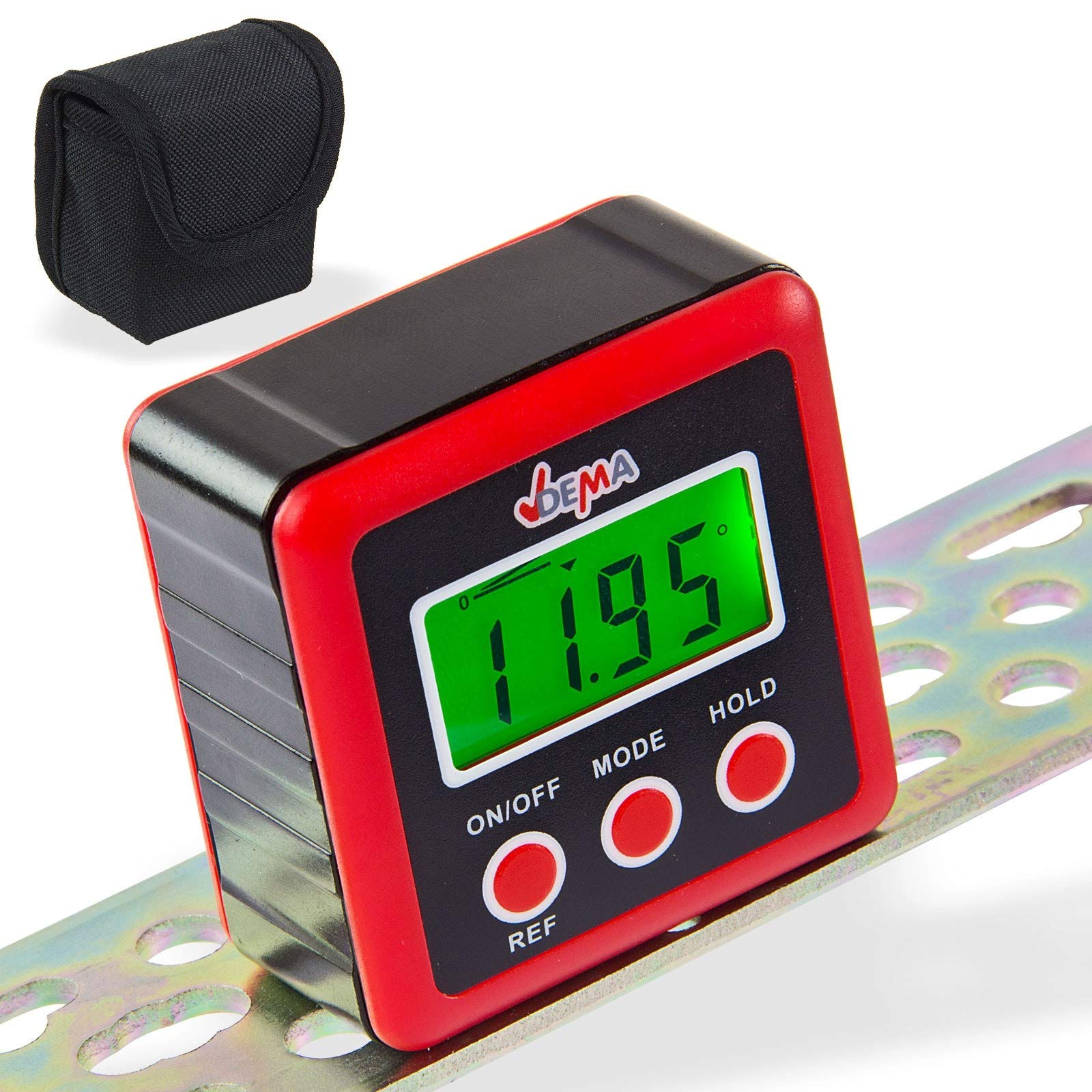
Figure 1: DEMA Digital Cube Level
2. Інструкцыі па тэхніцы бяспекі
- Technical advancements may lead to changes without prior notice from the manufacturer, which may not yet be reflected in this manual.
- Before initial operation, check the device for completeness and proper function.
- Never operate a defective or malfunctioning device. Contact the manufacturer or have the device inspected by a qualified mechanic.
- Заўсёды працуйце асцярожна і з неабходнай асцярожнасцю.
- Never apply excessive force to the device.
- Ensure batteries are removed if the device will not be used for an extended period. Never touch leaking batteries with any part of your body.
- Не дапускайце дзяцей і старонніх асоб да рабочай зоны.
- Ніколі не працуйце, калі вы стомлены або знаходзіцеся пад уздзеяннем наркотыкаў, лекаў ці алкаголю.
- Store packaging materials (foils, plastic bags, Styrofoam, etc.) only in places inaccessible to children, especially infants, as packaging parts often pose unrecognized dangers (e.g., choking hazard).
3. Выкарыстанне па прызначэнні
- The DEMA Digital Cube Level is suitable as a testing device for horizontal or vertical alignment of an object.
- The level is not designed for commercial purposes.
4. Настройка
4.1. Устаноўка батарэі
- Locate the battery cover on the back of the device.
- Unscrew the three screws securing the battery cover.
- Insert two 1.5V AAA batteries (not included) into the compartment, ensuring correct polarity.
- Replace the battery cover and secure it by tightening the three screws.

Figure 2: Battery compartment on the back of the device
5. Інструкцыя па эксплуатацыі
5.1. Уключэнне/выключэнне харчавання
- Націсніце ВКЛ/ВЫКЛ кнопка для ўключэння прылады.
- The device will automatically turn off if not used for approximately three minutes to conserve battery life.
5.2. Правядзенне замераў
- Уключыце прыладу.
- Place the device firmly on the surface to be measured. The display will show the incline in degrees.

Малюнак 3: Выпamples of display readings
5.3. Changing Display Units
- Націсніце РЭЖЫМ button to cycle through different display units: degrees (°), percentage (%), millimeters per meter (mm/m), and slope (ft,in).
- The slope is displayed in 1/8 increments.
- The '0°' symbol indicates the current angle.
5.4. Relative Angle Measurement (REF Function)
- If the device is not perfectly level, it will display a value. To set the current angle as a reference (zero), press the REF кнопка.
- The device is now in relative angle measurement mode and will display 'S'.
- Націсніце REF button again to exit the relative angle mode.
5.5. Падсвятленне дысплея
- The display backlight turns on automatically when any button is pressed.
- The backlight will automatically turn off after 20 seconds of no button activity.
5.6. Функцыя ўтрымання
- Націсніце ТРЫМАЦЬ button to 'freeze' the current measurement result on the display. The 'H' symbol will be shown.
- Прэса ТРЫМАЦЬ again to reactivate the measurement mode.
5.7. Індыкатар разраду батарэі
- When the battery symbol appears on the screen, it is recommended to replace the batteries promptly.
6. Каліброўка
For accurate measurements, periodic calibration is recommended.
- Выключыце прыладу.
- Place the level on a perfectly horizontal, flat, and stable surface.
- Націсніце і ўтрымлівайце абодва ВКЛ/ВЫКЛ і ТРЫМАЦЬ buttons simultaneously until 'CAL' is displayed. The device is now in calibration mode.
- Leave the device still for a moment, then press the ТРЫМАЦЬ button. The display will show 'CAL1'.
- Rotate the level 180° on the same surface and press the ТРЫМАЦЬ button. 'CAL2' will be displayed.
- Once 'CAL2' is no longer displayed, the calibration process is complete.
УВАГА: During the calibration process, the surface must not be tilted or moved. After calibration, the original data will be overwritten with the new calibration data.
7. Тэхнічнае абслугоўванне
- Трымайце прыладу чыстай і сухой. Працірайце знешнія паверхні мяккай тканінайamp тканіна. Не выкарыстоўвайце абразіўныя ачышчальнікі або растваральнікі.
- Пазбягайце ўздзеяння на прыладу экстрэмальных тэмператур, вільготнасці або прамых сонечных прамянёў.
- Remove batteries if the device is not used for an extended period to prevent leakage and damage.
- Store the device in its protective pouch (if included) when not in use to prevent scratches and damage.

Figure 4: Carrying pouch for the Digital Cube Level
8. Выпраўленне непаладак
8.1. Прылада не ўключаецца
- Праверце, ці правільна ўстаўлены батарэйкі з захаваннем палярнасці.
- Заменіце батарэйкі новымі батарэйкамі тыпу AAA напружаннем 1.5 В.
- Пераканайцеся, што кантакты батарэі чыстыя і не маюць карозіі.
8.2. Няправільныя паказанні
- Perform a calibration as described in Section 6.
- Ensure the measurement surface is stable and free from vibrations.
- Check for any physical damage to the device.
Калі праблемы не знікнуць, звярніцеся ў службу падтрымкі кліентаў.
9. Тэхнічныя характарыстыкі
| Асаблівасць | Спецыфікацыя |
|---|---|
| Дазвол дысплея | ±0.01° |
| Дакладнасць адлюстравання | ±0.1° at 0° and 90°, ±0.2° at other angles |
| Адлюстраваныя адзінкі | ° / %, mm/m, in/ft |
| Працоўная тэмпература | 0°C ~ 40°C |
| Неабходныя батарэі | 2 х 1.5 В AAA |
| Памеры (Д х Ш х У) | 58 х 58 х 32 мм |
| Вага (без акумулятараў) | прыбл. 70 г |
| Матэрыял | Полівінілхларыд (ПВХ) |
10. Утылізацыя
Do not dispose of this device with household waste. Please contact DEMA Vertriebs-GmbH, your local dealer, or a local recycling company for proper disposal. By disposing of the device correctly, you are making a valuable contribution to environmental protection.
11. Гарантыя і падтрымка
Warranty information for the DEMA Digital Cube Level is not provided within this manual. Please refer to your purchase documentation or contact your seller for details regarding warranty coverage.
For technical support, questions, or service requests, please contact the retailer from whom you purchased the product or the manufacturer directly. Contact information can typically be found on the product packaging or the seller's webсайт.