
1. Уводзіны і большview
The Quanta QTLBC95BT is a versatile wireless barcode reader designed for efficient data capture. It offers dual connectivity options: USB wireless and Bluetooth, providing flexibility for various scanning environments. This manual provides essential information for setting up, operating, and maintaining your device.
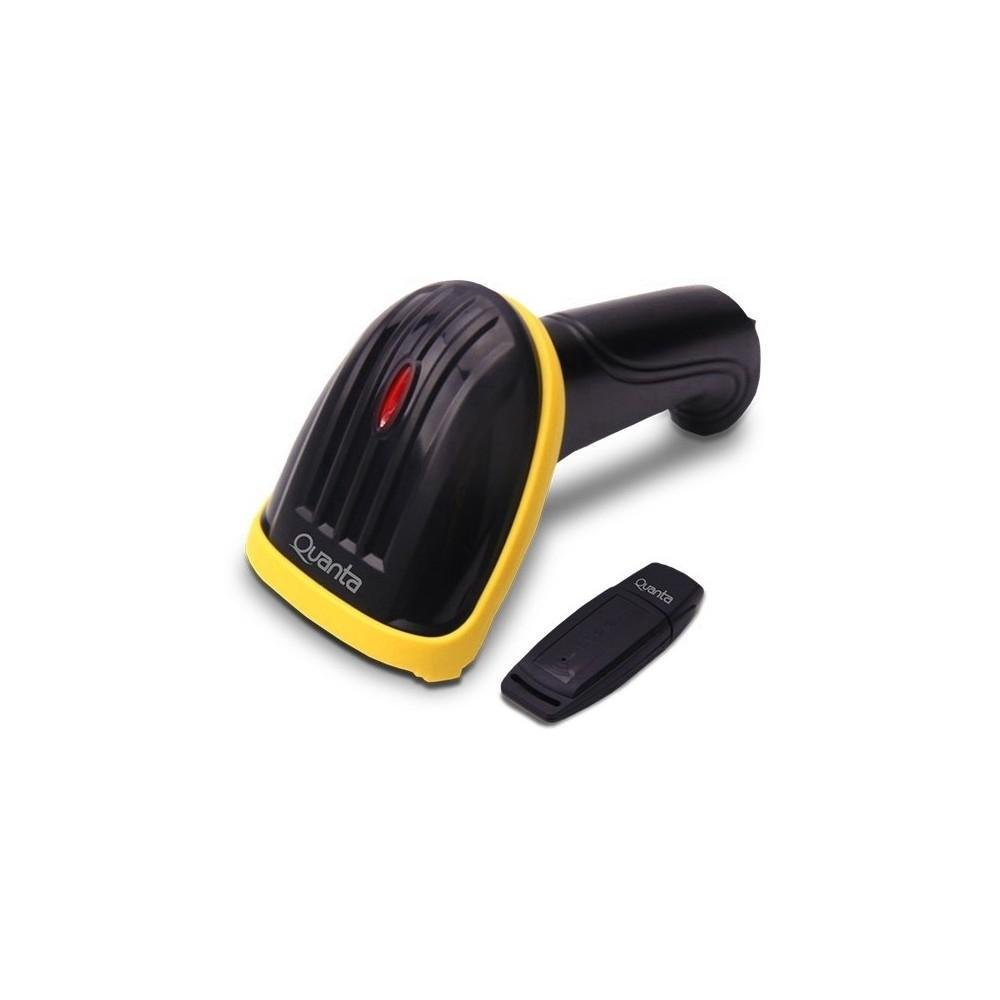
Image showing the black and yellow Quanta QTLBC95BT barcode reader and its compact black USB wireless adapter.
2. Змесціва ўпакоўкі
Калі ласка, пераканайцеся, што ўсе прадметы прысутнічаюць у камплекце:
- 1 x Quanta QTLBC95BT Barcode Reader
- 1 x USB Wireless Adapter
- 1 x Charger (Bivolt 110V/220V)
- 1 x USB Cable (for charging and wired connection)
3. Настройка
3.1. Зарадка прылады
- Connect the charger to the barcode reader's charging port.
- Plug the charger into a standard electrical outlet (110V/220V, 50Hz/60Hz).
- The device features a 3.7V Li-Ion 750 mAh rechargeable battery. Allow sufficient time for a full charge before first use.
3.2. Connecting via USB Wireless Adapter
- Insert the USB wireless adapter into an available USB port on your computer or host device.
- Turn on the barcode reader. It should automatically pair with the adapter.
- A successful connection is typically indicated by an audible beep or a change in the indicator light status on the scanner.
- The wireless transmission range for the USB adapter is approximately 30 meters.
3.3. Падключэнне праз Bluetooth
- Ensure your host device (computer, tablet, smartphone) has Bluetooth enabled.
- Уключыце счытвальнік штрых-кодаў.
- Initiate the pairing mode on the barcode reader (refer to specific instructions if a dedicated pairing button or sequence exists, otherwise it may automatically enter pairing mode).
- On your host device, search for new Bluetooth devices and select "Quanta QTLBC95BT" (or similar name) from the list.
- Пацвердзіце спалучэнне.
- The Bluetooth transmission range is approximately 10 meters.
4. Інструкцыя па эксплуатацыі
4.1. Сканаванне штрых-кодаў
- Ensure the device is powered on and successfully connected to your host device.
- Point the scanner's window at the barcode you wish to read.
- Press the trigger button. A red scanning line will emit from the device.
- Position the scanner approximately 25 cm (10 inches) from the barcode for optimal reading.
- The scanner is bidirectional and has a decoding speed of 200 scans per second.
- Upon successful scan, the device will typically emit an audible beep, and the data will be transmitted to your connected device.
4.2. Auto-Sensor Mode
The scanner features an auto-sensor mode with an interval time of 0.3 seconds. In this mode, the scanner can automatically detect and read barcodes without requiring a trigger press, which is useful for hands-free operation.
5. Тэхнічнае абслугоўванне
5.1. Уборка
- Use a soft, dry cloth to clean the exterior of the barcode reader.
- For the scanning window, use a lint-free cloth lightly dampачысціце мяккім неабразіўным ачышчальнікам. Пазбягайце агрэсіўных хімічных рэчываў.
- Перад чысткай пераканайцеся, што прылада выключана.
5.2. Сыход за батарэяй
- Каб падоўжыць тэрмін службы батарэі, пазбягайце частай поўнай разрадкі батарэі.
- Захоўвайце прыладу ў прахалодным, сухім месцы, калі яна не выкарыстоўваецца працяглы час.
6. Выпраўленне непаладак
6.1. Device Not Scanning
- Пераканайцеся, што прылада ўключана і цалкам зараджана.
- Verify that the scanner is properly connected to your host device (USB adapter or Bluetooth).
- Check if the barcode is damaged or unreadable.
- Адрэгулюйце адлегласць і вугал паміж сканерам і штрых-кодам.
6.2. No Data Transmission
- Confirm the connection status (USB or Bluetooth). Re-pair if necessary.
- Ensure the host device's input method is active and ready to receive data.
- Check the operating range (30m for USB wireless, 10m for Bluetooth).
6.3. Акумулятар не зараджаецца
- Verify that the charger is correctly connected to both the scanner and the power outlet.
- Пераканайцеся, што разетка працуе.
- Try using a different USB cable or charger if available.
7. Тэхнічныя характарыстыкі
| Асаблівасць | Дэталь |
|---|---|
| Марка | Кванты |
| Нумар мадэлі | QTLBC95BT |
| Тэхналогія падлучэння | Bluetooth, USB Wireless, USB Cable |
| Крыніца харчавання | Працуе ад акумулятара, электрычны |
| Тып батарэі | DC 3.7V Li-Ion 750 mAh Rechargeable |
| Уваходны кнtage | 110V/220V - 60Hz/50Hz (Bivolt) |
| Тып сканера | Двунакіраваны |
| Auto-Sensor Interval | 0.3 секунд |
| Decoding Speed | 200 сканаванняў у секунду |
| Optimal Scanning Distance | 25 см |
| USB Wireless Transmission Range | Да 30 метраў |
| Далёкасць перадачы Bluetooth | Да 10 метраў |
| Колер | Чорны |
| Памеры ўпакоўкі | 18 х 11 х 8 см |
| Вага ўпакоўкі | 350 г |
8. Гарантыя і падтрымка
For warranty information or technical support, please refer to the documentation provided with your purchase or contact Quanta customer service directly. Contact details can typically be found on the manufacturer's official webсайт.