
Уводзіны
The Promate Divemate is a versatile wireless in-ear headset designed for active lifestyles. Featuring an IPX8 waterproof rating, it is suitable for various activities including swimming. With 8GB of internal storage, you can enjoy music directly from the headset without needing a connected smartphone. It also includes Bluetooth 4.2 connectivity and a built-in microphone for hands-free calls.
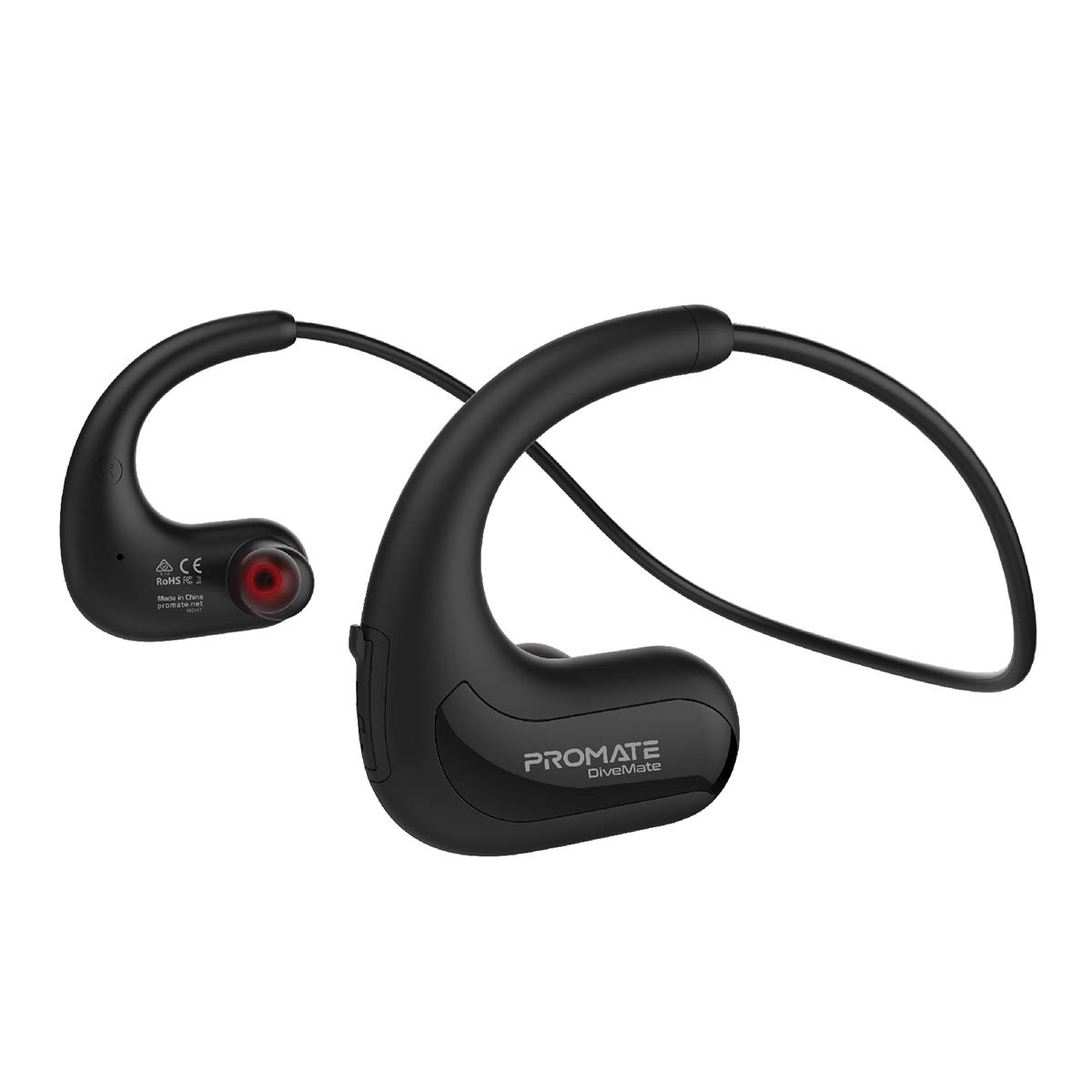
Image: Promate Divemate Wireless In-Ear MP3 Headphones, showcasinдызайн абадка на шыі і навушнікі-ўкладышы.
Асноўныя характарыстыкі:
- MP3 Bluetooth Play Mode: Built-in 8GB memory for music storage, allowing playback without a connected device.
- IPX8 воданепранікальны: Designed to withstand immersion in water, ideal for swimming and water sports.
- Easy 'Drag & Drop' Audio File Кіраванне: Simple transfer of music files to the internal 8GB storage.
- Прэміум-гук: Echo-elimination technology and noise isolation for clear audio.
- Убудаваны мікрафон: For hands-free calls, even in wet environments.
- Intuitive Playback Controls: Easy access to power, volume, and music playback functions.
- Гнуткая абадок на шыі: Lightweight and comfortable design for extended wear.
- Доўгі час гульні: Да 8 гадзін выкарыстання на адной зарадцы.
- Універсальная сумяшчальнасць: Connects with most Bluetooth-enabled devices.
Настройка
1. Зарадка прылады
Before first use, fully charge your Divemate headphones. Connect the charging cable to the charging port on the device and to a standard USB power source. A full charge takes approximately 1.5 hours. The LED indicator will show charging status (e.g., red for charging, blue for fully charged).
- Час зарадкі: Прыкладна 1.5 гадзіны
- Час выкарыстання: Да 8 гадзін
- Час чакання: Да 120 гадзін
2. Перадача музыкі Files (MP3 Mode)
The Divemate features 8GB of internal storage for MP3 playback. To transfer music:
- Connect the Divemate to your computer using the provided USB cable.
- The device will appear as a removable storage drive on your computer.
- Перацягніце патрэбны аўдыёфайл files (MP3 and other supported formats) into the Divemate's storage folder.
- Пасля завяршэння перадачы бяспечна выміце прыладу з кампутара.
This allows you to listen to music without needing a Bluetooth connection, which is ideal for activities like swimming.
3. Спарванне Bluetooth
To connect your Divemate to a Bluetooth-enabled device (e.g., smartphone, tablet):
- Ensure the Divemate is charged and powered off.
- Націсніце і ўтрымлівайце кнопку харчавання, пакуль святлодыёдны індыкатар не пачне міргаць сінім і чырвоным колерамі, што паказвае на рэжым спалучэння.
- На прыладзе перайдзіце ў налады Bluetooth і знайдзіце даступныя прылады.
- Select "Divemate" from the list.
- Пасля спалучэння святлодыёдны індыкатар будзе перыядычна міргаць сінім колерам.
The operating distance for Bluetooth is approximately 10 meters (33 feet).
Інструкцыя па эксплуатацыі
Уключэнне/выключэнне харчавання
- Каб уключыць: Націсніце і ўтрымлівайце кнопку харчавання, пакуль не загарыцца святлодыёдны індыкатар.
- Каб выключыць: Націсніце і ўтрымлівайце кнопку харчавання, пакуль святлодыёдны індыкатар не выключыцца.
Прайграванне музыкі
- Прайграванне/Паўза: Адзін раз націсніце шматфункцыянальную кнопку.
- Наступны трэк: Націсніце і ўтрымлівайце кнопку павелічэння гучнасці.
- Папярэдні трэк: Націсніце і ўтрымлівайце кнопку памяншэння гучнасці.
- Павялічыць гучнасць: Коратка націсніце кнопку павелічэння гучнасці.
- Паменшыць гучнасць: Коратка націсніце кнопку памяншэння гучнасці.
To switch between MP3 mode (internal storage) and Bluetooth mode, refer to the device's specific button combination, usually a long press on a dedicated mode button or the multi-function button.
Здзяйсненне і прыём званкоў
Пры падключэнні да смартфона праз Bluetooth:
- Адказаць на званок: Адзін раз націсніце шматфункцыянальную кнопку.
- Завяршыць выклік: Націсніце шматфункцыянальную кнопку адзін раз падчас размовы.
- Адхіліць выклік: Націсніце і ўтрымлівайце шматфункцыянальную кнопку на працягу 2 секунд.
- Паўторны набор апошняга нумара: Двойчы націсніце шматфункцыянальную кнопку.
The waterproof microphone ensures clear communication even in wet conditions.
Тэхнічнае абслугоўванне
Proper maintenance ensures the longevity and performance of your Promate Divemate headphones.
- Уборка: After use, especially in chlorinated or saltwater, rinse the headphones with fresh water. Wipe them dry with a soft, clean cloth. Do not use abrasive cleaners or solvents.
- захоўванне: Захоўвайце навушнікі ў прахалодным, сухім месцы, удалечыні ад прамых сонечных прамянёў і экстрэмальных тэмператур.
- Воданепранікальнасць: While IPX8 rated, avoid intentionally submerging the device for extended periods beyond its intended use. Ensure the charging port cover is securely closed before exposing to water.
- Зарадка: Only use the provided charging cable and a compatible USB power adapter.
Ліквідацыю непаладак
If you encounter issues with your Divemate headphones, refer to the following common solutions:
| праблема | Магчымае рашэнне |
|---|---|
| Прылада не ўключаецца. | Ensure the battery is charged. Connect to a power source and charge for at least 1.5 hours. |
| Немагчыма падключыцца праз Bluetooth. |
|
| Няма гуку або нізкі ўзровень гучнасці. |
|
| Не працуе мікрафон. |
|
| Water damage despite IPX8 rating. | Ensure all port covers were securely closed before water exposure. IPX8 rating specifies conditions (depth and duration); exceeding these limits or improper sealing can lead to damage. |
Тэхнічныя характарыстыкі
| Асаблівасць | Дэталь |
|---|---|
| Назва мадэлі | Divemate |
| Марка | Прамаце |
| Версія Bluetooth | v4.2 |
| Чыпсэт Bluetooth | Дзеянне ATS2825 |
| Bluetooth Profile | HSP, HFP, A2DP |
| Частата Bluetooth | 2.4-2.48 ГГц |
| Дыстанцыя дзеяння | 10м |
| Рэйтынг воданепранікальнасці | IPX8 |
| Унутраная памяць | 8 ГБ |
| Імпеданс | 32 Ом |
| Уваходны кнtage | 5.1В |
| Ёмістасць батарэі | 160 мАг |
| Тып батарэі | літый-палімерны |
| Час зарадкі | ~1.5 гадзін |
| Час выкарыстання | 8 гадзіны |
| Час чакання | 120 гадзіны |
| Памеры прадукту | 3.5 х 13 х 23 см |
| Вага прадукту | 200 грамаў |
Гарантыя і падтрымка
Information regarding product warranty and customer support is not available in the provided product data. Please refer to the product packaging or the manufacturer's official webсайт для атрымання падрабязнай інфармацыі аб гарантыйным пакеце і аб тым, як звязацца са службай падтрымкі кліентаў.